Gestire i dati semi‑strutturati

Introduzione a Snowflake SQL

George Boorman

Senior Curriculum Manager, DataCamp

Strutturati vs semi‑strutturati

Esempio di dati strutturati

| cust_id | cust_name | cust_age | cust_email            |
|---------|-----------|----------|-----------------------|
| 1       | cust1     | 40       | cust1***@gmail.com    |
| 2       | cust2     | 35       | cust2***@gmail.com    |
| 3       | cust3     | 42       | cust3***@gmail.com    |

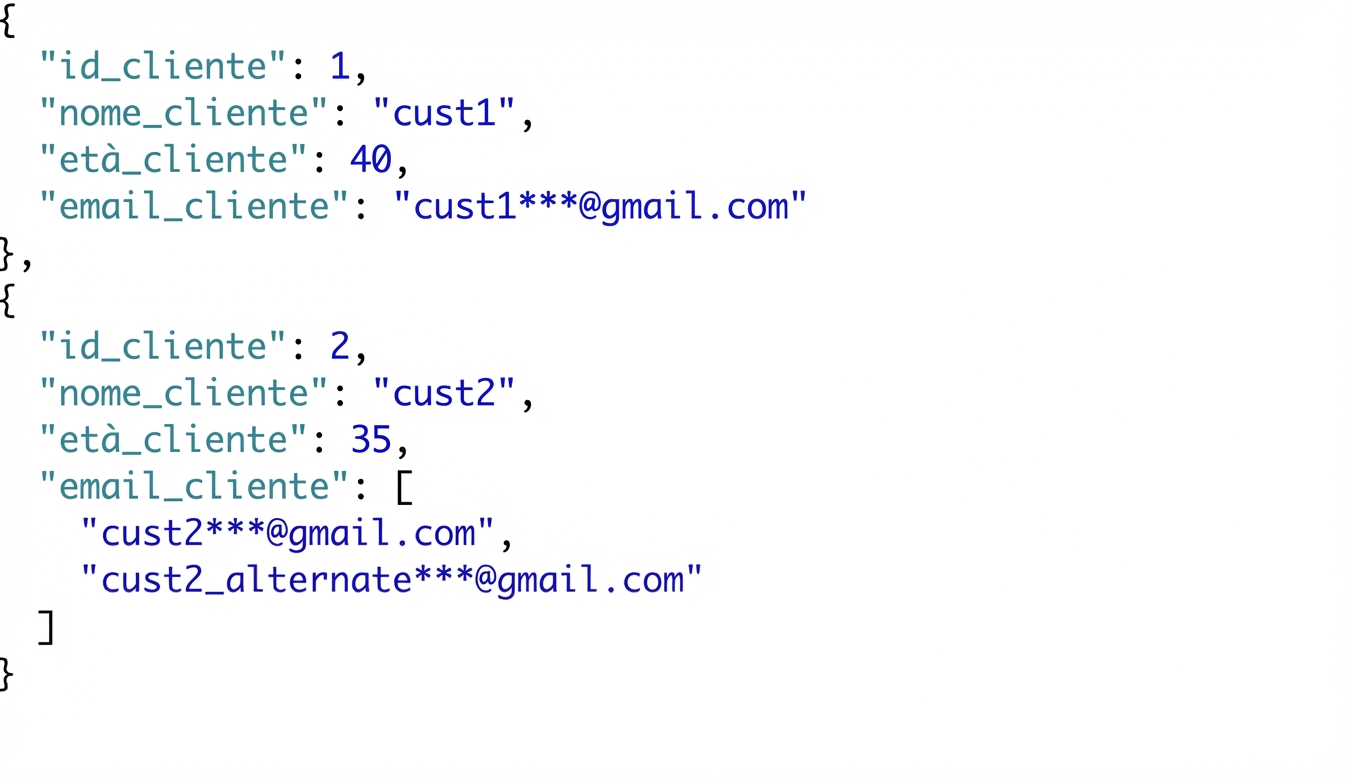
Esempio di dati semi‑strutturati

Dati cliente semi‑strutturati in JSON con il cliente 2 che ha due email

Introduzione a Snowflake SQL

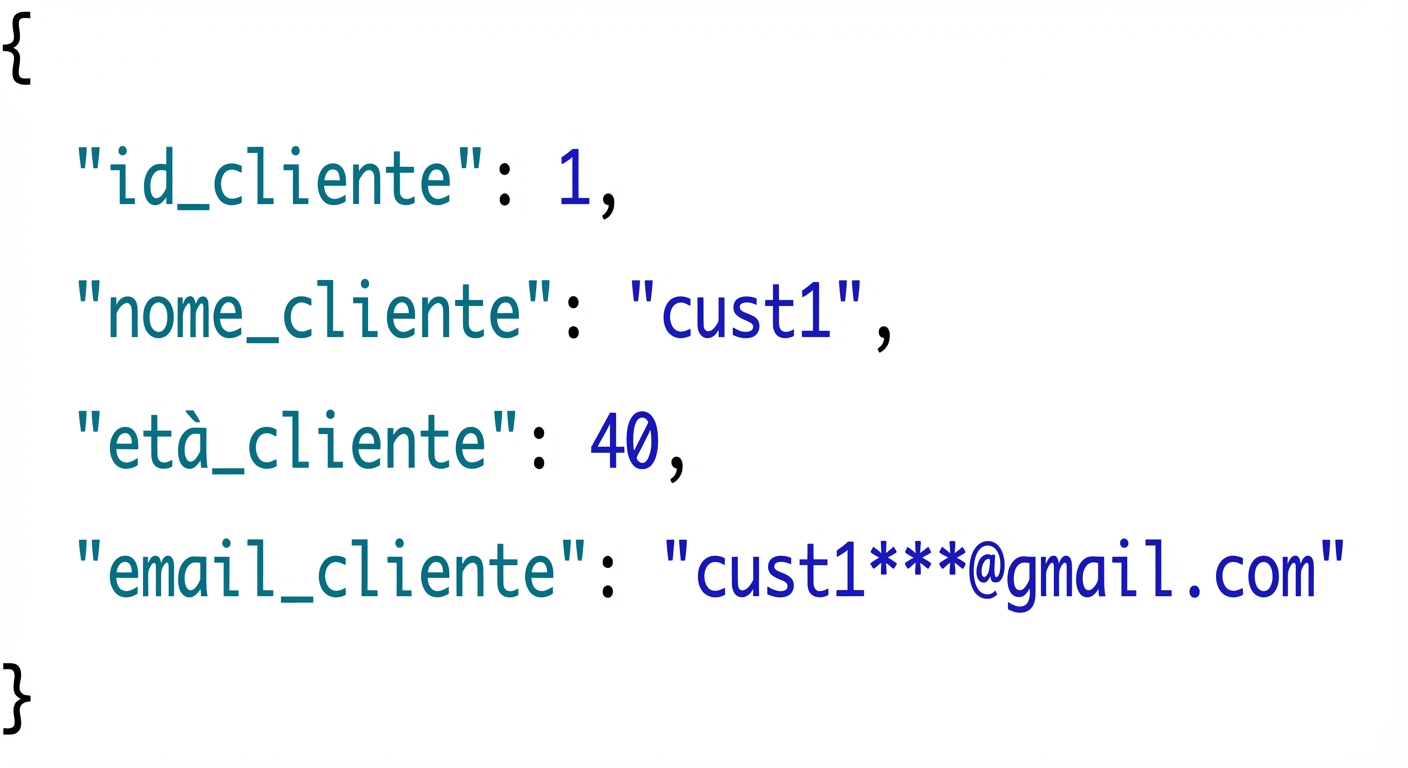
Introduzione a JSON

  • JavaScript Object Notation
  • Casi d’uso comuni: Web API e file di config
  • Struttura JSON:
    • Coppie chiave‑valore, es. cust_id: 1

Esempio di record JSON cliente con id, nome, età ed email

Introduzione a Snowflake SQL

JSON in Snowflake

  • Supporto JSON nativo
  • Flessibile per schemi in evoluzione


Confronti:

  • Postgres: usa JSONB
  • Snowflake: usa VARIANT
Introduzione a Snowflake SQL

Come Snowflake archivia JSON

  • VARIANT supporta i tipi OBJECT e ARRAY
    • OBJECT: { "key": "value"}
    • ARRAY: ["list", "of", "values"]
  • Creare una tabella Snowflake per gestire JSON
    CREATE TABLE cust_info_json_data (
      customer_id INT, 
      customer_info VARIANT -- VARIANT data type
    );
    
Introduzione a Snowflake SQL

Funzioni per dati semi‑strutturati

  • PARSE_JSON

    • expr: dati JSON in formato stringa
    • Restituisce: tipo VARIANT, oggetto JSON valido
Introduzione a Snowflake SQL

PARSE_JSON

Esempio:

SELECT PARSE_JSON(
  -- Enclosed in strings      
  '{
  "cust_id": 1,
  "cust_name": "cust1",
  "cust_age": 40,
  "cust_email":"cust1***@gmail.com"
  }
  '-- Enclosed in strings
) AS customer_info_json
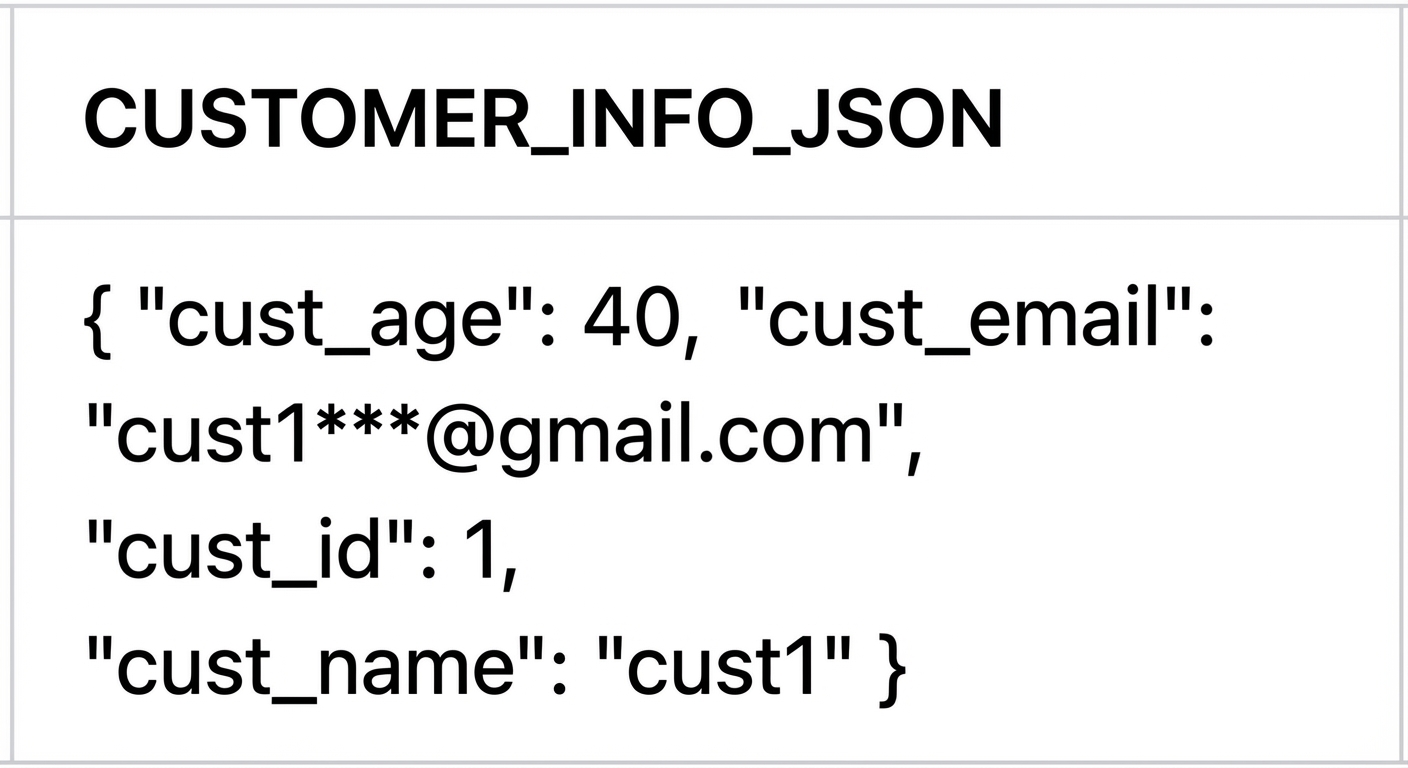
Risultato di PARSE_JSON

Introduzione a Snowflake SQL

OBJECT_CONSTRUCT

  • OBJECT_CONSTRUCT

    • Sintassi: OBJECT_CONSTRUCT( [<key1>, <value1> [, <keyN>, <valueN> ...]] )
    • Restituisce: oggetto JSON
    SELECT OBJECT_CONSTRUCT(
      -- Comma separated values rather than : notation
          'cust_id', 1,
          'cust_name', 'cust1',
          'cust_age', 40,
          'cust_email', 'cust1***@gmail.com'
    )
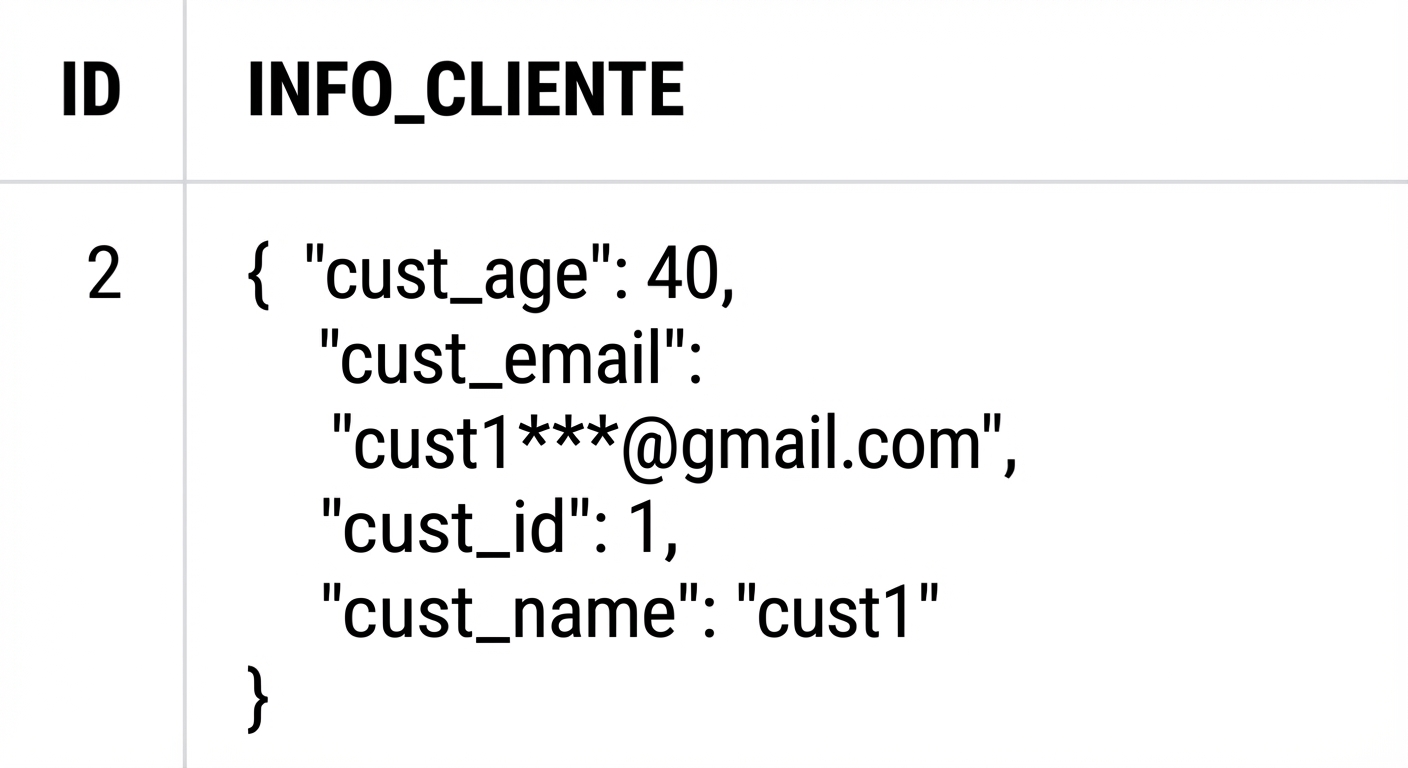
Tabella con colonna `customer_info` con dati in formato JSON

Introduzione a Snowflake SQL

Interrogare JSON in Snowflake

JSON semplice

  • :
    SELECT
      customer_info:cust_age, -- Use colon to access cust_age from column
      customer_info:cust_name,
      customer_info:cust_email,
    FROM 
      cust_info_json_data;
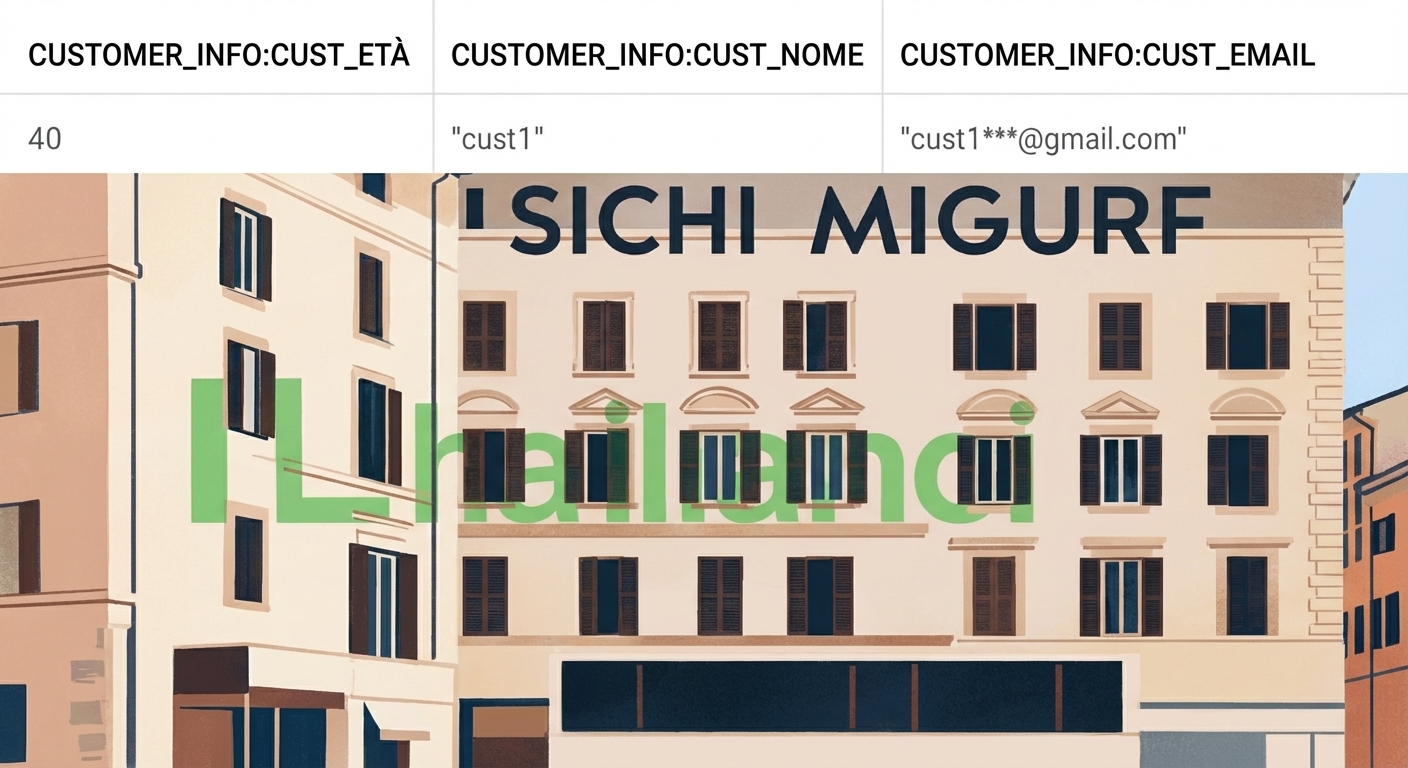
    

Risultato query con età, nome ed email come colonne separate

Introduzione a Snowflake SQL

Interrogare JSON annidato in Snowflake

Esempio di JSON annidato
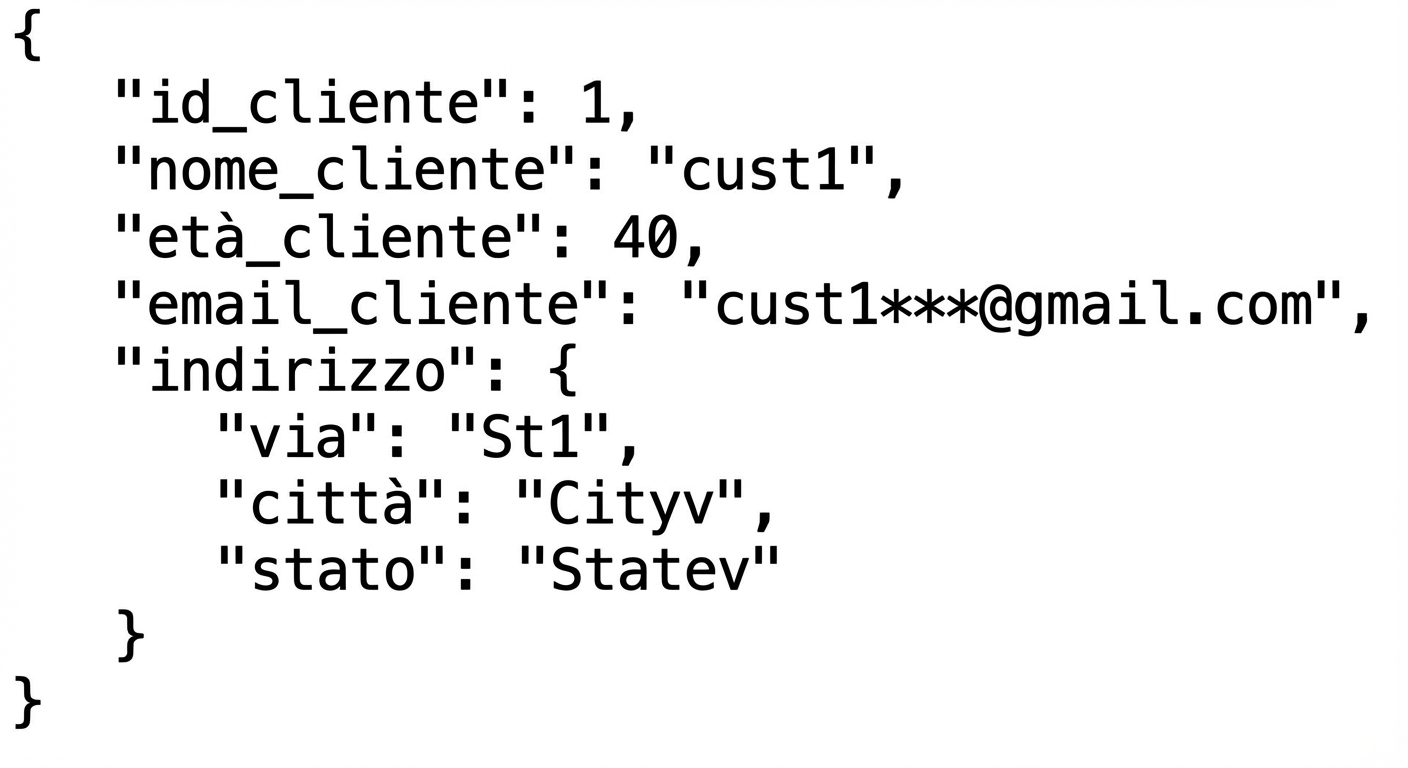
Un JSON annidato dove address è un oggetto con coppie chiave‑valore street, city e state

  • Due punti: :
  • Punto: .
Introduzione a Snowflake SQL

Interrogare JSON annidato con due punti/punto

Accesso ai valori con i due punti

<column>:<level1_element>:<level2_element>:<level3_element>

SELECT 
    customer_info:address:street AS street_name 
FROM 
    cust_info_json_data
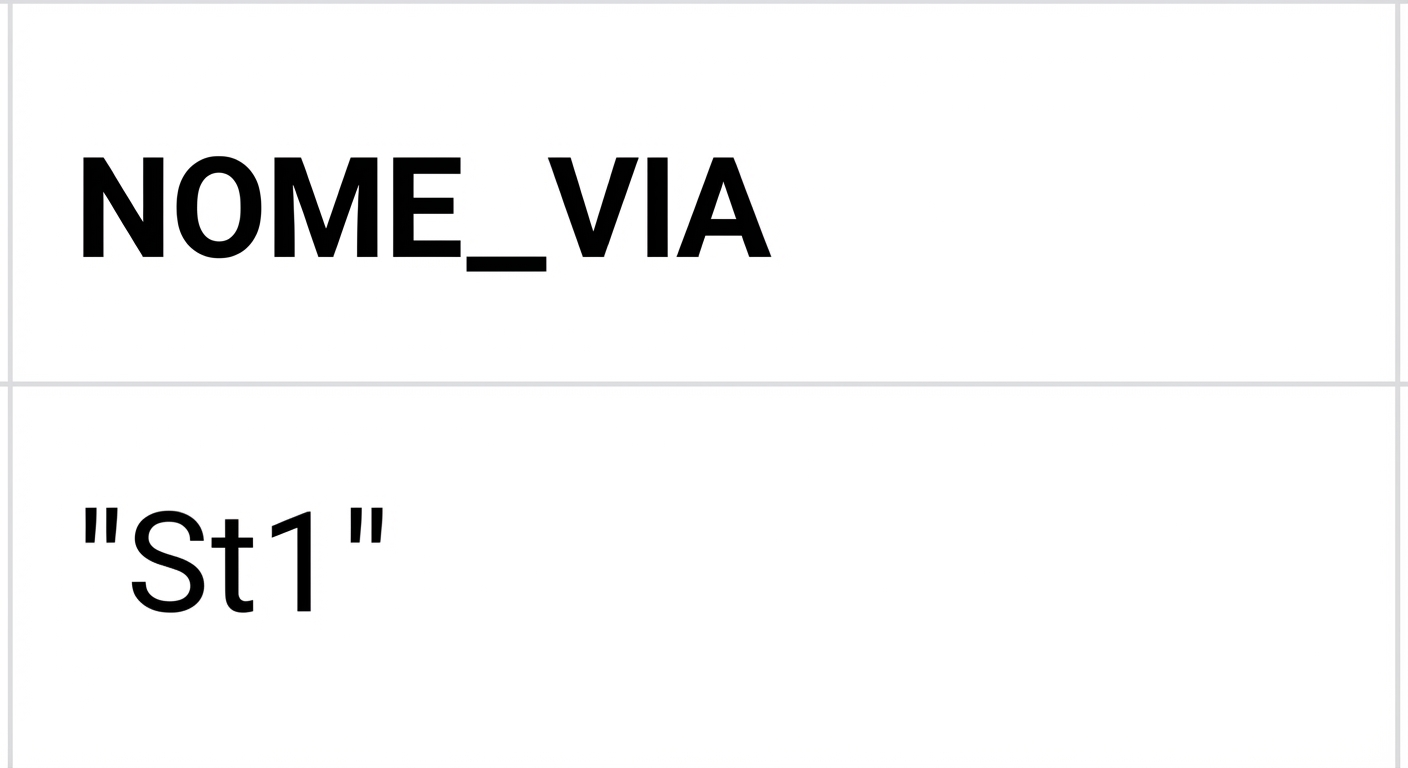
Risultato query con street_name

Accesso ai valori con il punto

<column>:<level1_element>.<level2_element>.<level3_element>

SELECT
    customer_info:address.street AS street_name
FROM
    cust_info_json_data

Risultato query con street_name

Introduzione a Snowflake SQL

Passons à la pratique !

Introduzione a Snowflake SQL

Preparing Video For Download...