Congratulations

Git intermedio

George Boorman

Curriculum Manager, DataCamp

Branches

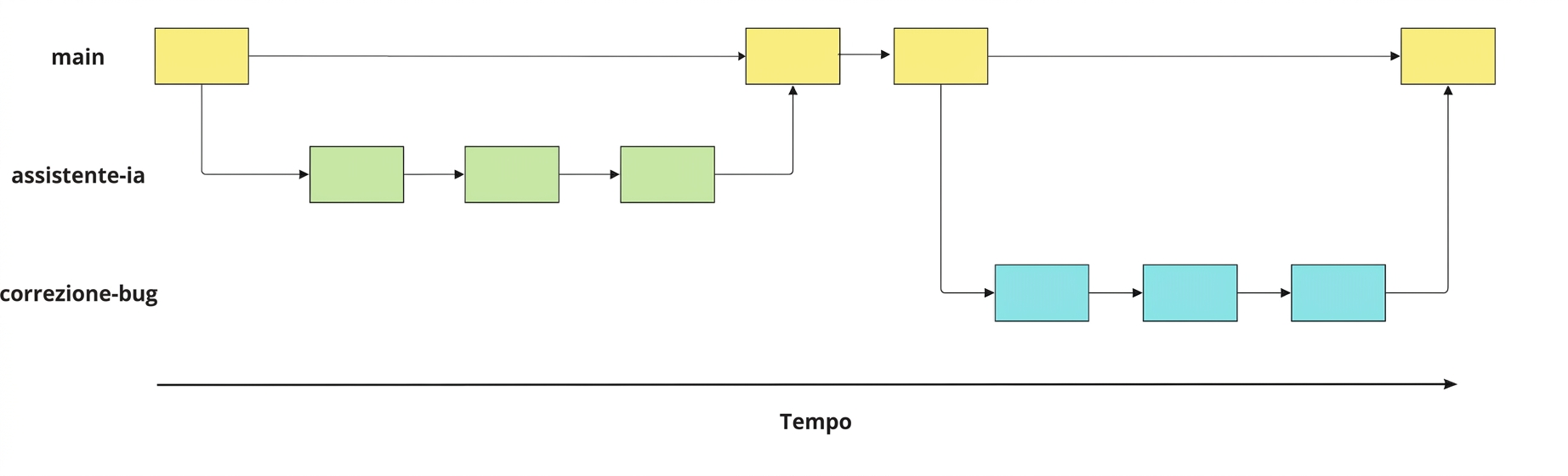
Image of bug-fix, ai-assistant, and main branches with commits and merges

Git intermedio

Working with branches

  • See all branches
git branch
  • Switch to an existing branch
git switch hotfix
  • Create and switch to a new branch
git switch -c hotfix
  • Compare two branches
git diff main hotfix
  • Rename a branch
git branch -m hotfix bugfix
  • Delete a branch
git branch -d hotfix
Git intermedio

Merging branches

  • From main, to merge ai-assistant into main:
git merge ai-assistant
  • From another branch: git merge source destination
git merge ai-assistant main
  • Handling merge conflicts
Git intermedio

Working with remotes

  • Clone a remote repo
git clone https://github.com/datacamp/project
  • Get information about all remotes
git remote -v
  • Add a new remote
git remote add george https://github.com/george_datacamp/repo 
Git intermedio

Synchronizing local and remote repos

git fetch origin
git pull origin
git push origin documentation
Git intermedio

What next?

Git intermedio

Let's practice!

Git intermedio

Preparing Video For Download...