Introduction to branches

Git intermedio

George Boorman

Curriculum Manager, DataCamp

What we will cover

  • Branches


  • Remotes


  • Conflicts

Image of the Git logo

Git intermedio

What you should know

  • How Git stores data
  • How to create repos
  • How to make commits
  • How to compare versions
  • How to revert versions

Foundations of Git

Git intermedio

Branches

  • Branch = an individual version of a repo

  • Git uses branches to systematically track multiple versions of files


  • In each branch:
    • Some files might be the same
    • Others might be different
    • Some may not exist at all

Paralell universe

Git intermedio

Why use branches?

Live system

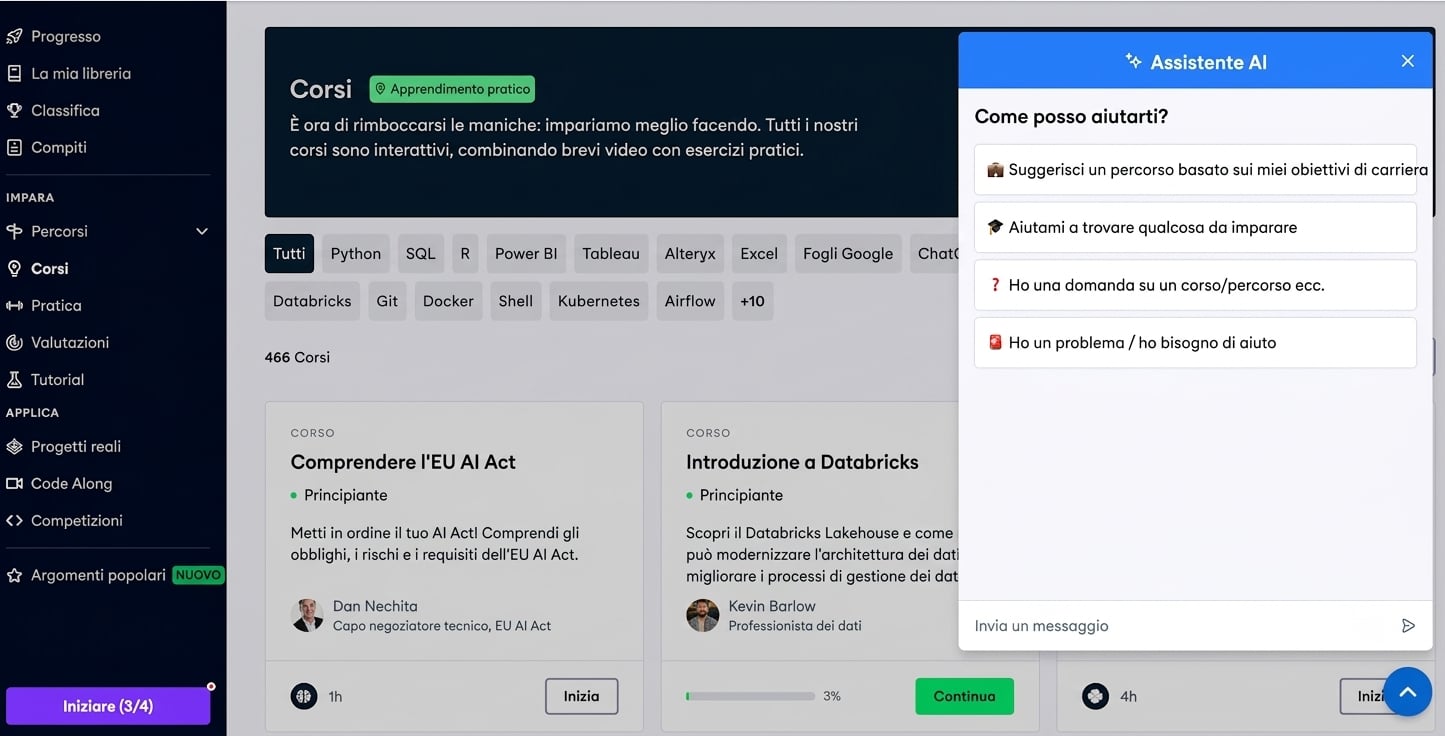
DataCamp Courses page

  • Works as expected
  • Default branch = main

Feature development

DataCamp Courses page with the AI Assistant

  • Might encounter issues during development and testing
  • Doesn't affect the live system
Git intermedio

Why use branches?

  • Multiple developers can work on a project simultaneously


  • Compare the state of a repo between branches


  • Combine contents, pushing new features to a live system


  • Each branch should have a specific purpose
Git intermedio

Visualizing branches

Image of the main branch

Git intermedio

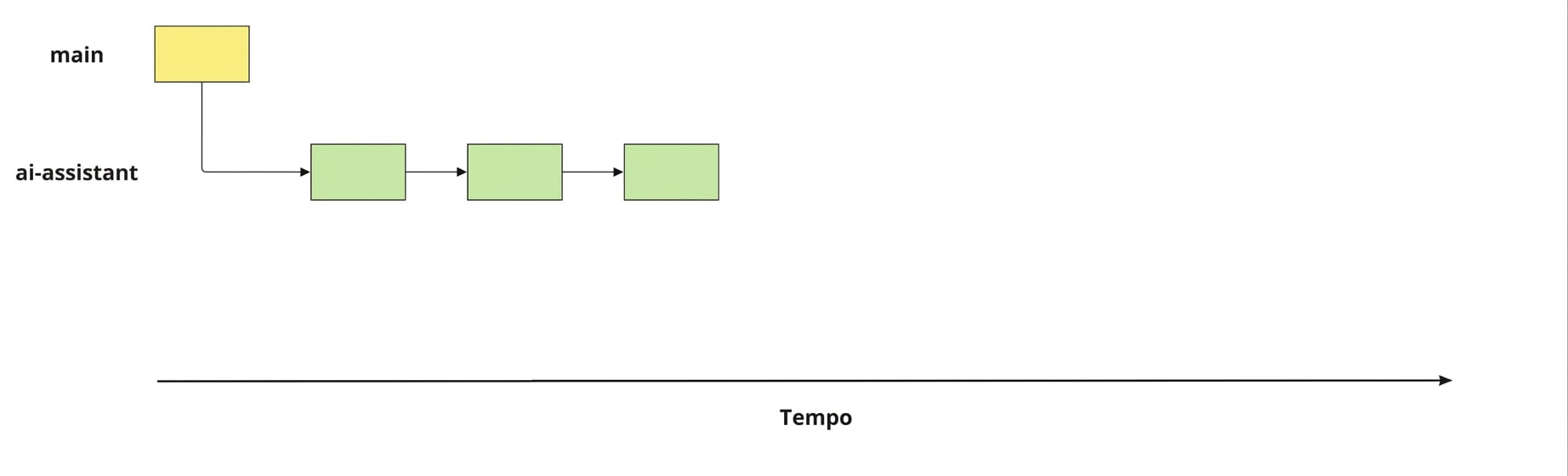
Branching off

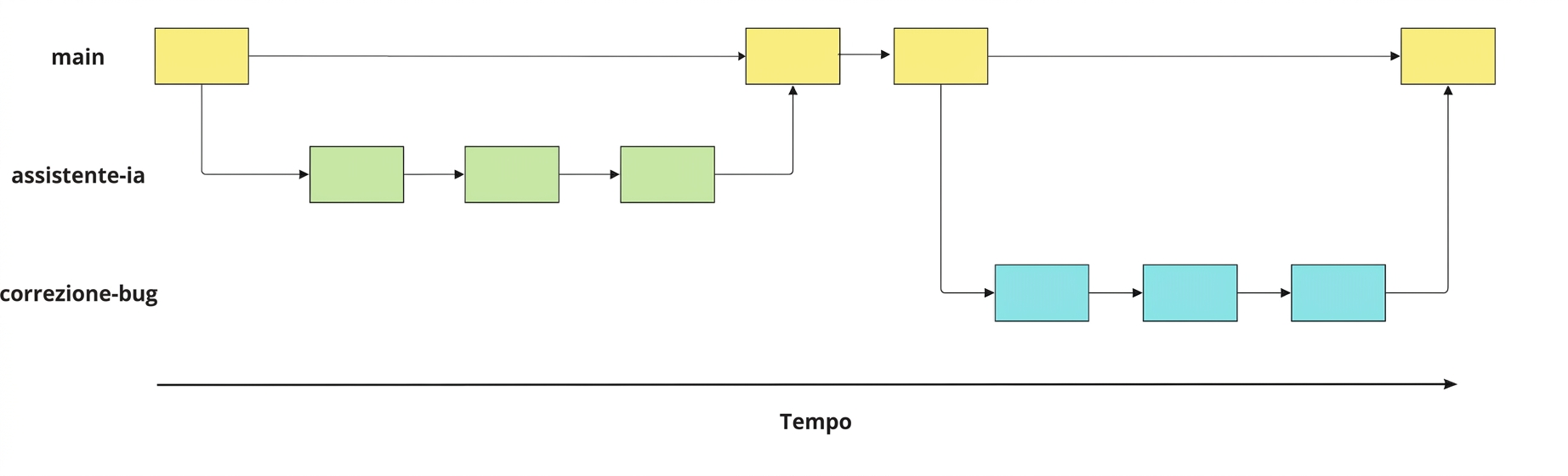
ai-assistant branch created from the main branch, and three commits made

Git intermedio

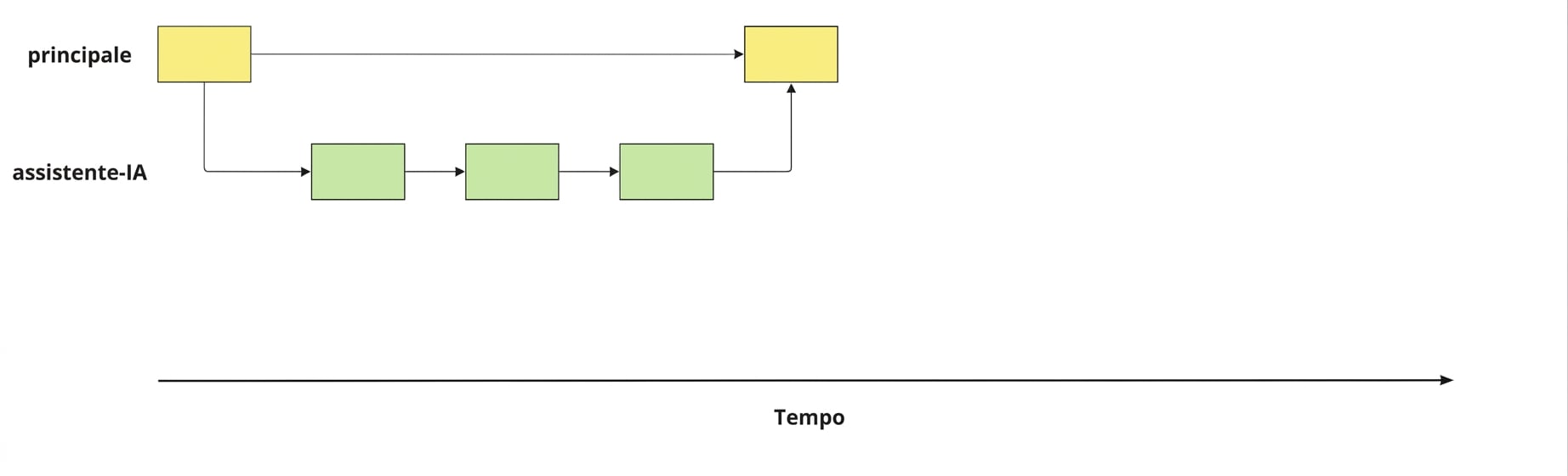
Merging back into main

ai-assistant branch merged back into the main branch

Git intermedio

Fixing a bug

bug-fix branch created from the main branch, with three commits made, before merging back into main

Git intermedio

Identifying branches

  • Listing all branches
git branch
  main
* ai-assistant
  • * = current branch
Git intermedio

Switching between branches

git switch main
Switched to branch 'main'
Git intermedio

Creating a new branch

  • Create a new branch called speed-test
git branch speed-test
  • Move to the speed-test branch
git switch speed-test
Switched to branch 'speed-test'
  • Create a new branch called speed-test and switch to it
git switch -c speed-test
Switched to a new branch 'speed-test'
Git intermedio

Terminology

  • Creating a new branch = "branching off"

  • Creating speed-test from main = "branching off main"

Git intermedio

Let's practice!

Git intermedio

Preparing Video For Download...