Modifying a repo structure

Introduzione ai concetti di GitHub

George Boorman

Curriculum Manager, DataCamp

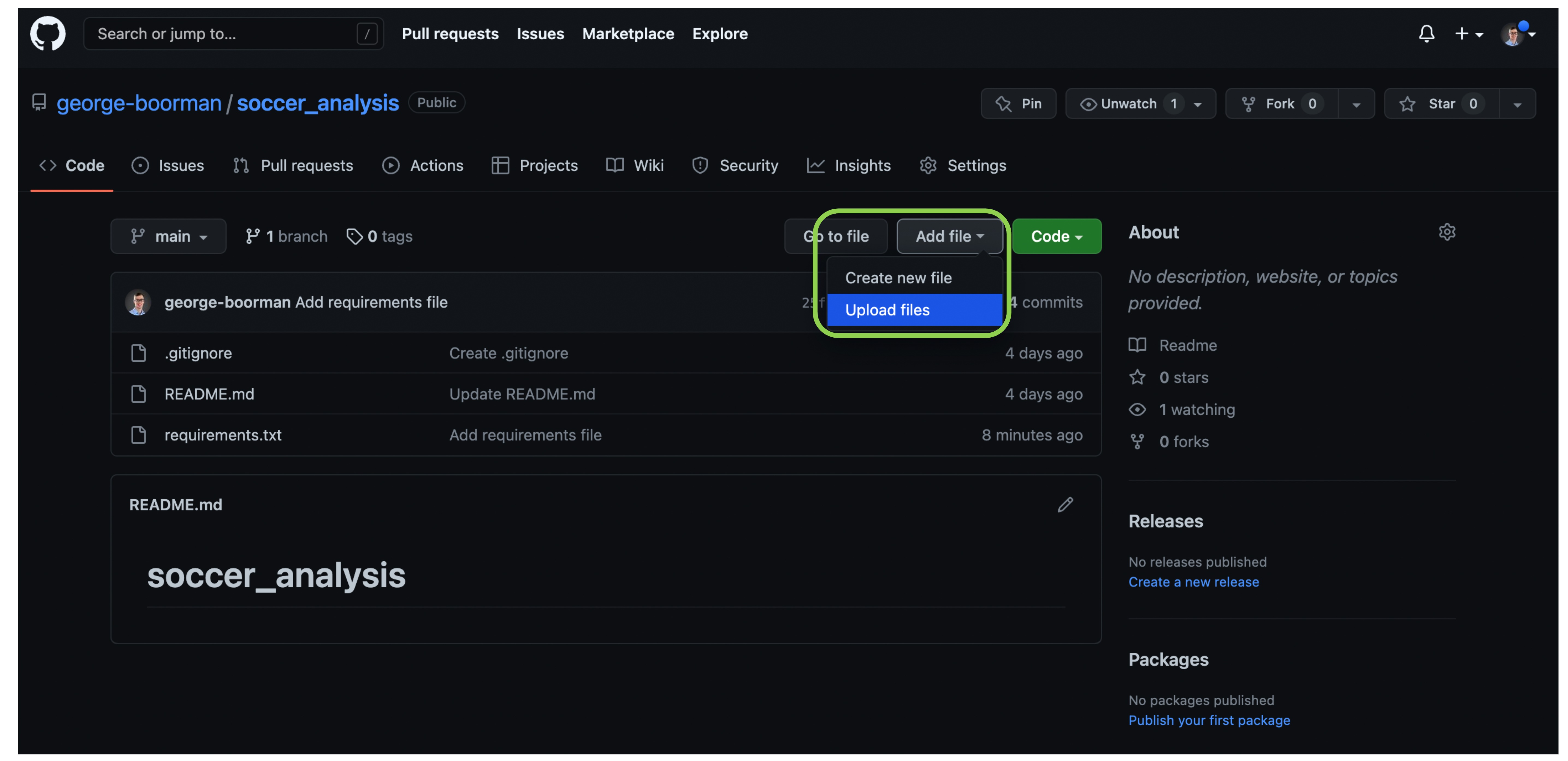
Creating a new file
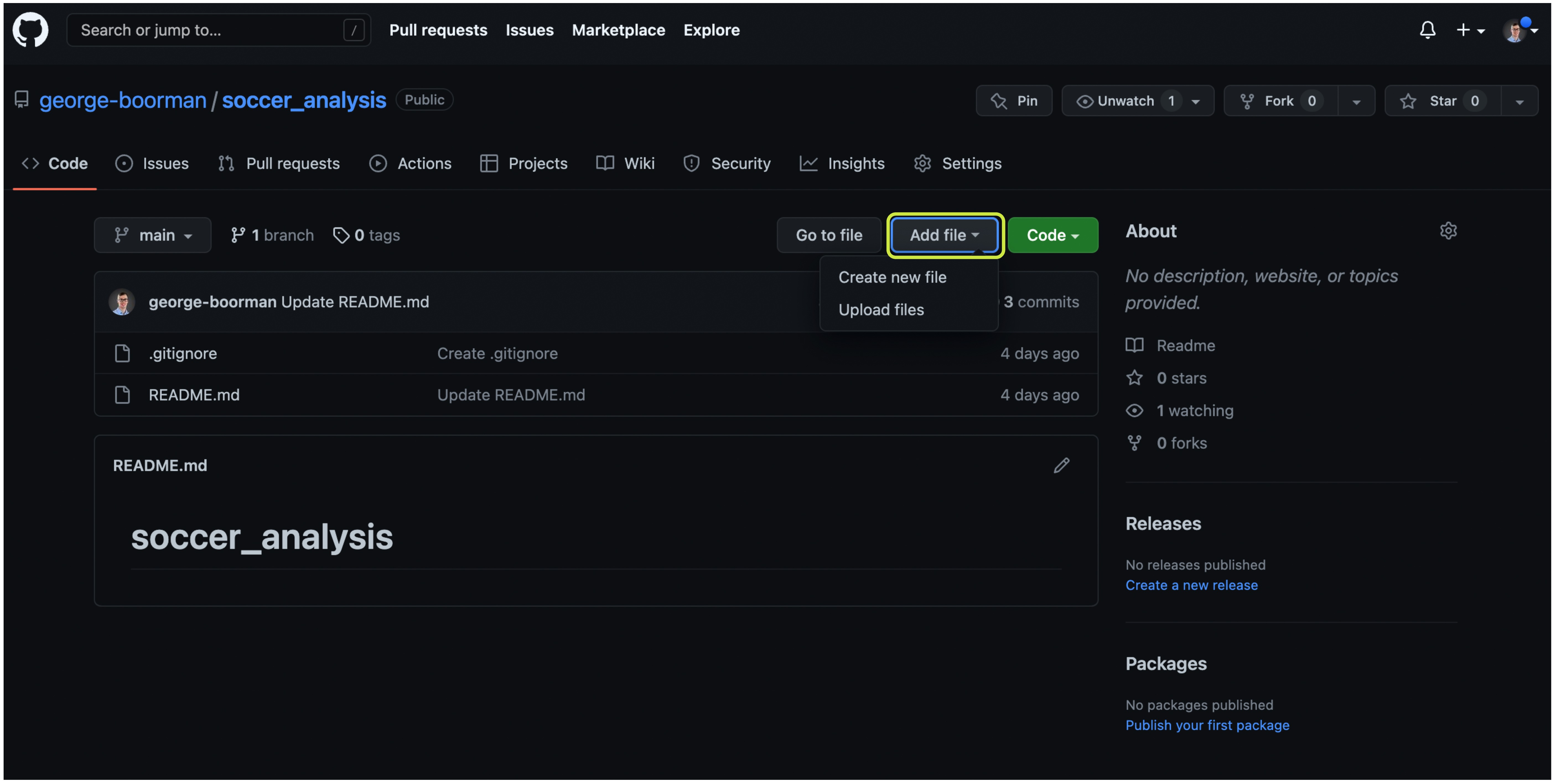
Code section of a GitHub repository with the Add file button highlighted

Introduzione ai concetti di GitHub

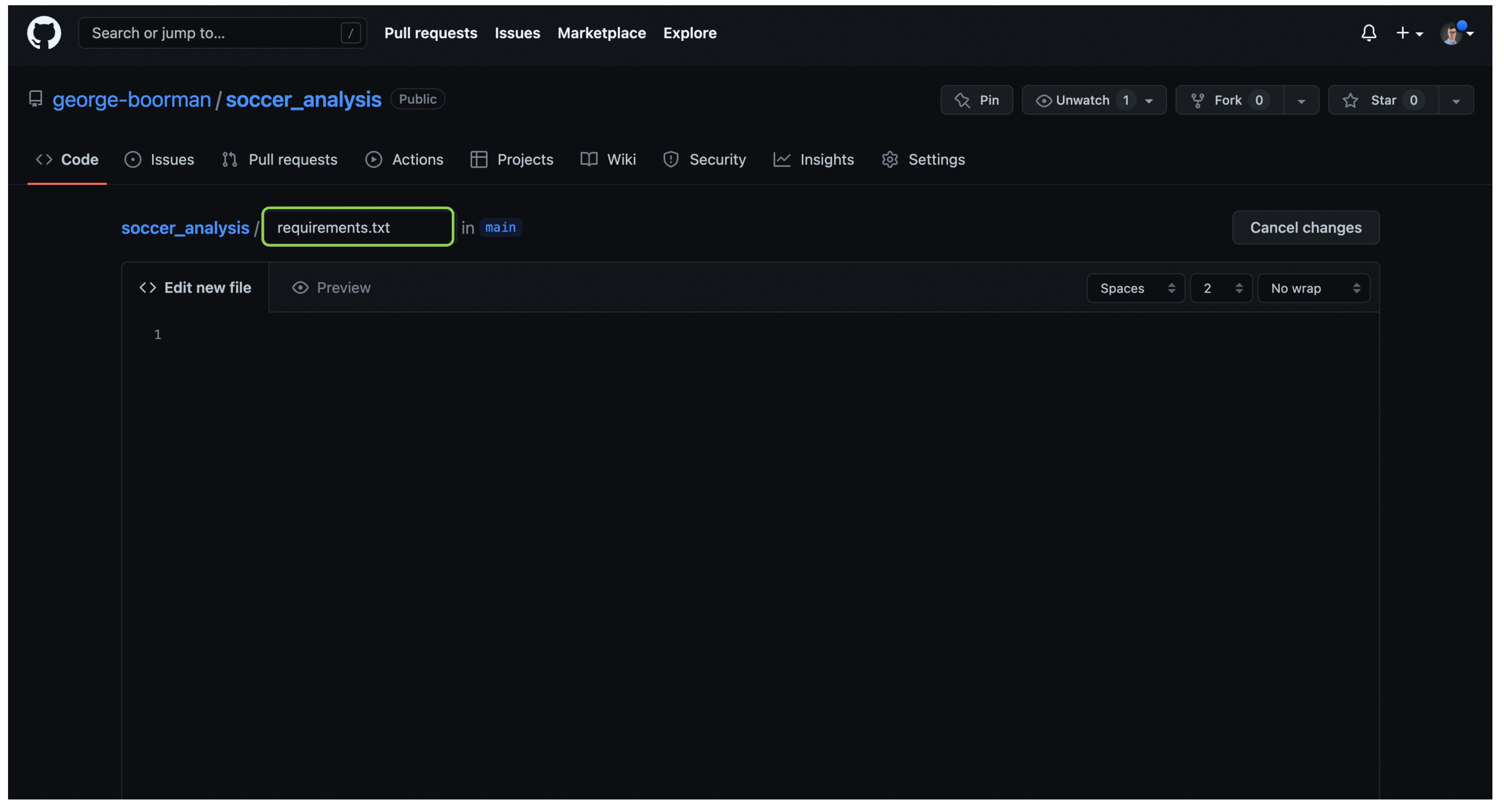
Naming the file

naming the file as requirements-dot-txt

Introduzione ai concetti di GitHub

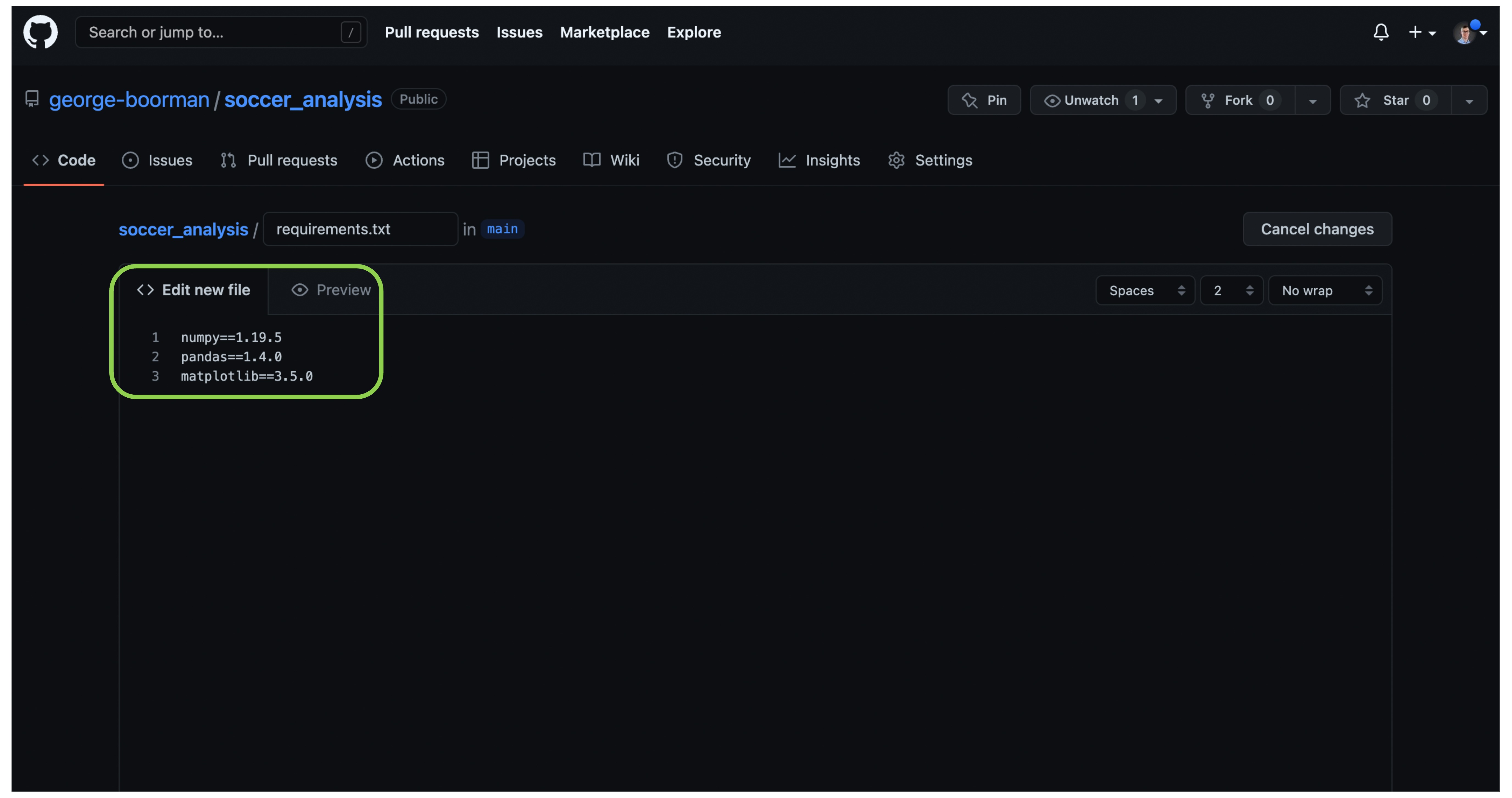
Editing the new file

adding Python packages to requirements-dot-txt

Introduzione ai concetti di GitHub

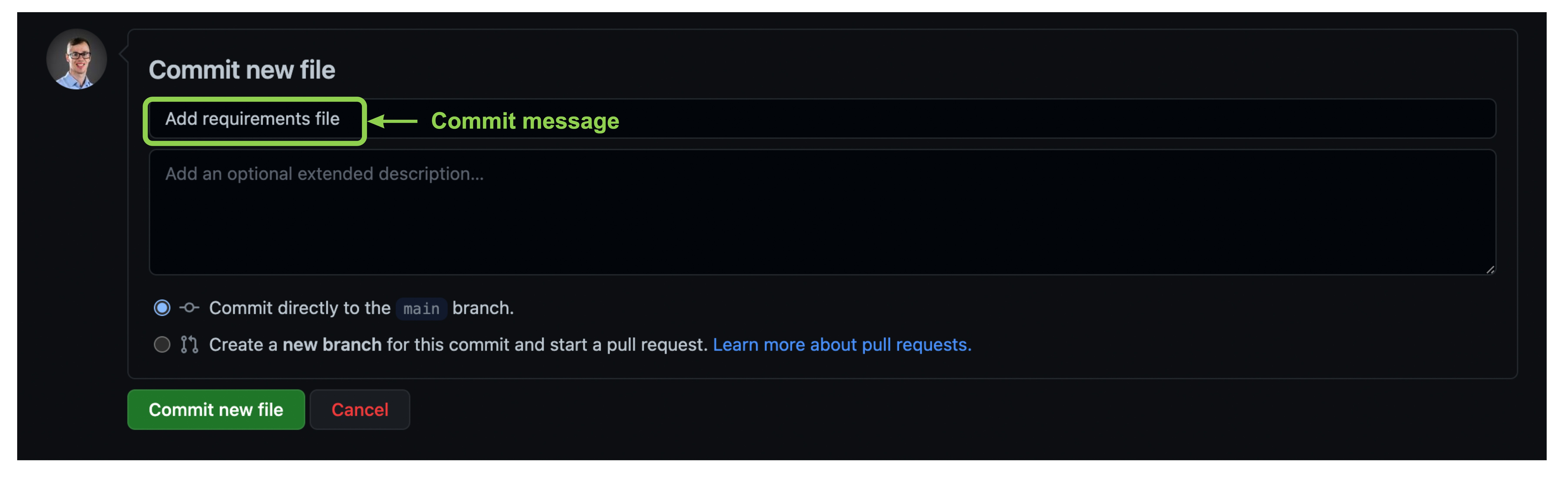
Committing the new file


commit message of Add requirements file

Introduzione ai concetti di GitHub

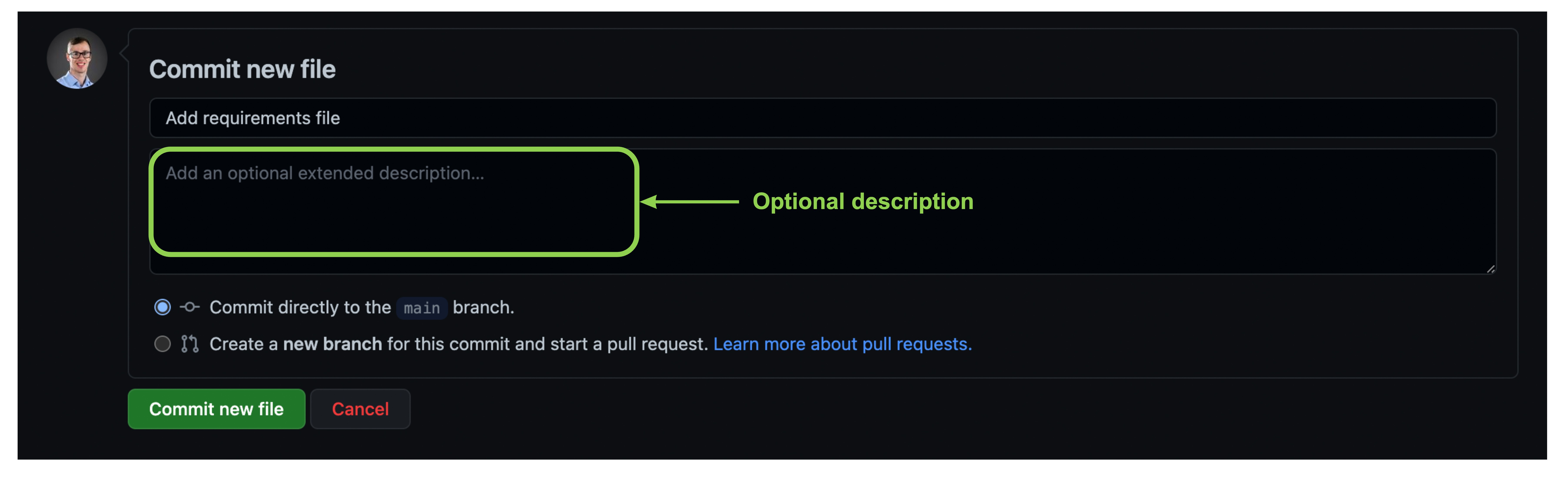
Committing the new file

Optional extended description text box left blank

Introduzione ai concetti di GitHub

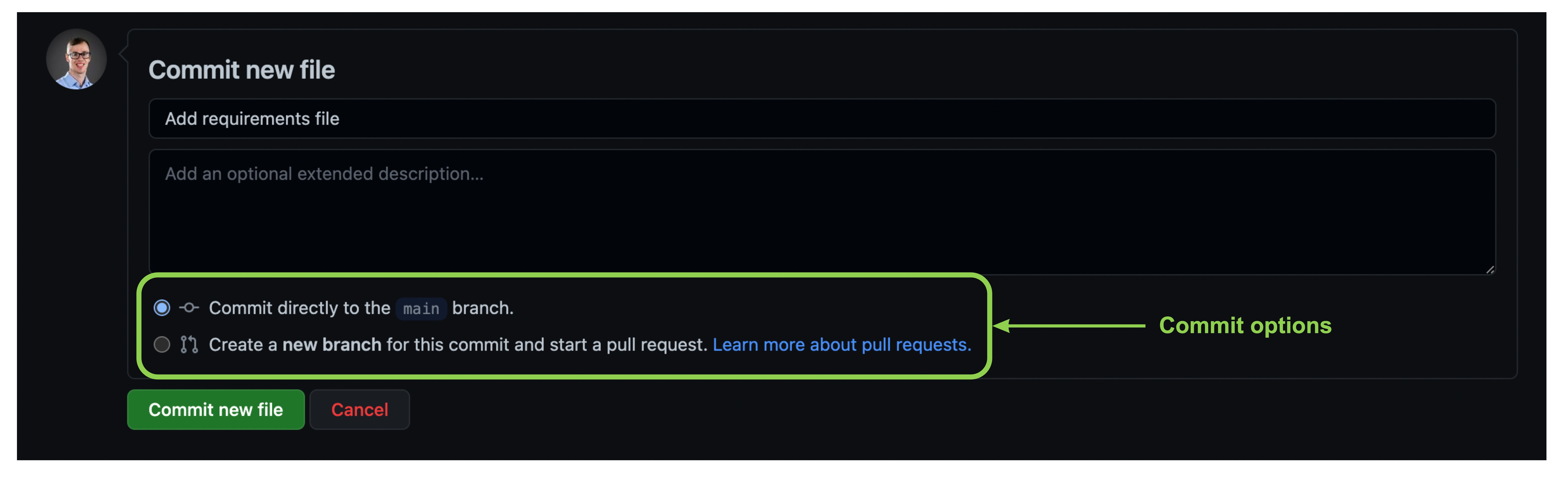
Committing the new file

Options for how to save the file - commit to current branch or make a new branch and start a pull request

Introduzione ai concetti di GitHub

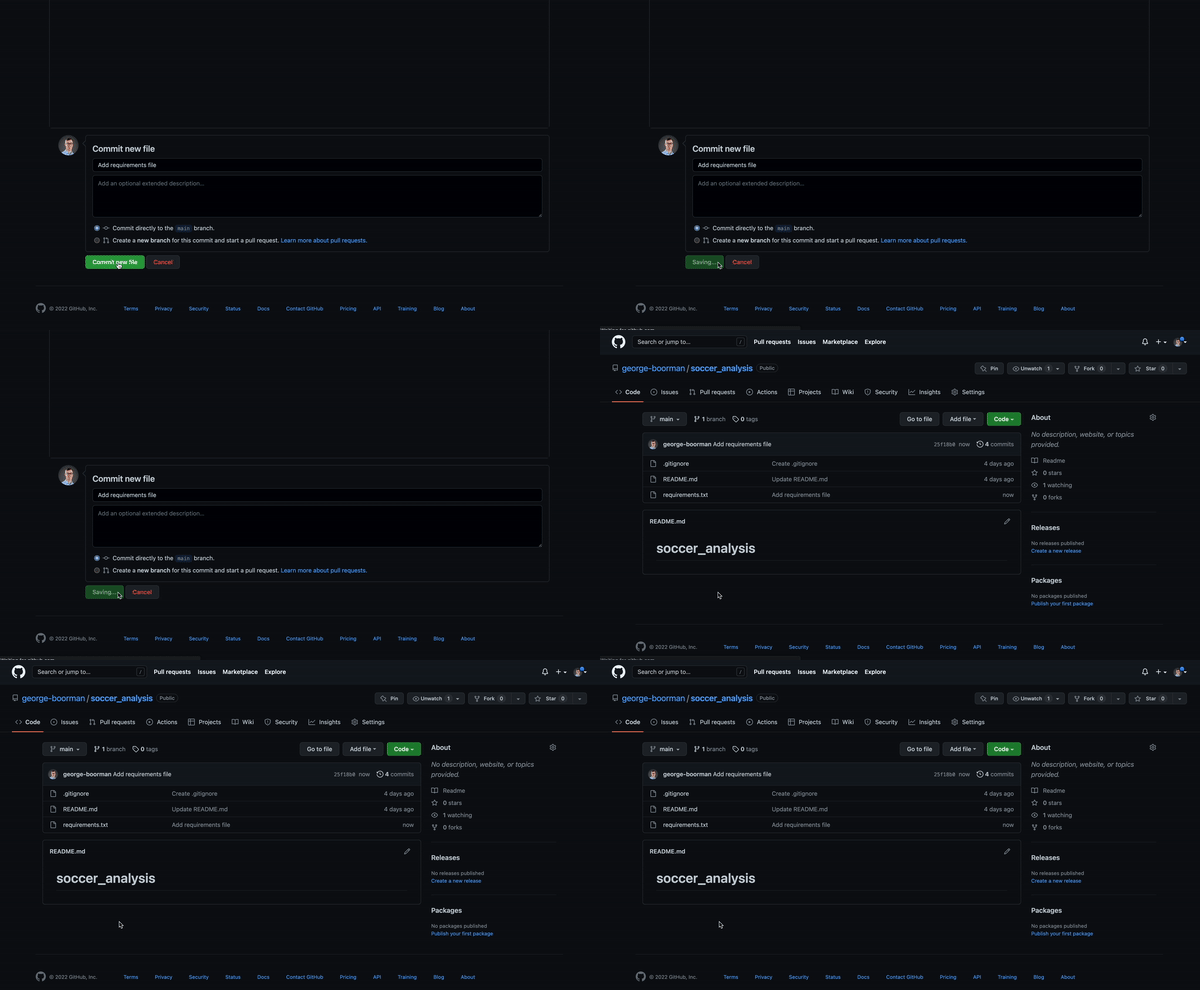
Committing the new file

commit the new file to the main branch

Introduzione ai concetti di GitHub

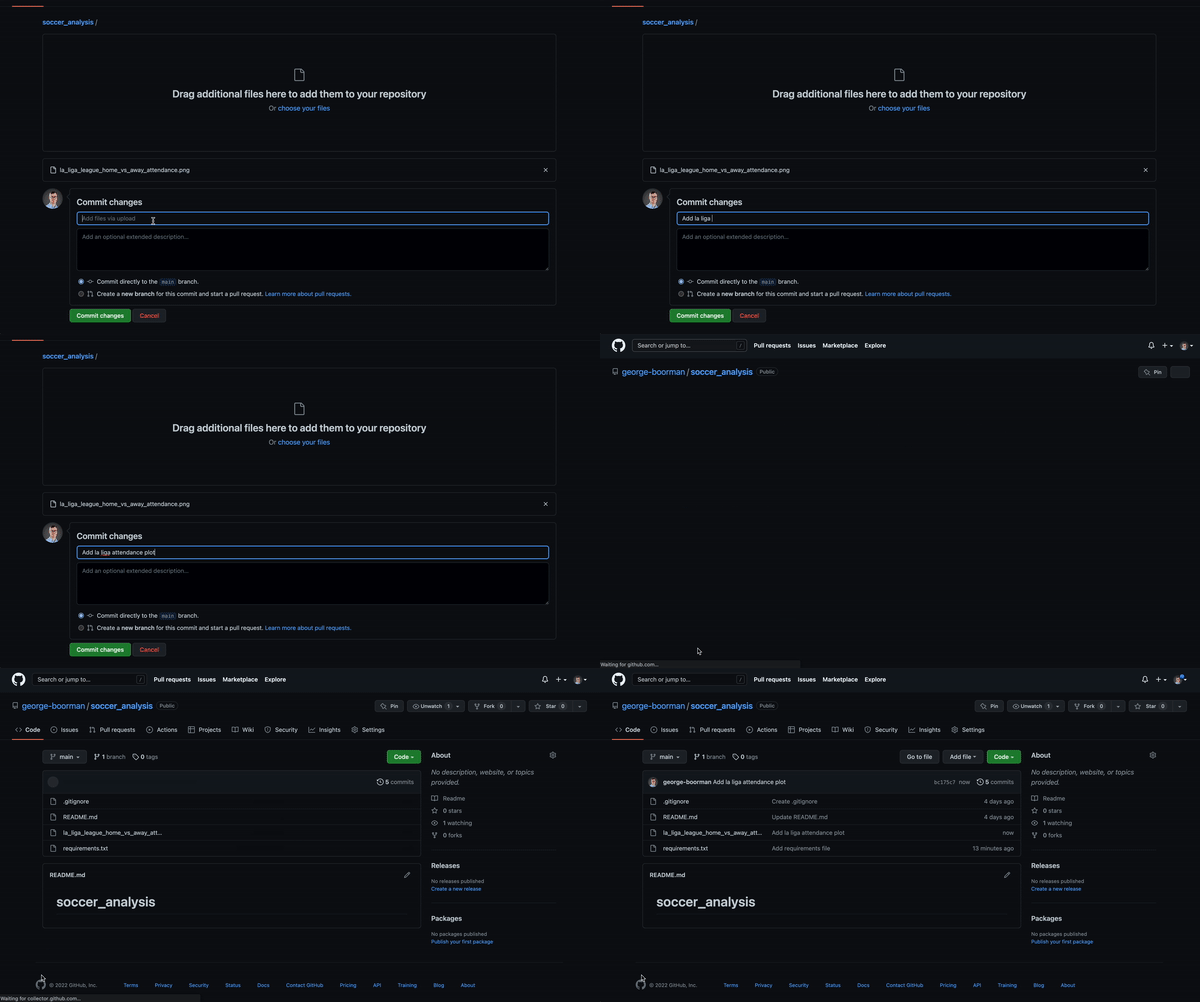
Uploading a file

Uploading a file

Introduzione ai concetti di GitHub

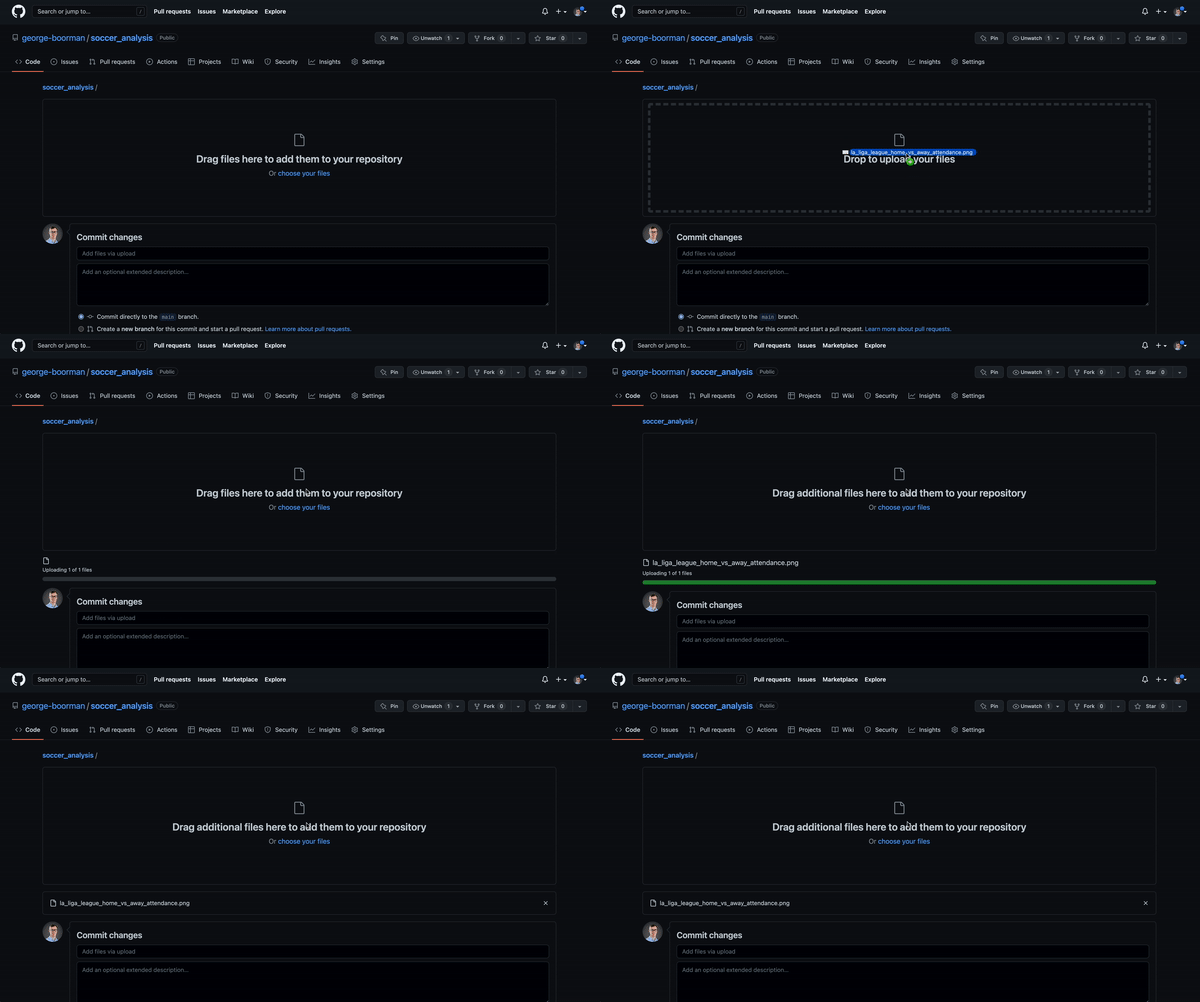
Uploading a file

dragging a file to add it to the repo

Introduzione ai concetti di GitHub

Uploading a file

Video adding a commit message "Add la liga attendance plot" and making a commit

Introduzione ai concetti di GitHub

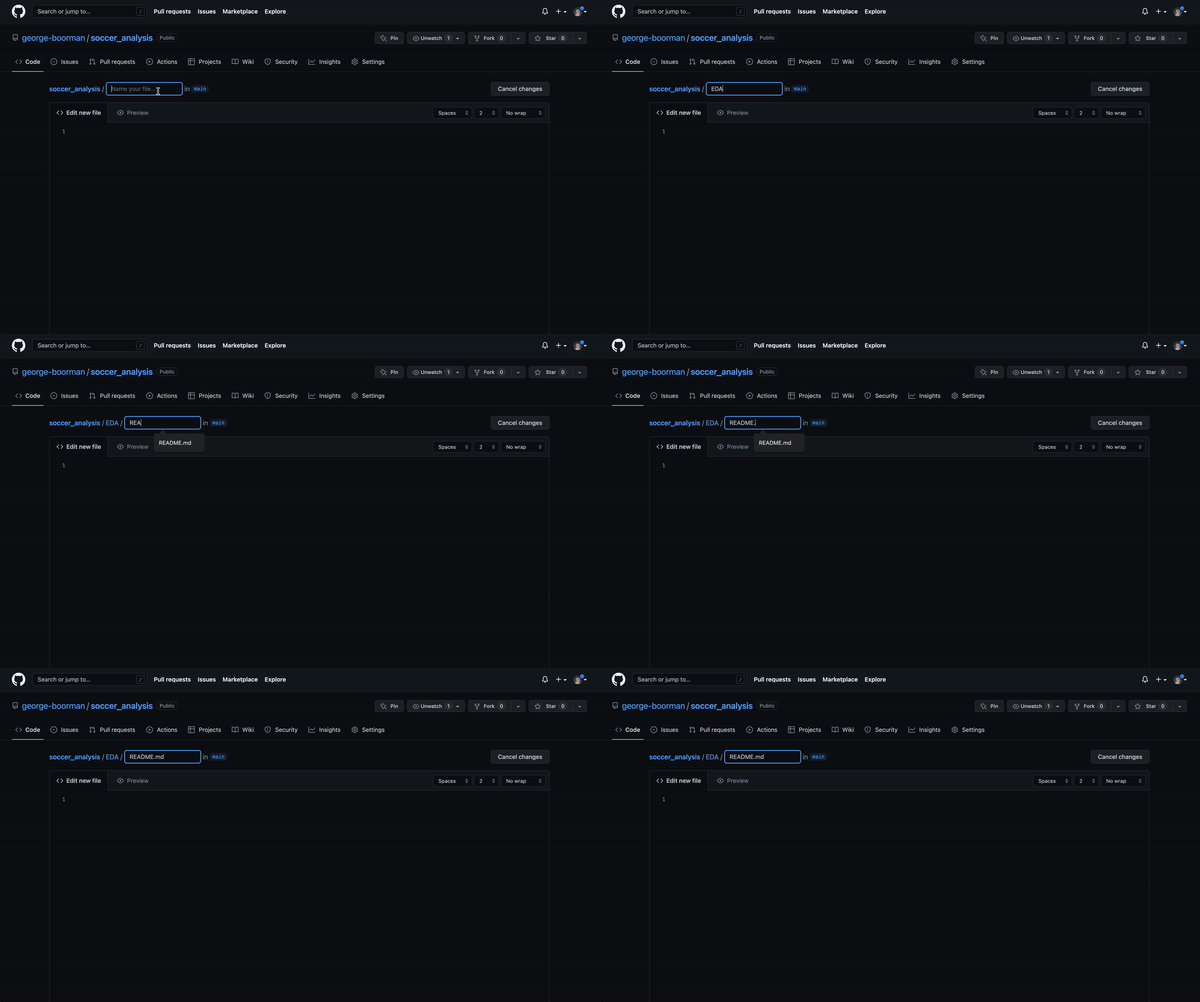
Creating a new directory

Add EDA/README.md

Introduzione ai concetti di GitHub

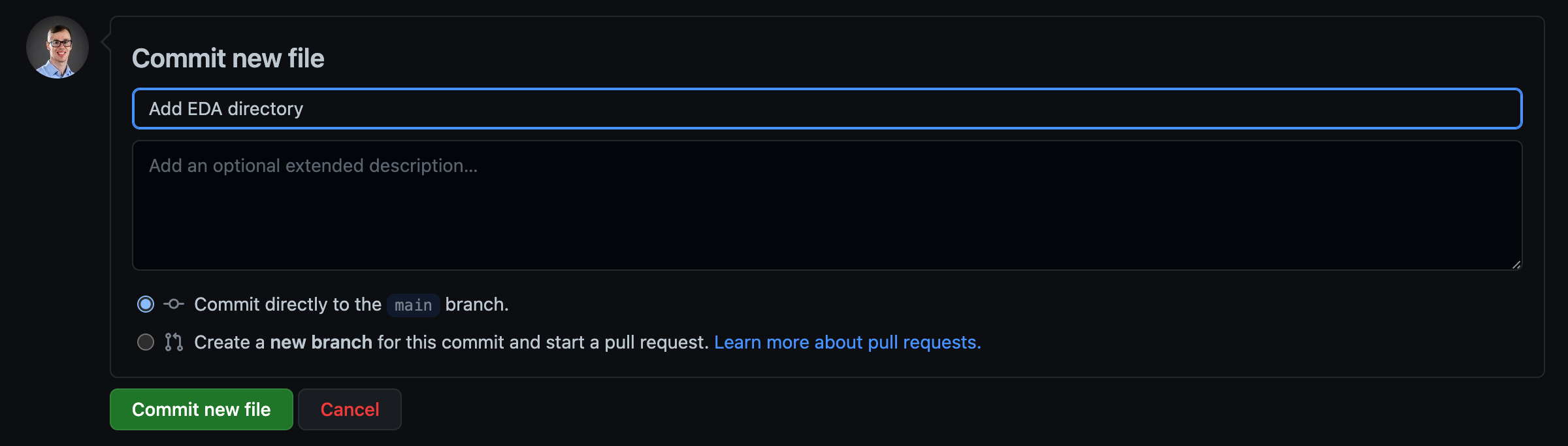
Creating a new directory


committing a new directory

Introduzione ai concetti di GitHub

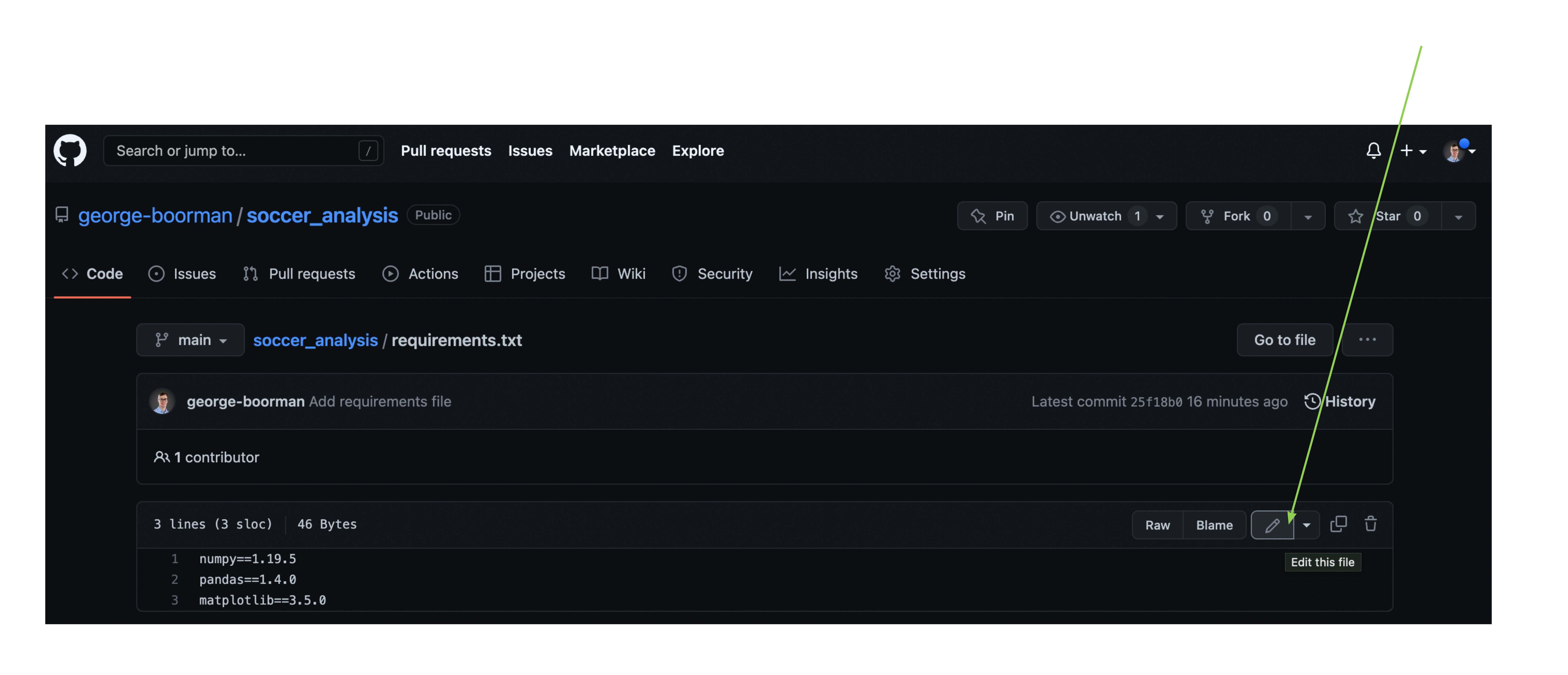
Modifying a file

Clicking the pencil icon to edit a file

Introduzione ai concetti di GitHub

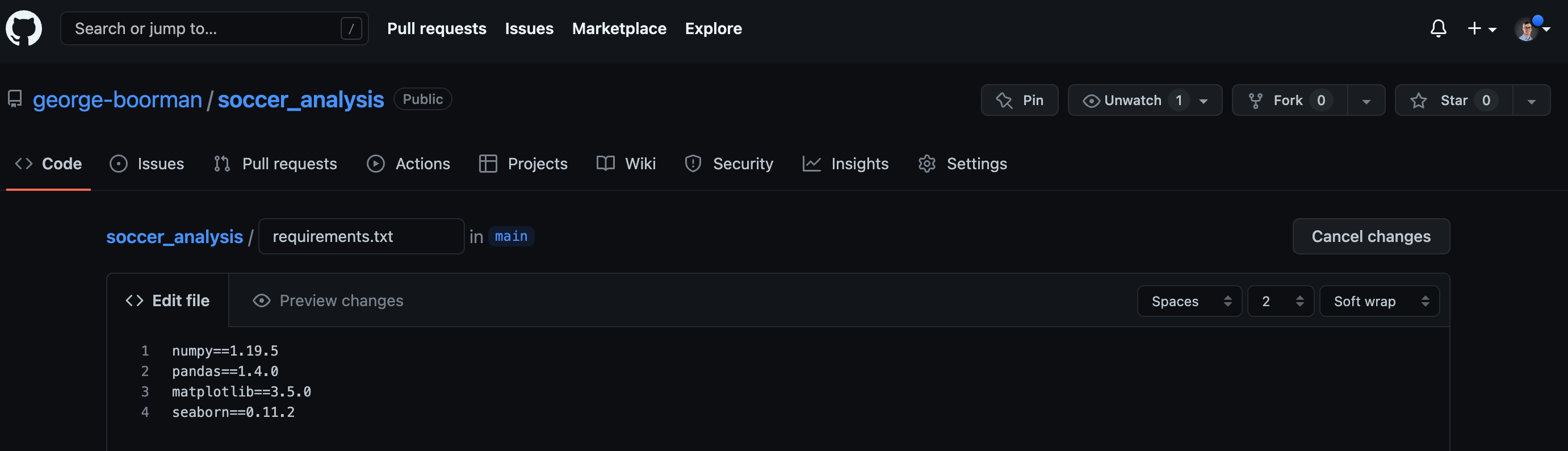
Modifying a file


add seaborn package and version to requirements-dot-txt

Introduzione ai concetti di GitHub

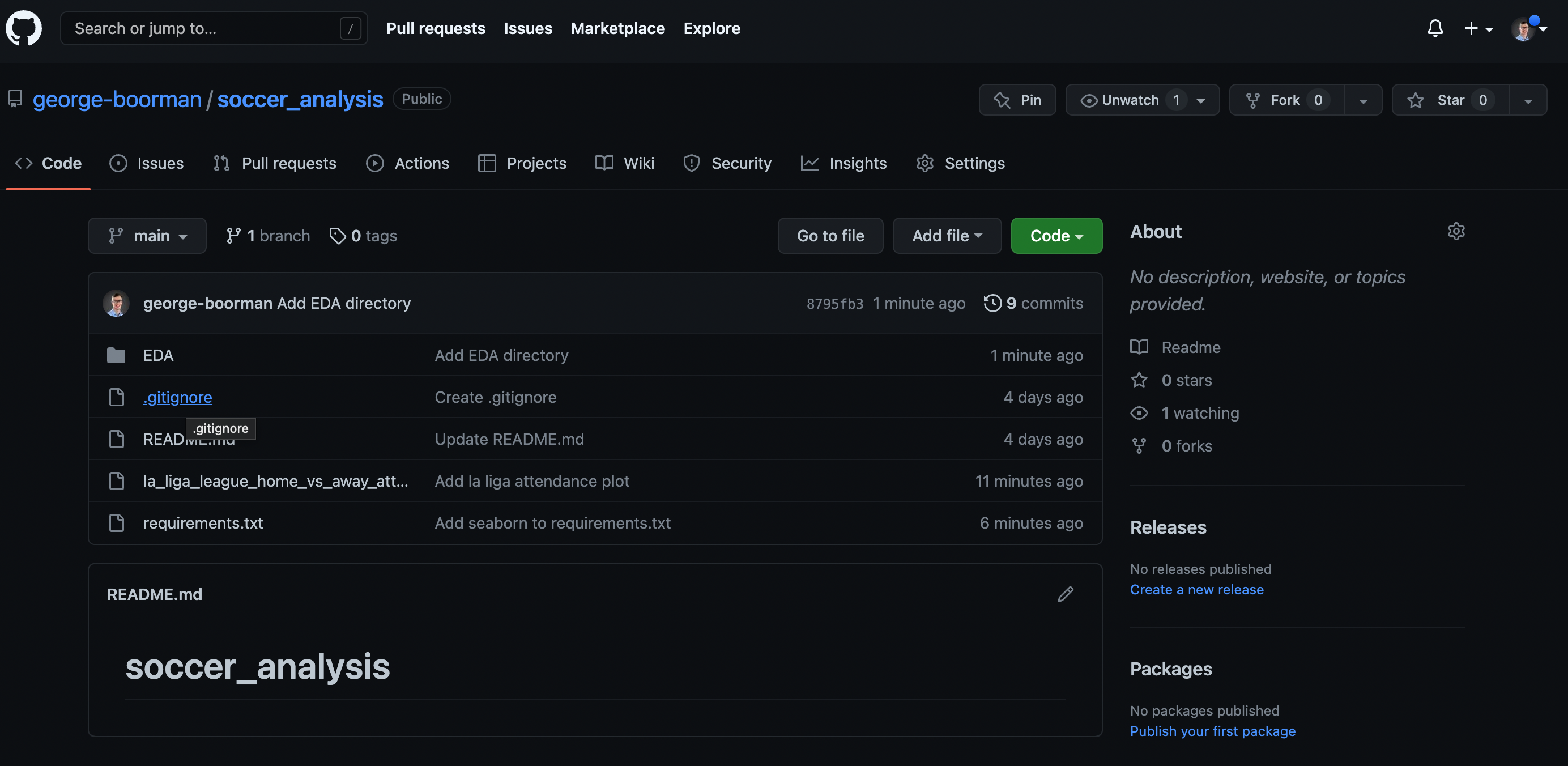
Deleting a file

highlighting the dot-gitignore file in the repo

Introduzione ai concetti di GitHub

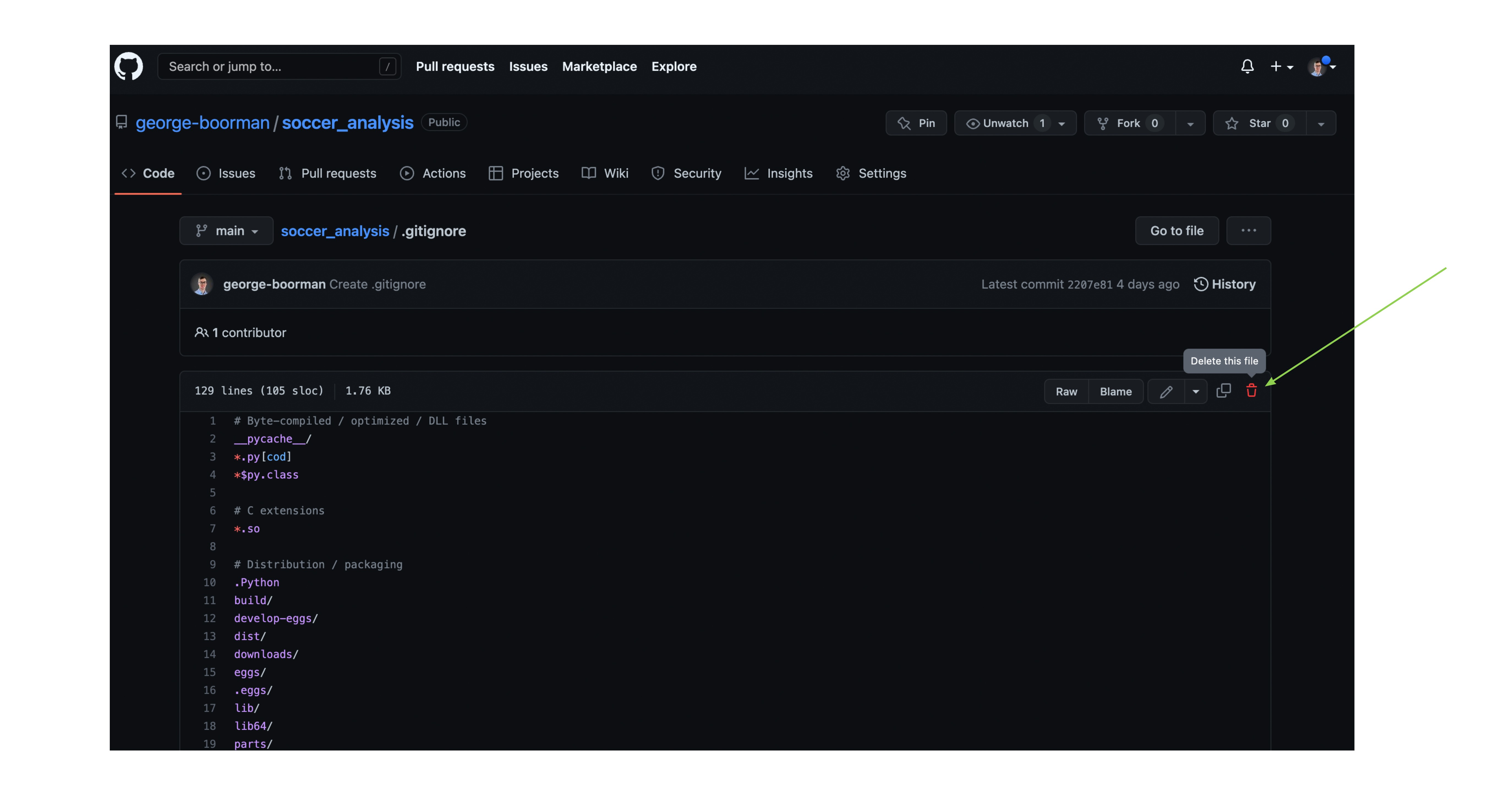
Deleting a file

delete dot-gitignore

Introduzione ai concetti di GitHub

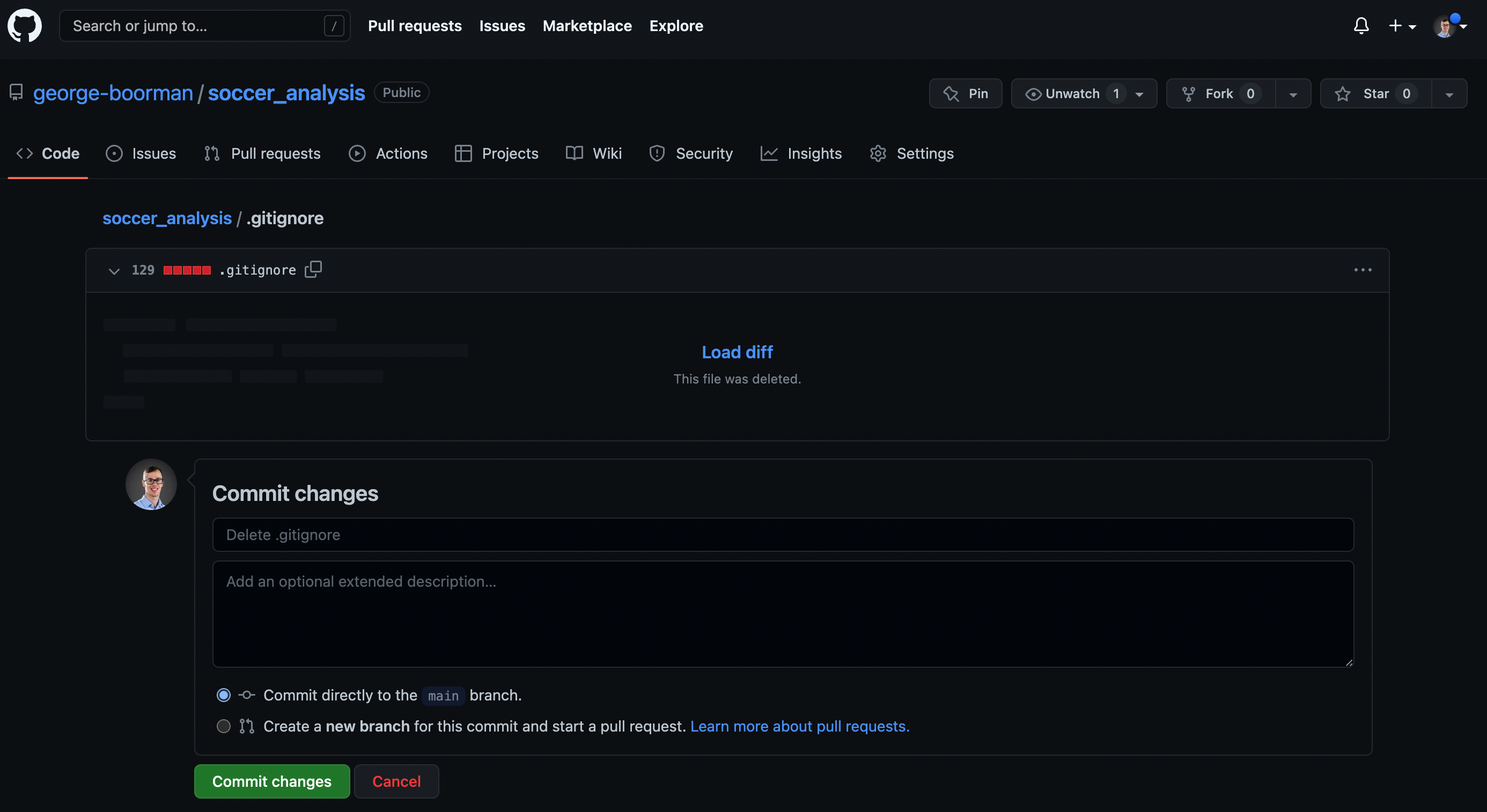
Deleting a file

Committing to delete dot-gitignore

Introduzione ai concetti di GitHub

Let's practice!

Introduzione ai concetti di GitHub

Preparing Video For Download...