Using other repos

Introduzione ai concetti di GitHub

Jasmin Ludolf

Content Developer, DataCamp

Cloning

  • Similar to copy-paste
  • Linked to the original repo
  • Creates a copy on a local computer
  • Allows updates to go back and forth

How does it work?

  • With Git:
    • Push changes back to the original repo
    • Pull changes into our local version

Illustration of two arrows moving in a cycle to imply the push pull worklfow

Introduzione ai concetti di GitHub

Clone a repo

Screenshot of the main view of the private repo for bank marketing owned by George Boorman

Introduzione ai concetti di GitHub

Clone a repo

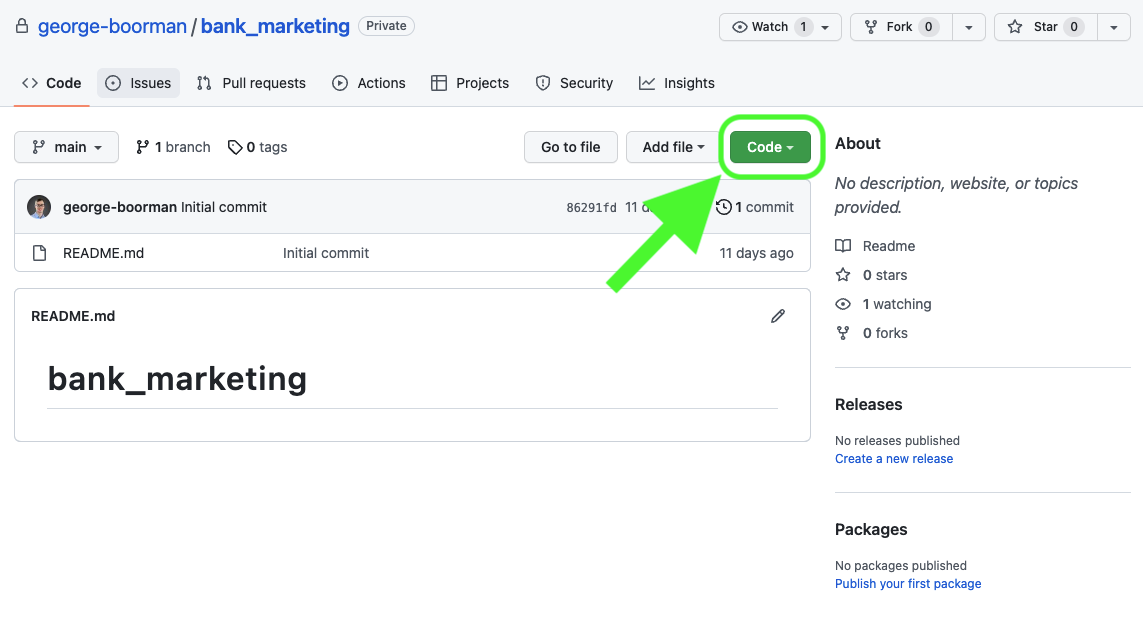
View of the bank marketing repo with a green circle around the Code button and an arrow pointing towards it.

Introduzione ai concetti di GitHub

Clone a repo

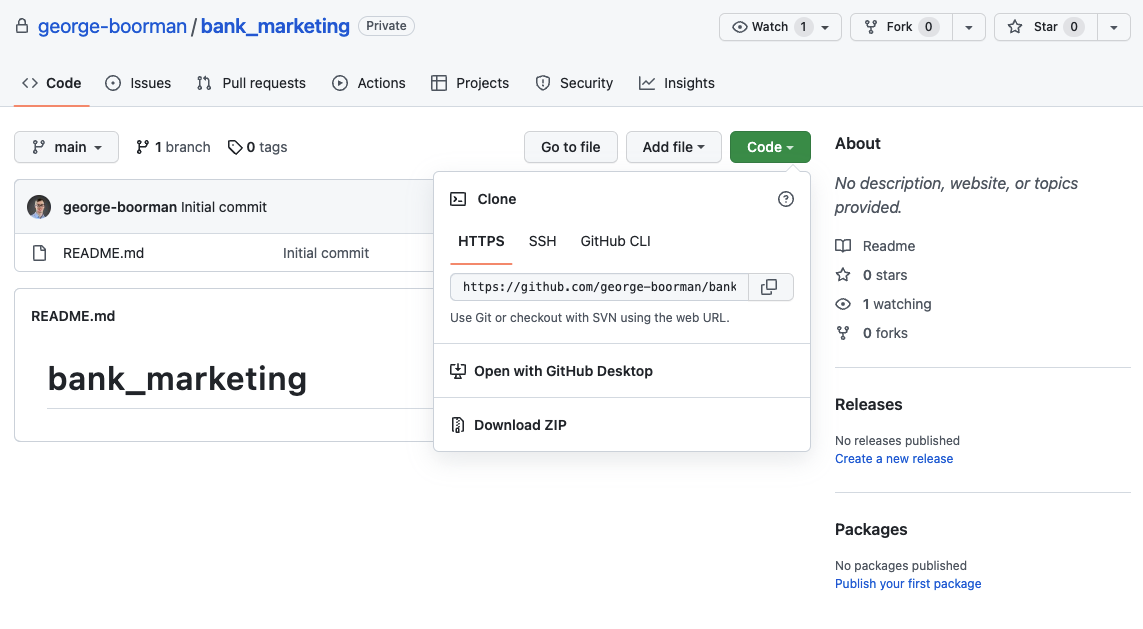
View of the dropdown menu after clicking the Code button on a GitHub repo.

Introduzione ai concetti di GitHub

Clone a repo

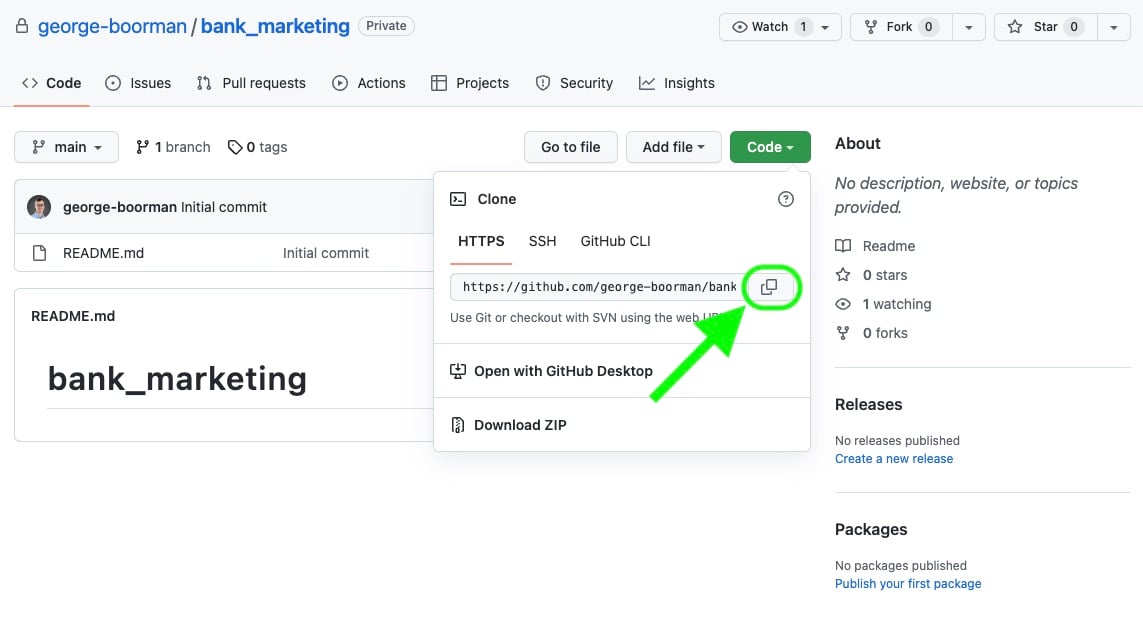
View of the dropdown menu after clicking the Code button on a GitHub repo and the copy icon is highlighted.

Introduzione ai concetti di GitHub

Clone a repo

$ pwd
/home/jasmin/bank_project

$ git clone https://github.com/george-boorman/bank_marketing.git
  • May need to input GitHub logins here
> Cloning into `bank_project`...
> remote: Counting objects: 10, done.
> remote: Compressing objects: 100% (8/8), done.
> remove: Total 10 (delta 1), reused 10 (delta 1)
> Unpacking objects: 100% (10/10), done.
Introduzione ai concetti di GitHub

Clone an empty repo

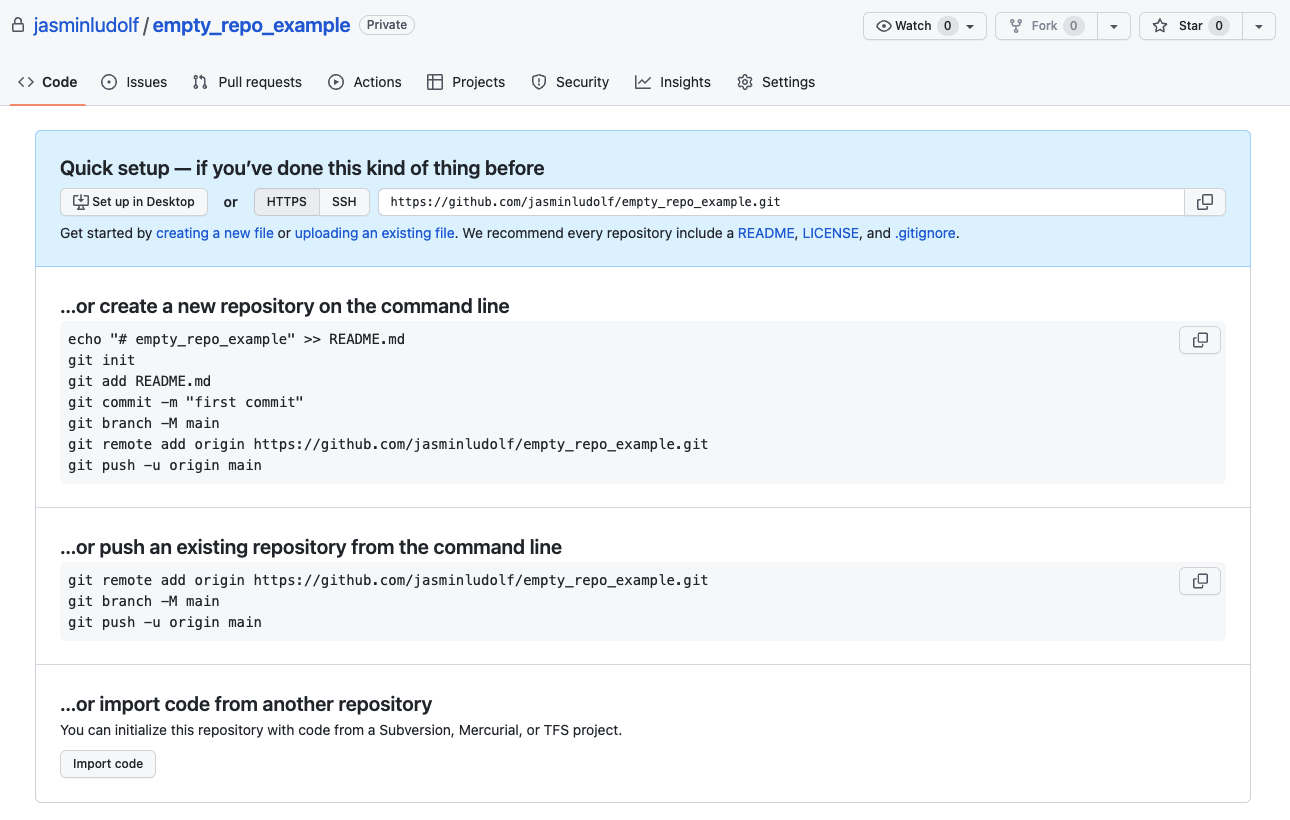
View of an empty repository and where to get the clone link

Introduzione ai concetti di GitHub

Forking

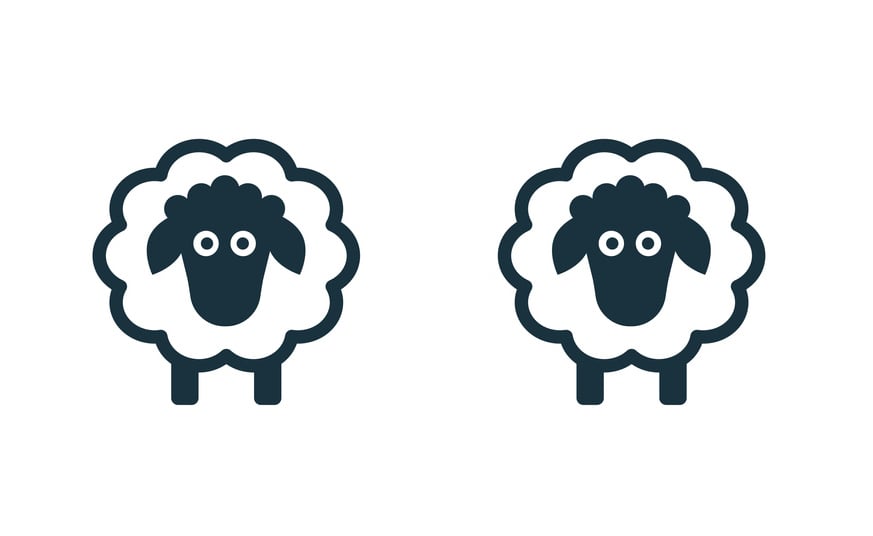
  Illustration of two sheep that are identical but separate.

  • Copy without a link to the original repo
  • Forking creates an independent copy
  • Good to run experiments without risk
  • Used for collaboration
  • Anyone can fork a public repo
  • The owner of a private repo should configure their settings
  • Submit changes with a pull request
  • Different to creating a new branch where we need to be a collaborator
1 iStock Credit:Anton Shaparenko Stock illustration ID:1158104118
Introduzione ai concetti di GitHub

Fork a repo

Screenshot of the main view of the private repo for bank marketing owned by George Boorman

Introduzione ai concetti di GitHub

Fork a repo

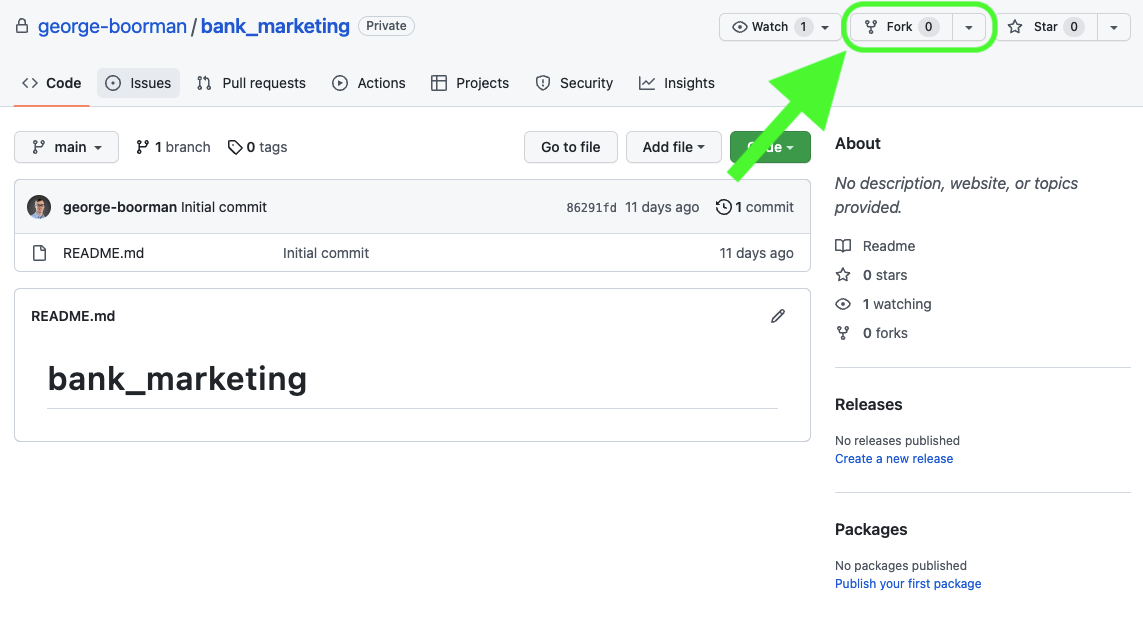
Screenshot of the main view of the private repo for bank marketing owned by George Boorman and the fork button is highlighted

Introduzione ai concetti di GitHub

Fork a repo

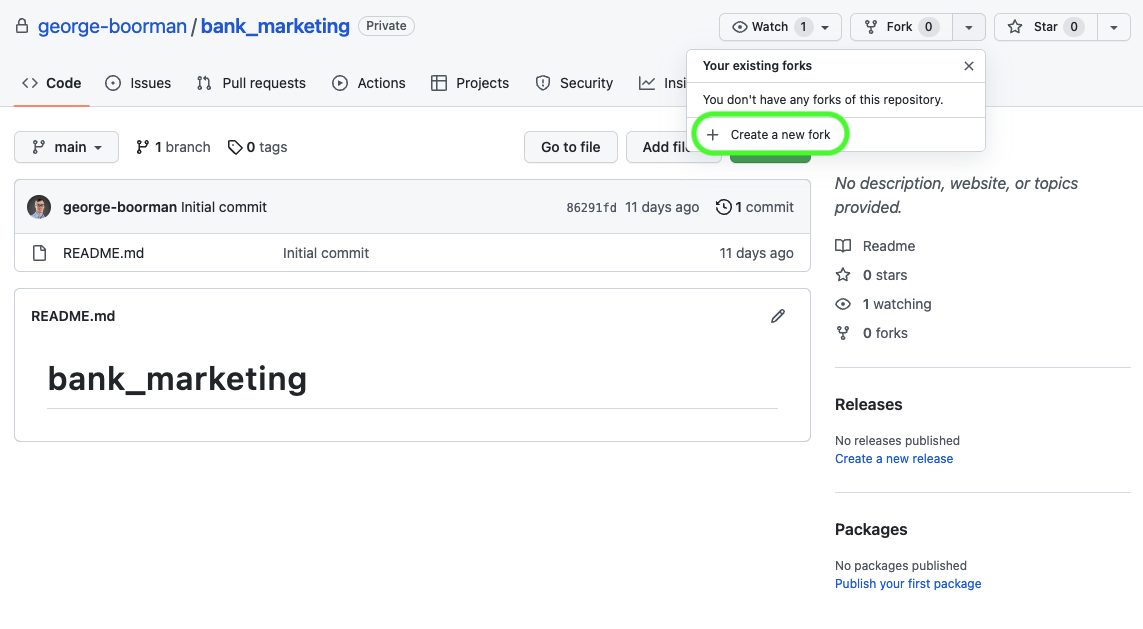
Screenshot of the main view of the private repo for bank marketing owned by George Boorman with the dropdown menu from the fork button visible and the Create new fork button highlighted

Introduzione ai concetti di GitHub

Fork a repo

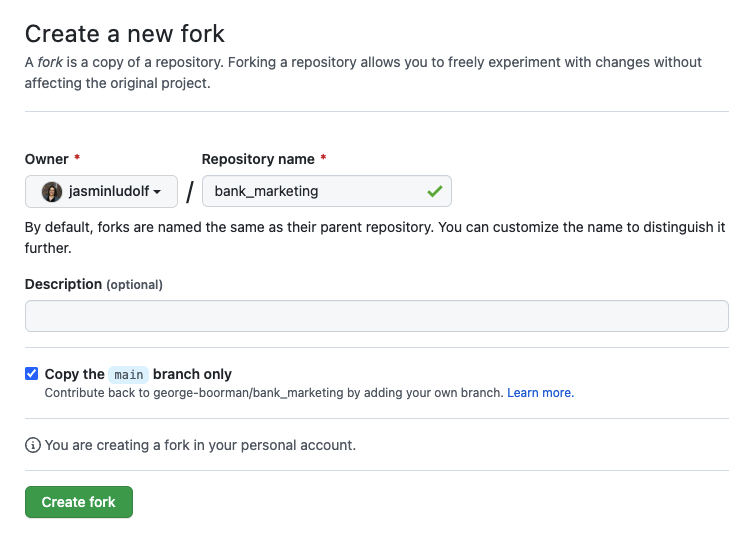
View of the create new fork page

Introduzione ai concetti di GitHub

Fork a repo

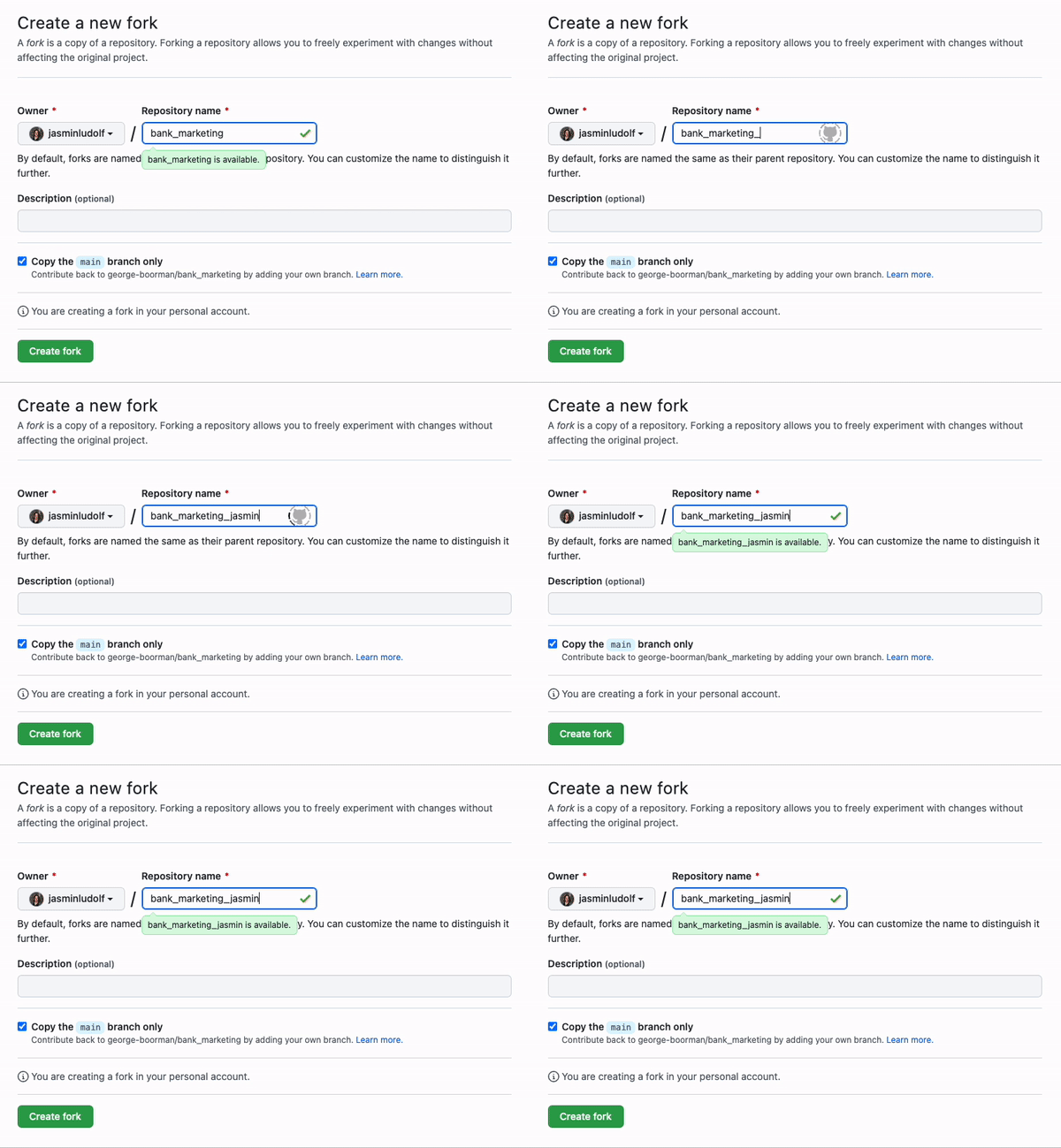
Animated image showing the name of the forked repo being changed from bank marketing to bank marketing jasmin.

Introduzione ai concetti di GitHub

Fork a repo

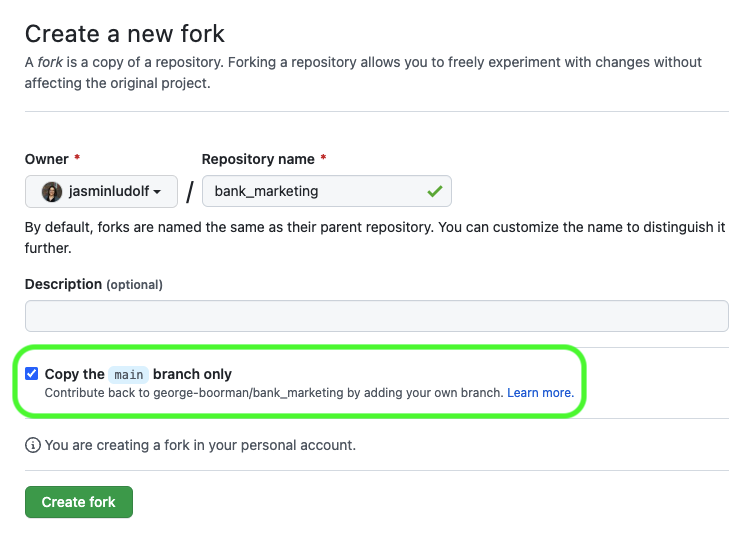
View of the create new fork page with the branch section highlighted

Introduzione ai concetti di GitHub

Fork a repo

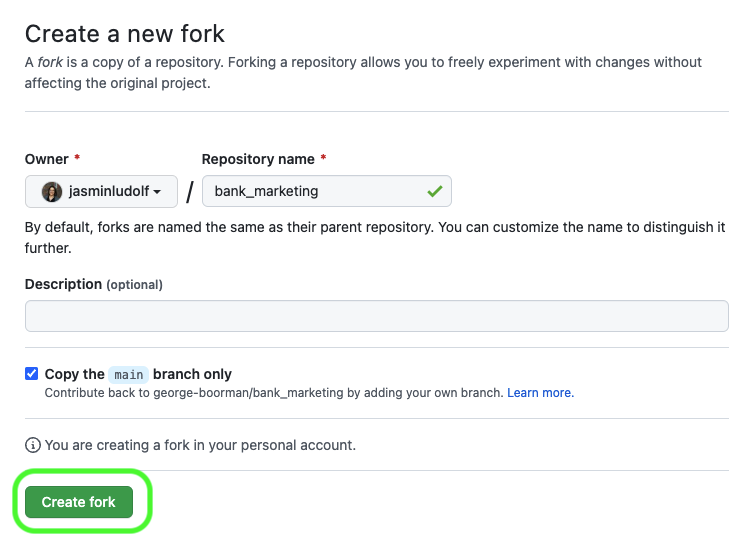
View of the create new fork page with the Create fork button highlighted

Introduzione ai concetti di GitHub

Fork a repo

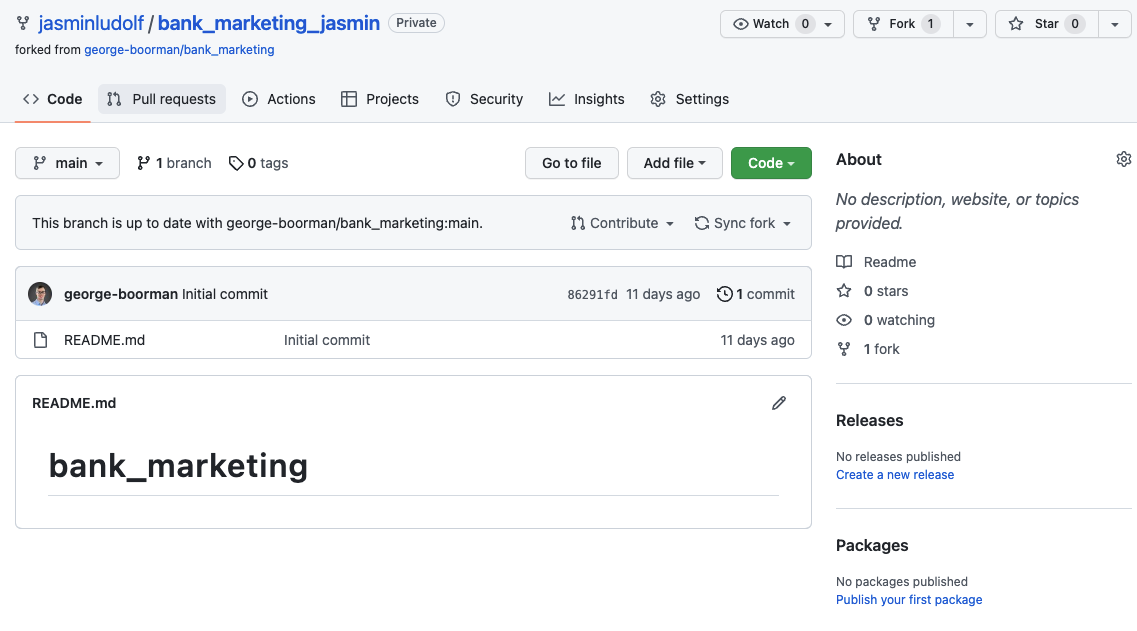
View of the forked repository

Introduzione ai concetti di GitHub

Clone vs. Fork

  Illustration of two arrows moving in a cycle to imply the push pull worklfow

  Cloning

  • Creates a linked copy on a local computer
  • Requires use of Git
  • Push and pull updates with Git
  • Great for collaboration

Illustration of two sheep that are identical but separate.

Forking

  • Creates an independent copy on GitHub
  • Can all be done within GitHub
  • Submit changes through a PR
  • Great for collaboration and experimenting
Introduzione ai concetti di GitHub

Let's practice!

Introduzione ai concetti di GitHub

Preparing Video For Download...