Working with relationships

Data Modeling intermedio in Power BI

Sara Billen

Curriculum Manager at DataCamp

Cross filtering

Cross-filtering: Selecting a value in one visual narrows down visible data in other visuals

Gif showing how one visual is filtered based on a selection in the other visual.

Data Modeling intermedio in Power BI

Filter direction

  • All relationships have a cross filter direction
  • Determines the direction that filters will propagate
  • Example:
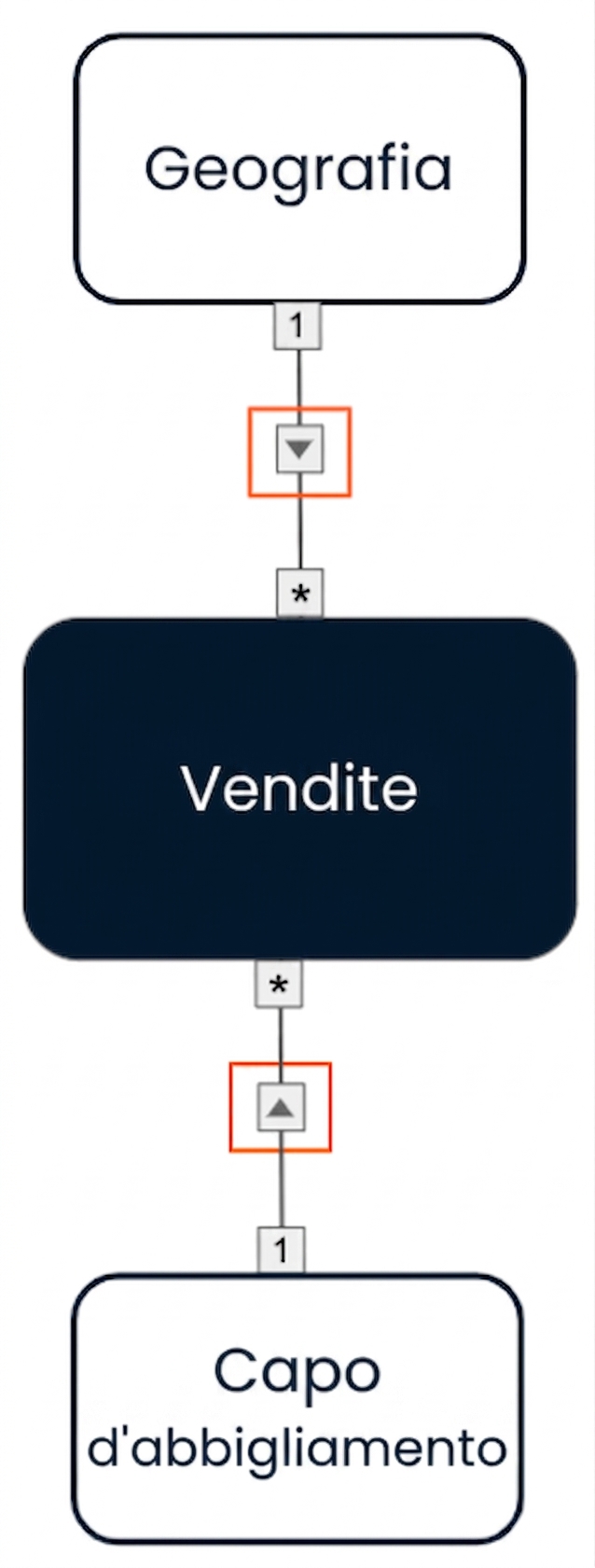
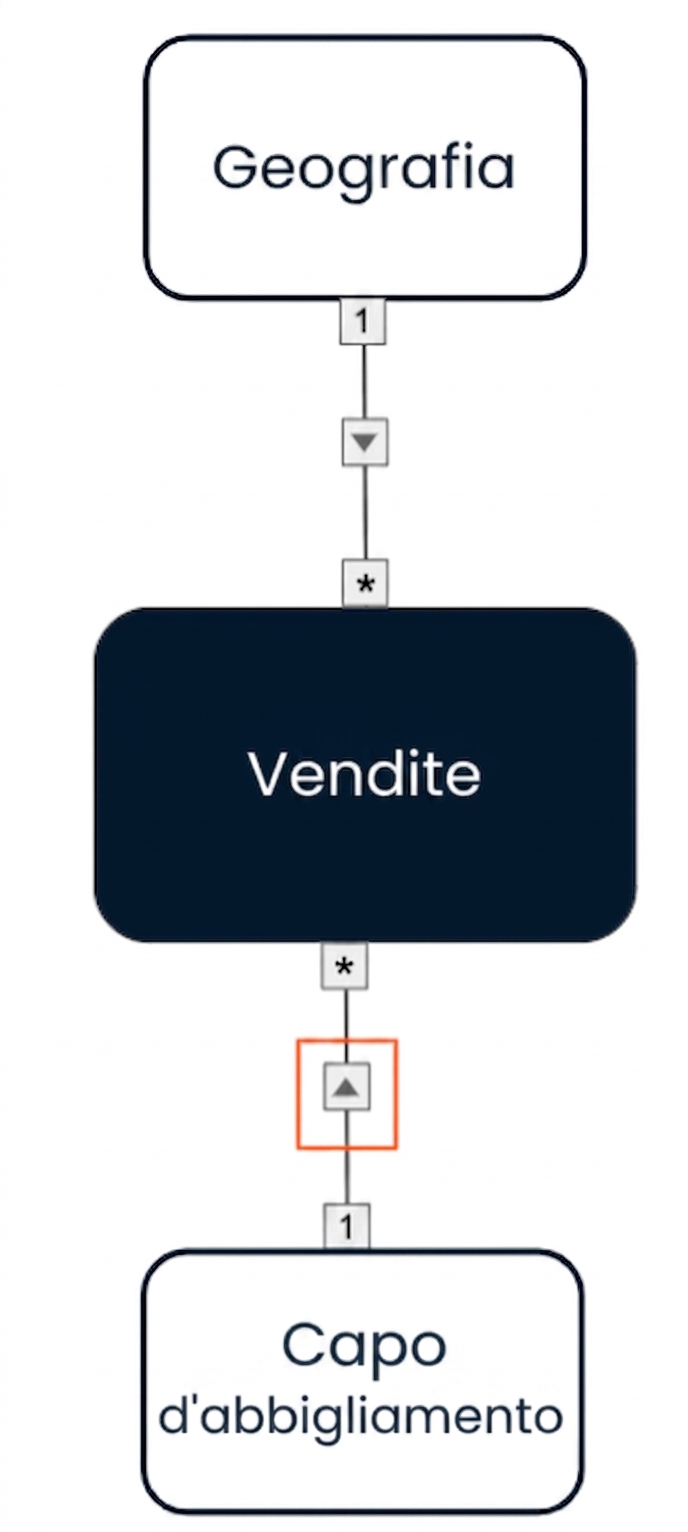
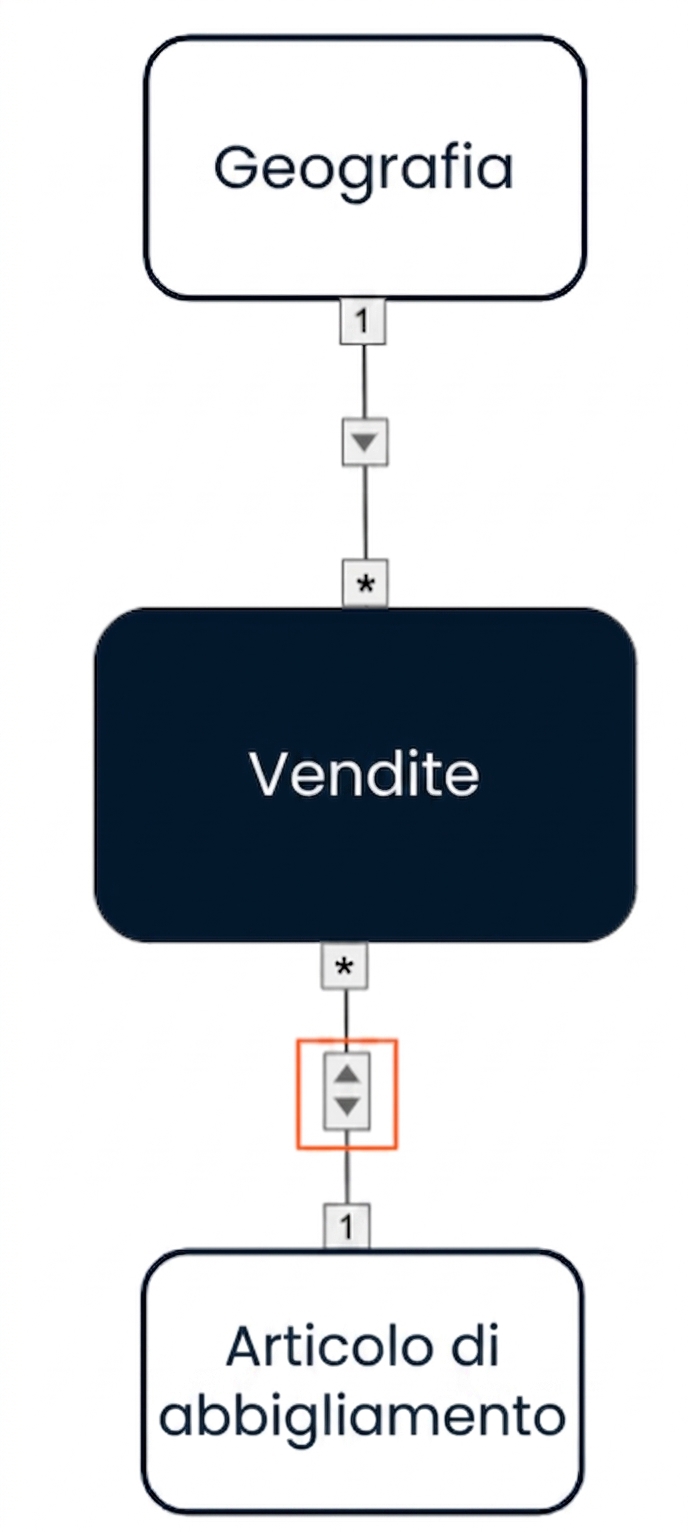
    • Geography -> Sales
    • Clothing Item -> Sales
  • From Dimension to Fact

Data model with single direction cross filters going from the two dimensions to the fact.

Data Modeling intermedio in Power BI

Filter direction

Data model: Data model with single direction cross filters going from the two dimensions to the fact.

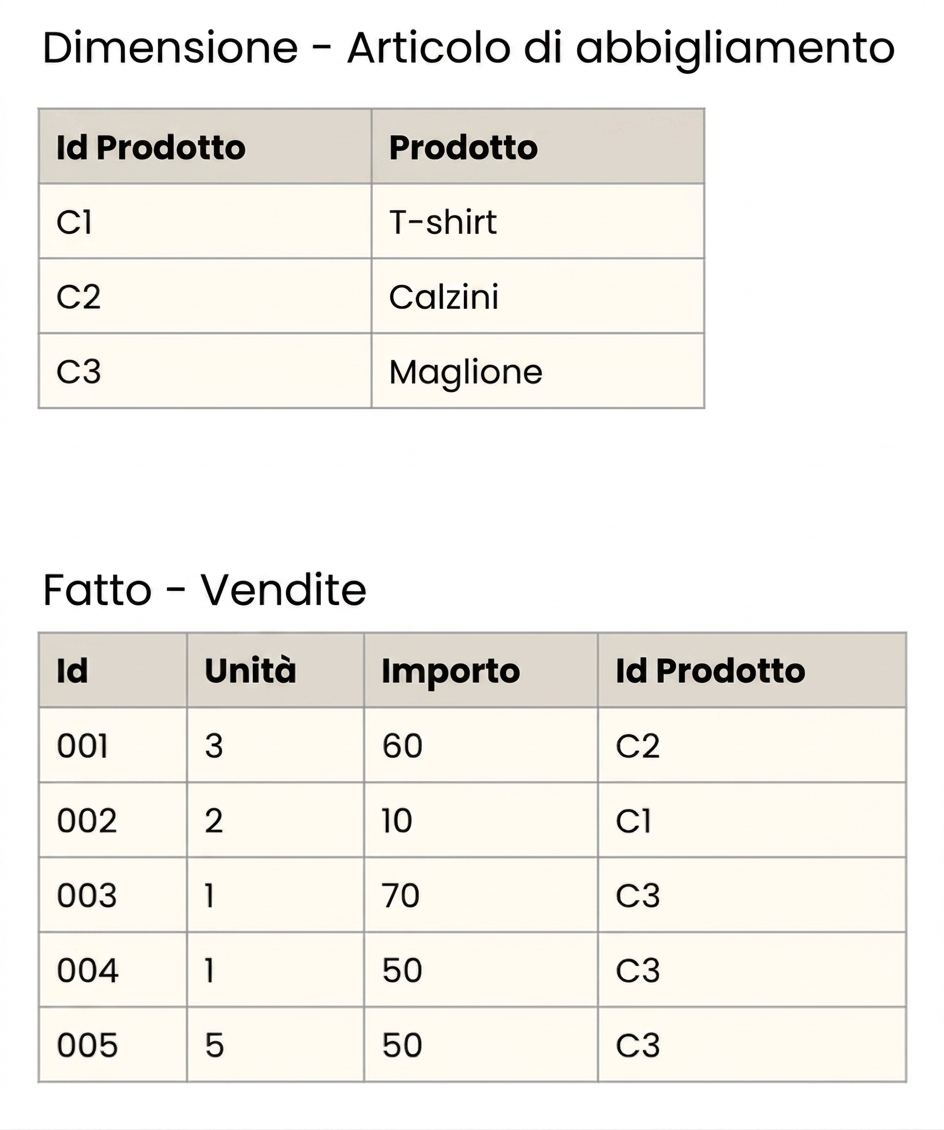
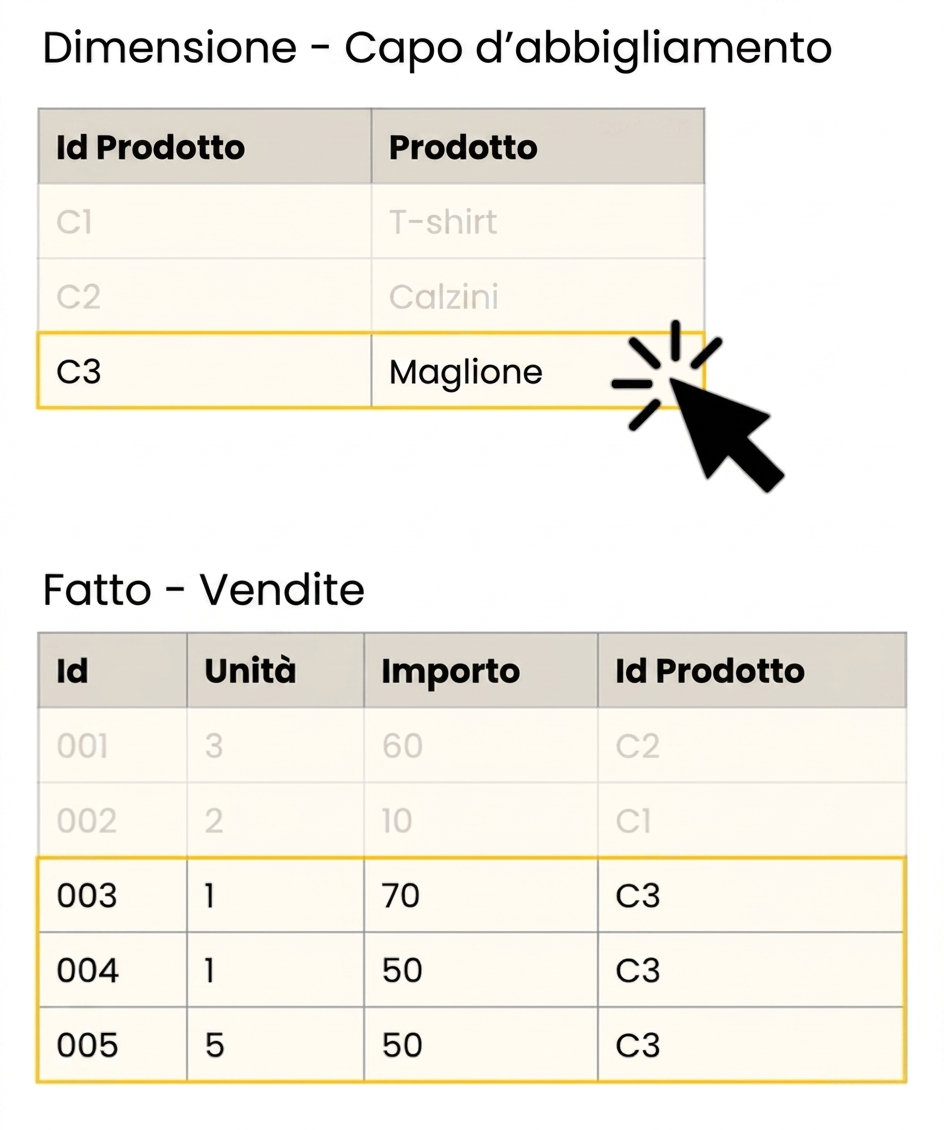
Detailed view of the fact and Clothing Item Dimension tables.

Data Modeling intermedio in Power BI

Filter direction

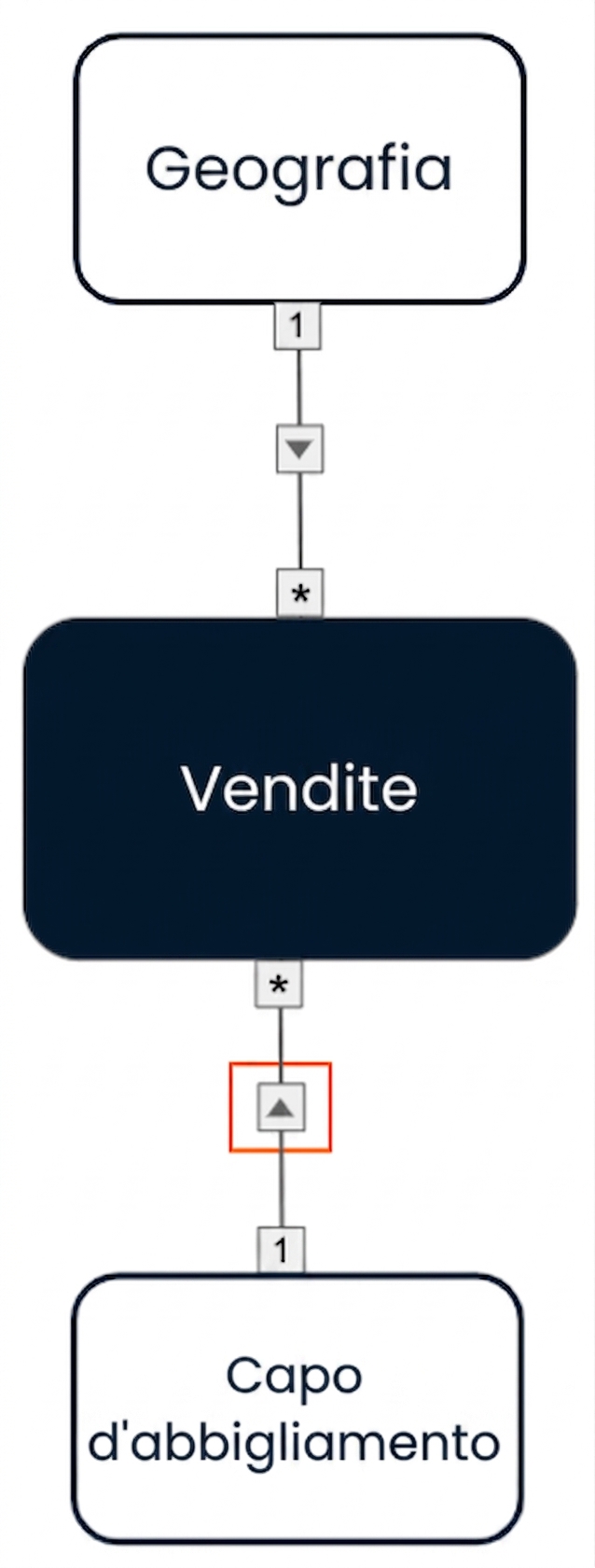
Data model: Data model with single direction cross filters going from the two dimensions to the fact.

Detailed view of the fact and Clothing Item Dimension tables.

Data Modeling intermedio in Power BI

Filter direction options

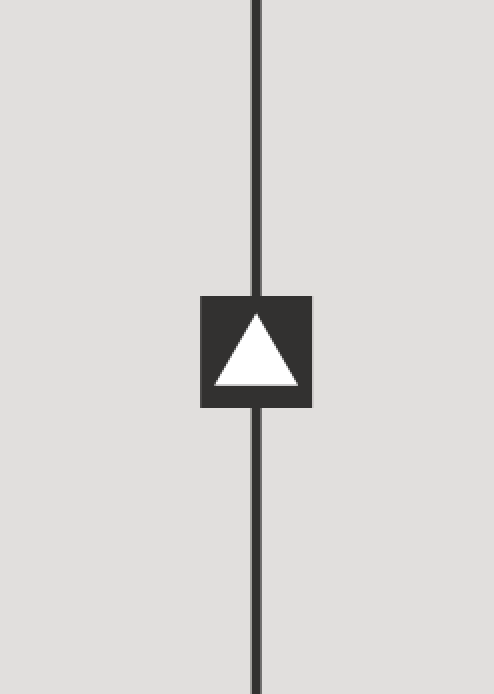
Single direction

Filter in one direction

Screenshot of the single direction cross filter symbol.

Bi-directional

Filter in both directions

Screenshot of the bi-directional cross filter symbol.

Data Modeling intermedio in Power BI

Bi-directional filtering: use case

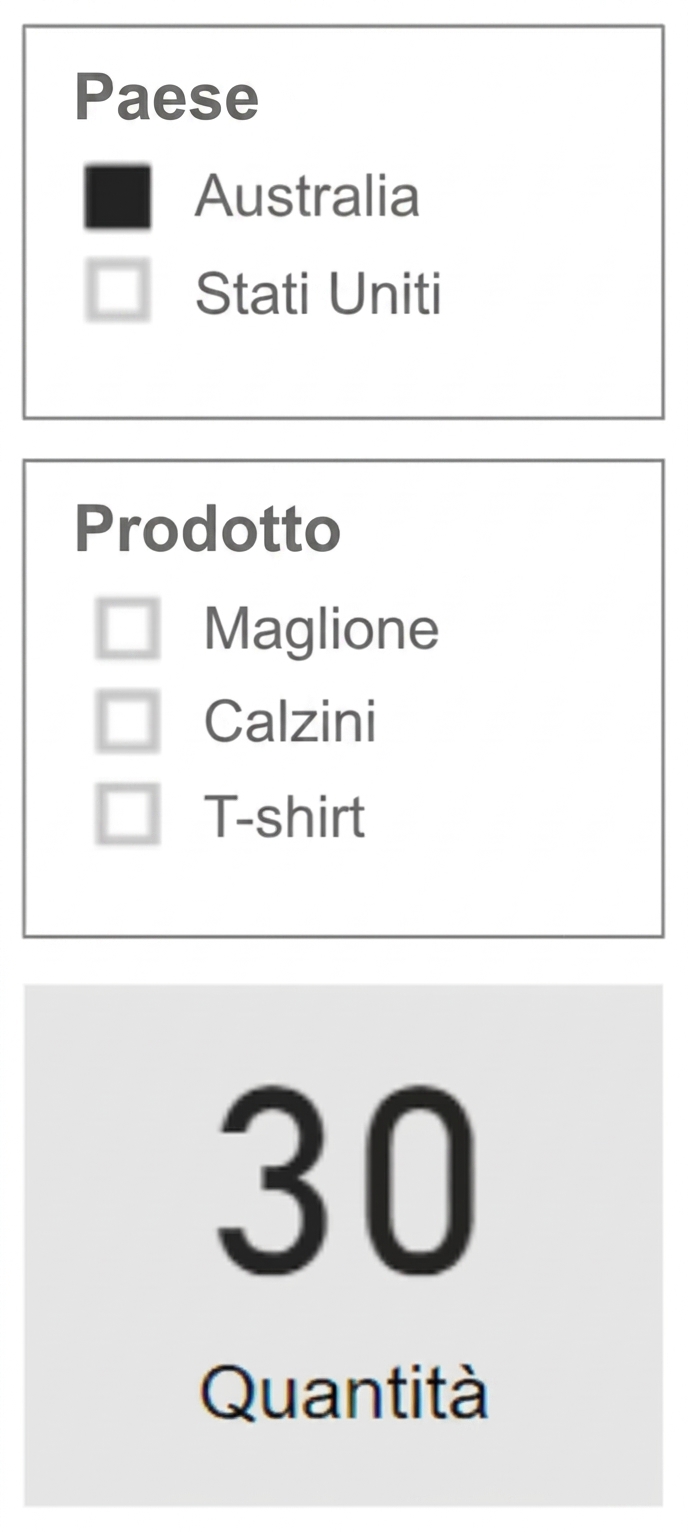
Show only relevant slicer entries

Data model: Data model with single direction cross filters going from the two dimensions to the fact.

$$

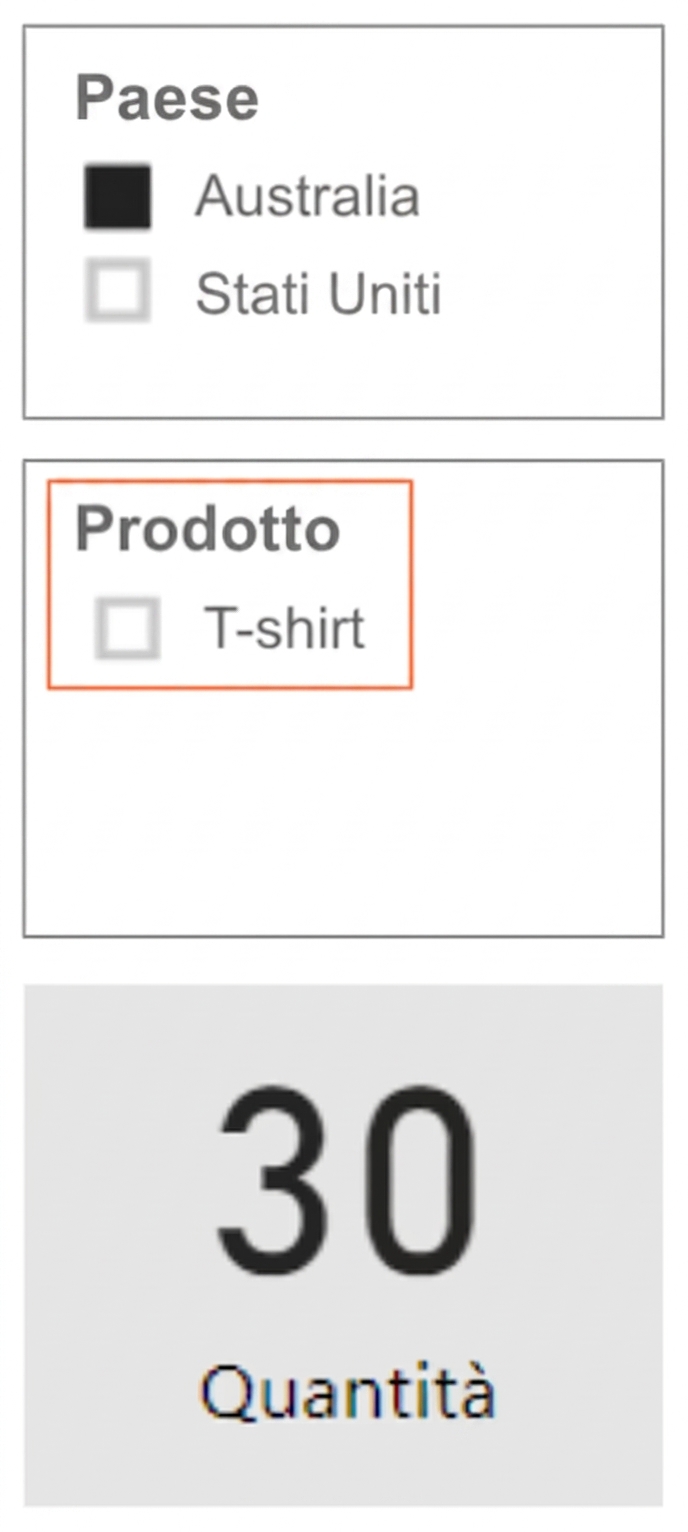
Report view:

Report view showing a Country slicer, a Product slicer, and a card showing the quantity. The Product slicer shows all possible products.

Data Modeling intermedio in Power BI

Bi-directional filtering: use case

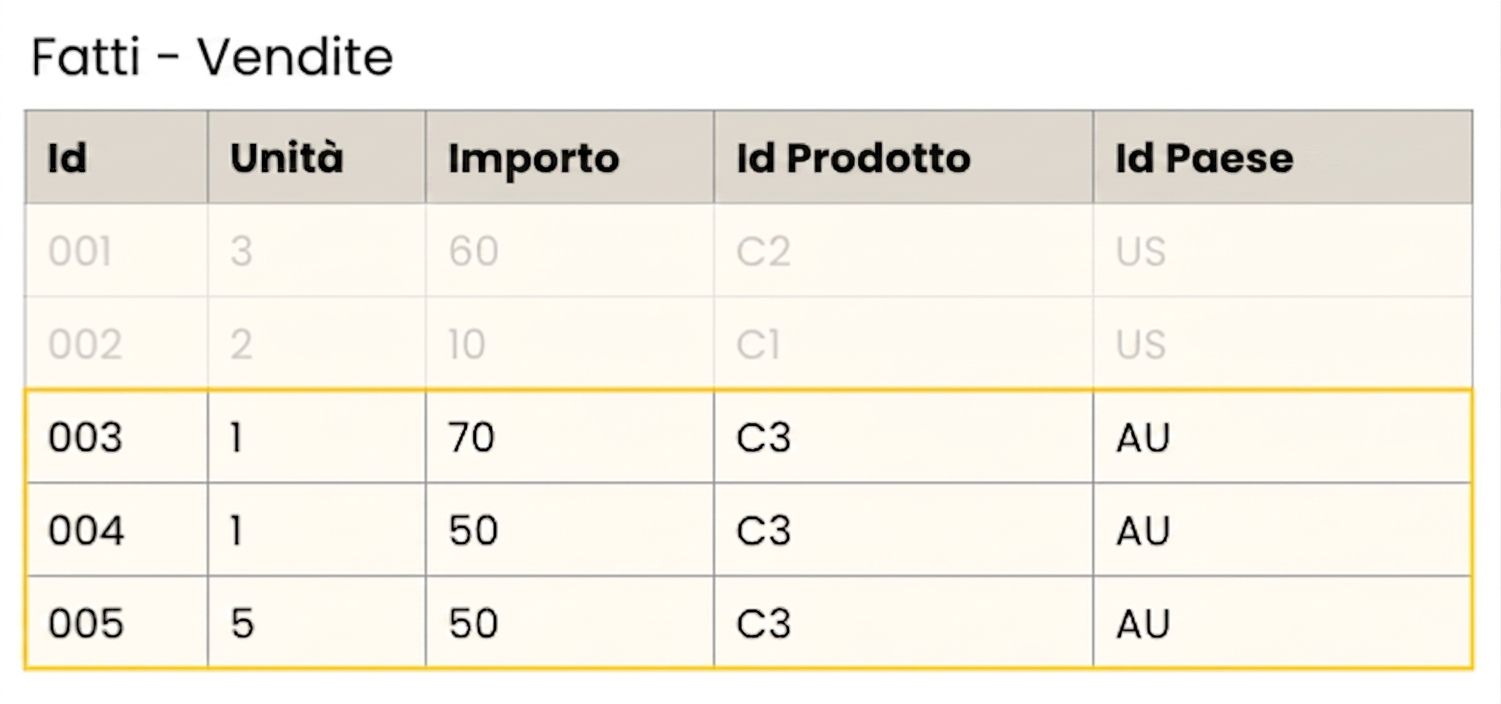
Only sweaters were sold in Australia

Detailed table view of fact sales.

*Product Id: C3 = Sweater, Country Id: AU = Australia

Data Modeling intermedio in Power BI

Bi-directional filtering: use case

Show only relevant slicer entries

Data model: Data model with a single direction cross filter going from the Geography dimension to the fact and a bi-directional filter between the Clothing Item dimension and the fact.

$$

Report view: Report view showing a Country slicer, a Product slicer, and a card showing the quantity. The Product slicer only show the relevant product options (for Australia).

Data Modeling intermedio in Power BI

Bi-directional filtering and paths

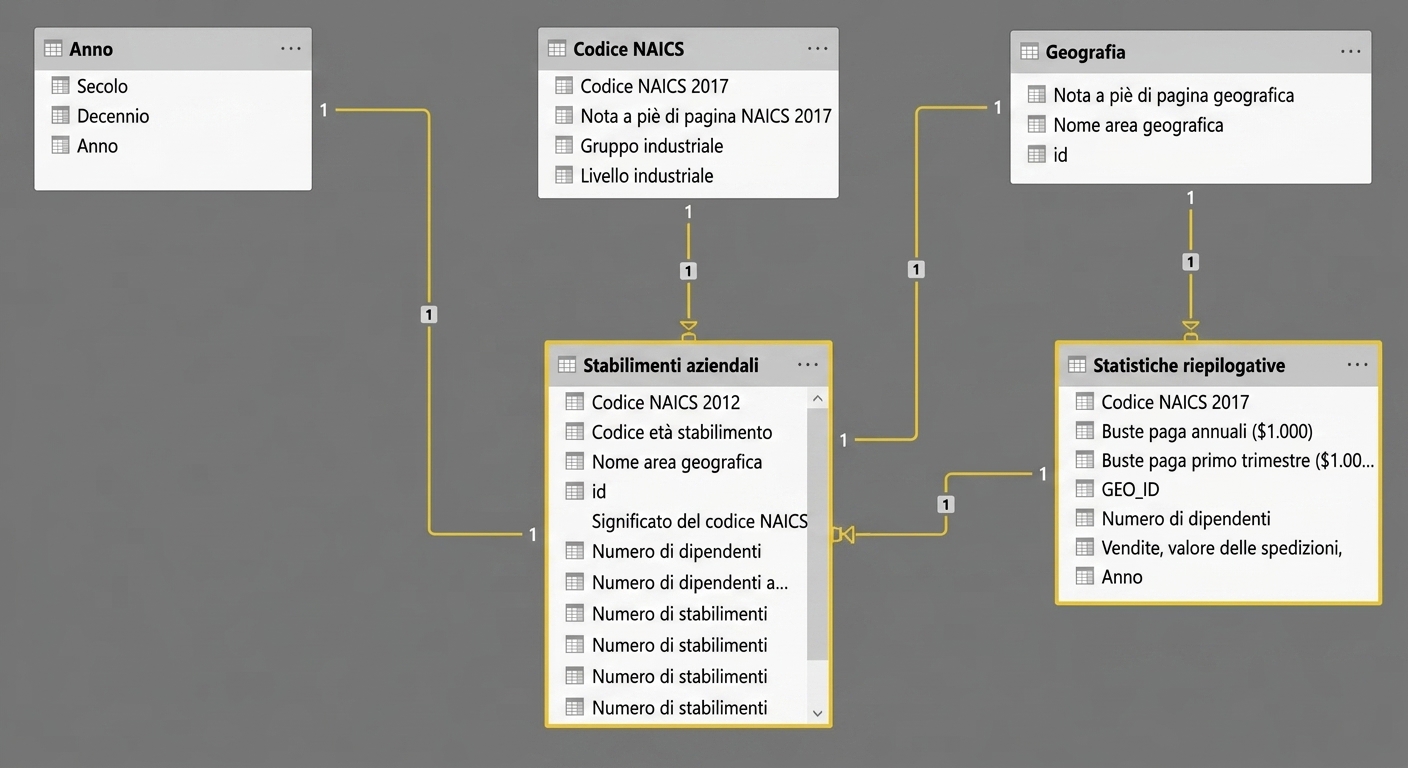
Bi-directional filters cannot allow for two separate paths between two tables

Data model in Power BI.

Data Modeling intermedio in Power BI

Bi-directional filtering and paths

Bi-directional filters cannot allow for two separate paths between two tables

Data model in Power BI showing two seperate paths between two tables.

Data Modeling intermedio in Power BI

Role-playing dimensions

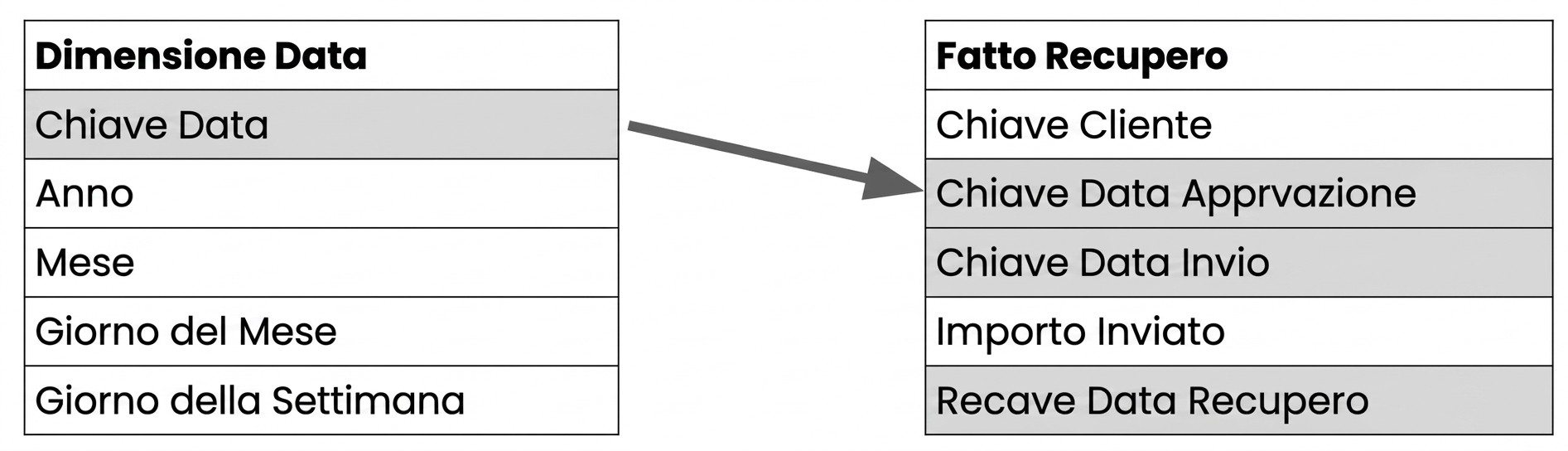
  • Sometimes we need to create multiple relationships between tables

Two tables with the date fields highlighted.

Data Modeling intermedio in Power BI

Role-playing dimensions

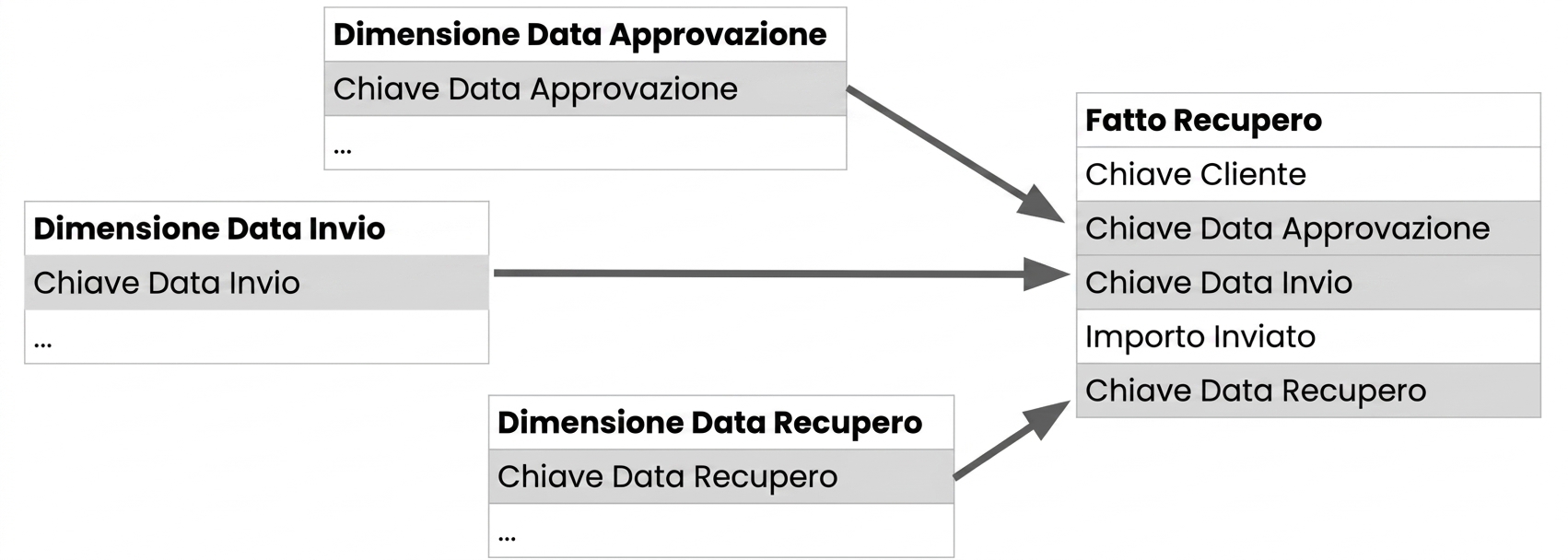
  • Kimball model
  • Role-playing dimension:
    • Dimension that can filter related facts differently
  • Typically implemented as views of the Date dimension

Three dimension tables with their respective date keys, all connected to one fact table.

Data Modeling intermedio in Power BI

Role-playing dimensions in Power BI

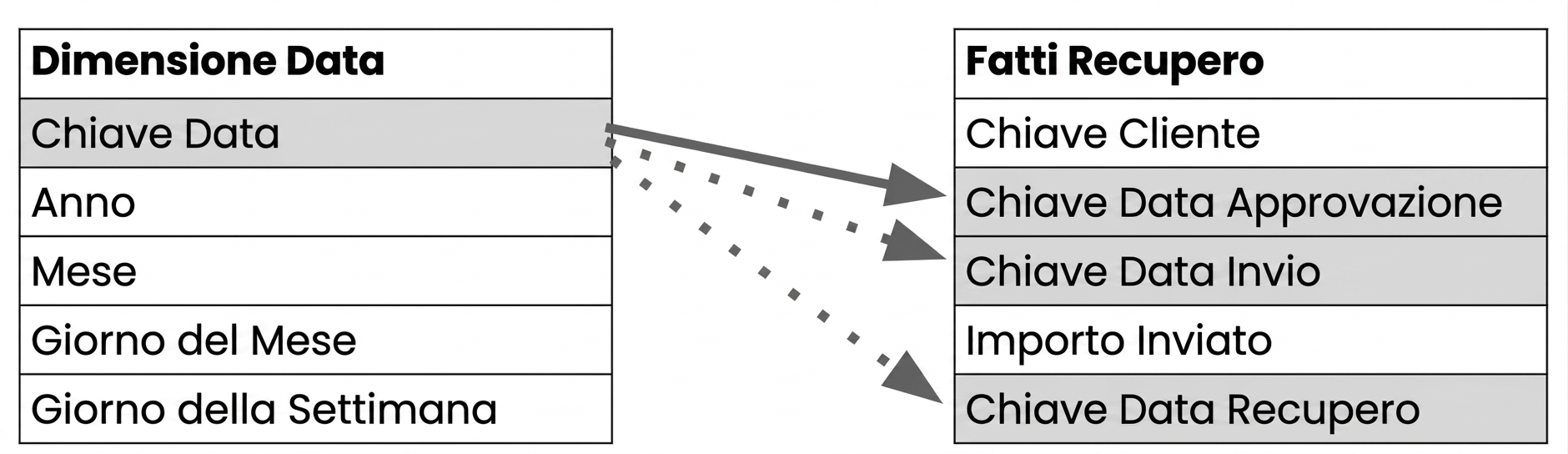
  • Create multiple relationships on a dimension, but only one is active

A date dimension with one active and two inactive relationships to the fact table.

  • Use USERELATIONSHIP() in DAX to specify which relationship to use:
Measure Name = CALCULATE(<Measurement function>,
                         USERELATIONSHIP(<Dimension Key Column>, <Fact Key Column>)
Data Modeling intermedio in Power BI

Let's practice!

Data Modeling intermedio in Power BI

Preparing Video For Download...