Object detection using R-CNN

Deep Learning per Immagini con PyTorch

Michal Oleszak

Machine Learning Engineer

Region-based CNN family: R-CNN

R-CNN family: R-CNN, Fast-CNN, Faster CNN

R-CNN

  • Module 1: generation of region proposals
1 Citation: Jason Brownlee. 2019. Deep Learning for Computer Vision.
Deep Learning per Immagini con PyTorch

Region-based CNN family: R-CNN

R-CNN family: R-CNN, Fast-CNN, Faster CNN
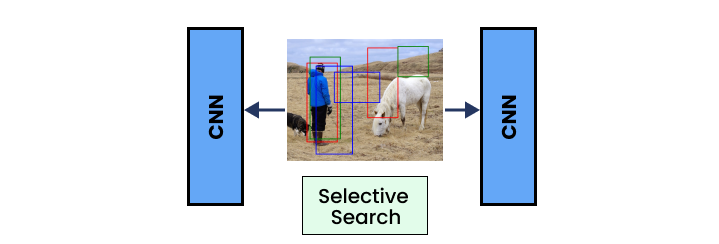
R-CNN

  • Module 1: generation of region proposals
  • Module 2: feature extraction (convolutional layers)
1 Citation: Jason Brownlee. 2019. Deep Learning for Computer Vision.
Deep Learning per Immagini con PyTorch

Region-based CNN family: R-CNN

R-CNN family: R-CNN, Fast-CNN, Faster CNN
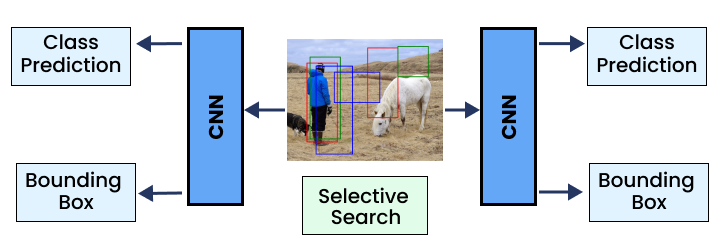
R-CNN

  • Module 1: generation of region proposals
  • Module 2: feature extraction (convolutional layers)
  • Module 3: class and bounding box prediction
1 Citation: Jason Brownlee. 2019. Deep Learning for Computer Vision.
Deep Learning per Immagini con PyTorch

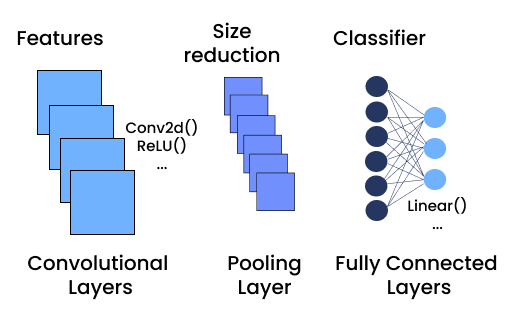
R-CNN: backbone

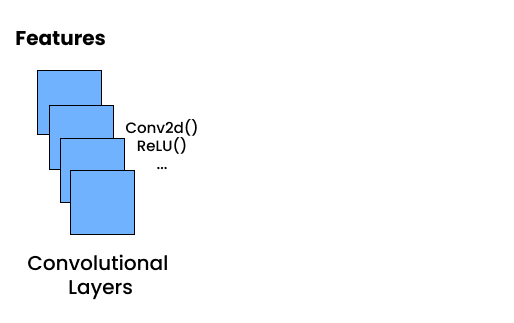
  • Convolutional layers: pre-trained models
    • Backbone: the core CNN architecture responsible for feature extraction
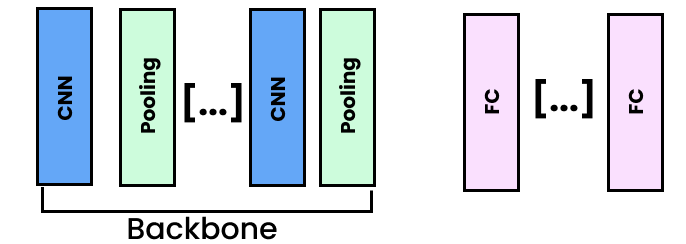
  backbone

  • Convolutional & pooling layers
  • Extract features for region proposals and object detection
Deep Learning per Immagini con PyTorch

R-CNN: backbone with PyTorch

import torch.nn as nn
from torchvision.models import vgg16,
    VGG16_Weights


vgg = vgg16(weights=VGG16_Weights.DEFAULT)

vgg model

Deep Learning per Immagini con PyTorch

R-CNN: backbone with PyTorch

import torch.nn as nn
from torchvision.models import vgg16,
    VGG16_Weights


vgg = vgg16(weights=VGG16_Weights.DEFAULT)

vgg model features

  • .features: only convolutional layers
Deep Learning per Immagini con PyTorch

R-CNN: backbone with PyTorch

import torch.nn as nn
from torchvision.models import vgg16,
    VGG16_Weights


vgg = vgg16(weights=VGG16_Weights.DEFAULT)

vgg model

  • .features: only convolutional layers
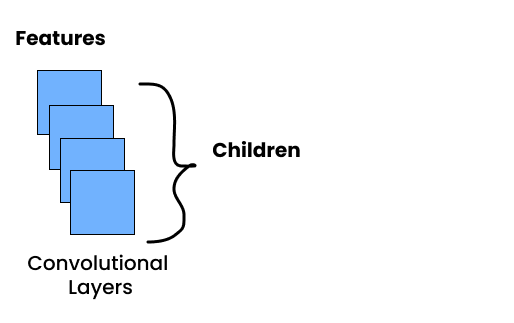
  • .children(): all layers from block
Deep Learning per Immagini con PyTorch

R-CNN: backbone with PyTorch

import torch.nn as nn
from torchvision.models import vgg16,
    VGG16_Weights


vgg = vgg16(weights=VGG16_Weights.DEFAULT)
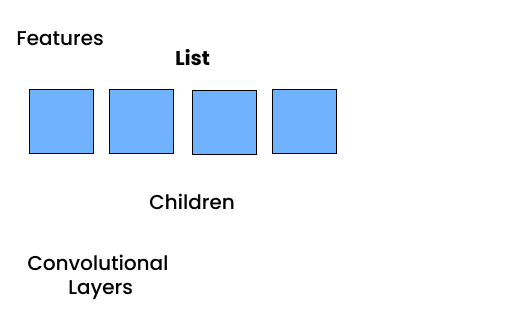
backbone = nn.Sequential( *list(vgg.features.children()) )
  • nn.Sequential(*list()): all sub-layers are placed into a sequential block as a list
    • *: unpacks the elements from the list

vgg model

  • .features: only convolutional layers
  • .children(): all layers from block
Deep Learning per Immagini con PyTorch

R-CNN: classifier layer

  • Extract backbone's output size
input_dimension = nn.Sequential(*list(
    vgg_backbone.classifier.children())
)[0].in_features
  • Create a new classifier
classifier = nn.Sequential(
    nn.Linear(input_dimension, 512),
    nn.ReLU(),
    nn.Linear(512, num_classes),
)
Deep Learning per Immagini con PyTorch

R-CNN: box regressor layer

  • Sits on top of the backbone
  • 4 outputs for the 4 box coordinates
box_regressor = nn.Sequential(
    nn.Linear(input_dimension, 32),
    nn.ReLU(),
    nn.Linear(32, 4),
)
Deep Learning per Immagini con PyTorch

Putting it all together: object detection model

class ObjectDetectorCNN(nn.Module):
    def __init__(self):
        super(ObjectDetectorCNN, self).__init__()

vgg = vgg16(weights=VGG16_Weights.DEFAULT) self.backbone = nn.Sequential(*list(vgg.features.children()))
input_features = nn.Sequential(*list(vgg.classifier.children()))[0].in_features
self.classifier = nn.Sequential( nn.Linear(input_features, 512), nn.ReLU(), nn.Linear(512, 2), )
self.box_regressor = nn.Sequential( nn.Linear(input_features, 32), nn.ReLU(), nn.Linear(32, 4), )
Deep Learning per Immagini con PyTorch

Putting it all together: object detection model

class ObjectDetector(nn.Module):
    (...)

    def forward(self, x):

features = self.backbone(x)
bboxes = self.regressor(features) classes = self.classifier(features) return bboxes, classes
Deep Learning per Immagini con PyTorch

Running object recognition

  1. Load and transform the image
  2. unsqueeze() the image to add the batch dimension
  3. Pass the image tensor to the model
  4. Run Non-Max Suppression (nms()) over model's output
  5. draw_bounding_boxes() on top of the image
Deep Learning per Immagini con PyTorch

Let's practice!

Deep Learning per Immagini con PyTorch

Preparing Video For Download...