Monitoring tools

Nozioni di base sulla gestione e governance di Microsoft Azure

Maarten Van den Broeck

Senior Content Developer at DataCamp

Overview of monitoring tools

  1. Azure Monitor

    • Application Insights
    • Log Analytics
    • Alerts
  2. Service Health

  3. Advisor

Person looking at world map and dashboard with data

Nozioni di base sulla gestione e governance di Microsoft Azure

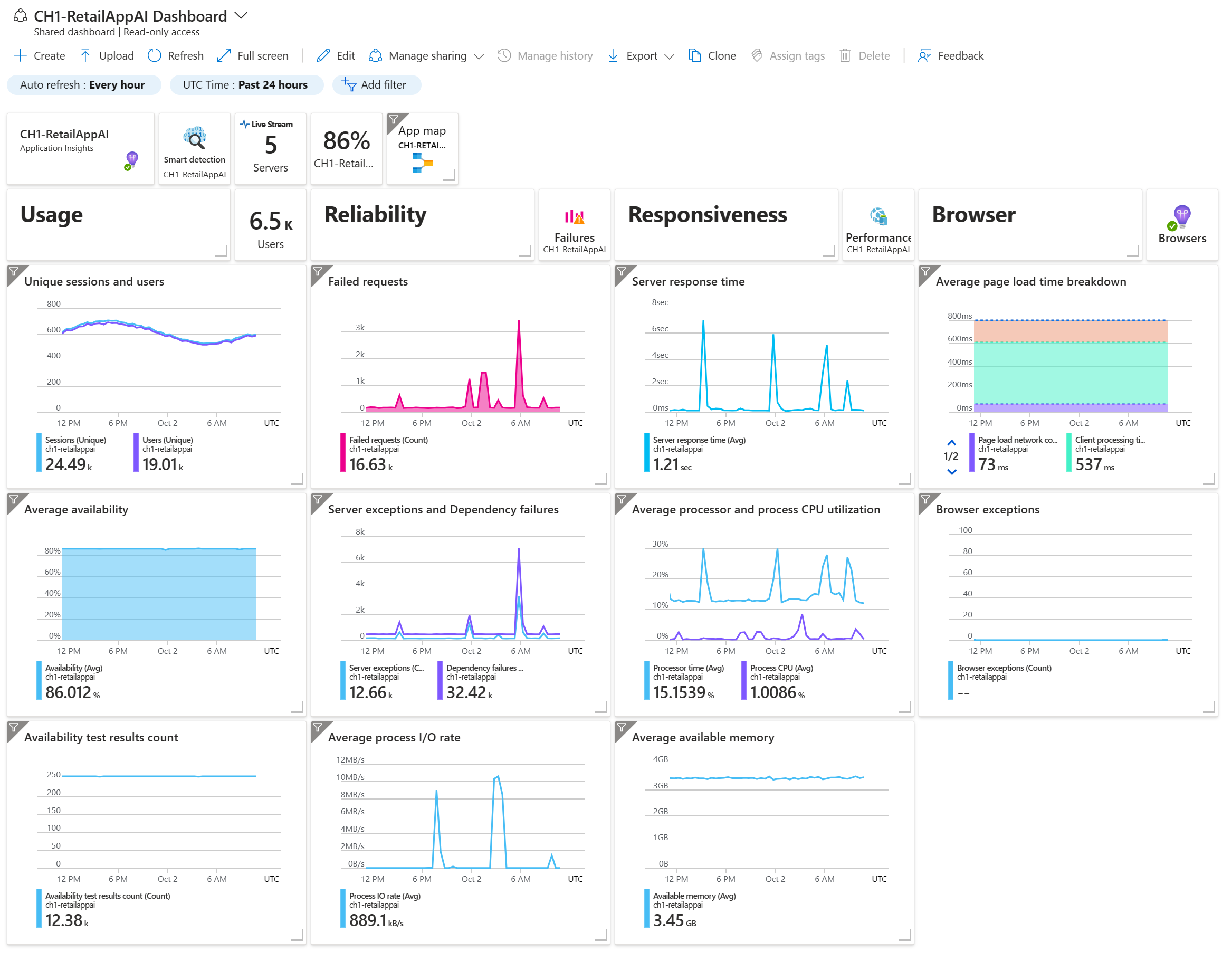
Azure Monitor: Application Insights

Used for application performance management:

  • Detect, diagnose, and address issues
  • Provide insights into performance, availability, and usage

  • Typical tasks:

    • View and visualize performance metrics
    • Find errors and bugs using Smart Detection
    • Set up live and automatic monitoring

Screenshot of Azure Monitor Application Insights

Nozioni di base sulla gestione e governance di Microsoft Azure

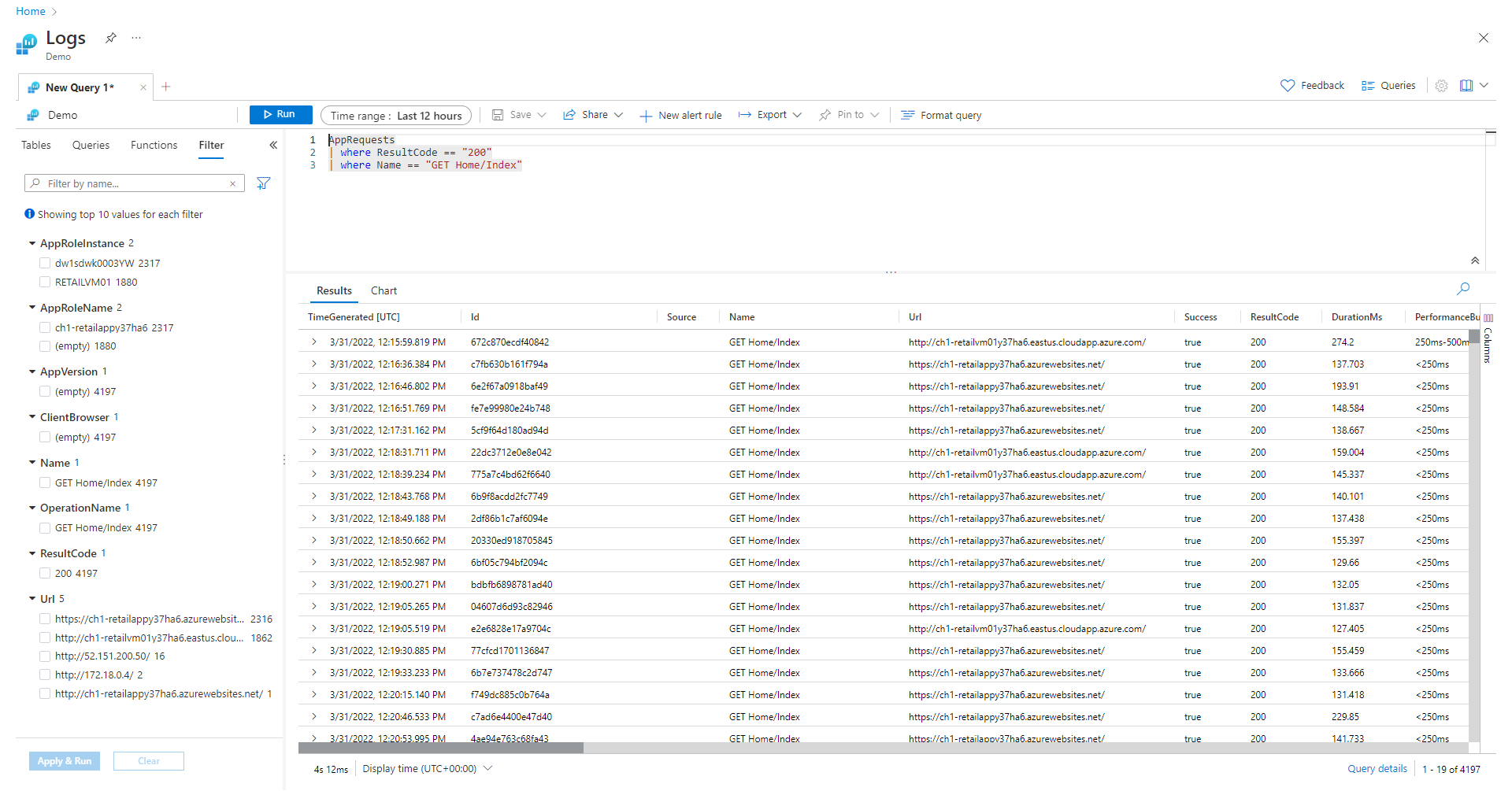
Azure Monitor: Log Analytics

Used for system performance management:

  • Resources, services, and infrastructure
  • In conjunction with Application Insights for applications

  • Use cases:

    • Tracking the performance of resources
    • Troubleshooting and diagnostics
    • Capacity planning
    • Ensuring security and compliance

Person collecting and linking logs

Nozioni di base sulla gestione e governance di Microsoft Azure

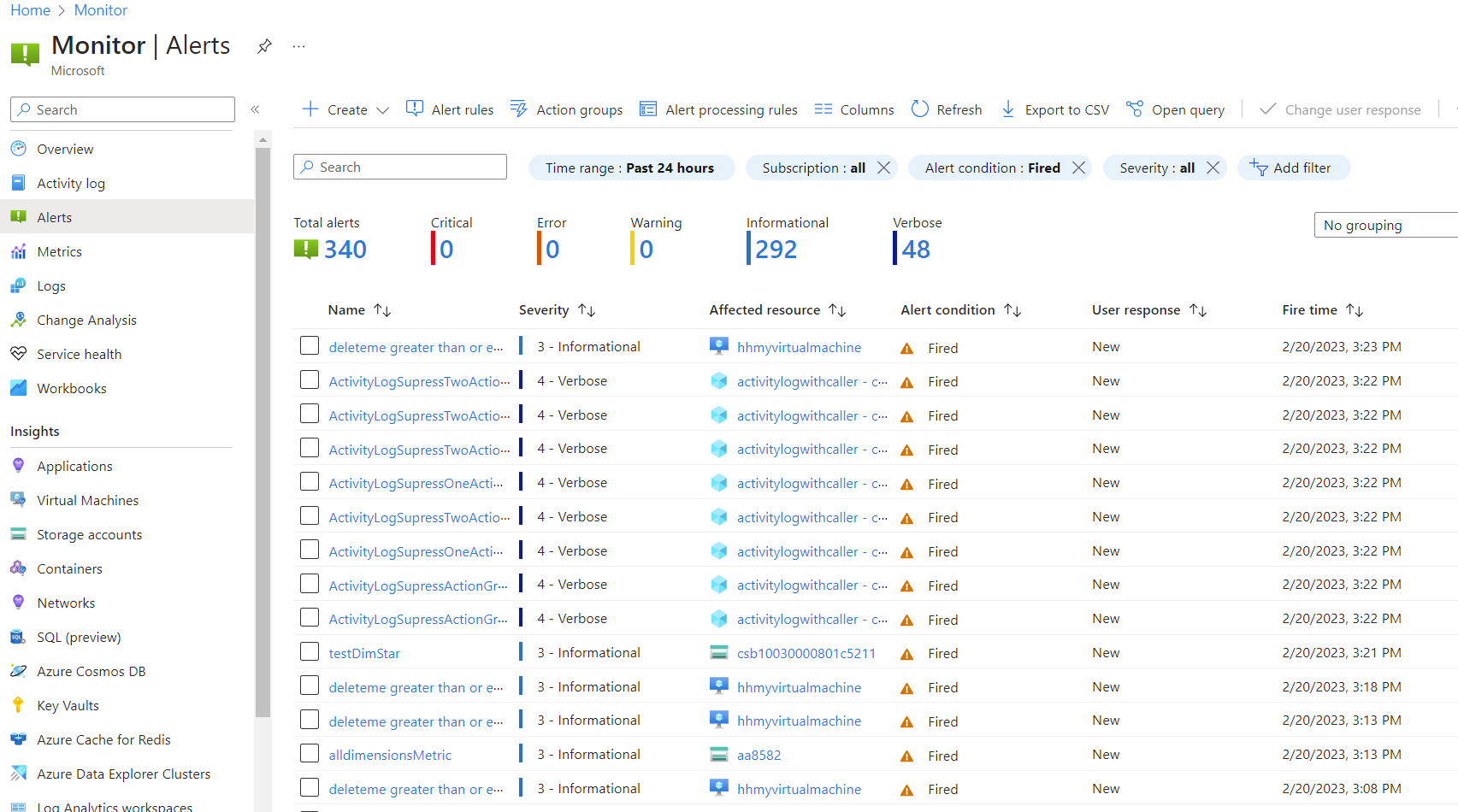
Azure Monitor: Alerts

Used for setting up automatic alerts for specific conditions:

  • Alerts based on specific metrics or a combination
  • Notifications via various channels
  • Escalation of alerts if the problem persists
  • Automatic remediation

Screenshot of Azure Monitor Alerts

Nozioni di base sulla gestione e governance di Microsoft Azure

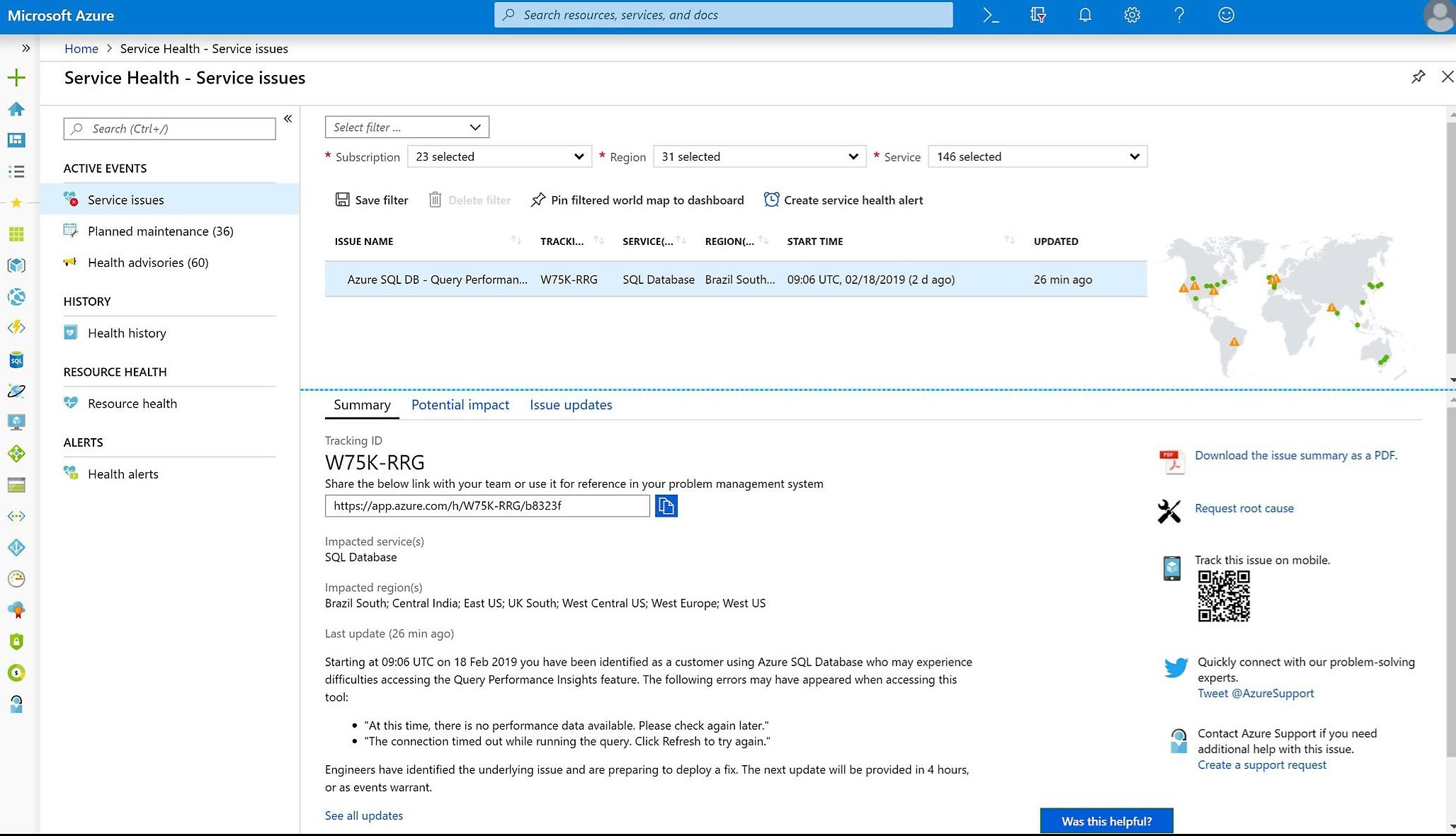
Service Health

Used to check the current status of the Azure Cloud service in general:

  • Planned maintenance
  • Outages and incidents
  • Upcoming updates and changes

Screenshot of Service Health

Nozioni di base sulla gestione e governance di Microsoft Azure

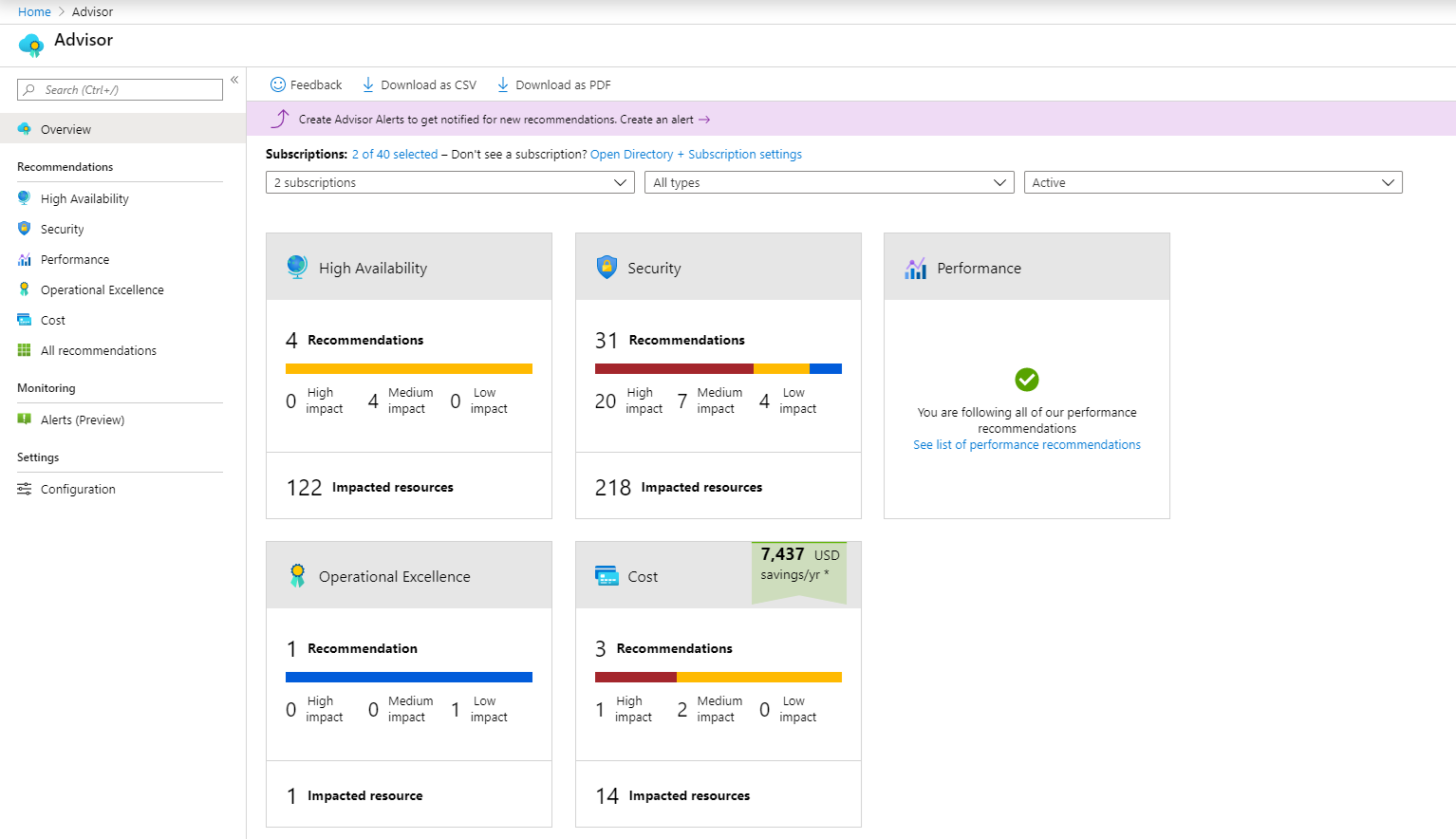
Advisor

Used for personalized recommendations to optimize Azure resources:

  • Cost: reduce overall Azure spending
  • Security: identify possible security issues
  • Performance: improve speed and responsiveness
  • Reliability: ensure availability and resilience
  • Operational excellence: apply best practices for efficient resource management and deployment

Screenshot of the Advisor dashboard

Nozioni di base sulla gestione e governance di Microsoft Azure

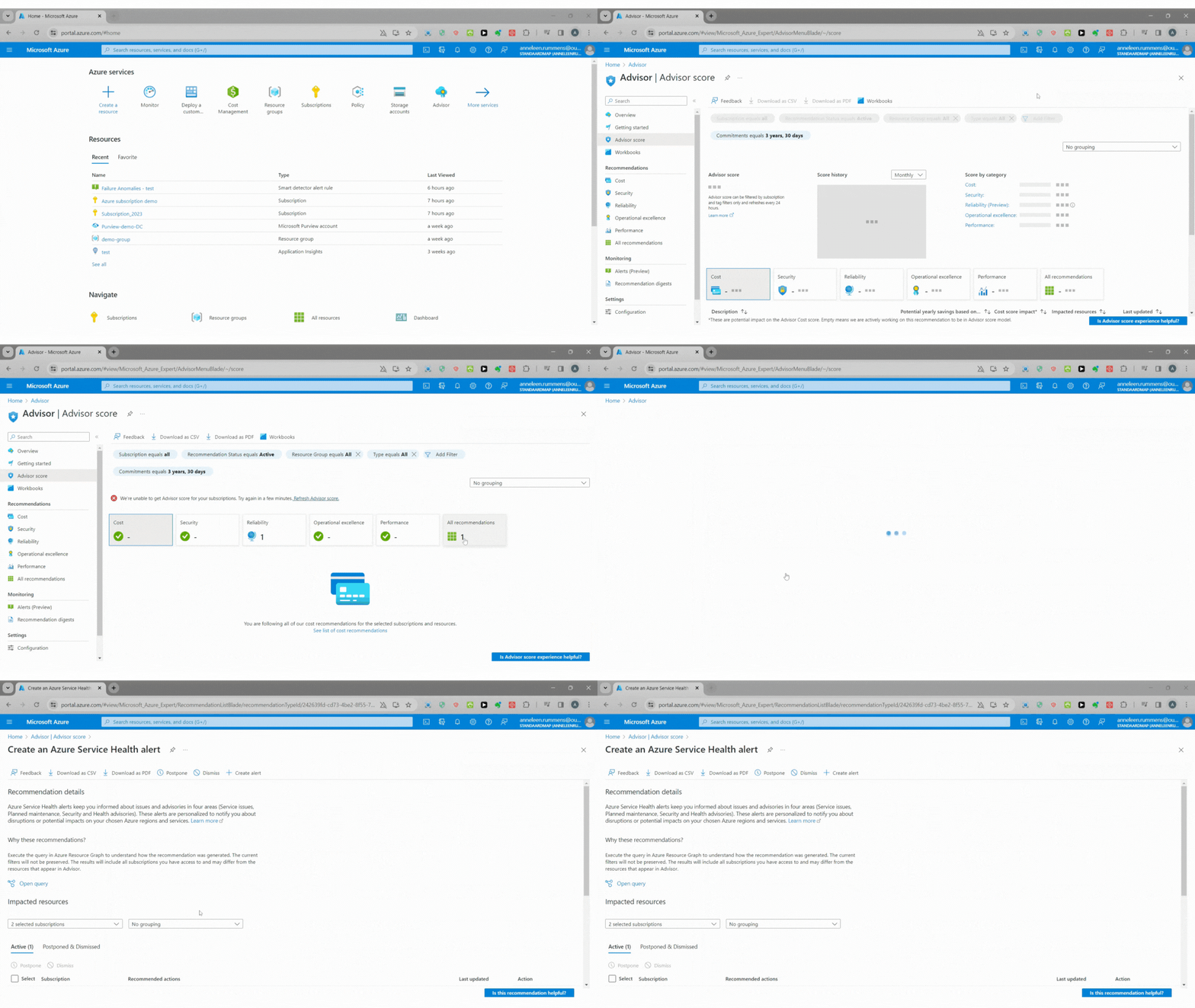
Use case: recommendations from Advisor

You and your team are working on optimizing your use of Azure resources, making use of Azure Advisor to help identify optimization opportunities.

  • Look through the different categories in Azure Advisor to get a list of specific tasks
  • Filter for quick fixes, postpone or dismiss irrelevant recommendations

GIF of using the Advisor

Nozioni di base sulla gestione e governance di Microsoft Azure

Let's practice!

Nozioni di base sulla gestione e governance di Microsoft Azure

Preparing Video For Download...