ggplot2 ile Veri Görselleştirmeye Giriş
Rick Scavetta
Founder, Scavetta Academy
| Grafik türü | Olası Geom'lar |
|---|---|
| Saçılım grafikleri | point, jitter, abline, smooth, count |
| Çubuk grafikleri | histogram, bar, col, errorbar |
| Çizgi grafikleri | line, path |
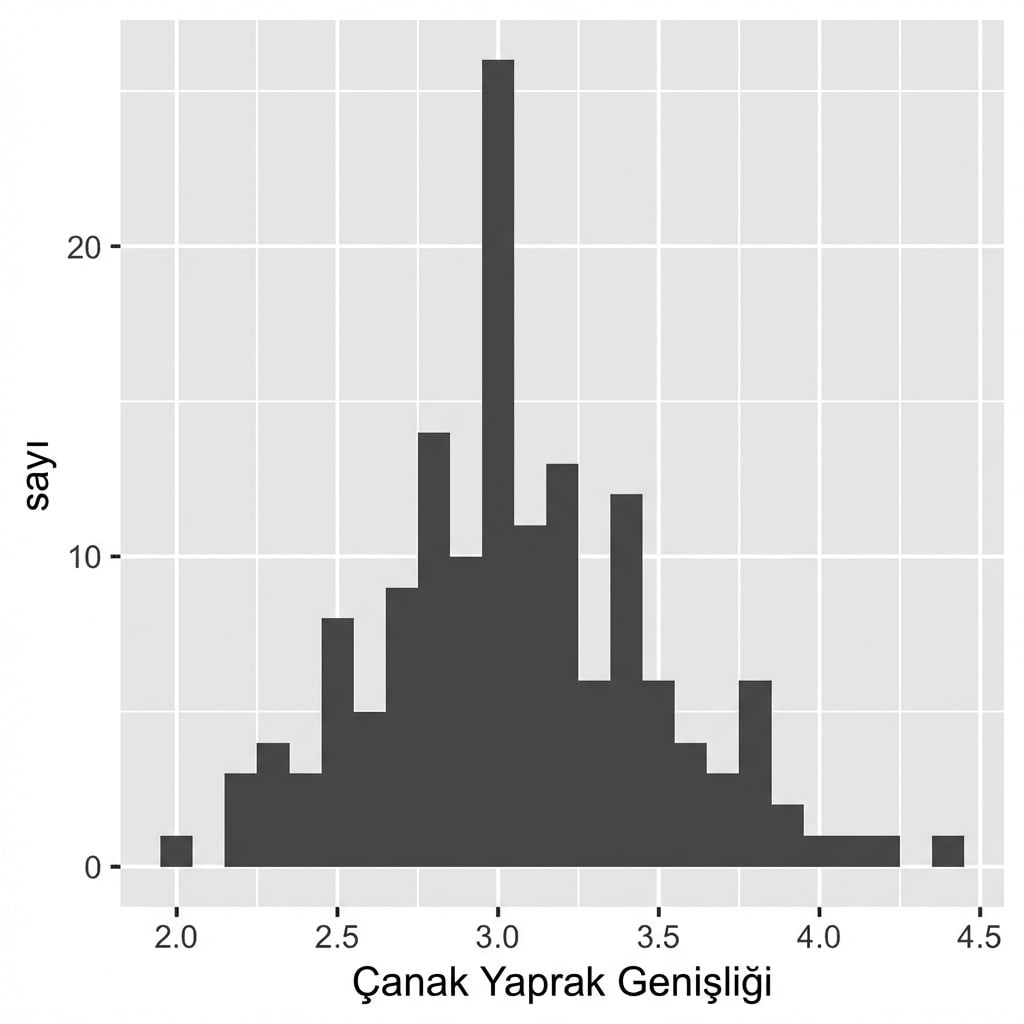
ggplot(iris, aes(x = Sepal.Width)) +
geom_histogram()
`stat_bin()` using `bins = 30`.
Pick better value with `binwidth`.

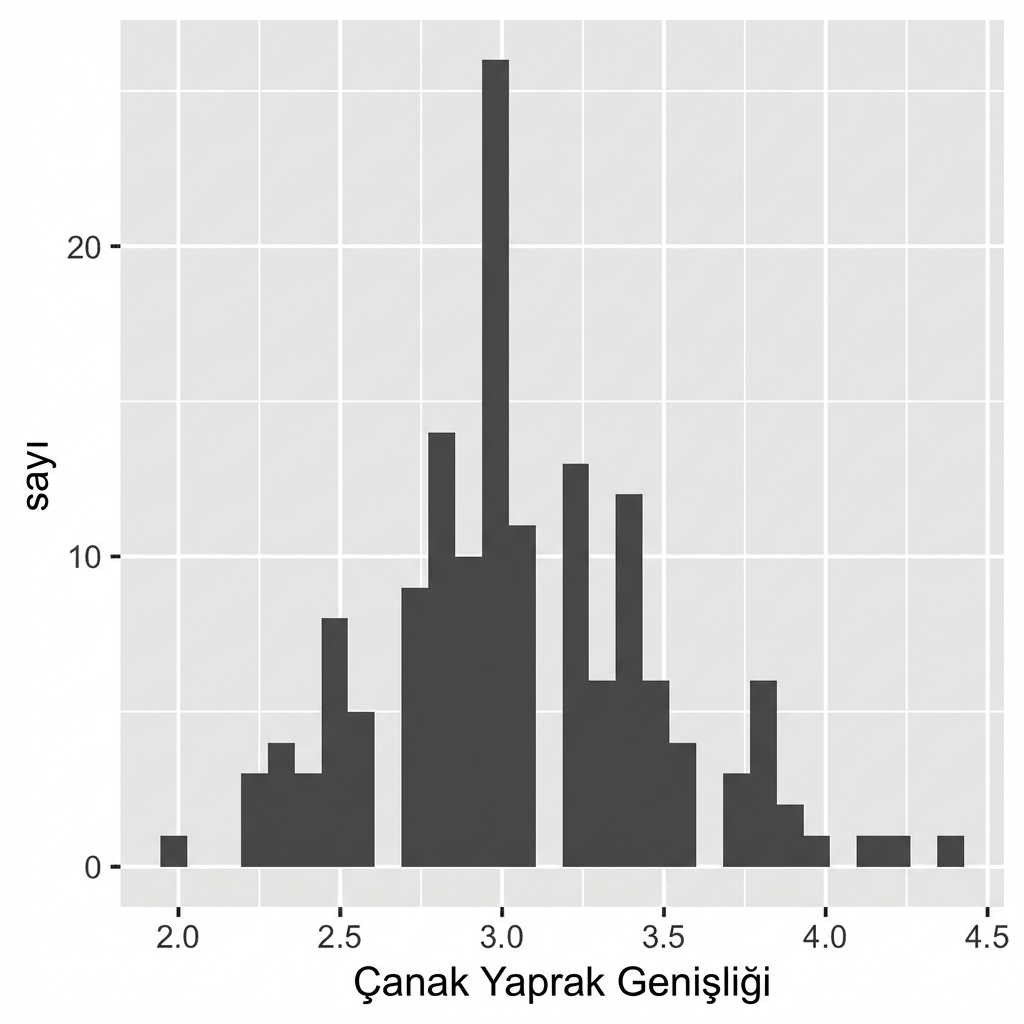
ggplot(iris, aes(x = Sepal.Width)) +
geom_histogram()
# Varsayılan bin genişliği:
diff(range(iris$Sepal.Width))/30
[1] 0.08

ggplot(iris, aes(x = Sepal.Width)) +
geom_histogram(binwidth = 0.1)
Veriniz için anlamlı bir bin genişliği belirleyin.
Çubuklar arasında boşluk yoktur.

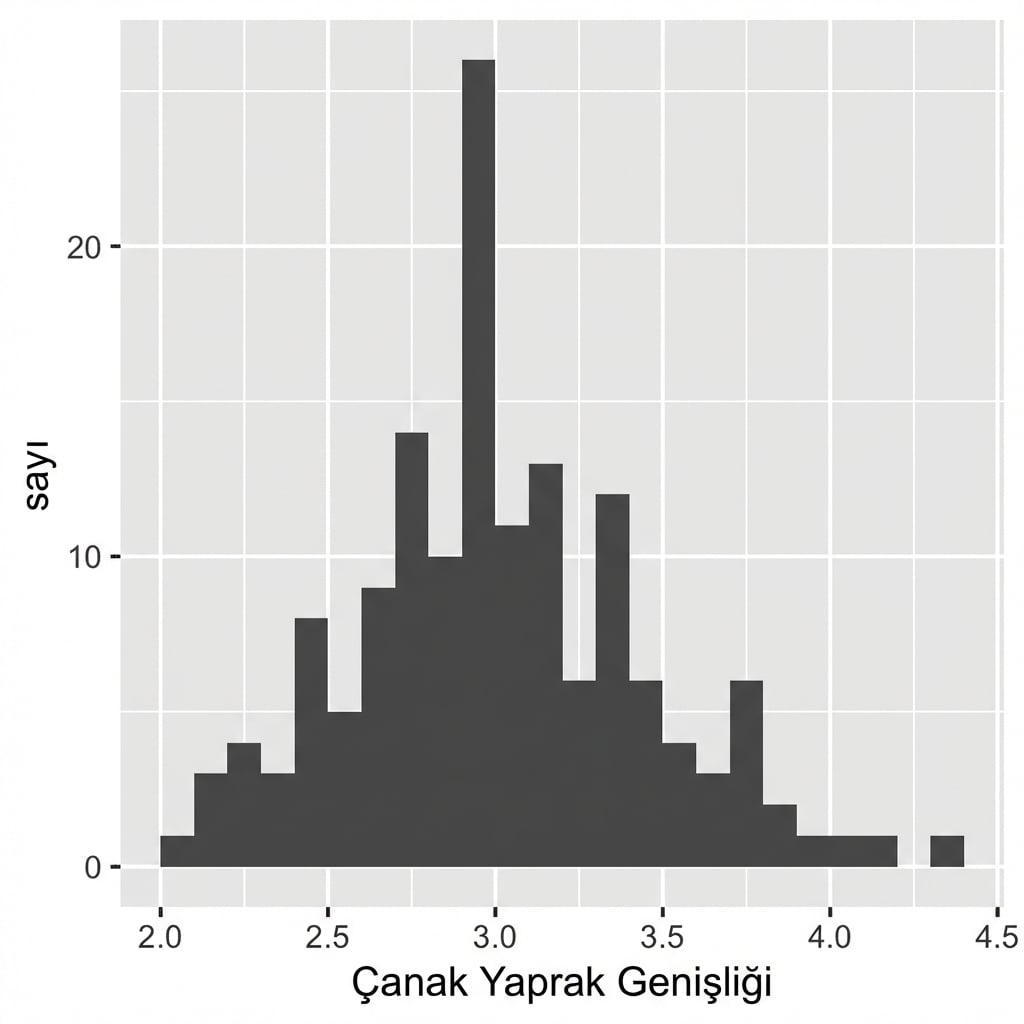
ggplot(iris, aes(x = Sepal.Width)) +
geom_histogram(binwidth = 0.1,
center = 0.05)
Veriniz için anlamlı bir bin genişliği belirleyin.
Çubuklar arasında boşluk yoktur.
X ekseni etiketleri çubuklar arasındadır.

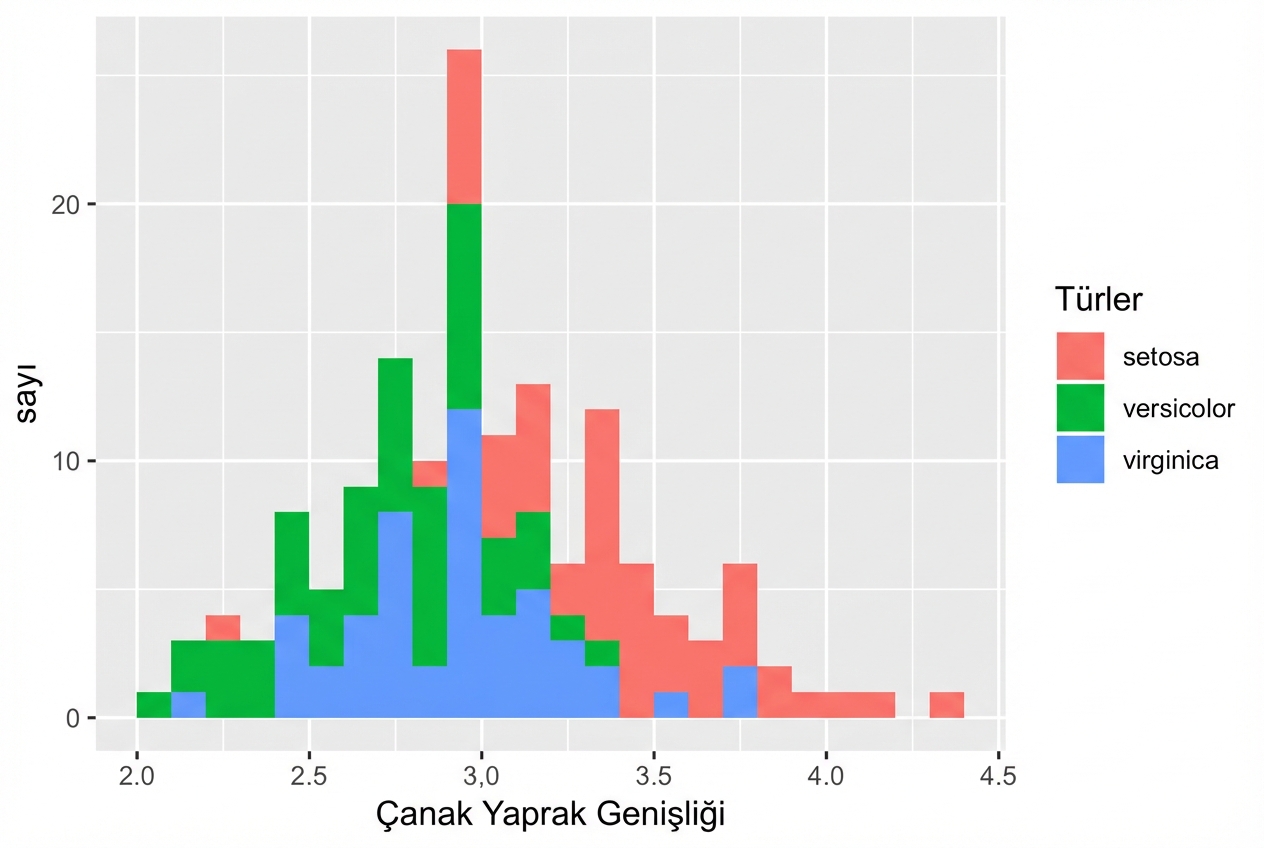
ggplot(iris, aes(x = Sepal.Width,
fill = Species)) +
geom_histogram(binwidth = .1,
center = 0.05)

ggplot(iris, aes(x = Sepal.Width,
fill = Species)) +
geom_histogram(binwidth = .1,
center = 0.05,
position = "stack")

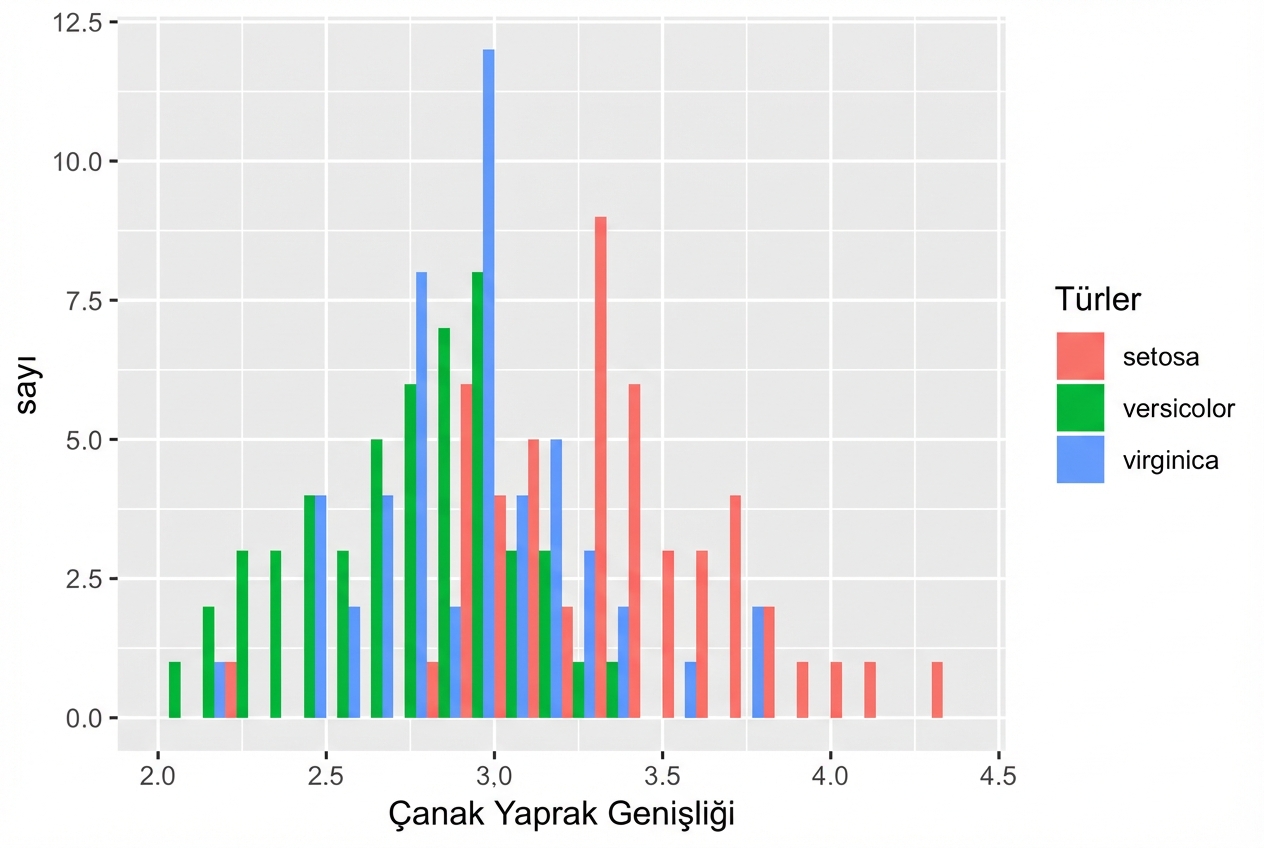
ggplot(iris, aes(x = Sepal.Width,
fill = Species)) +
geom_histogram(binwidth = .1,
center = 0.05,
position = "dodge")

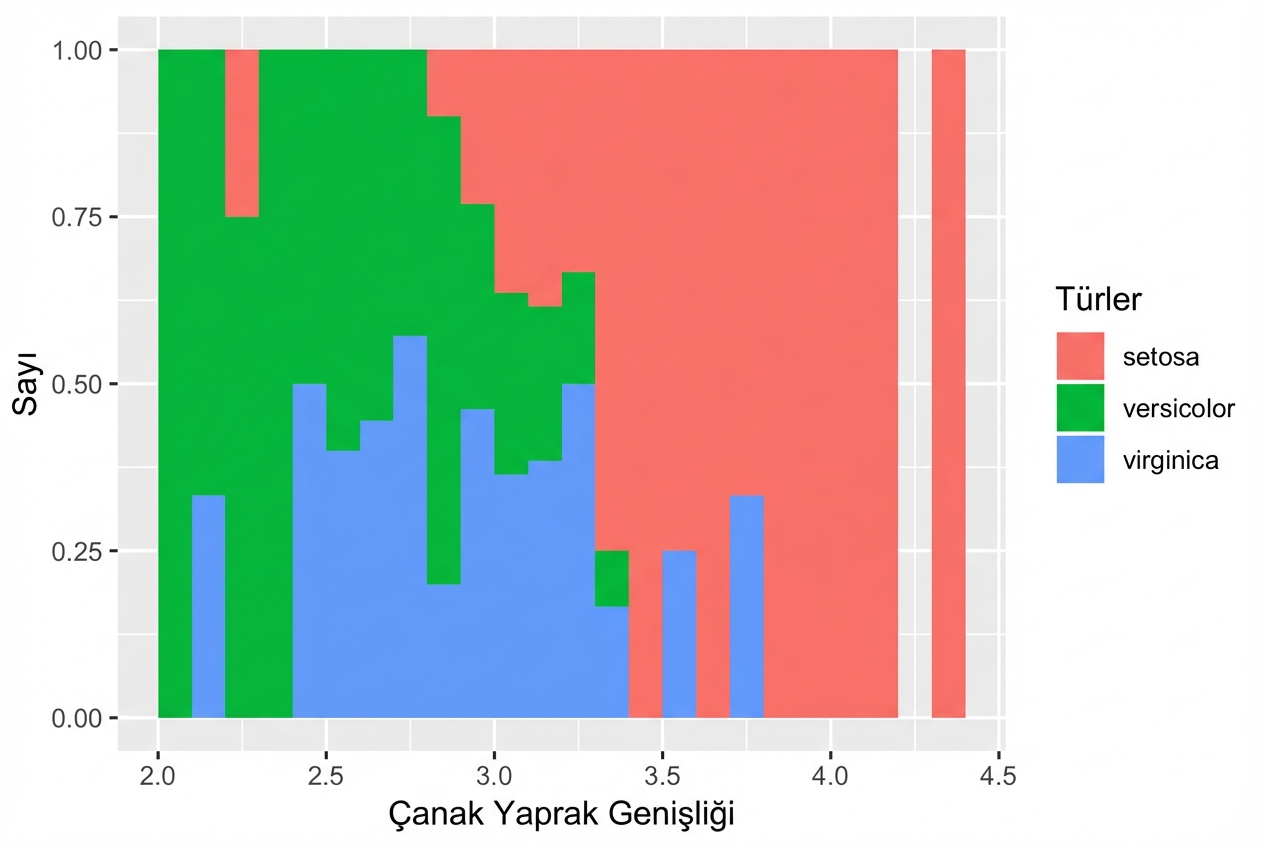
ggplot(iris, aes(x = Sepal.Width,
fill = Species)) +
geom_histogram(binwidth = .1,
center = 0.05,
position = "fill")

ggplot2 ile Veri Görselleştirmeye Giriş