Kendi Docker imajlarınızı oluşturma
Docker'a Giriş

Tim Sangster
Software Engineer @ DataCamp
Dockerfile'larla imaj oluşturma
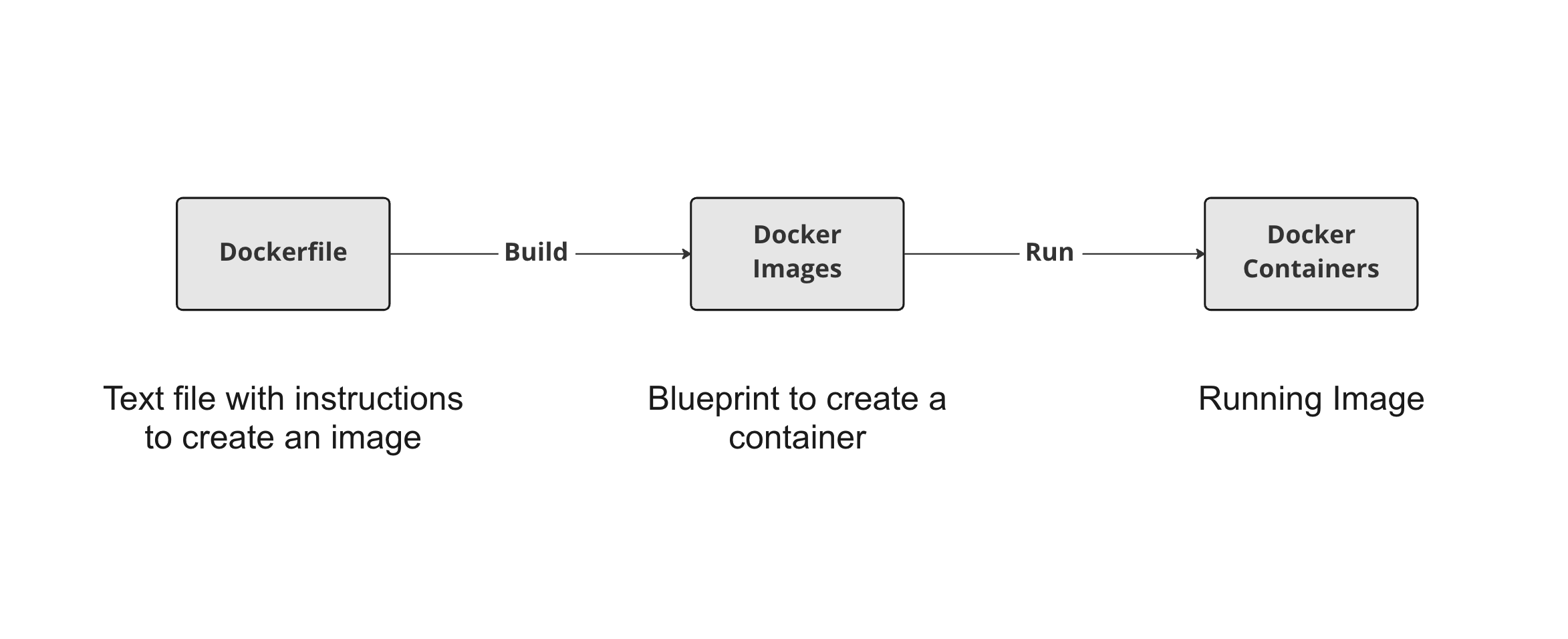
Bir Dockerfile'a başlama
Bir Dockerfile her zaman FROM talimatıyla belirtilen başka bir imajdan başlar.
FROM postgres
FROM ubuntu
FROM hello-world
FROM my-custom-data-pipeline
FROM postgres:15.0
FROM ubuntu:22.04
FROM hello-world:latest
FROM my-custom-data-pipeline:v1
Bir Dockerfile'ı derleme
Bir Dockerfile'ı derlemek bir imaj oluşturur.
docker build /location/to/Dockerfile
docker build .
[+] Building 0.1s (5/5) FINISHED
 => [internal] load build definition from Dockerfile
 => => transferring dockerfile: 54B
...
 => CACHED [1/1] FROM docker.io/library/ubuntu
 => exporting to image
 => => exporting layers
 => => writing image sha256:a67f41b1d127160a7647b6709b3789b1e954710d96df39ccaa21..
İmaja isim verme
Uygulamada imajlarımıza genelde -t bayrağıyla isim veririz:
docker build -t first_image .
...
=> => writing image sha256:a67f41b1d127160a7647b6709b3789b1e954710d96df39ccaa21..
=> => naming to docker.io/library/first_image
docker build -t first_image:v0 .
=> => writing image sha256:a67f41b1d127160a7647b6709b3789b1e954710d96df39ccaa21..
=> => naming to docker.io/library/first_image:v0
İmajları özelleştirme
RUN <valid-shell-command>
FROM ubuntu
RUN apt-get update
RUN apt-get install -y python3
Komutların etkileşim istememesi için -y bayrağını kullanın:
...
After this operation, 22.8 MB of additional disk space will be used.
Do you want to continue? [Y/n]
Basit olmayan bir Dockerfile oluşturma
Bir imaj oluştururken Docker, RUN'dan sonra komutları gerçekten çalıştırır
Docker'ın RUN apt-get update komutunu çalıştırması, bizim çalıştırmamız kadar sürer!
root@host:/# apt-get update
Get:1 http://ports.ubuntu.com/ubuntu-ports jammy InRelease [270 kB]
...
Get:17 http://ports.ubuntu.com/ubuntu-ports jammy-security/restricted arm64 Pack..
Fetched 23.0 MB in 2s (12.3 MB/s)
Reading package lists... Done
Özet
| Kullanım | Dockerfile Talimatı |
|---|---|
| Bir imajdan Dockerfile başlat | FROM <image-name> |
| İmaja kabuk komutu ekle | RUN <valid-shell-command> |
| Komutun kullanıcı girişi istemediğinden emin olun. | RUN apt-get install -y python3 |
| Kullanım | Kabuk Komutu |
|---|---|
| Dockerfile'dan imaj oluştur | docker build /location/to/Dockerfile |
| Geçerli dizinde imaj oluştur | docker build . |
| Oluştururken isim ver | docker build -t first_image . |
Ayo berlatih!
Docker'a Giriş

