Grafikleri özelleştirme

MATLAB Kullanıcıları için Python

Justin Kiggins

Product Manager

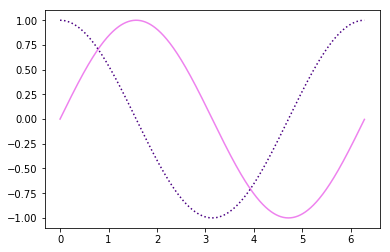
Özel renkler
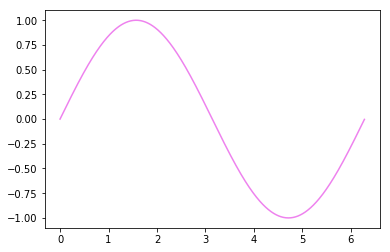
 

import numpy as np
import matplotlib.pyplot as plt

# Generate data
x = np.arange(0,2*np.pi,0.01)
y = np.sin(x)

# Plot data
plt.plot(x,y,color='violet')
plt.show()


sinüs grafiği

MATLAB Kullanıcıları için Python

Özel çizgi stilleri

import numpy as np
import matplotlib.pyplot as plt
# Generate data
x = np.arange(0,2*np.pi,0.01)
y = np.sin(x)
y2 = np.cos(x)

# Plot data
plt.plot(x, y, color='violet')
plt.plot(x, y2, color='indigo',
                linestyle=':')
plt.show()

noktalı çizgi

MATLAB Kullanıcıları için Python

Gösterge ekleme

import numpy as np
import matplotlib.pyplot as plt
# Generate data
x = np.arange(0,2*np.pi,0.01)
y = np.sin(x)
y2 = np.cos(x)
# Plot data
plt.plot(x, y, color='violet',
               label='sin(x)')
plt.plot(x, y2, color='indigo',
                linestyle=':',
                label='cos(x)')
# Add a legend
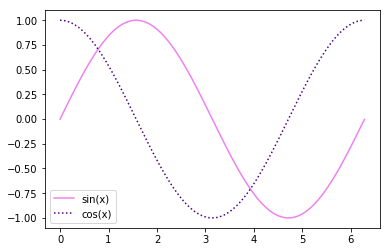
plt.legend()
plt.show()

açıklama kutusu

MATLAB Kullanıcıları için Python

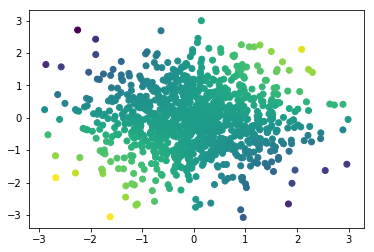
Renk ile veri kodlama

import numpy as np
import matplotlib.pyplot as plt

# Generate data
x = np.random.randn(1000)
y = np.random.randn(1000)
z = x * y

# Plot the data
plt.scatter(x,y,c=z)
plt.show()

dağılım grafiği

MATLAB Kullanıcıları için Python

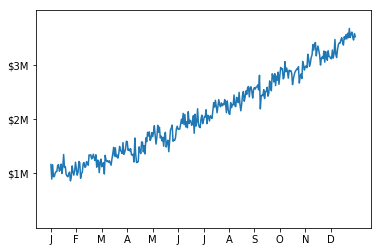
Özel eksen etiketleri


# Create the plot
plt.plot(months,revenue)

# Customize the ticks
plt.yticks(
    [1,2,3],
    ['$1M','$2M','$3M'])
plt.xticks(
    [0,1,2,3,4,5,6,7,8,9,10,11],
    list('JFMAMJJASOND'))


özel etiketler

MATLAB Kullanıcıları için Python

Haydi biraz veri çizelim!

MATLAB Kullanıcıları için Python

Preparing Video For Download...