Trelliscope options

R ile Trelliscope kullanarak Büyük Veriyi Görselleştirme

Ryan Hafen

Author, TrelliscopeJS

Trelliscope options

facet_trelliscope() and trelliscope() provide several options for handling the display output:

  • The directory in which to store the display
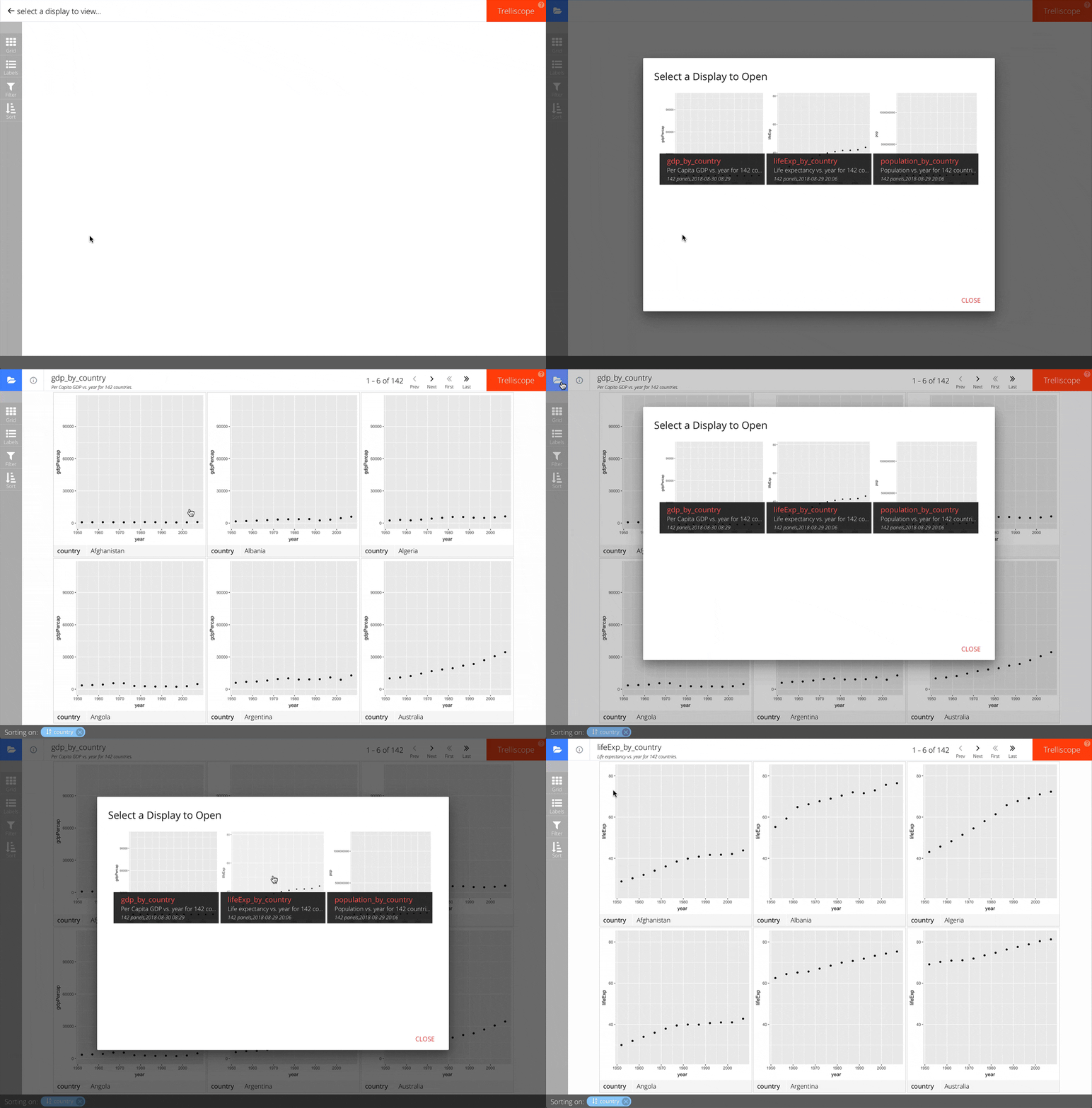
  • Storing multiple displays in the same directory
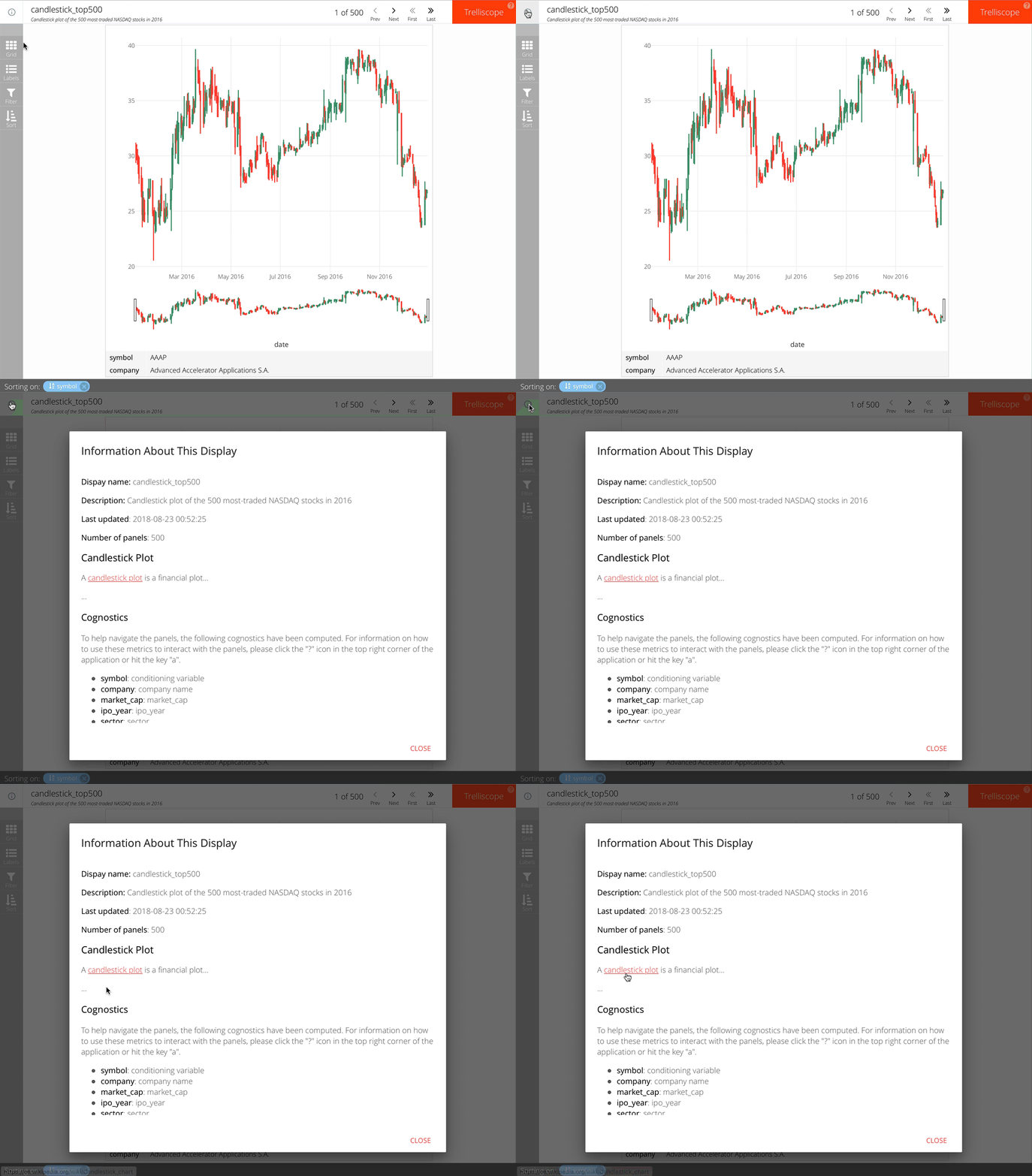
  • Providing more detailed descriptions of the display
  • The plot aspect ratio
  • Specifying the default viewer state
R ile Trelliscope kullanarak Büyük Veriyi Görselleştirme

Specifying the output directory

trelliscope(dat, path = "...", ...)

ggplot(...) + ... + facet_trelliscope(path = "...", ...)
R ile Trelliscope kullanarak Büyük Veriyi Görselleştirme
trelliscope(by_symbol,
  name = "candlestick_top500",
  desc = "Candlestick plot of the 500 most-traded NASDAQ stocks in 2016",
  md_desc = "
## Candlestick Plot
A [candlestick plot](https://en.wikipedia.org/wiki/Candlestick_chart)
is a financial plot...
..." )
R ile Trelliscope kullanarak Büyük Veriyi Görselleştirme

Plot aspect ratio

R ile Trelliscope kullanarak Büyük Veriyi Görselleştirme

Plot aspect ratio

R ile Trelliscope kullanarak Büyük Veriyi Görselleştirme

Plot aspect ratio

trelliscope(dat, width = 600, height = 300, ...)

ggplot(...) + ... + facet_trelliscope(width = 600, height = 300, ...)
R ile Trelliscope kullanarak Büyük Veriyi Görselleştirme

Default viewer state

trelliscope(dat, state = ..., ...)

ggplot(...) + ... + facet_trelliscope(state = ..., ...)
R ile Trelliscope kullanarak Büyük Veriyi Görselleştirme

Let's practice!

R ile Trelliscope kullanarak Büyük Veriyi Görselleştirme

Preparing Video For Download...