Lijngrafieken

Introductie tot datavisualisatie met ggplot2

Rick Scavetta

Founder, Scavetta Academy

Veelvoorkomende grafieken

Grafiektype Mogelijke geoms
Spreidplots points, jitter, abline, smooth, count
Staafdiagrammen histogram, bar, col, errorbar
Lijngrafieken line, path
Introductie tot datavisualisatie met ggplot2

Beaver

str(beaver)
'data.frame':    101 obs. of  3 variables:
 $ time  : POSIXct, format: "2000-01-01 09:30:00" "2000-01-01 09:40:00" "2000-01-01 09:50:00" ...
 $ temp  : num  36.6 36.7 36.9 37.1 37.2 ...
 $ active: Factor w/ 2 levels "0","1": 1 1 1 1 1 1 1 1 1 1 ...
Introductie tot datavisualisatie met ggplot2

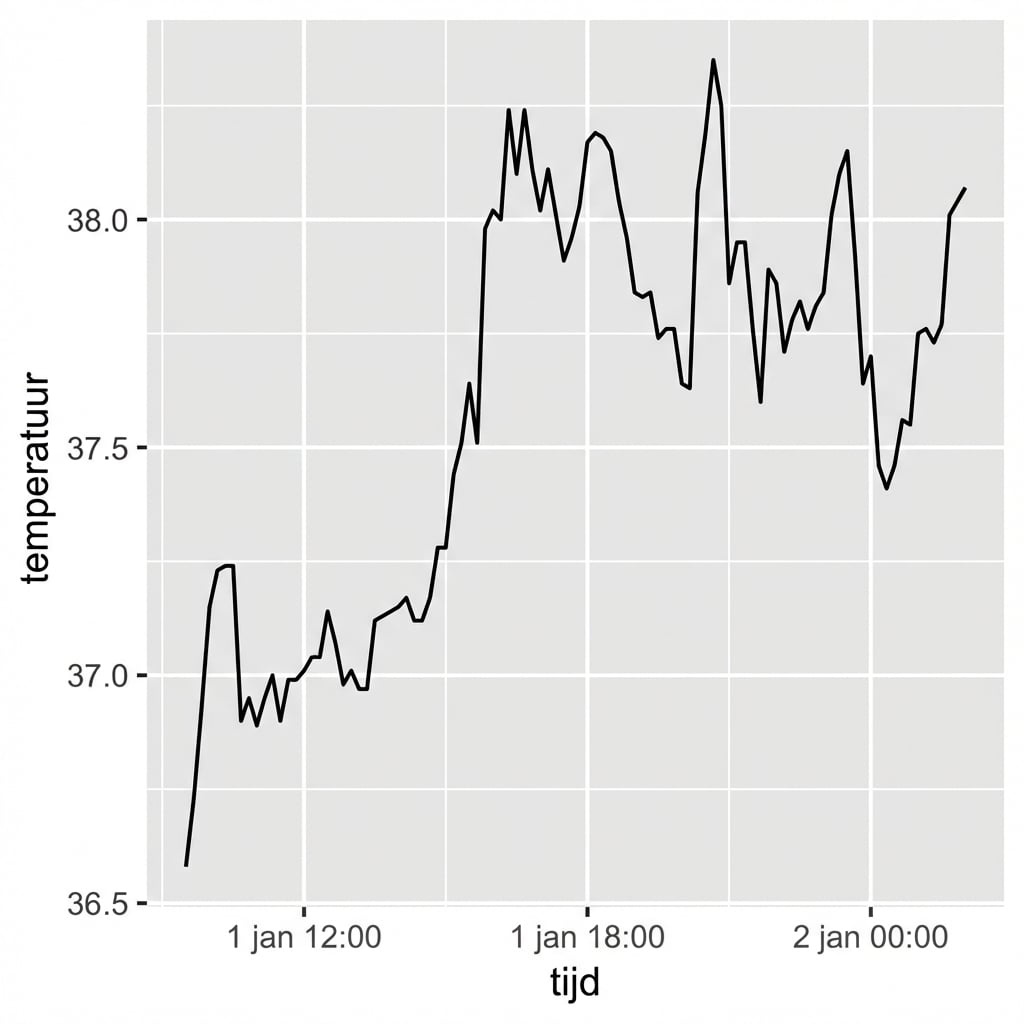
Beaver

ggplot(beaver, aes(x = time, y = temp)) +
  geom_line()

Introductie tot datavisualisatie met ggplot2

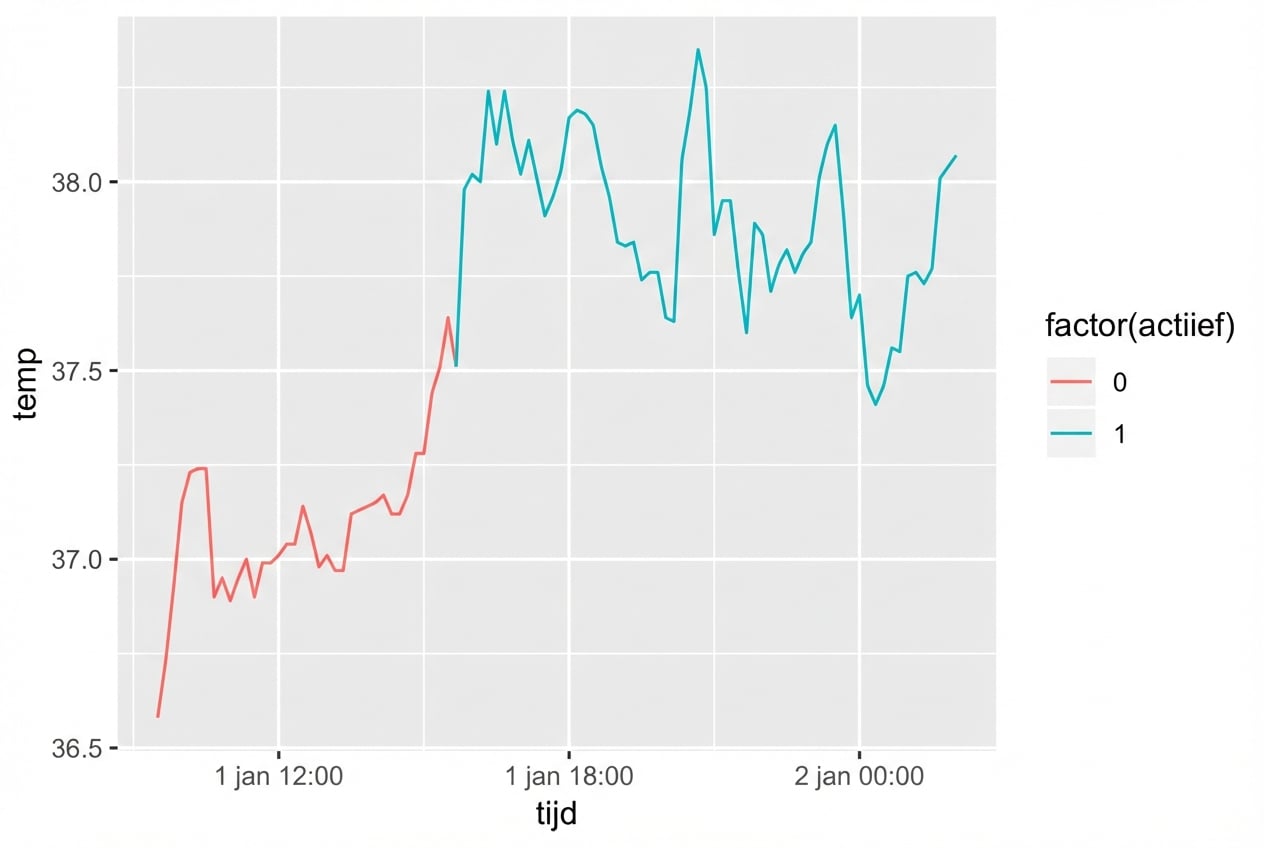
Beaver

ggplot(beaver, aes(x = time, y = temp, 
                   color = factor(active))
                   ) +
  geom_line()

Introductie tot datavisualisatie met ggplot2

De fish catch-dataset

str(fish)
'data.frame':    427 obs. of  3 variables:
 $ Species: Factor w/ 7 levels "Pink","Chum",..: 1 2 3 4 5 6 7 1 2 3 ...
 $ Year   : int  1950 1950 1950 1950 1950 1950 1950 1951 1951 1951 ...
 $ Capture: int  100600 139300 64100 30500 0 23200 10800 259000 155900 51200 ...
Introductie tot datavisualisatie met ggplot2

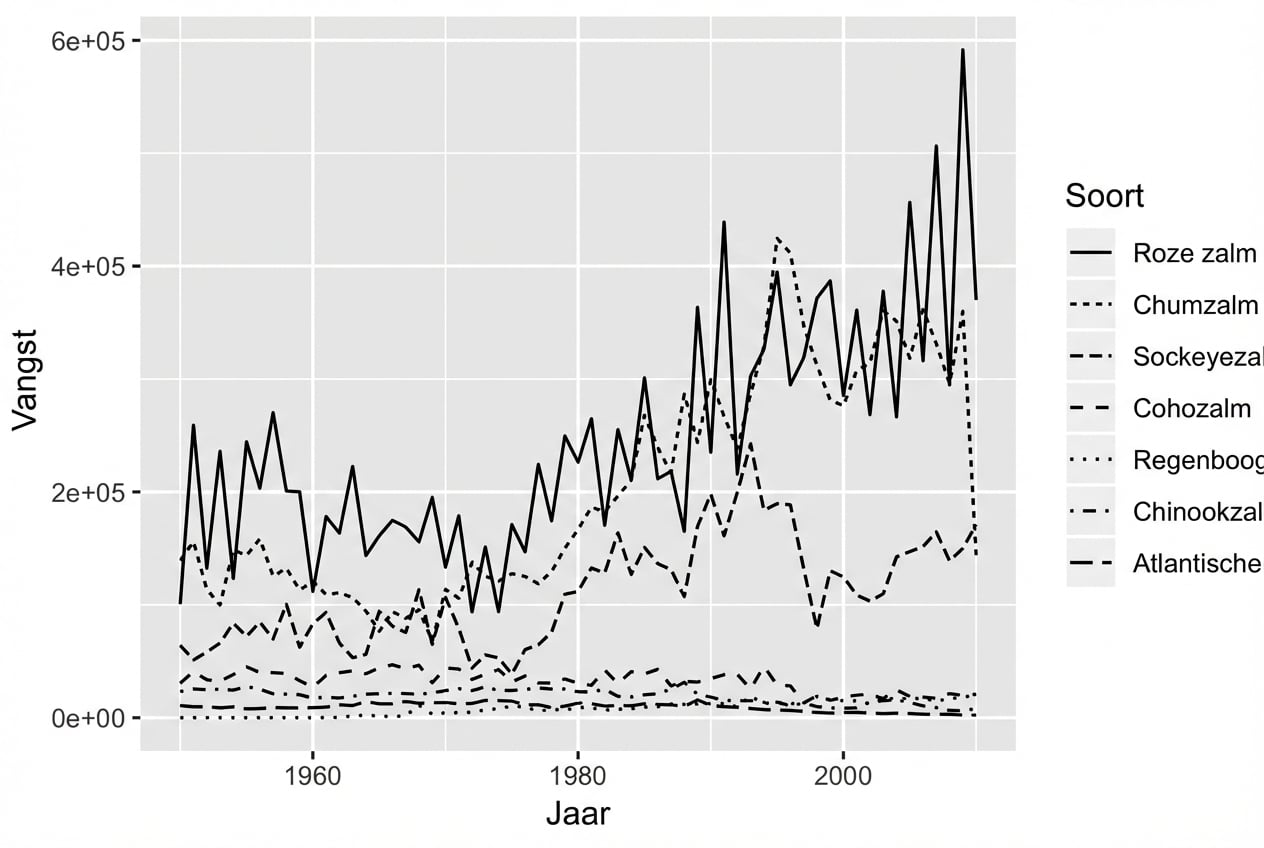
Lijntype-esthetiek

ggplot(fish, aes(x = Year, 
                 y = Capture, 
                 linetype = Species)) + 
  geom_line()

Introductie tot datavisualisatie met ggplot2

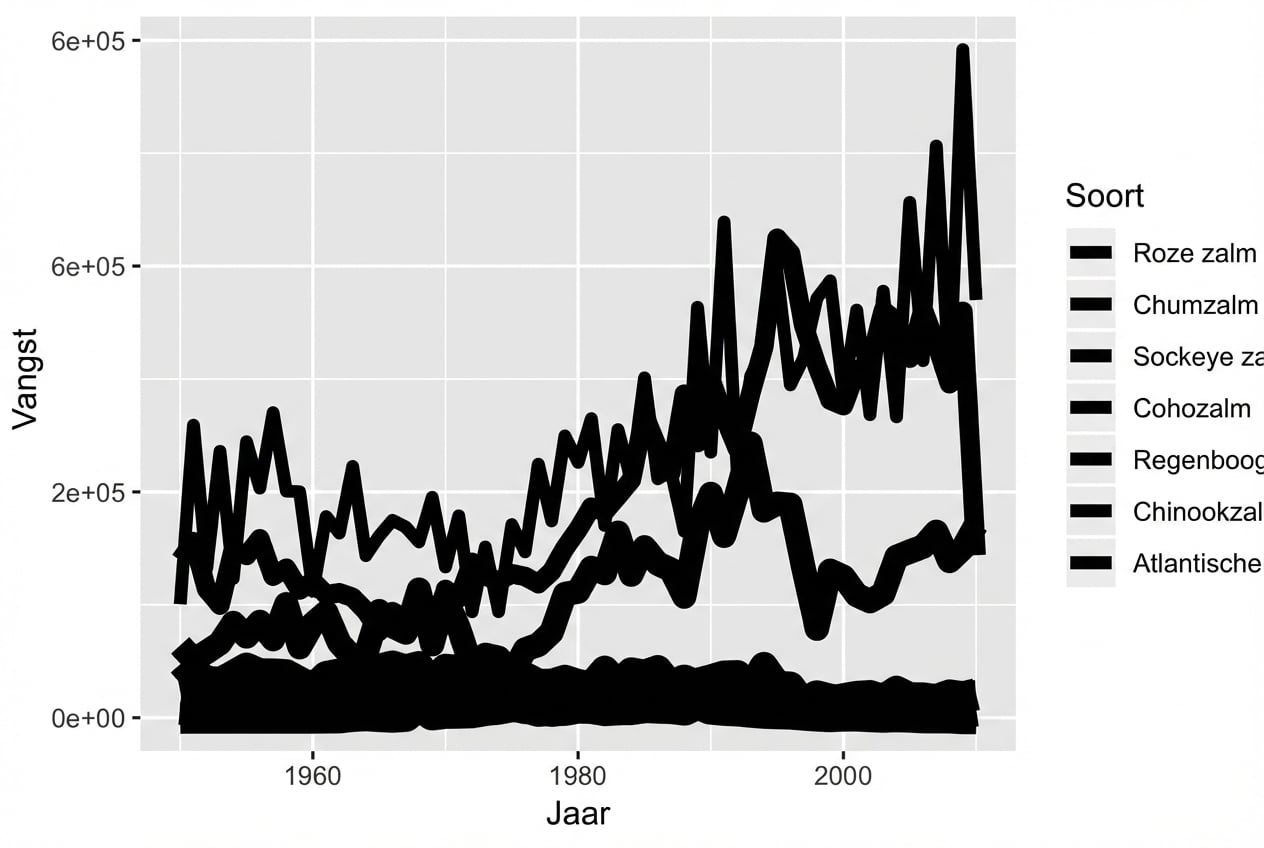
Grootte-esthetiek

ggplot(fish, aes(x = Year, 
                 y = Capture, 
                 size = Species)) + 
  geom_line()

Introductie tot datavisualisatie met ggplot2

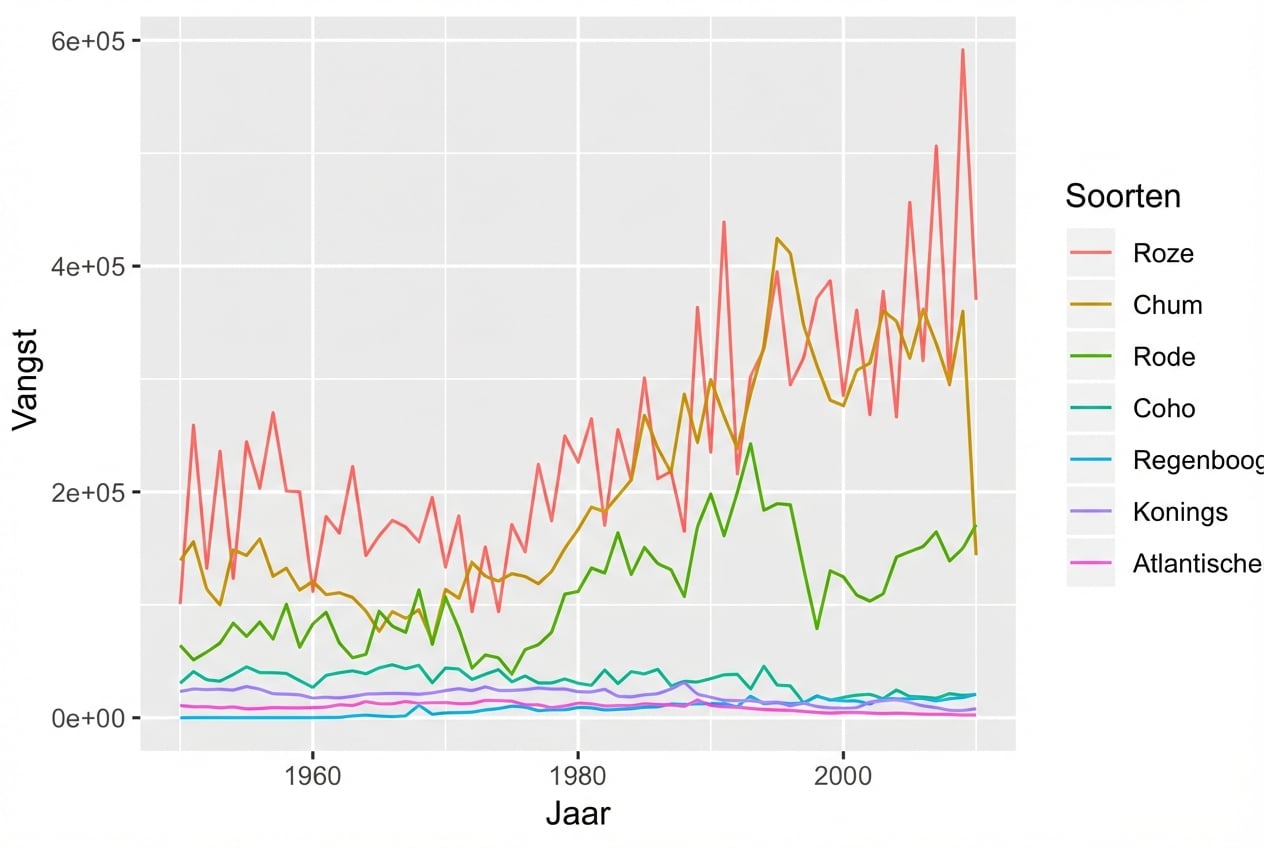
Kleur-esthetiek

ggplot(fish, aes(x = Year, 
                 y = Capture, 
                 color = Species)) + 
  geom_line()

Introductie tot datavisualisatie met ggplot2

Esthetiek voor categorische variabelen
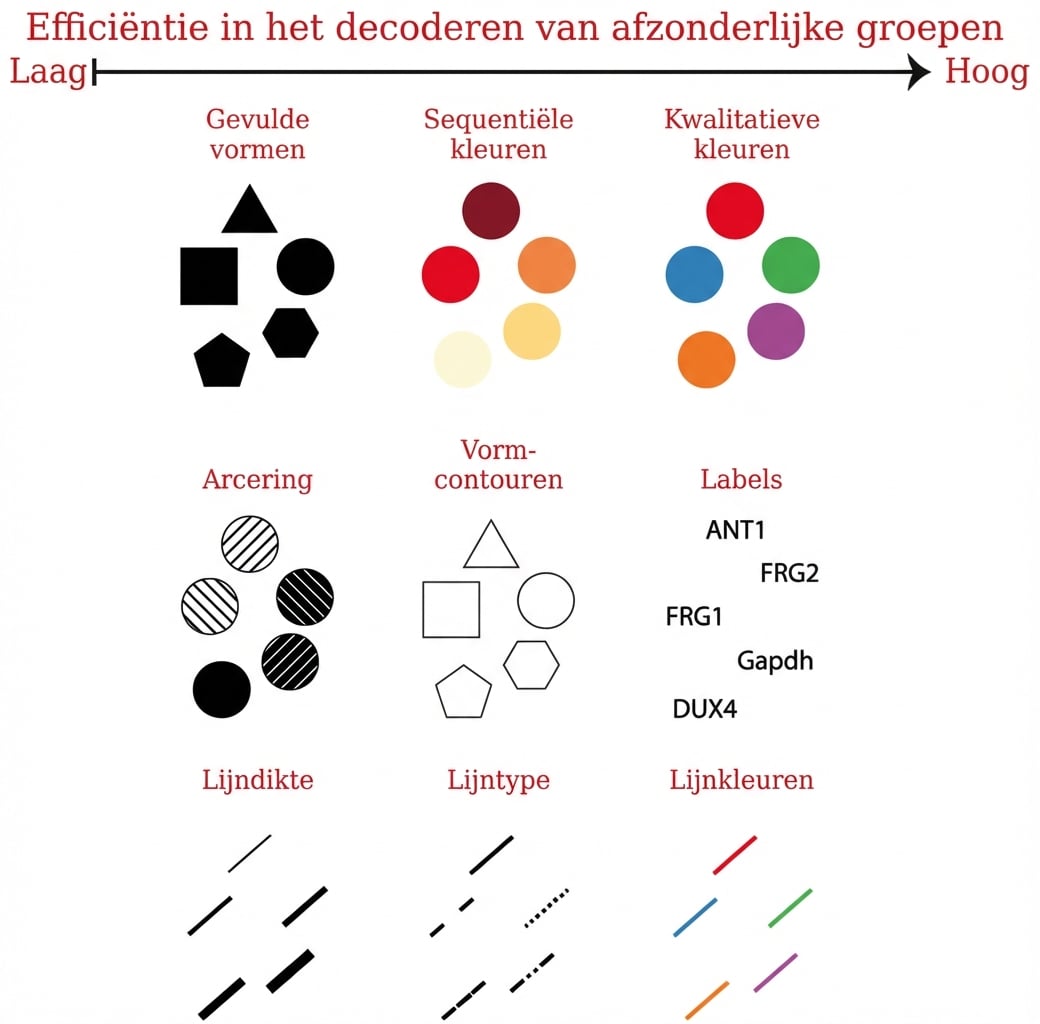
Introductie tot datavisualisatie met ggplot2

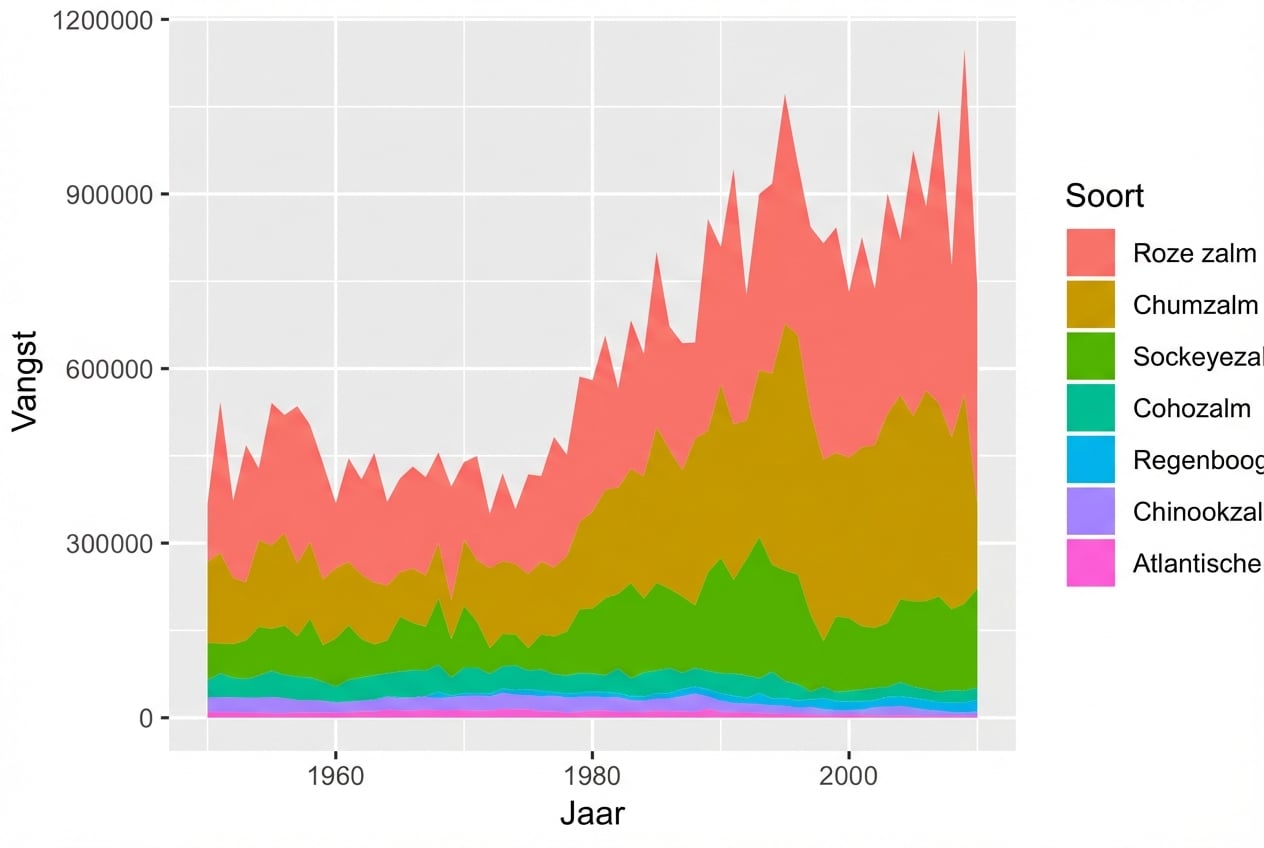
Fill-esthetiek met geom_area()

ggplot(fish, aes(x = Year, 
                 y = Capture, 
                 fill = Species)) + 
  geom_area()

Introductie tot datavisualisatie met ggplot2

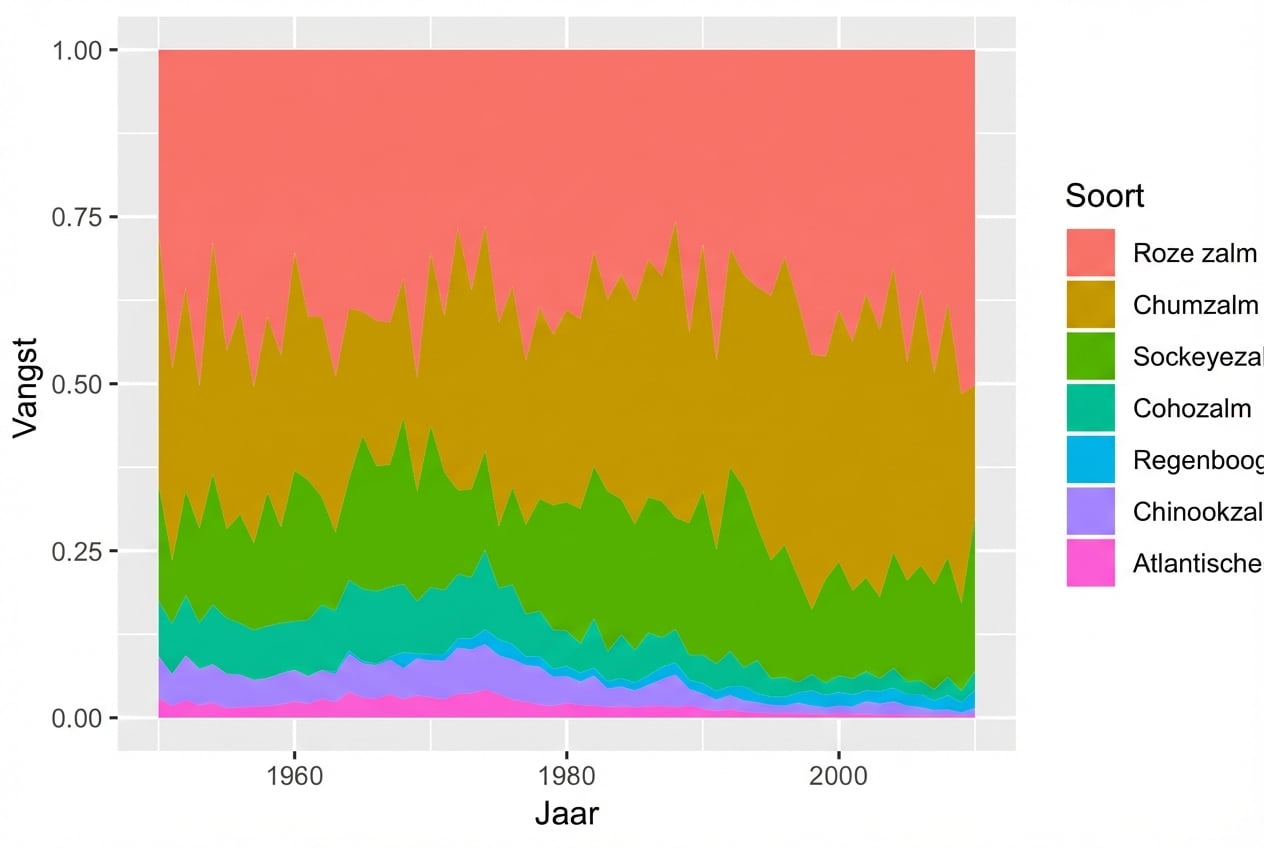
Gebruik van position = "fill"

ggplot(fish, aes(x = Year, 
                 y = Capture, 
                 fill = Species)) + 
  geom_area(position = "fill")

Introductie tot datavisualisatie met ggplot2

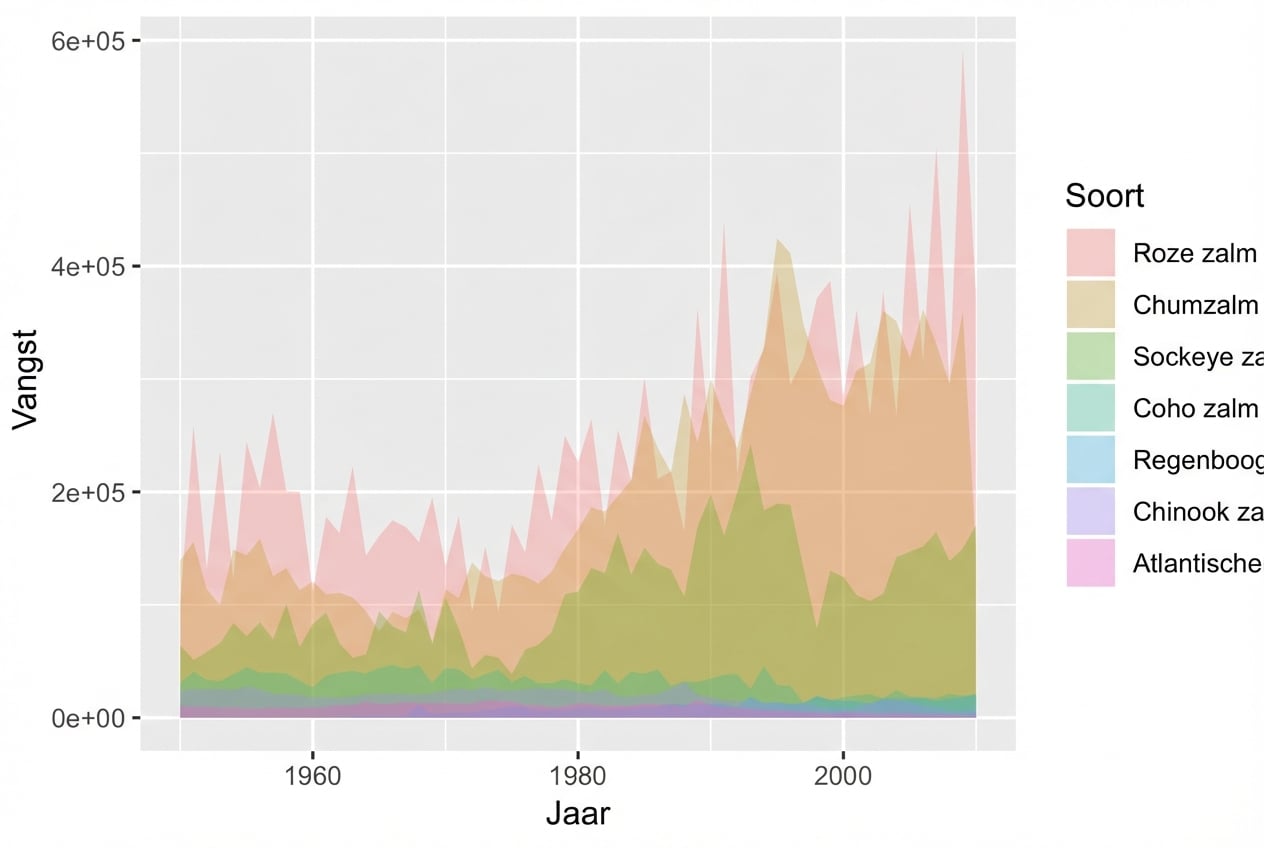
geom_ribbon()

ggplot(fish, aes(x = Year, 
                 y = Capture, 
                 fill = Species)) + 
  geom_ribbon(aes(ymax = Capture, 
                  ymin = 0), 
              alpha = 0.3)

Introductie tot datavisualisatie met ggplot2

Laten we oefenen!

Introductie tot datavisualisatie met ggplot2

Preparing Video For Download...