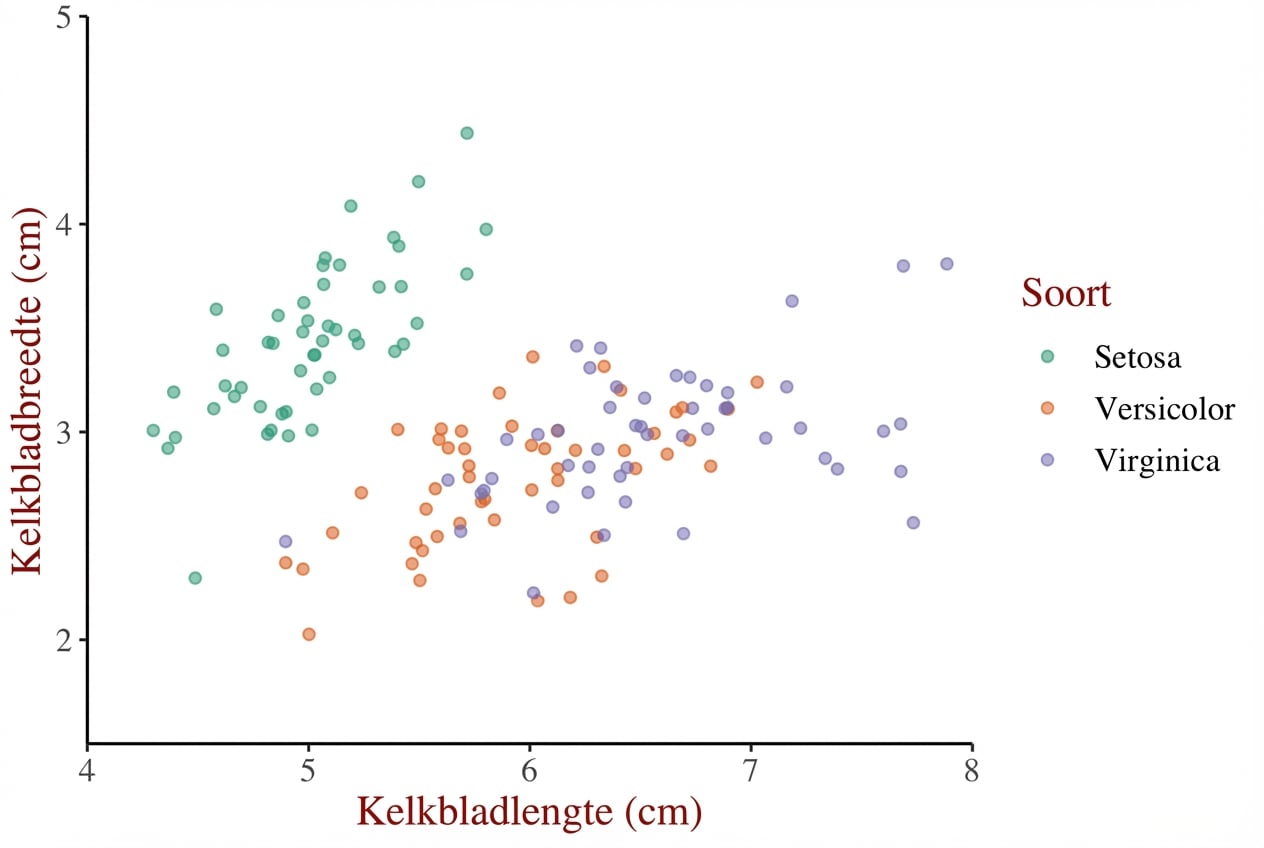
Flexibiliteit van thema’s

Introductie tot datavisualisatie met ggplot2

Rick Scavetta

Founder, Scavetta Academy

Manieren om thema’s te gebruiken

  1. Vanaf nul (vorige video)
Introductie tot datavisualisatie met ggplot2

Manieren om thema’s te gebruiken

  1. Vanaf nul (vorige video)
  2. Thema-laagobject
  3. Ingebouwde thema’s
    • ggplot2- of ggthemes-pakketten
  4. Ingebouwde thema’s uit andere pakketten
  5. Standaardthema bijwerken/instellen
Introductie tot datavisualisatie met ggplot2

Thema-objecten definiëren

  • Handig bij veel grafieken
  • Zorgt voor consistente stijl
  • Pas overal een specifiek thema toe
Introductie tot datavisualisatie met ggplot2

Thema-objecten definiëren

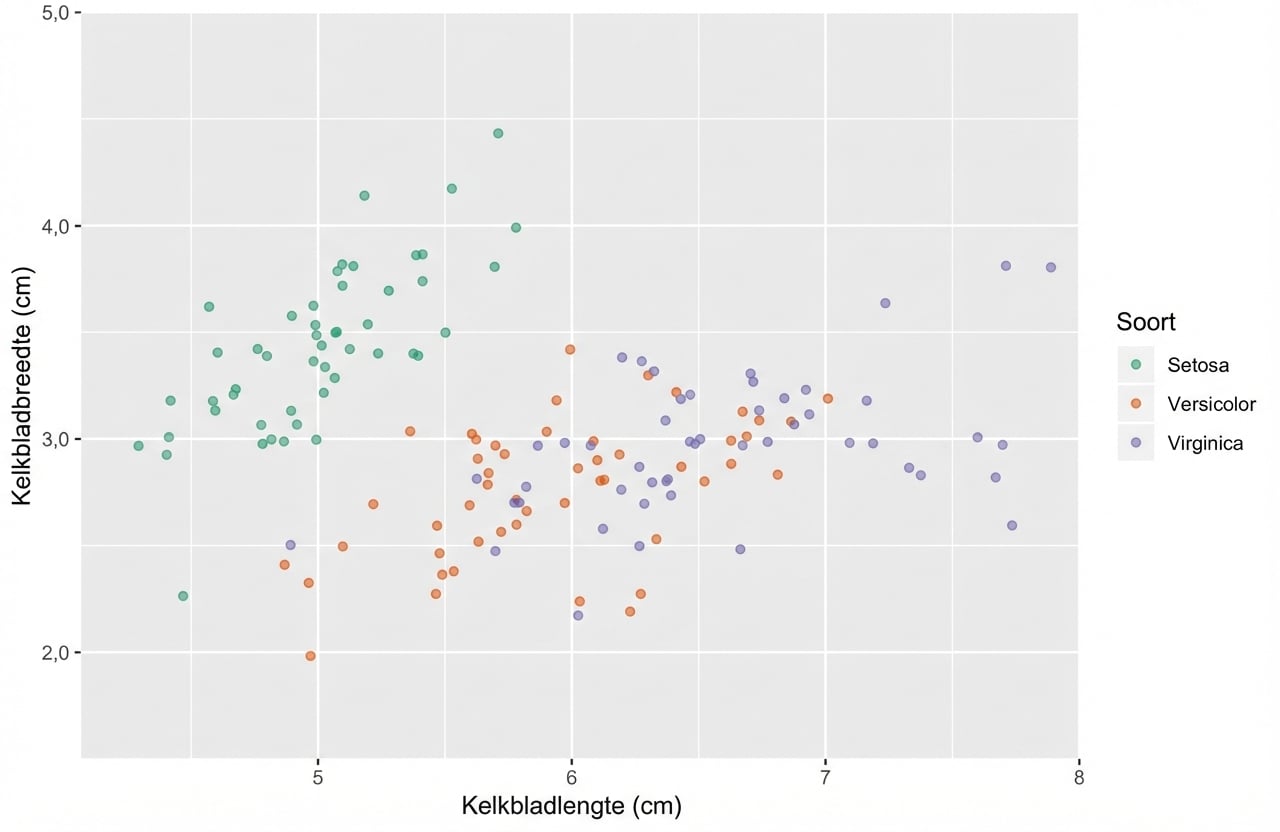
z <- ggplot(iris, aes(x = Sepal.Length, y = Sepal.Width, color = Species)) + 
  geom_jitter(alpha = 0.6) +
  scale_x_continuous("Sepal Length (cm)", limits = c(4,8), expand = c(0,0)) +
  scale_y_continuous("Sepal Width (cm)", limits = c(1.5,5), expand = c(0,0)) +
  scale_color_brewer("Species", palette = "Dark2", labels = c("Setosa", "Versicolor", "Virginica"))
Introductie tot datavisualisatie met ggplot2

Thema-objecten definiëren

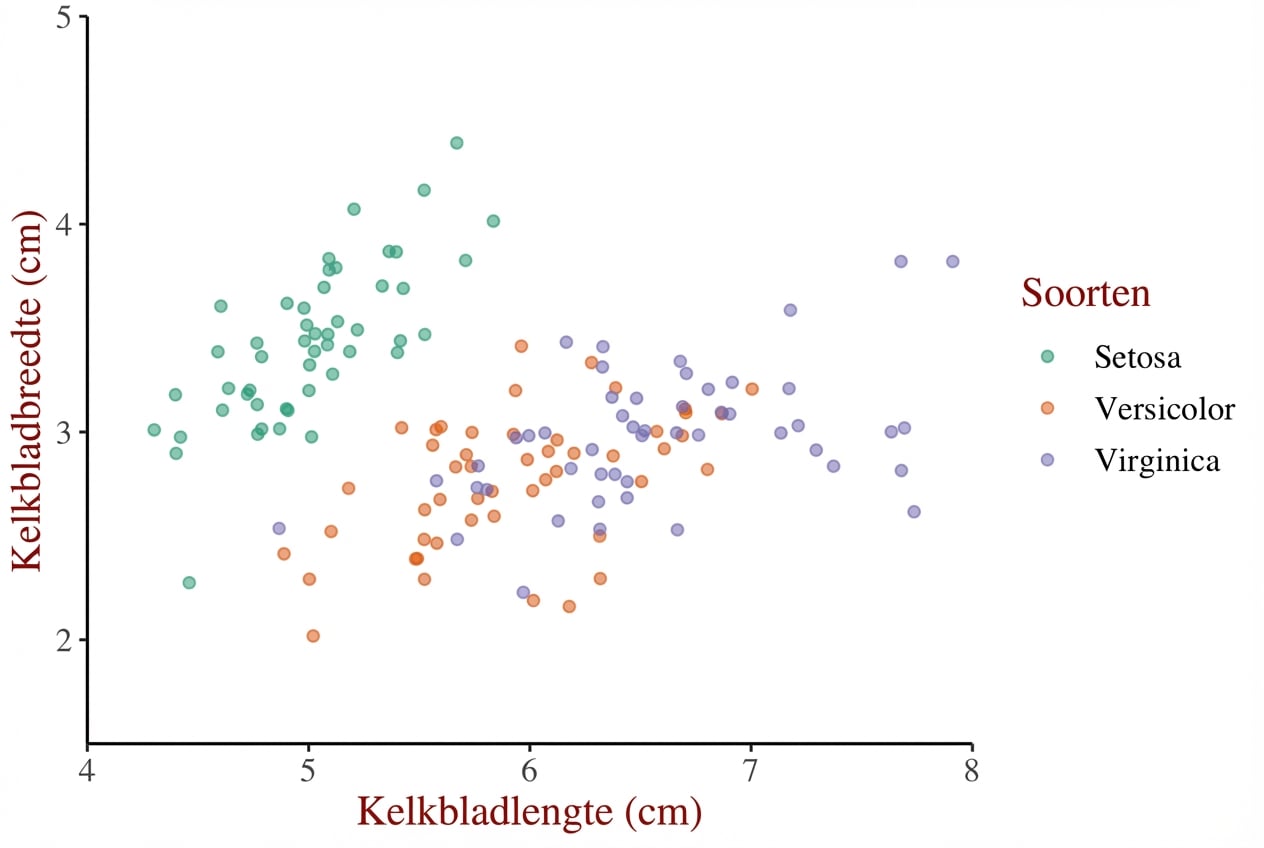
z + theme(text = element_text(family = "serif", size = 14),
          rect = element_blank(),
          panel.grid = element_blank(),
          title = element_text(color = "#8b0000"),
          axis.line = element_line(color = "black"))
Introductie tot datavisualisatie met ggplot2

Thema-objecten definiëren

theme_iris <- theme(text = element_text(family = "serif", size = 14),
          rect = element_blank(),
          panel.grid = element_blank(),
          title = element_text(color = "#8b0000"),
          axis.line = element_line(color = "black"))
Introductie tot datavisualisatie met ggplot2

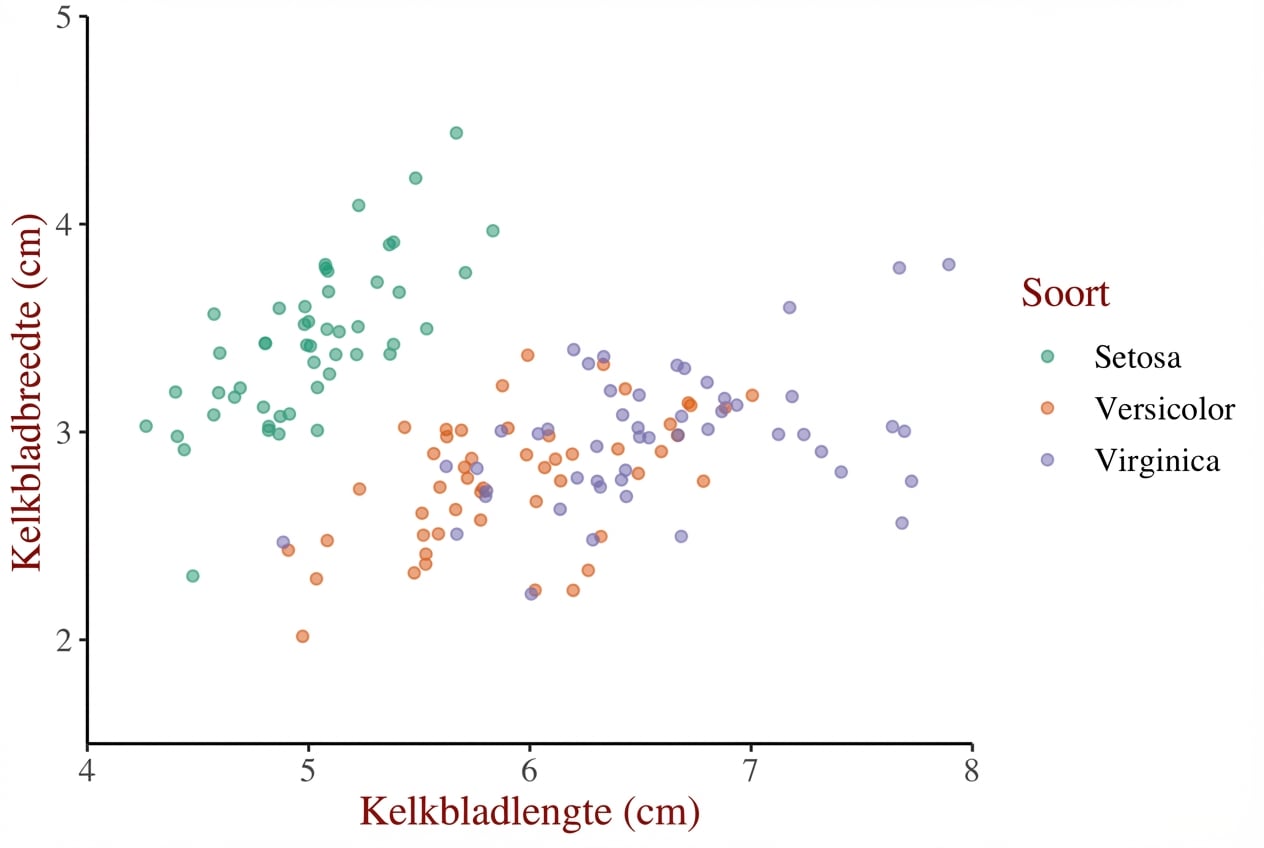
Thema-objecten hergebruiken

z + theme_iris
Introductie tot datavisualisatie met ggplot2

Thema-objecten hergebruiken

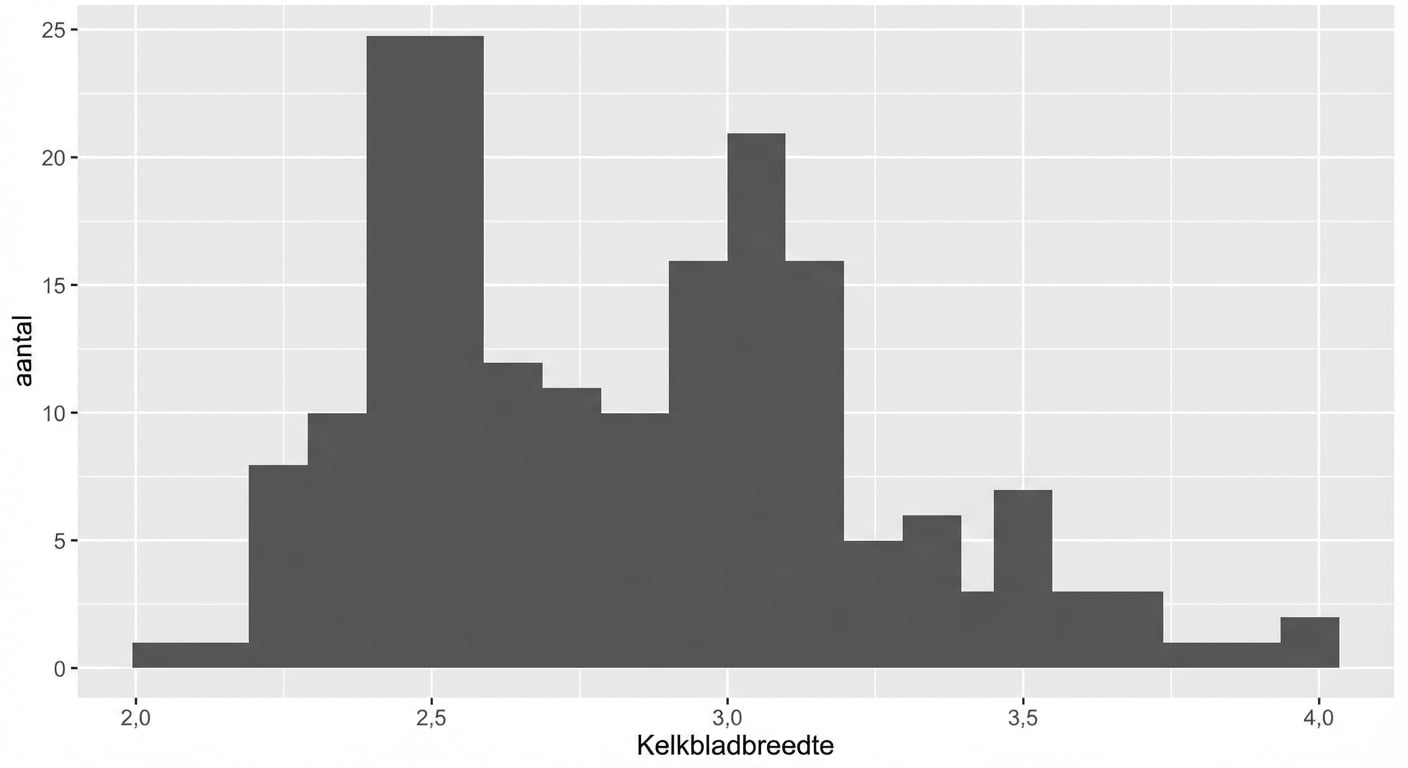
m <- ggplot(iris, aes(x = Sepal.Width)) + 
    geom_histogram(binwidth = 0.1,
                   center = 0.05)
m                 
Introductie tot datavisualisatie met ggplot2

Thema-objecten hergebruiken

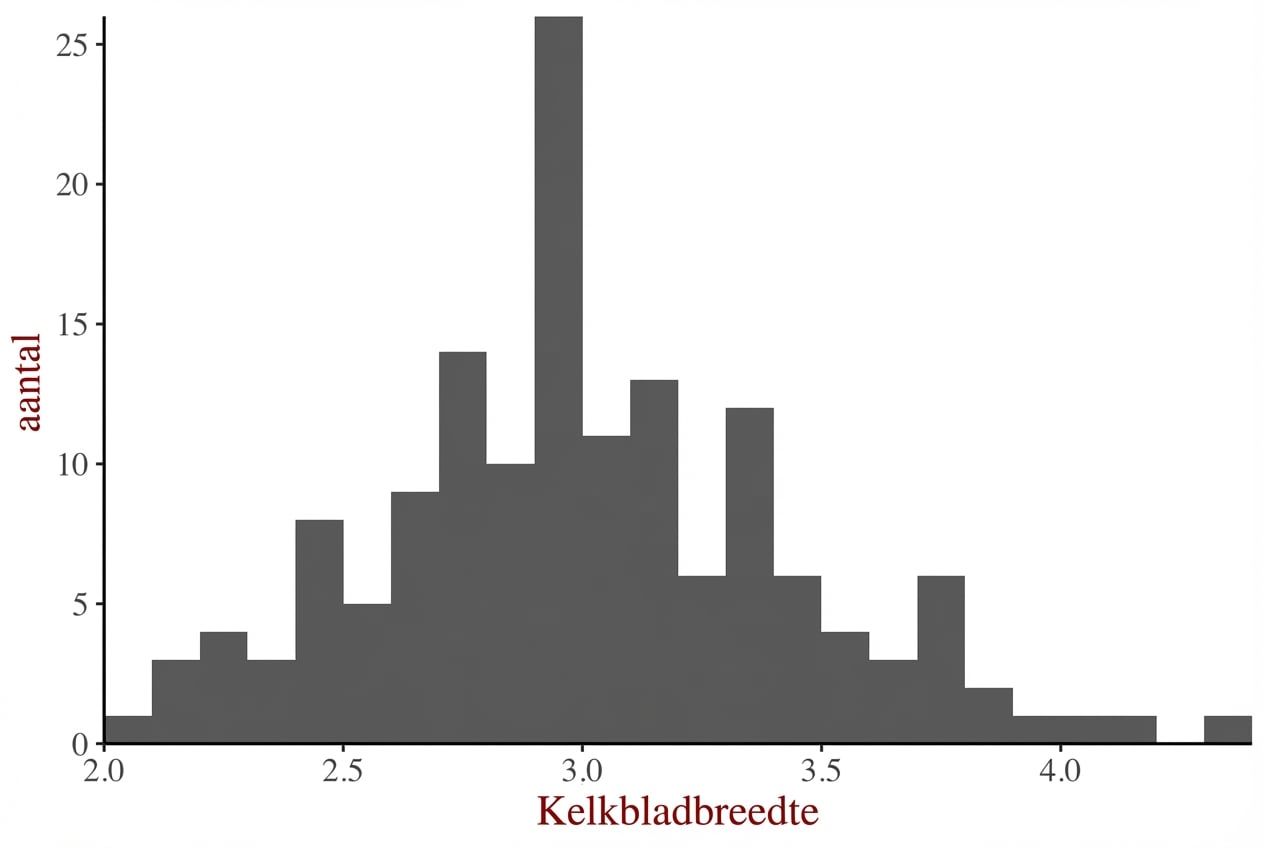
m +
  theme_iris
Introductie tot datavisualisatie met ggplot2

Thema-objecten hergebruiken

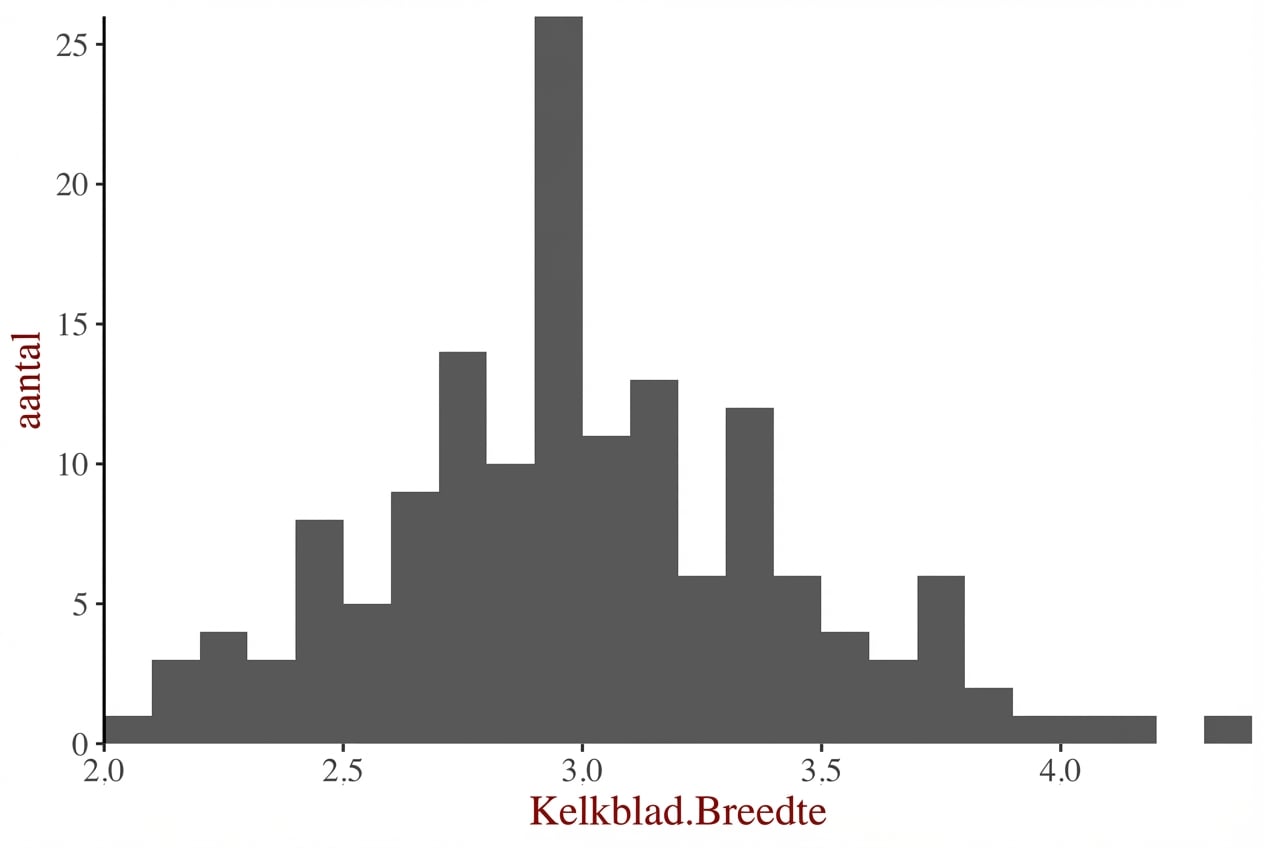
m + 
  theme_iris +
  theme(axis.line.x = element_blank())
Introductie tot datavisualisatie met ggplot2

Manieren om thema’s te gebruiken

  1. Vanaf nul (vorige video)
  2. Thema-laagobject
  3. Ingebouwde thema’s
    • ggplot2- of ggthemes-pakketten
  4. Ingebouwde thema’s uit andere pakketten
  5. Standaardthema bijwerken/instellen
Introductie tot datavisualisatie met ggplot2

Ingebouwde thema’s gebruiken

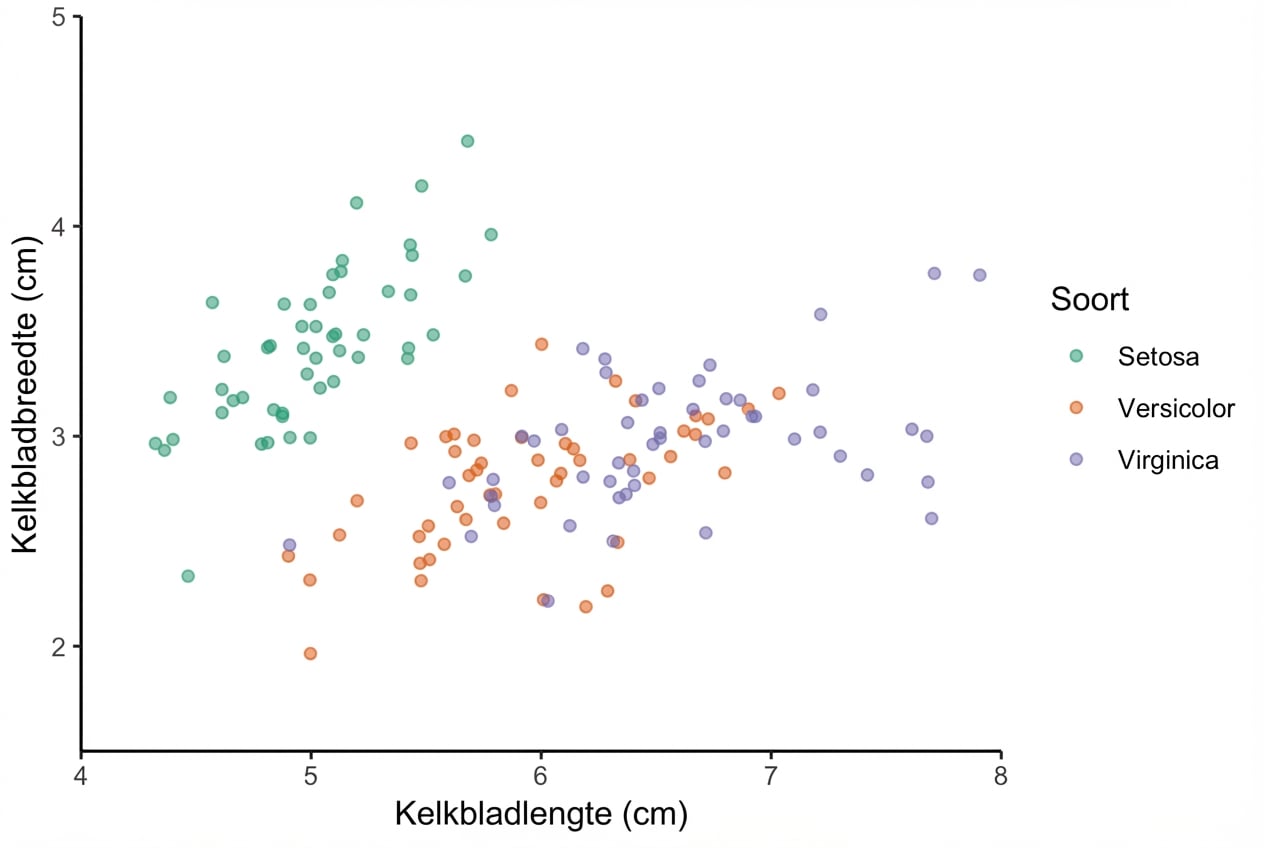
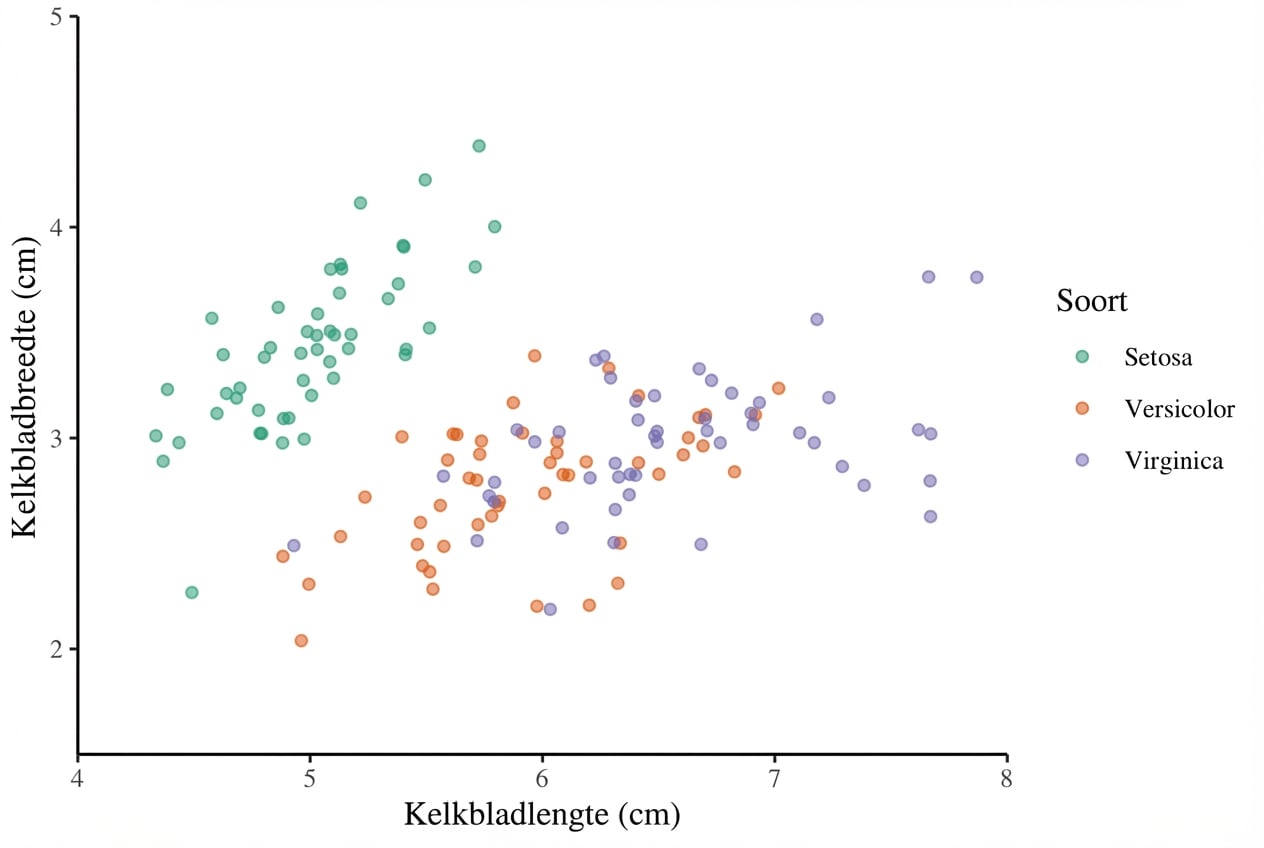
Gebruik theme_*()-functies voor ingebouwde thema’s.

z + 
  theme_classic()
Introductie tot datavisualisatie met ggplot2

Ingebouwde thema’s gebruiken

Gebruik theme_*()-functies voor ingebouwde thema’s.

z + 
  theme_classic() +
  theme(text = element_text(family = "serif"))
Introductie tot datavisualisatie met ggplot2

Manieren om thema’s te gebruiken

  1. Vanaf nul (vorige video)
  2. Thema-laagobject
  3. Ingebouwde thema’s
    • ggplot2- of ggthemes-pakketten
  4. Ingebouwde thema’s uit andere pakketten
  5. Standaardthema bijwerken/instellen
Introductie tot datavisualisatie met ggplot2

Het ggthemes-pakket

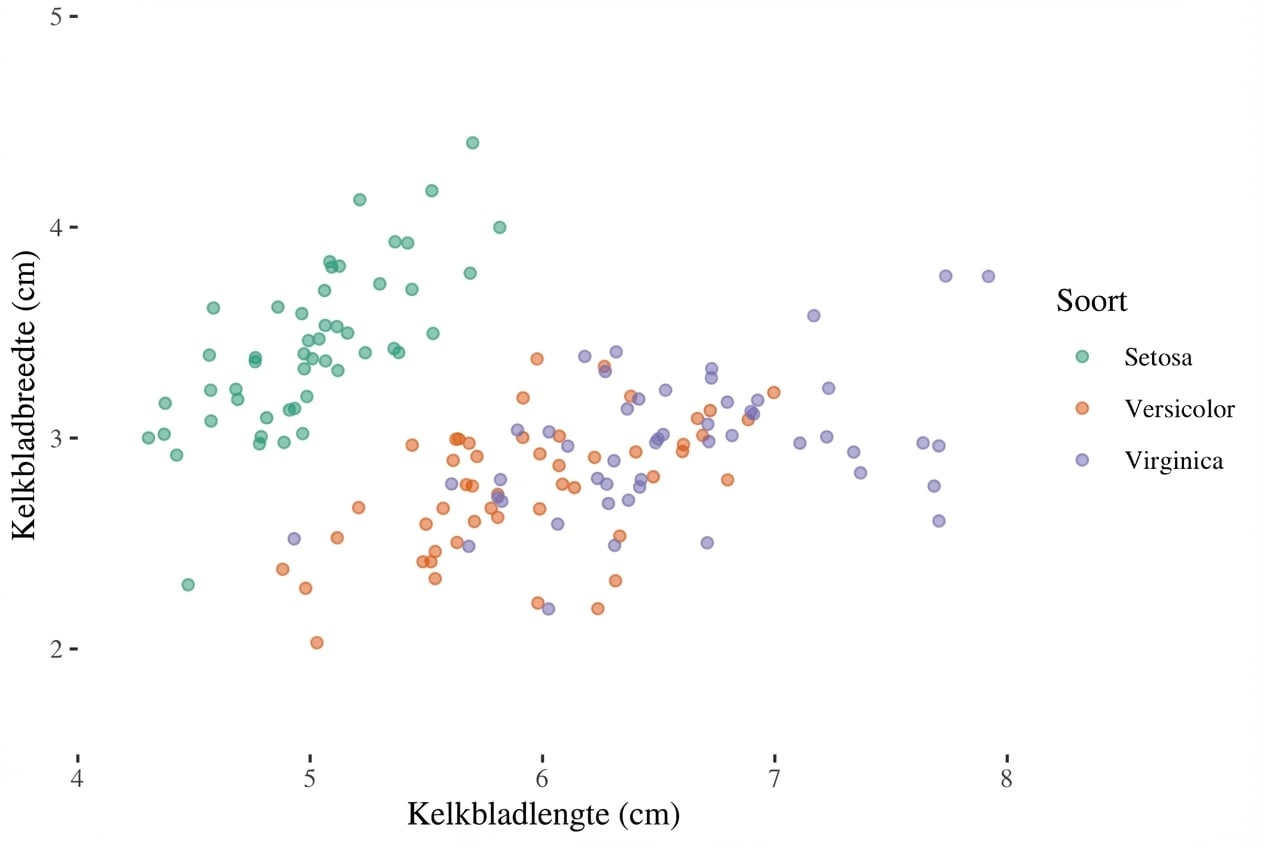
Gebruik het ggthemes-pakket voor meer functies.

library(ggthemes)
z + 
  theme_tufte()
Introductie tot datavisualisatie met ggplot2

Manieren om thema’s te gebruiken

  1. Vanaf nul (vorige video)
  2. Thema-laagobject
  3. Ingebouwde thema’s
    • ggplot2- of ggthemes-pakketten
  4. Ingebouwde thema’s uit andere pakketten
  5. Standaardthema bijwerken/instellen
Introductie tot datavisualisatie met ggplot2

Thema’s bijwerken

original <- theme_update(text = element_text(family = "serif", size = 14),
                         rect = element_blank(),
                         panel.grid = element_blank(),
                         title = element_text(color = "#8b0000"),
                         axis.line = element_line(color = "black"))
Introductie tot datavisualisatie met ggplot2

Thema’s bijwerken

z

Introductie tot datavisualisatie met ggplot2

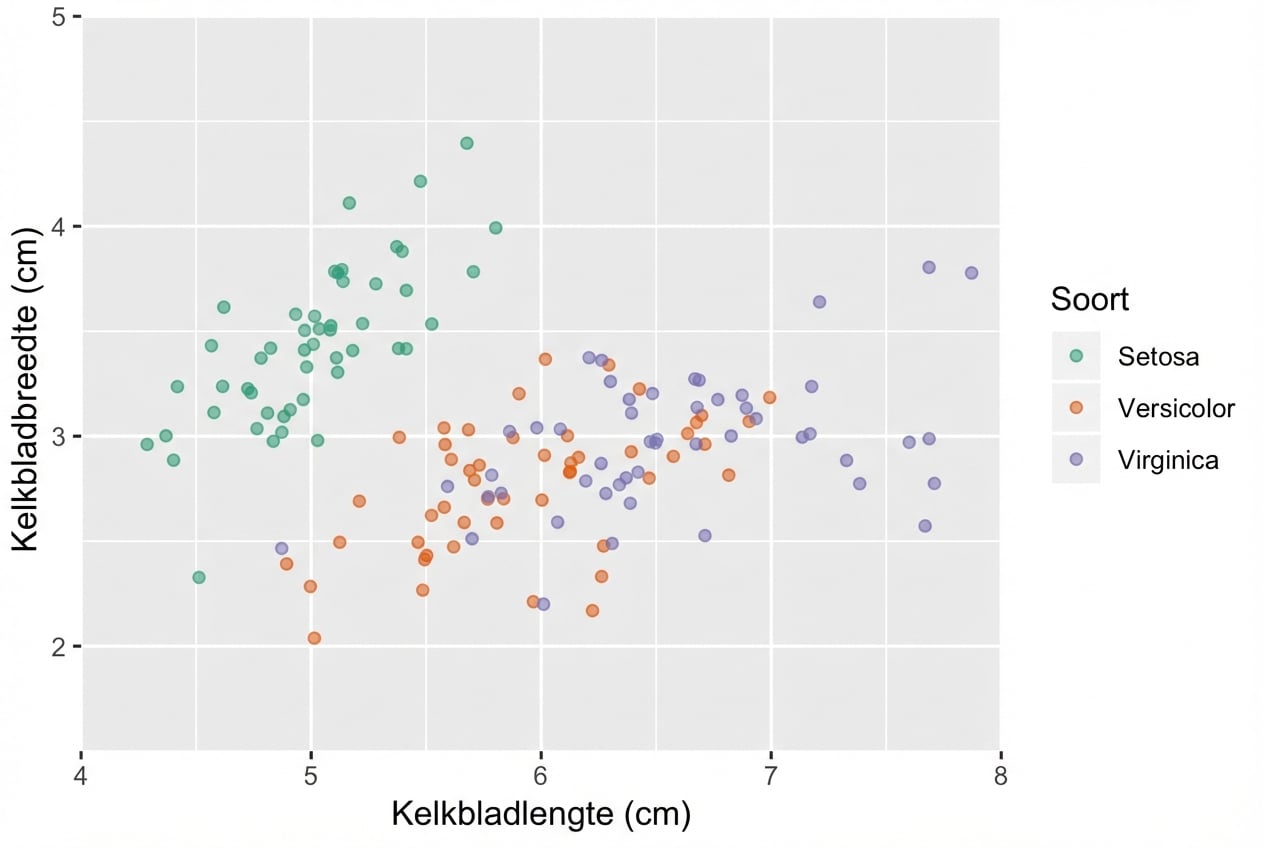
Thema’s instellen

theme_set(original)

# Alternatively
# theme_set(theme_grey())
Introductie tot datavisualisatie met ggplot2

Laten we oefenen!

Introductie tot datavisualisatie met ggplot2

Preparing Video For Download...