Spreidingsdiagrammen

Introductie tot datavisualisatie met ggplot2

Rick Scavetta

Founder, Scavetta Academy

48 geometrieën

geom_*
abline contour dotplot jitter pointrange ribbon spoke
area count errorbar label polygon rug step
bar crossbar errorbarh line qq segment text
bin2d curve freqpoly linerange qq_line sf tile
blank density hex map quantile sf_label violin
boxplot density2d histogram path raster sf_text vline
col density_2d hline point rect smooth
Introductie tot datavisualisatie met ggplot2

Veelvoorkomende grafieken

Grafiektype Mogelijke geoms
Spreidingsdiagrammen points, jitter, abline, smooth, count
Introductie tot datavisualisatie met ggplot2

Spreidingsdiagrammen

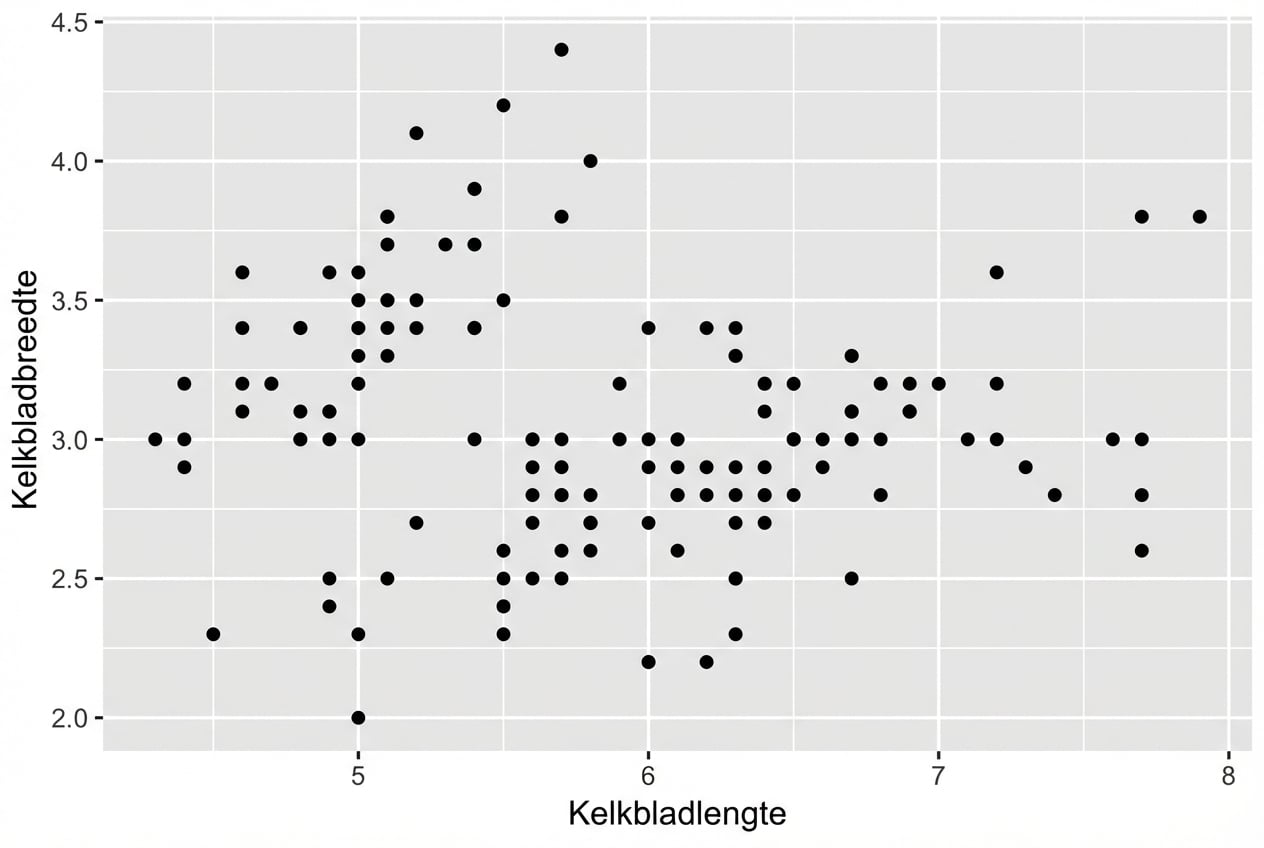
  • Elke geom accepteert specifieke aesthetic mappings, bv. geom_point():
Essentieel
x,y
ggplot(iris, aes(x = Sepal.Length, 
                 y = Sepal.Width)) + 
  geom_point()
Introductie tot datavisualisatie met ggplot2

Spreidingsdiagrammen

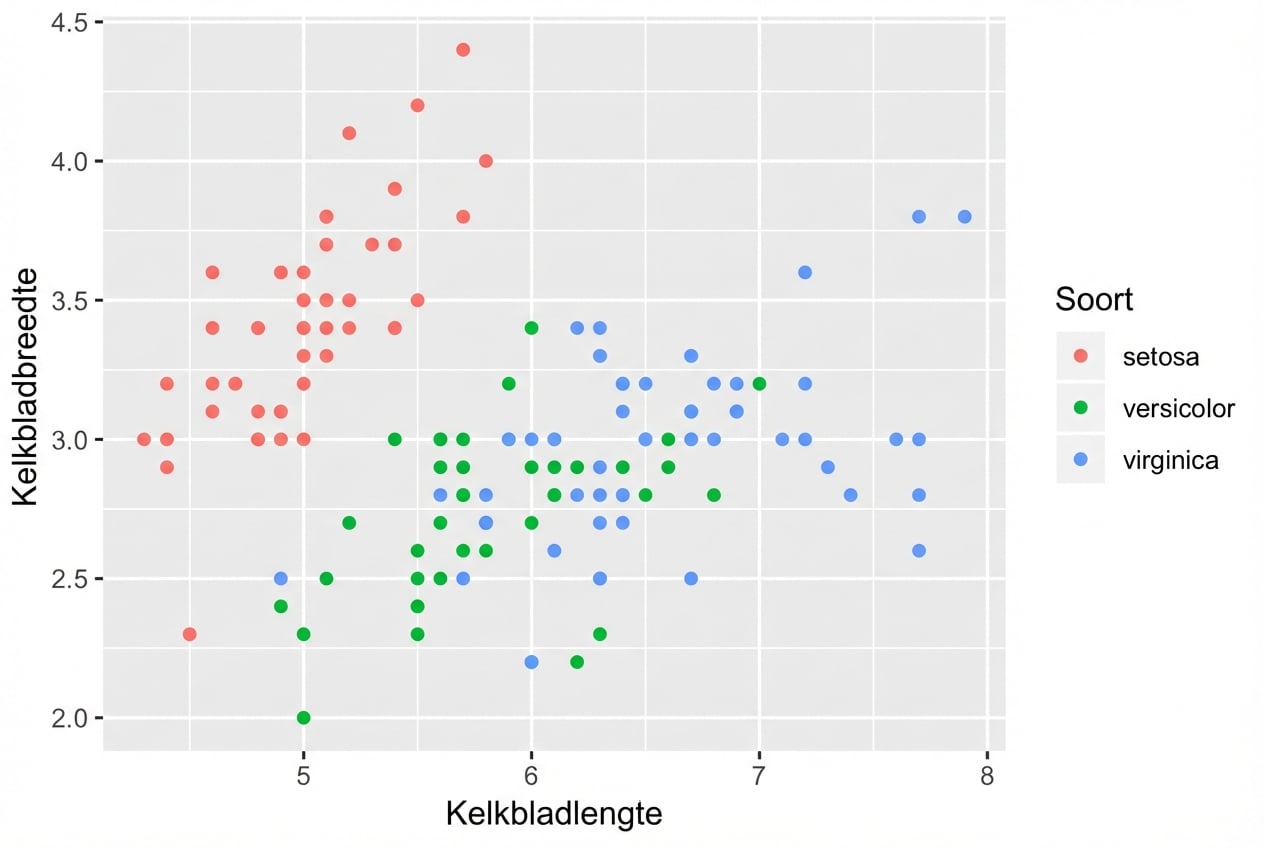
  • Elke geom accepteert specifieke aesthetic mappings, bv. geom_point():
Essentieel Optioneel
x,y alpha, color, fill, shape, size, stroke
ggplot(iris, aes(x = Sepal.Length, 
                 y = Sepal.Width,
                 col = Species)) + 
  geom_point()
Introductie tot datavisualisatie met ggplot2

Geom-specifieke aesthetic mappings

# Deze geven dezelfde plot!
ggplot(iris, aes(x = Sepal.Length, y = Sepal.Width, col = Species)) + 
  geom_point()

ggplot(iris, aes(x = Sepal.Length, y = Sepal.Width)) + 
  geom_point(aes(col = Species))

Stuur de aesthetic mappings per layer onafhankelijk aan:

Introductie tot datavisualisatie met ggplot2
head(iris, 3) # Rauwe data
Species Sepal.Length Sepal.Width Petal.Length Petal.Width
1  setosa          5.1         3.5          1.4         0.2
2  setosa          4.9         3.0          1.4         0.2
3  setosa          4.7         3.2          1.3         0.2
iris %>%
  group_by(Species) %>% 
  summarise_all(mean) -> iris.summary

iris.summary # Samenvattingsstatistieken
# A tibble: 3 x 5
  Species    Sepal.Length Sepal.Width Petal.Length Petal.Width
  <fct>             <dbl>       <dbl>        <dbl>       <dbl>
1 setosa             5.01        3.43         1.46       0.246
2 versicolor         5.94        2.77         4.26       1.33 
3 virginica          6.59        2.97         5.55       2.03
Introductie tot datavisualisatie met ggplot2
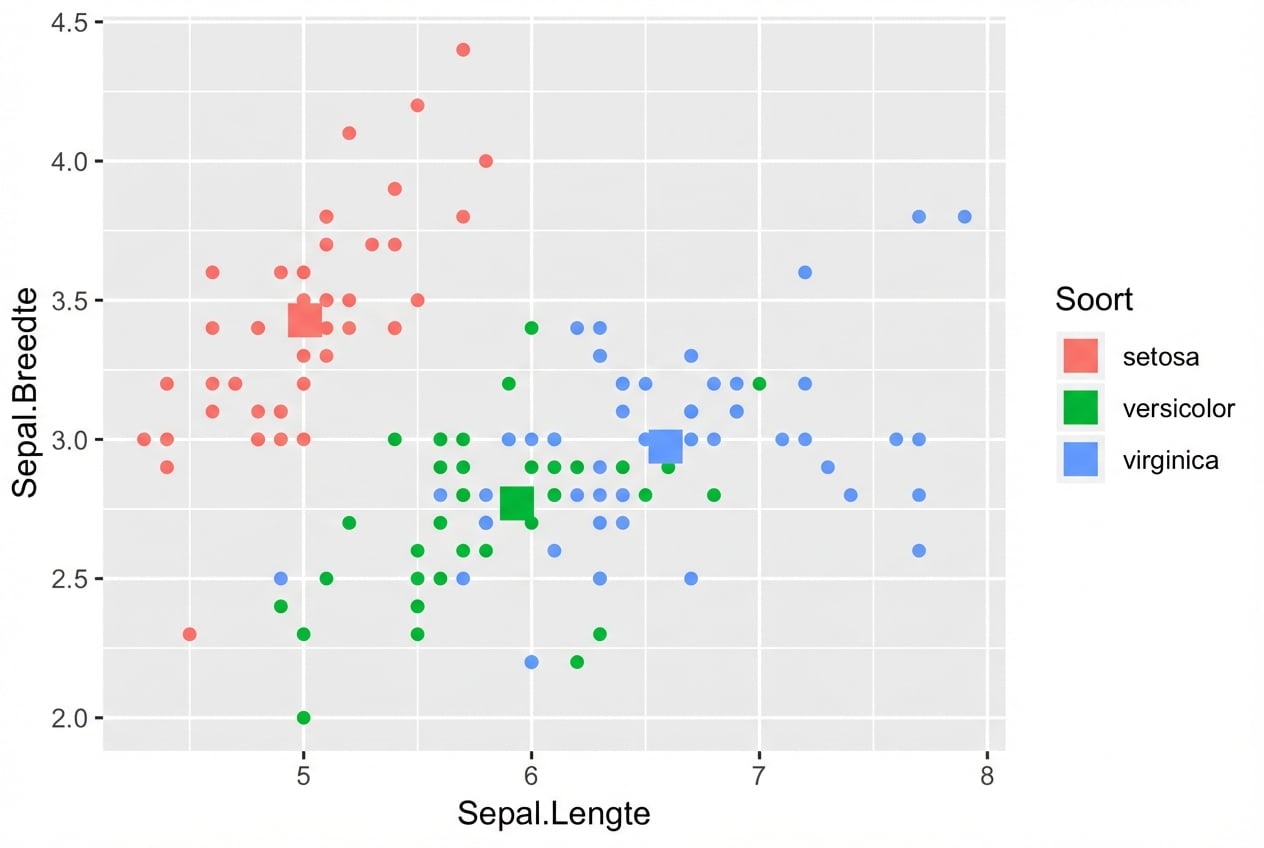
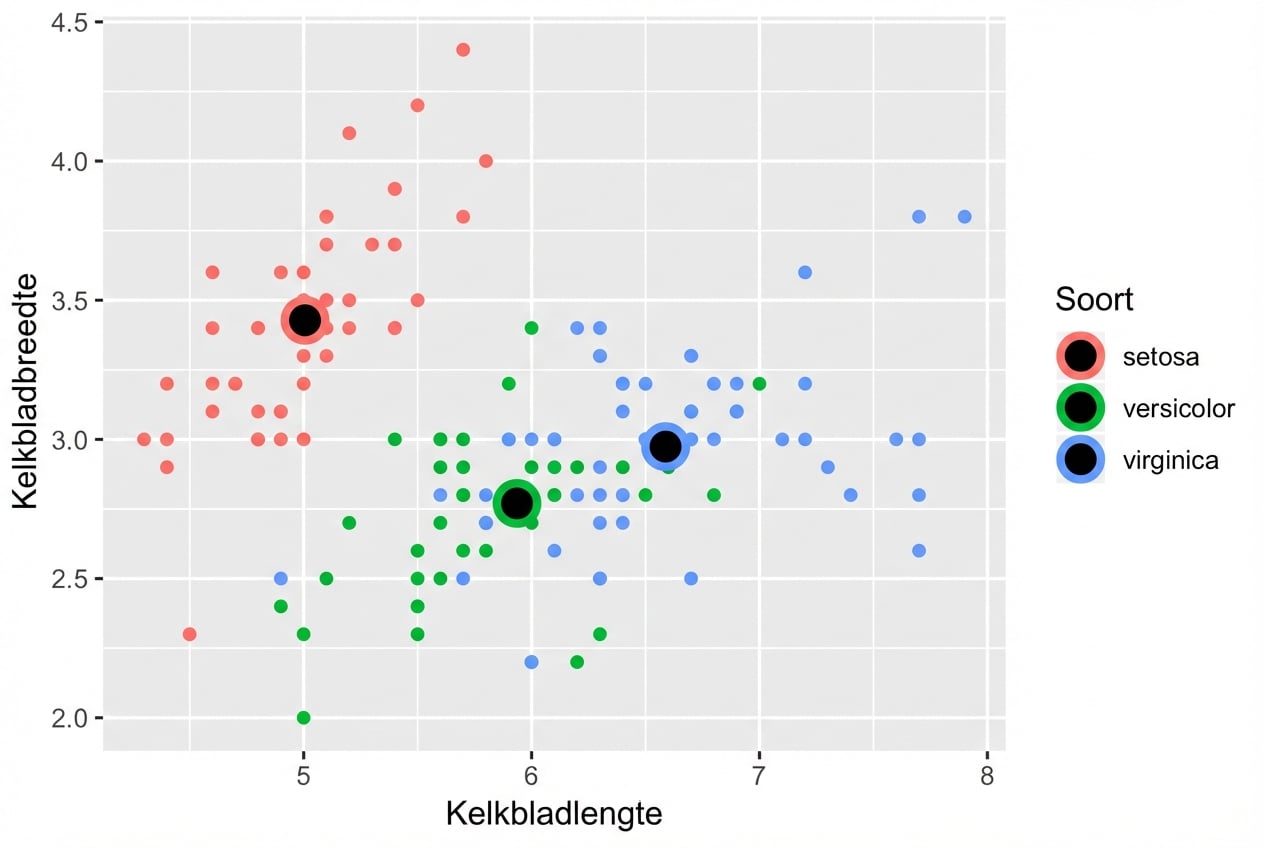
ggplot(iris, aes(x = Sepal.Length, y = Sepal.Width, col = Species)) +
  # Neemt data en aes over van ggplot() 
  geom_point() + 
  # Andere data, maar geërfde aes
  geom_point(data = iris.summary, shape = 15, size = 5)
Introductie tot datavisualisatie met ggplot2

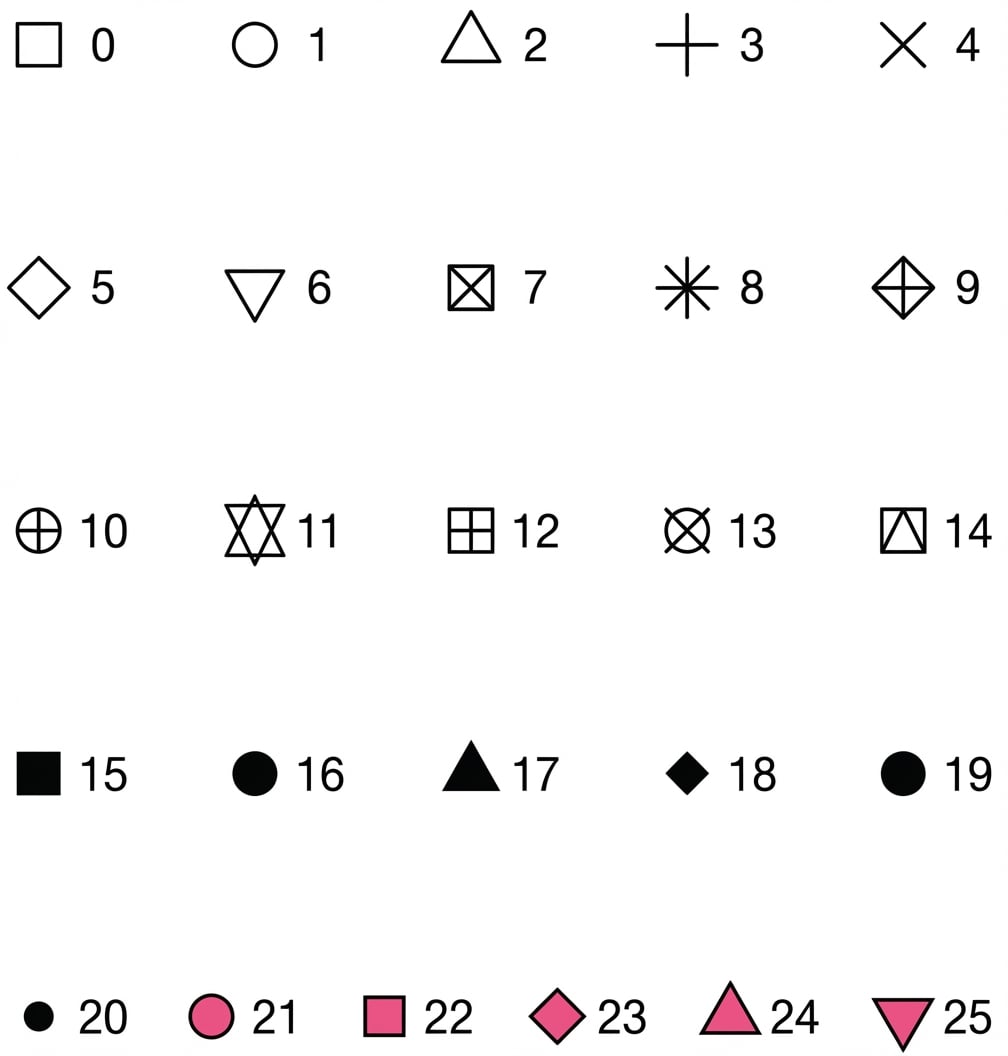
Waardes voor attribuut shape

Introductie tot datavisualisatie met ggplot2

Voorbeeld

ggplot(iris, aes(x = Sepal.Length, y = Sepal.Width, col = Species)) + 
  geom_point() +
  geom_point(data = iris.summary, shape = 21, size = 5, 
             fill = "black", stroke = 2)
Introductie tot datavisualisatie met ggplot2

Ad-hoc statistiek door ggplot2

  • Zie cursus 2 voor de stats-laag.
  • Let op: plot niet alleen het gemiddelde zonder spreidingsmaat, bv. de standaarddeviatie.

Introductie tot datavisualisatie met ggplot2

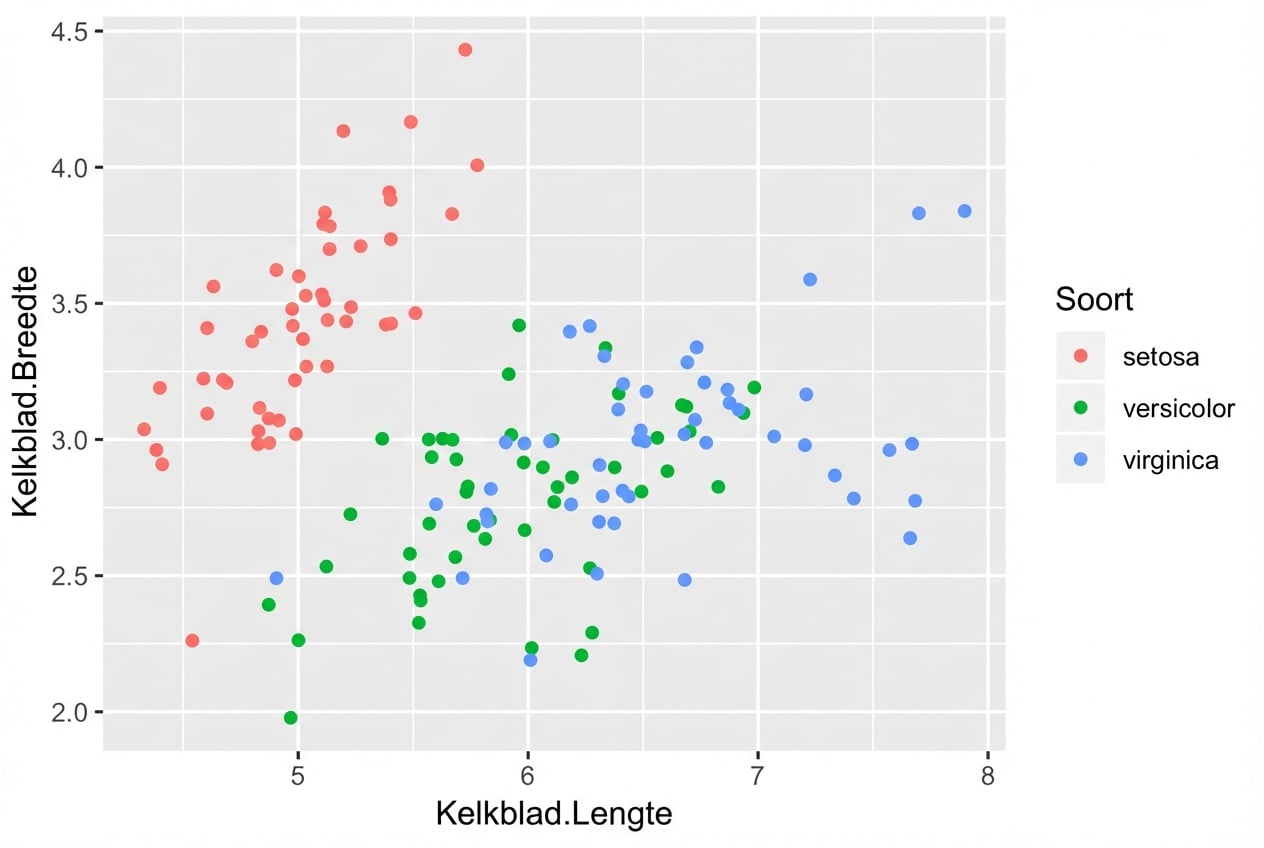
position = "jitter"

ggplot(iris, aes(x = Sepal.Length, y = Sepal.Width, col = Species)) + 
  geom_point(position = "jitter")
Introductie tot datavisualisatie met ggplot2

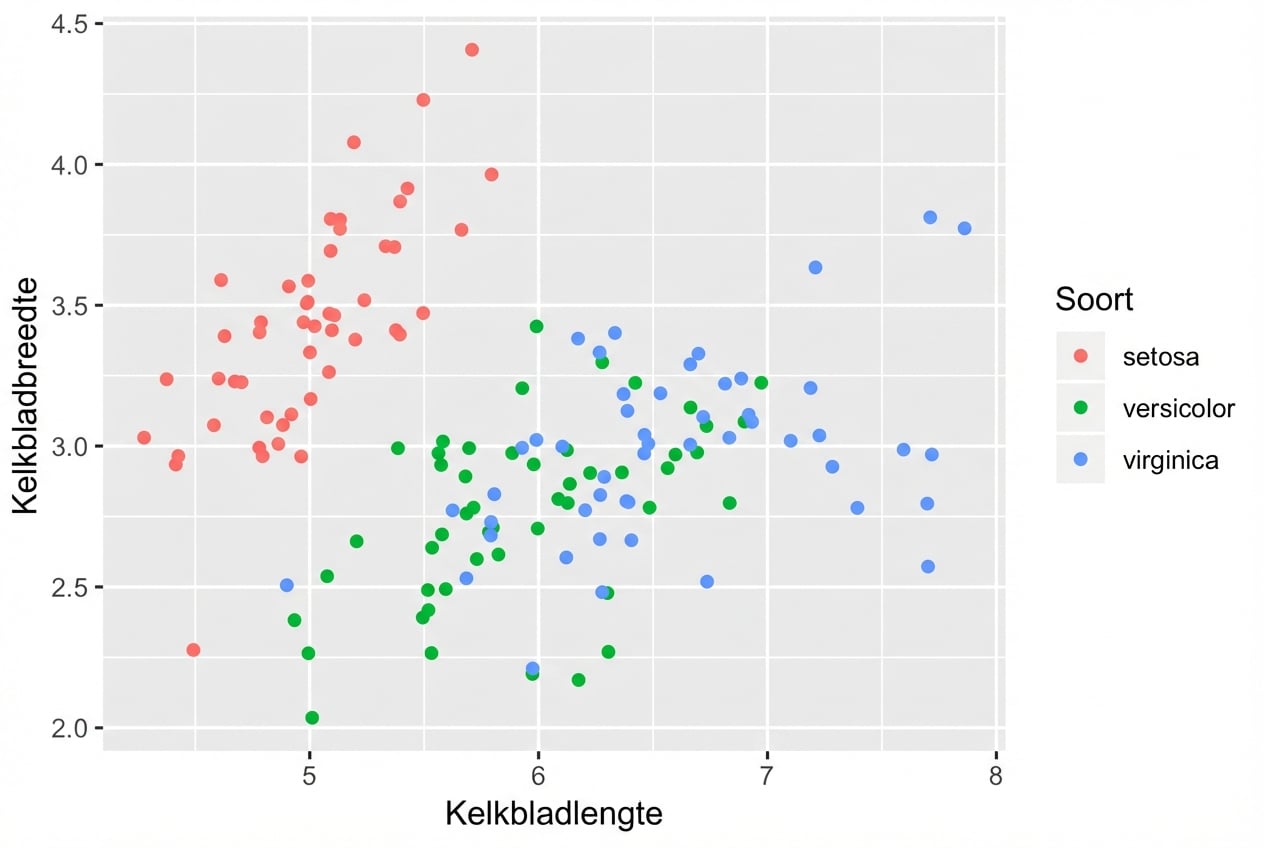
geom_jitter()

Een snelkoppeling voor geom_point(position = "jitter")

ggplot(iris, aes(x = Sepal.Length, y = Sepal.Width, col = Species)) + 
  geom_jitter()
Introductie tot datavisualisatie met ggplot2

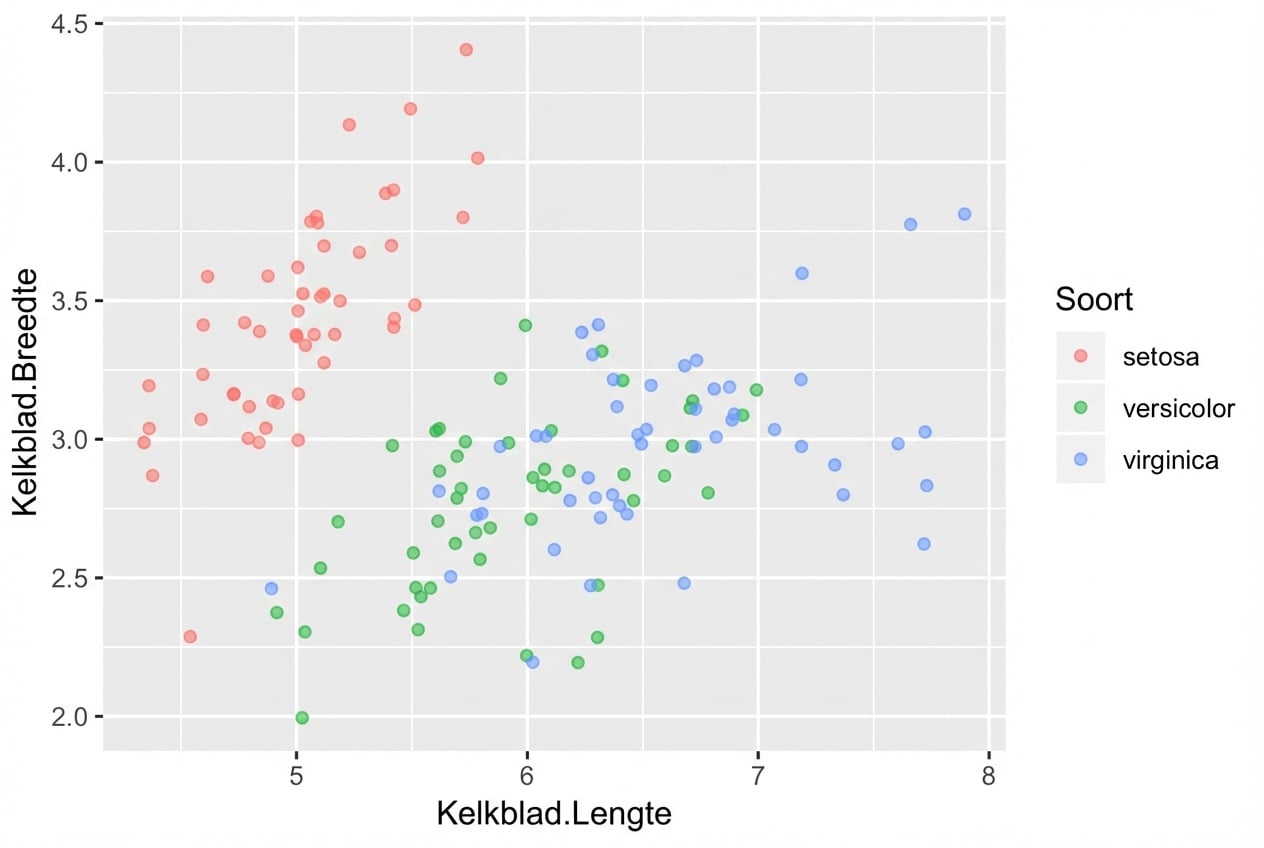
Vergeet alpha niet aan te passen

  • Combineer jitter met alpha-blending indien nodig
ggplot(iris, aes(x = Sepal.Length, y = Sepal.Width, col = Species)) + 
  geom_jitter(alpha = 0.6)
Introductie tot datavisualisatie met ggplot2

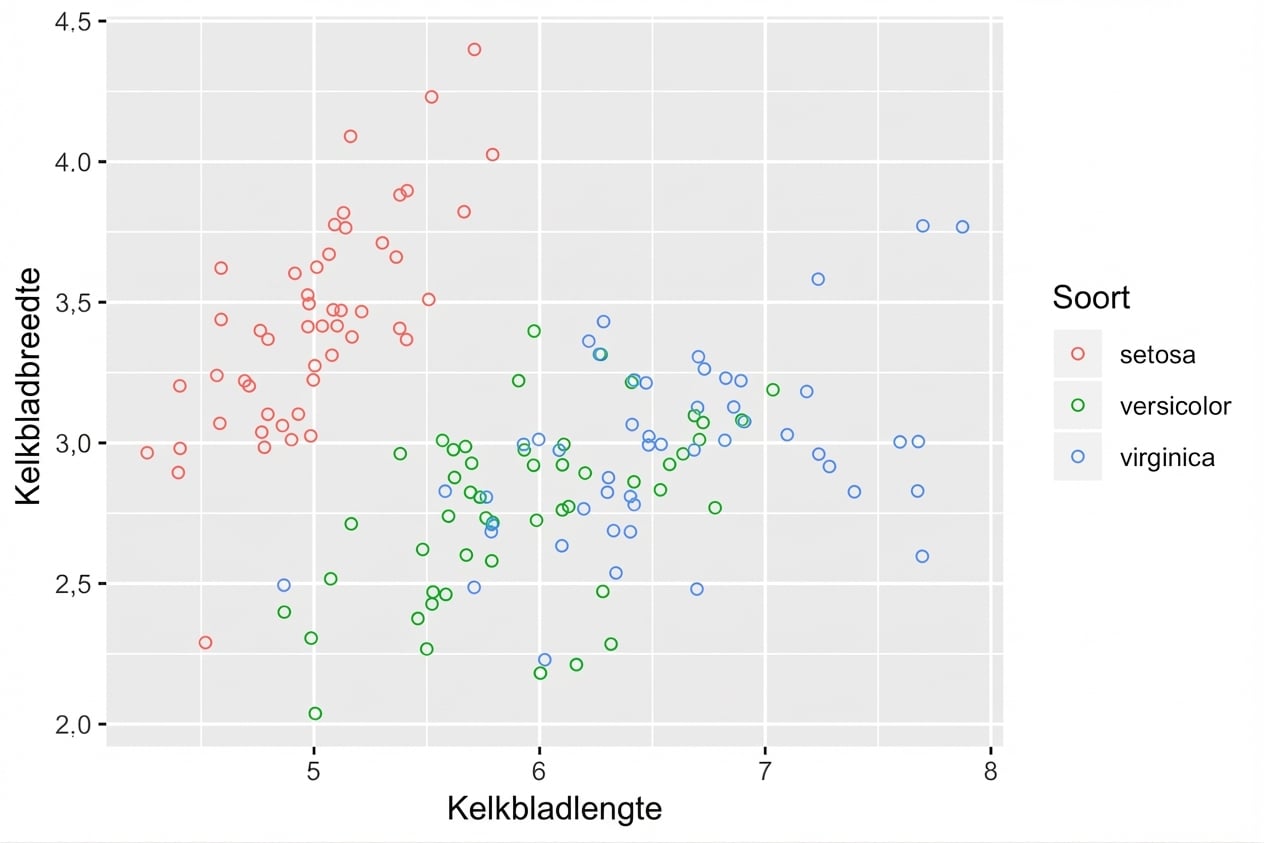
Holle cirkels helpen ook

  • shape = 1 is een holle cirkel.
  • Alpha-blending is dan vaak niet nodig.
ggplot(iris, aes(x = Sepal.Length, y = Sepal.Width, col = Species)) + 
  geom_jitter(shape = 1)
Introductie tot datavisualisatie met ggplot2

Laten we oefenen!

Introductie tot datavisualisatie met ggplot2

Preparing Video For Download...