Best practices voor vormgeving

Introductie tot datavisualisatie met ggplot2

Rick Scavetta

Founder, Scavetta Academy

Welke esthetiek?

  • Gebruik je creativiteit, en
  • Volg een paar duidelijke richtlijnen
  • Jacques Bertin
    • The Semiology of Graphics, 1967
  • William Cleveland
    • The Elements of Graphing Data, 1985
    • Visualizing Data, 1993
Introductie tot datavisualisatie met ggplot2

Vorm volgt functie

Introductie tot datavisualisatie met ggplot2

Vorm volgt functie

Functie

Primair:

  • Nauwkeurige en efficiënte weergaven

Secundair:

  • Visueel aantrekkelijke, mooie grafieken

Leidende principes

Nooit:

  • Data verkeerd weergeven of verbergen
  • Kijkers verwarren met complexiteit

Altijd:

  • Denk aan publiek en doel van elke grafiek
Introductie tot datavisualisatie met ggplot2

Introductie tot datavisualisatie met ggplot2

Introductie tot datavisualisatie met ggplot2

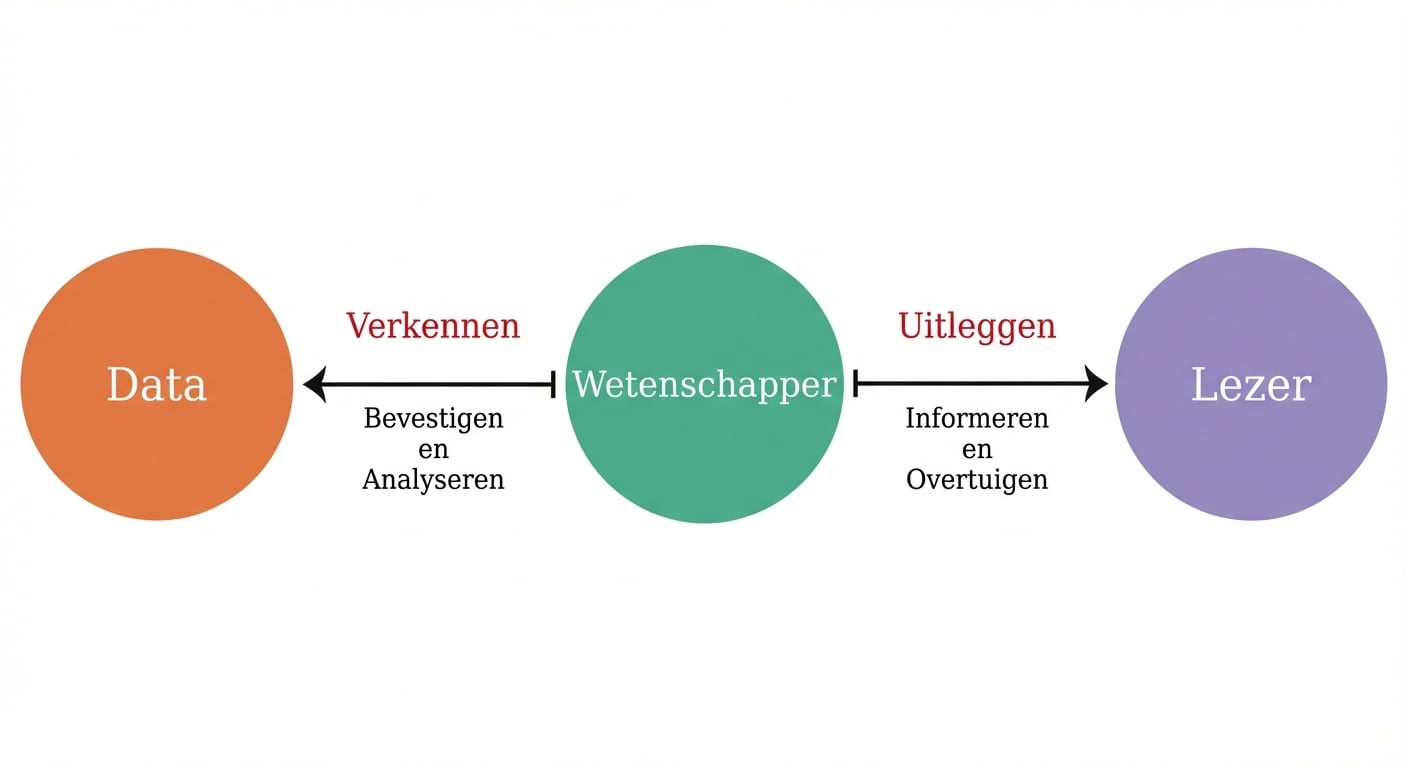
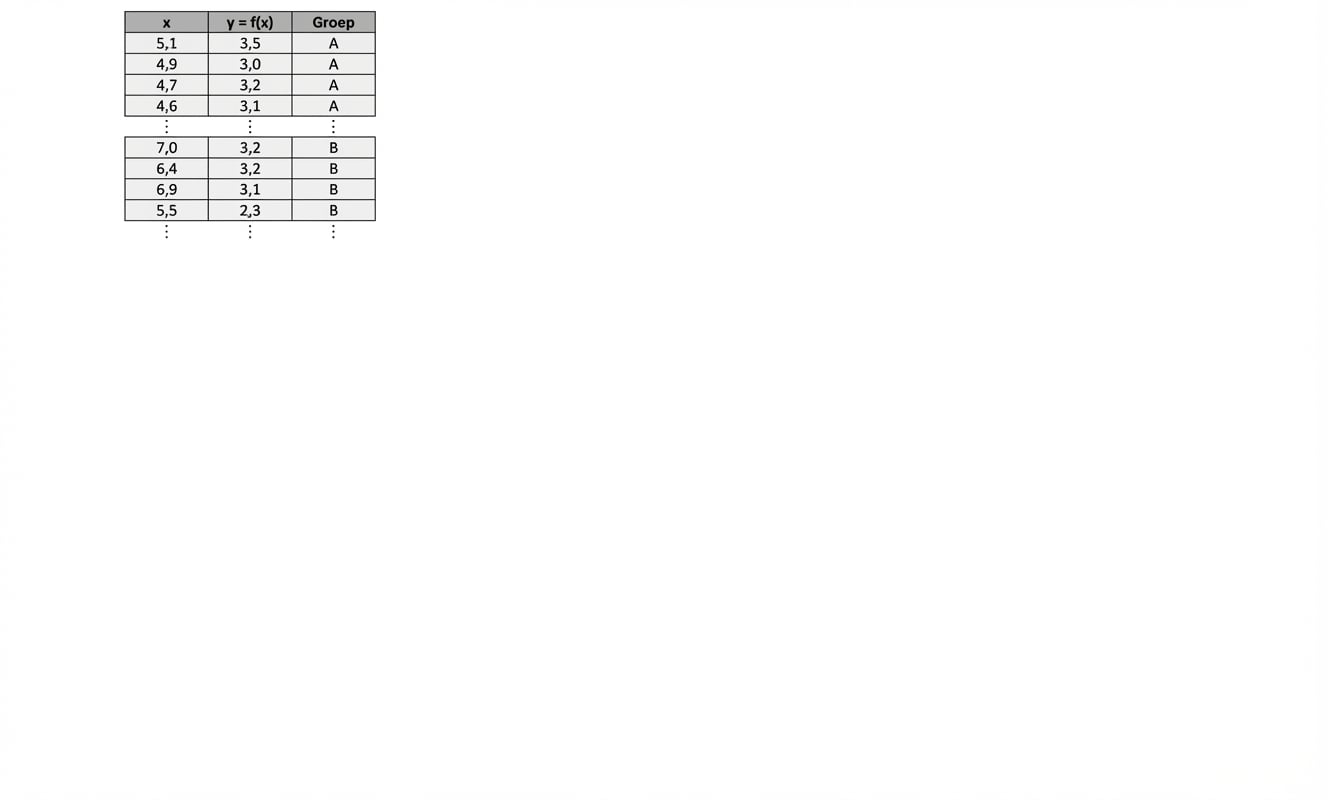
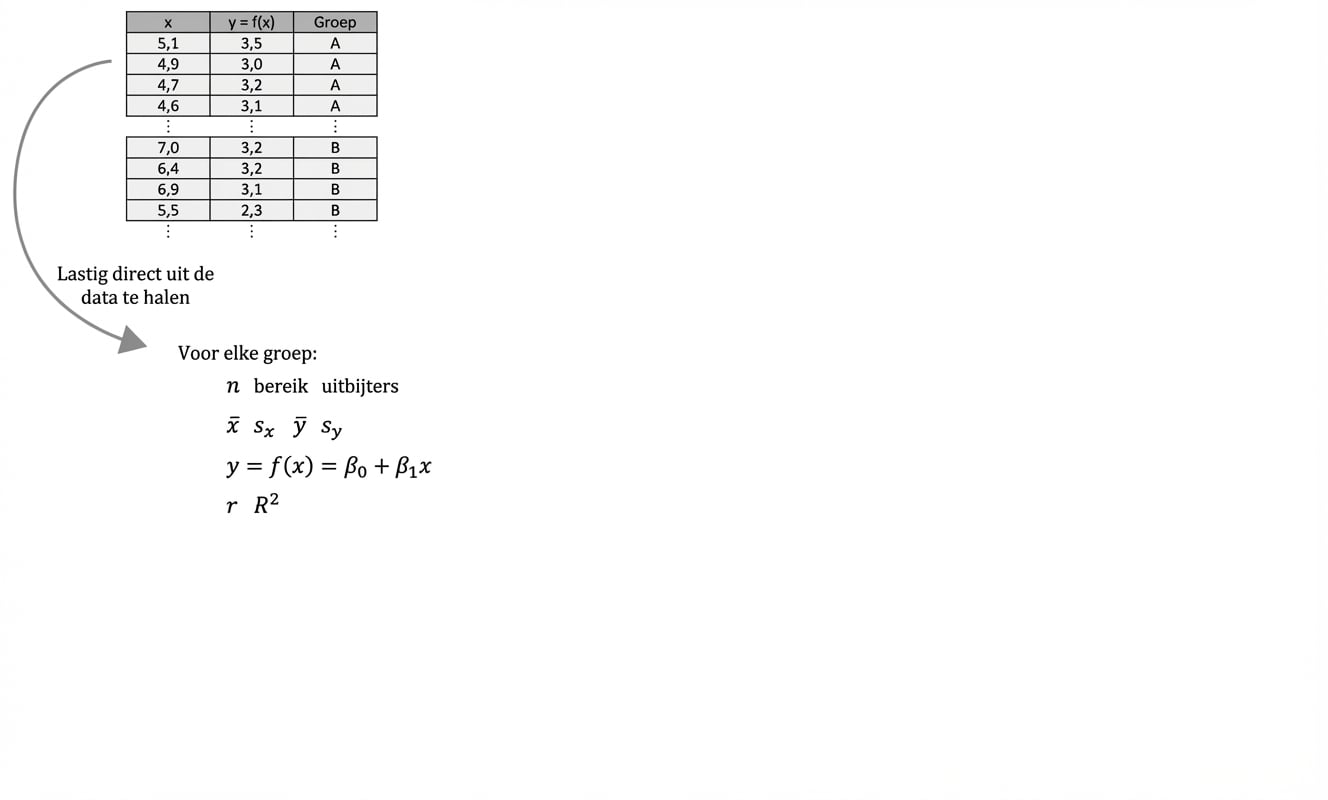
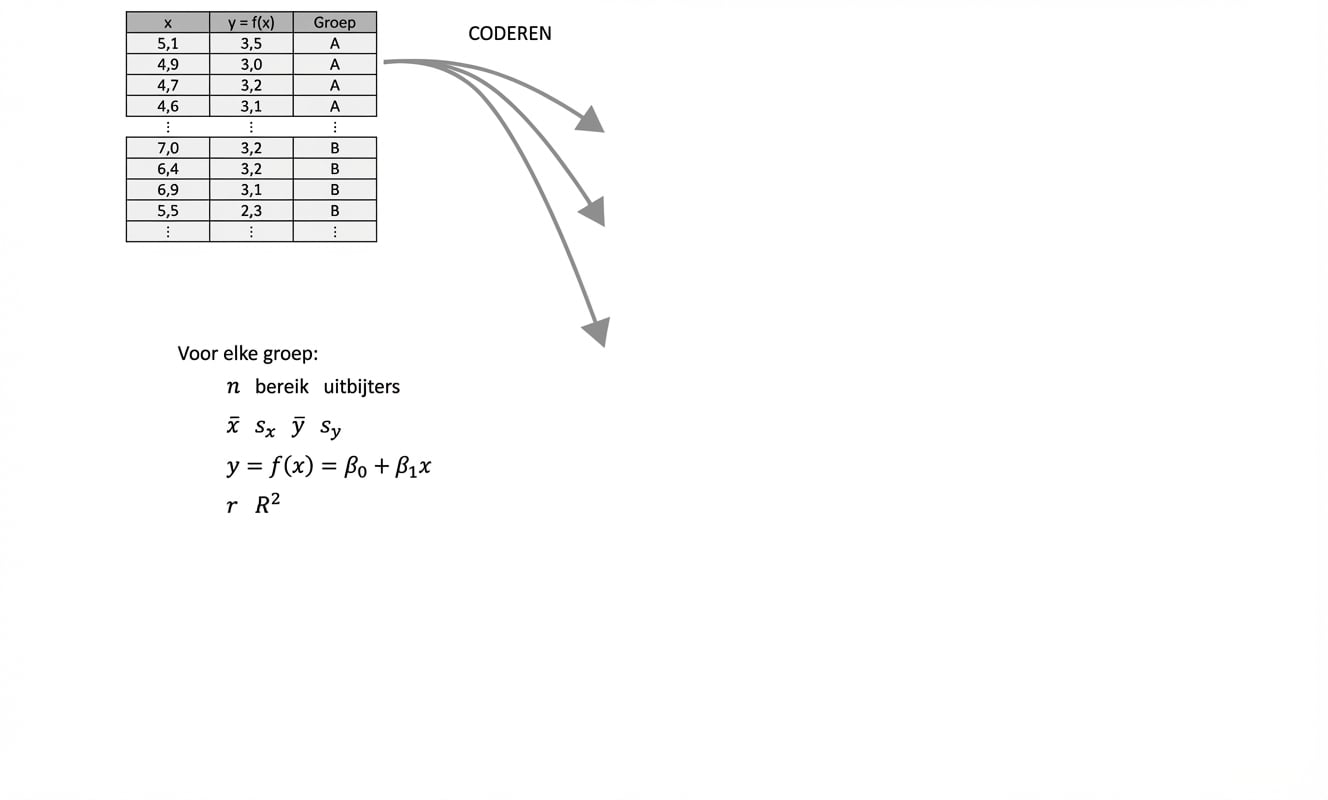
Informatie uit data halen

Introductie tot datavisualisatie met ggplot2

Introductie tot datavisualisatie met ggplot2

Introductie tot datavisualisatie met ggplot2

Introductie tot datavisualisatie met ggplot2

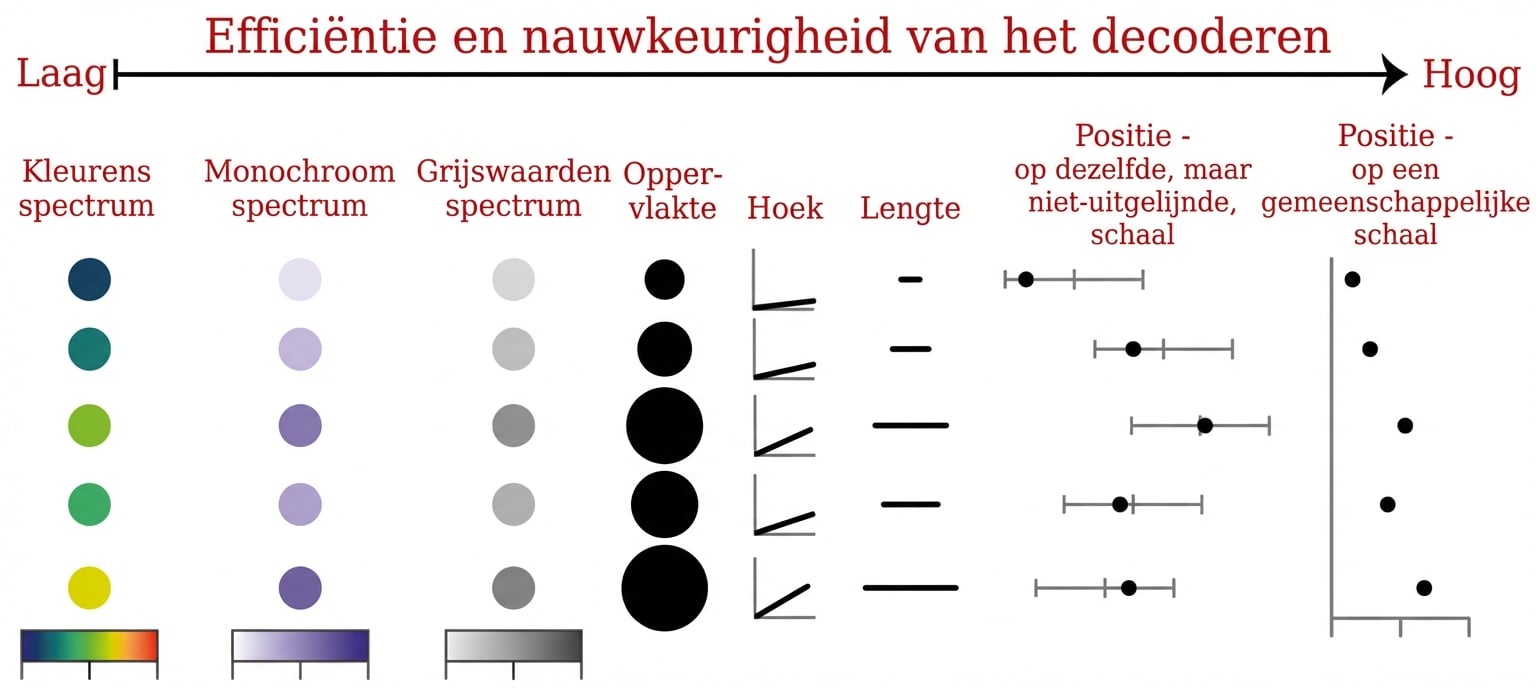
De beste esthetische keuzes

  • Efficiënt
    • Sneller overzicht dan numerieke samenvattingen
  • Nauwkeurig
    • Minimaliseert informatieverlies
Introductie tot datavisualisatie met ggplot2

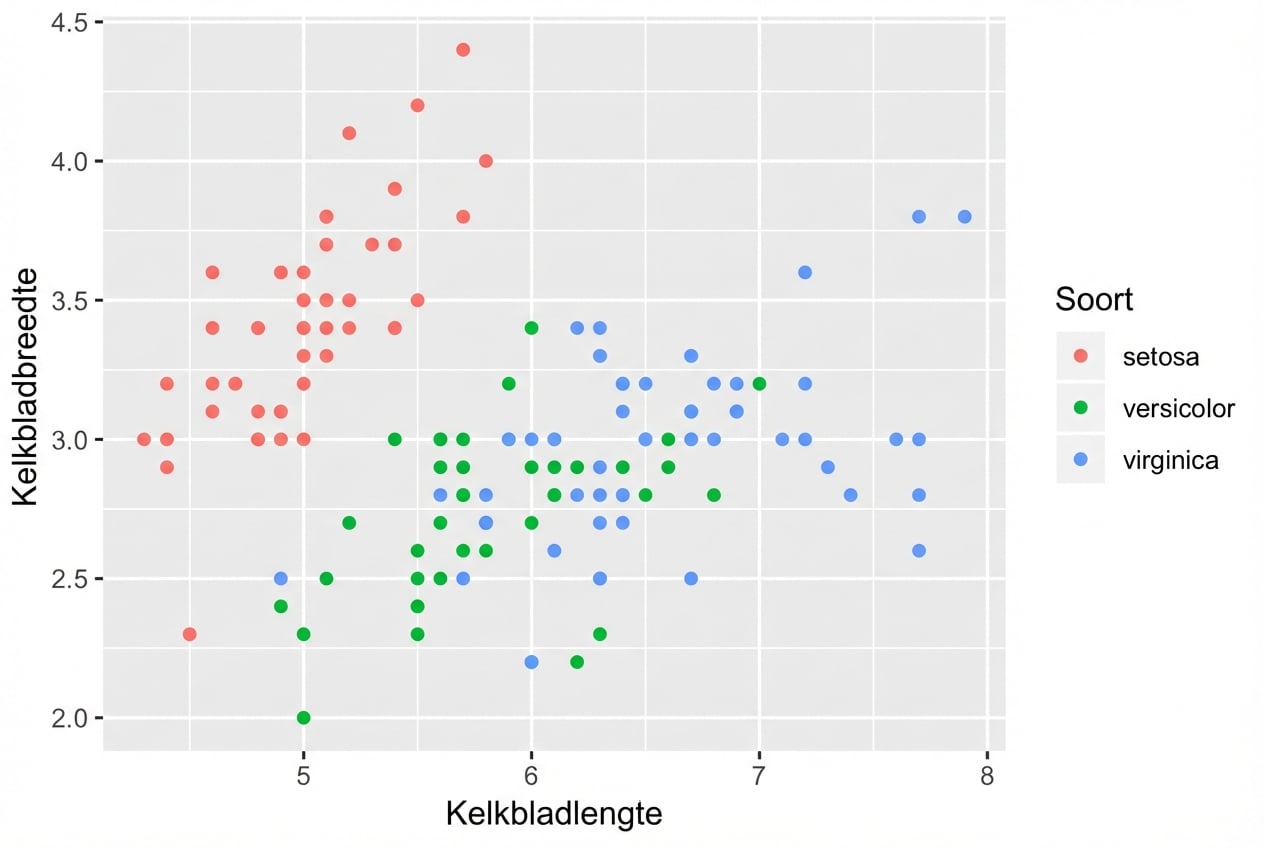
Esthetiek - continue variabelen

ggplot(iris, aes(x = Sepal.Length,
                 y = Sepal.Width,
                 color = Species)) + 
  geom_point()

Introductie tot datavisualisatie met ggplot2

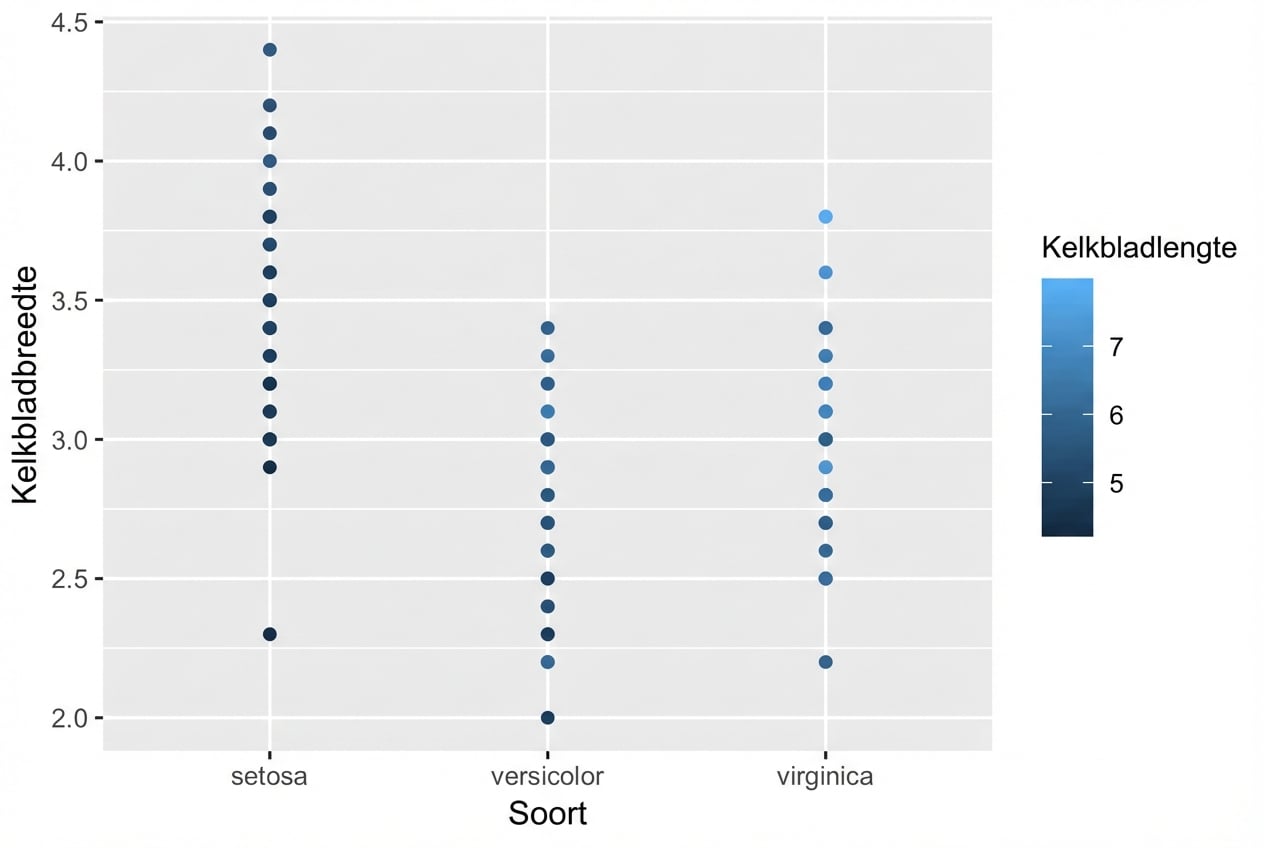
Esthetiek - continue variabelen

ggplot(iris, aes(color = Sepal.Length,
                 y = Sepal.Width,
                 x = Species)) + 
  geom_point()

Introductie tot datavisualisatie met ggplot2

Introductie tot datavisualisatie met ggplot2

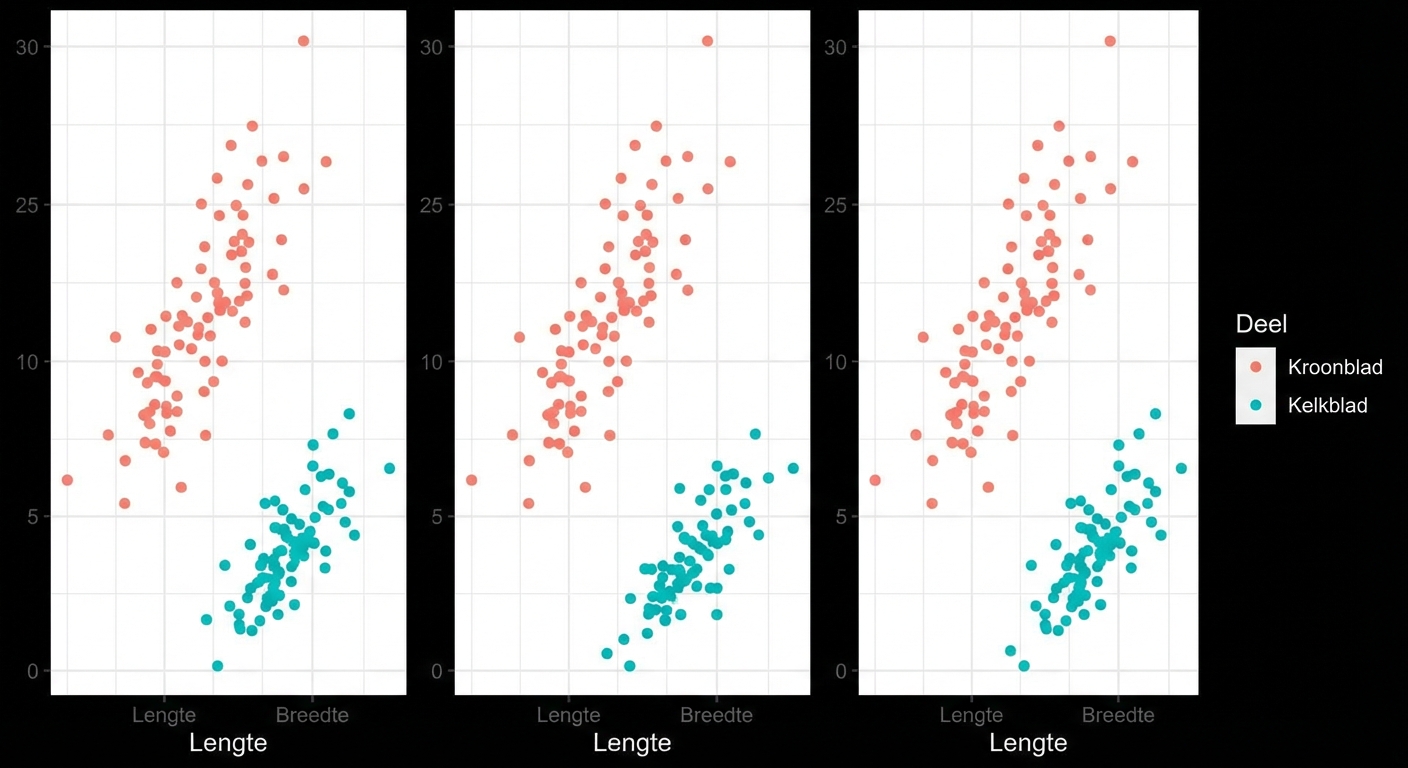
Drie scatterplots van iris

Introductie tot datavisualisatie met ggplot2

Drie scatterplots van iris, y-assen niet uitgelijnd
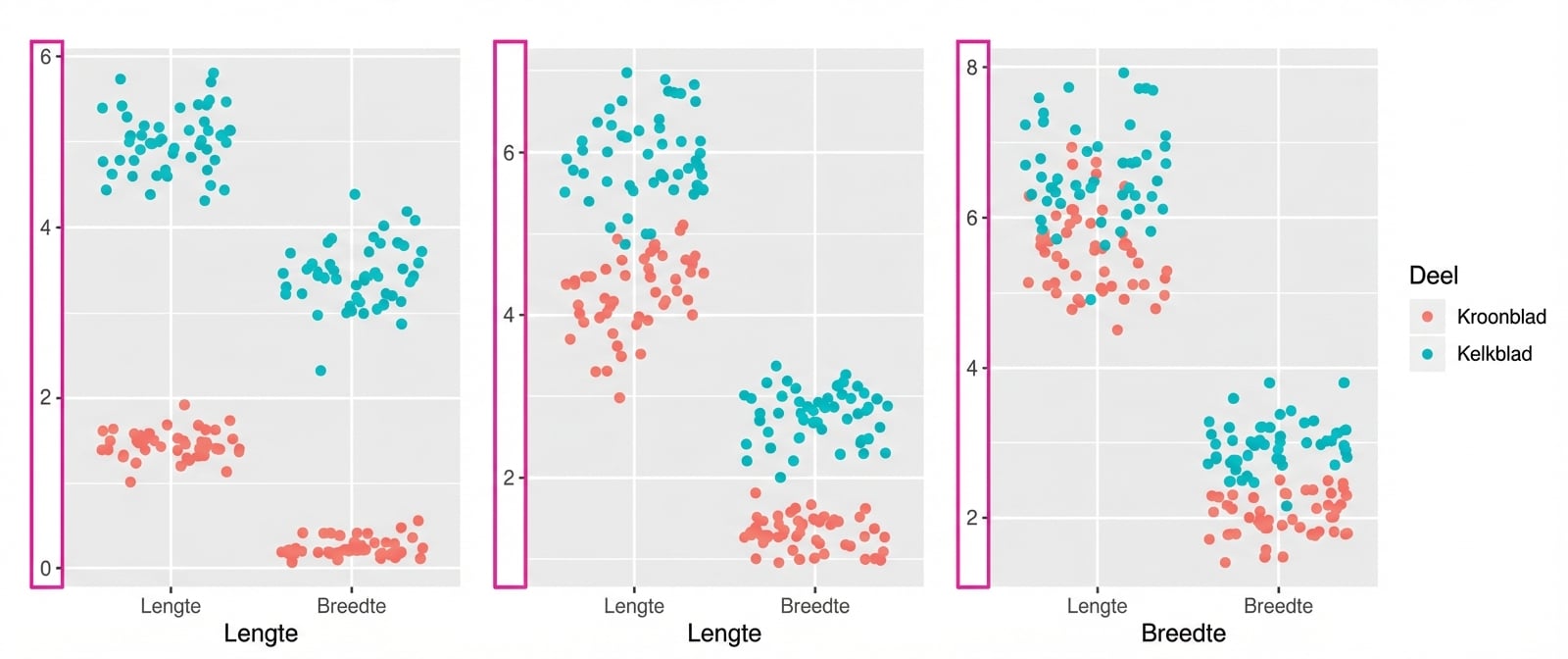
Introductie tot datavisualisatie met ggplot2

Enkel gefacetteerde plot, gemeenschappelijke y-as
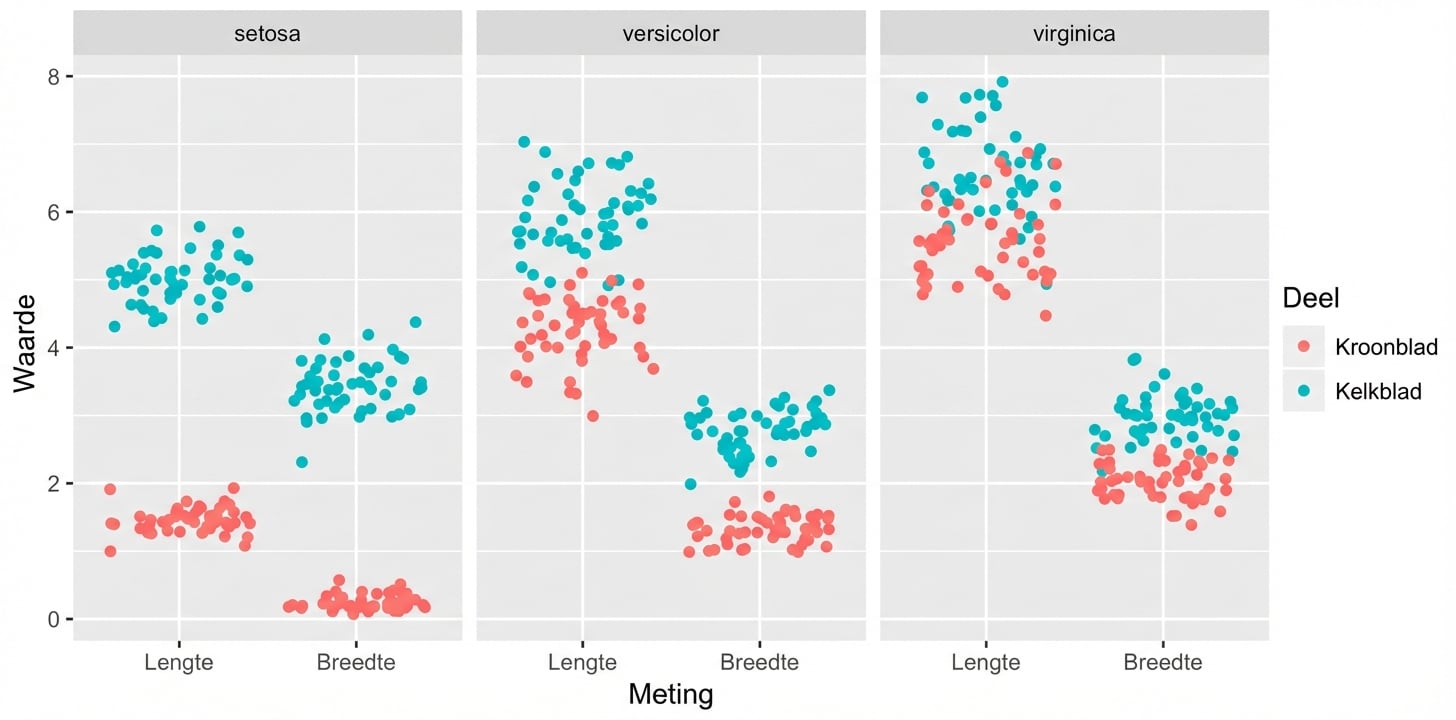
Introductie tot datavisualisatie met ggplot2

Introductie tot datavisualisatie met ggplot2

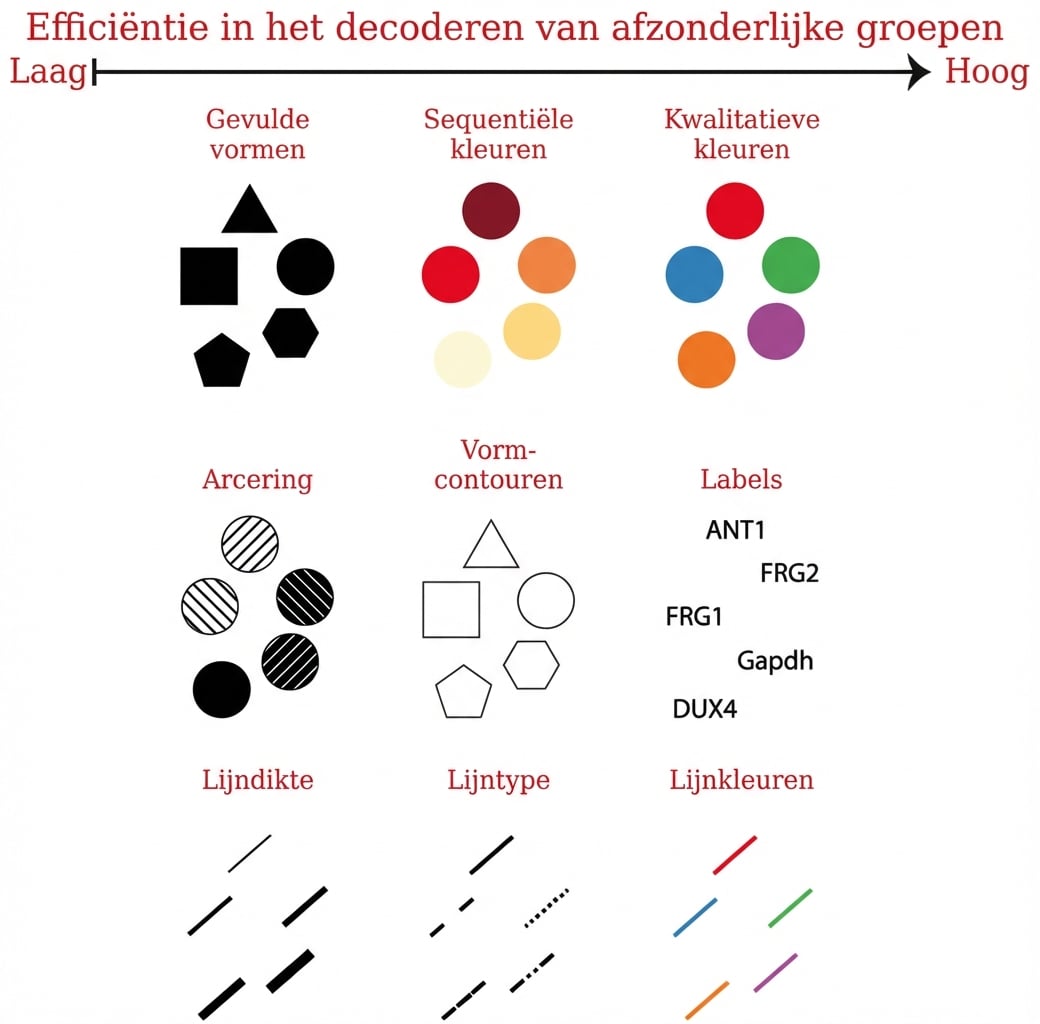
Esthetiek - categorische variabelen

ggplot(iris, aes(x = Sepal.Length,
                 y = Sepal.Width, 
                 col = Species)) + 
  geom_point()

Introductie tot datavisualisatie met ggplot2

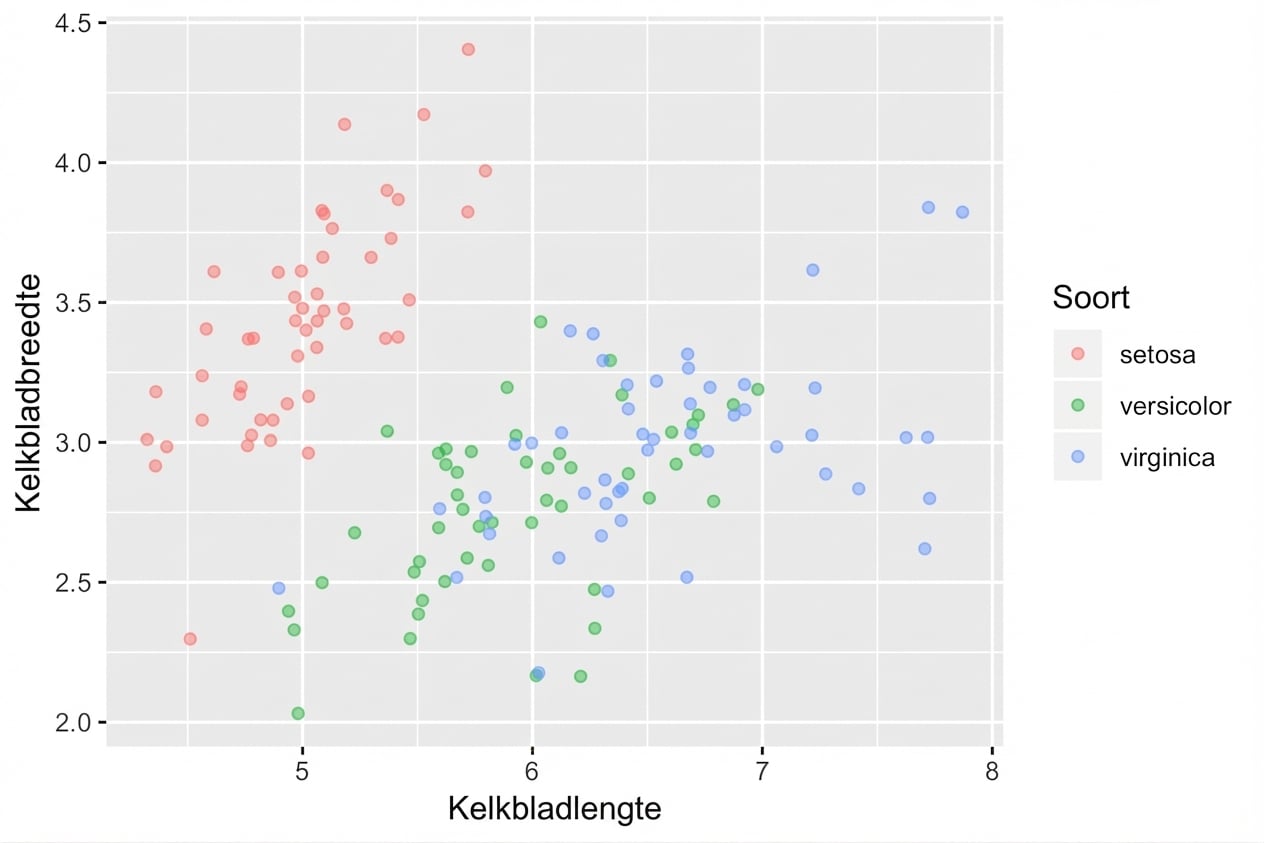
Esthetiek - categorische variabelen

ggplot(iris, aes(x = Sepal.Length, 
                 y = Sepal.Width, 
                 col = Species)) + 
  geom_point(position = "jitter", 
             alpha = 0.5)

Introductie tot datavisualisatie met ggplot2

Jij bent aan de beurt

Introductie tot datavisualisatie met ggplot2

Preparing Video For Download...