Histogrammen

Introductie tot datavisualisatie met ggplot2

Rick Scavetta

Founder, Scavetta Academy

Veelvoorkomende plottypes

Plottype Mogelijke geoms
Spreidplots points, jitter, abline, smooth, count
Staafdiagrammen histogram, bar, col, errorbar
Lijnplots line, path
Introductie tot datavisualisatie met ggplot2

Histogrammen

ggplot(iris, aes(x = Sepal.Width)) + 
  geom_histogram()
  • Een plot van gegroepeerde waarden
    • d.w.z. een statistische functie
`stat_bin()` using `bins = 30`.
Pick better value with `binwidth`.

Introductie tot datavisualisatie met ggplot2

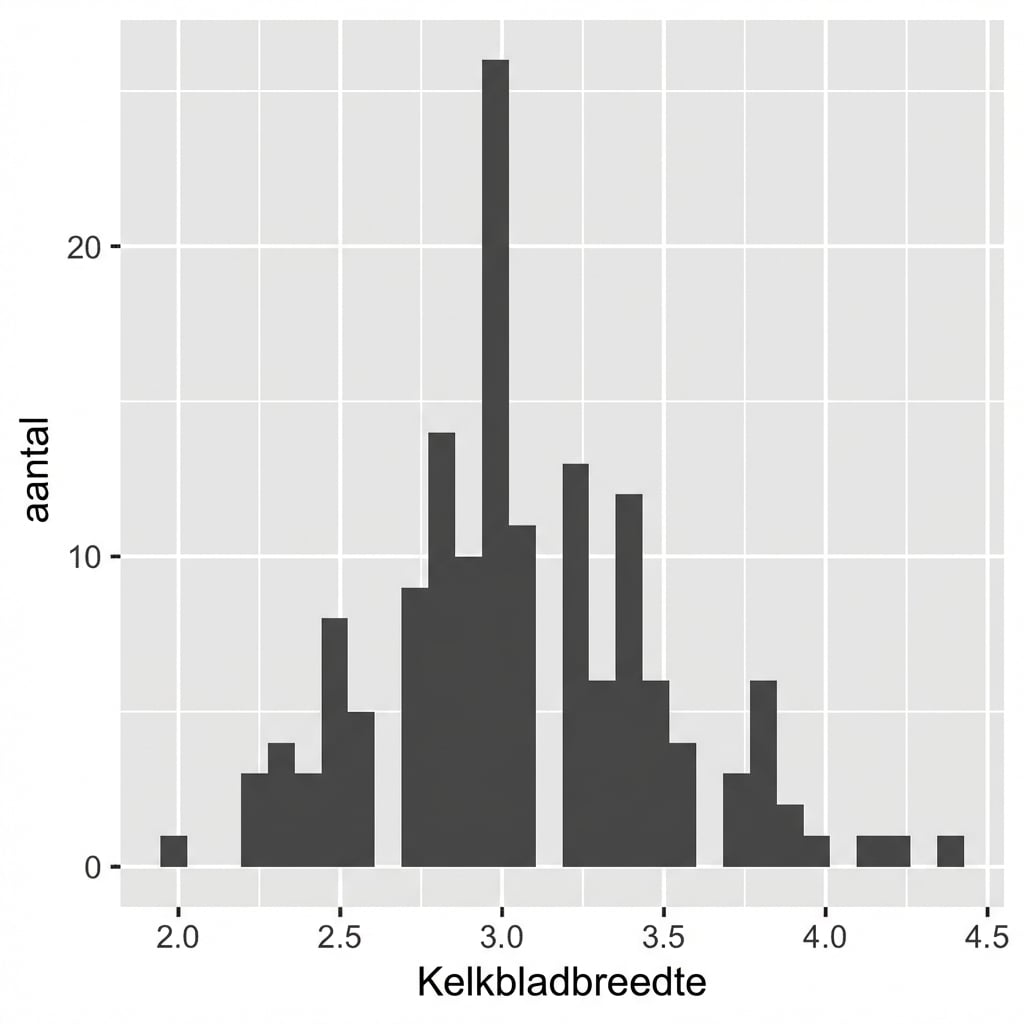
Standaard: 30 gelijke bins

ggplot(iris, aes(x = Sepal.Width)) + 
  geom_histogram()
  • Een plot van gegroepeerde waarden
    • d.w.z. een statistische functie
# Standaard binklasse:
diff(range(iris$Sepal.Width))/30
[1] 0.08

Introductie tot datavisualisatie met ggplot2

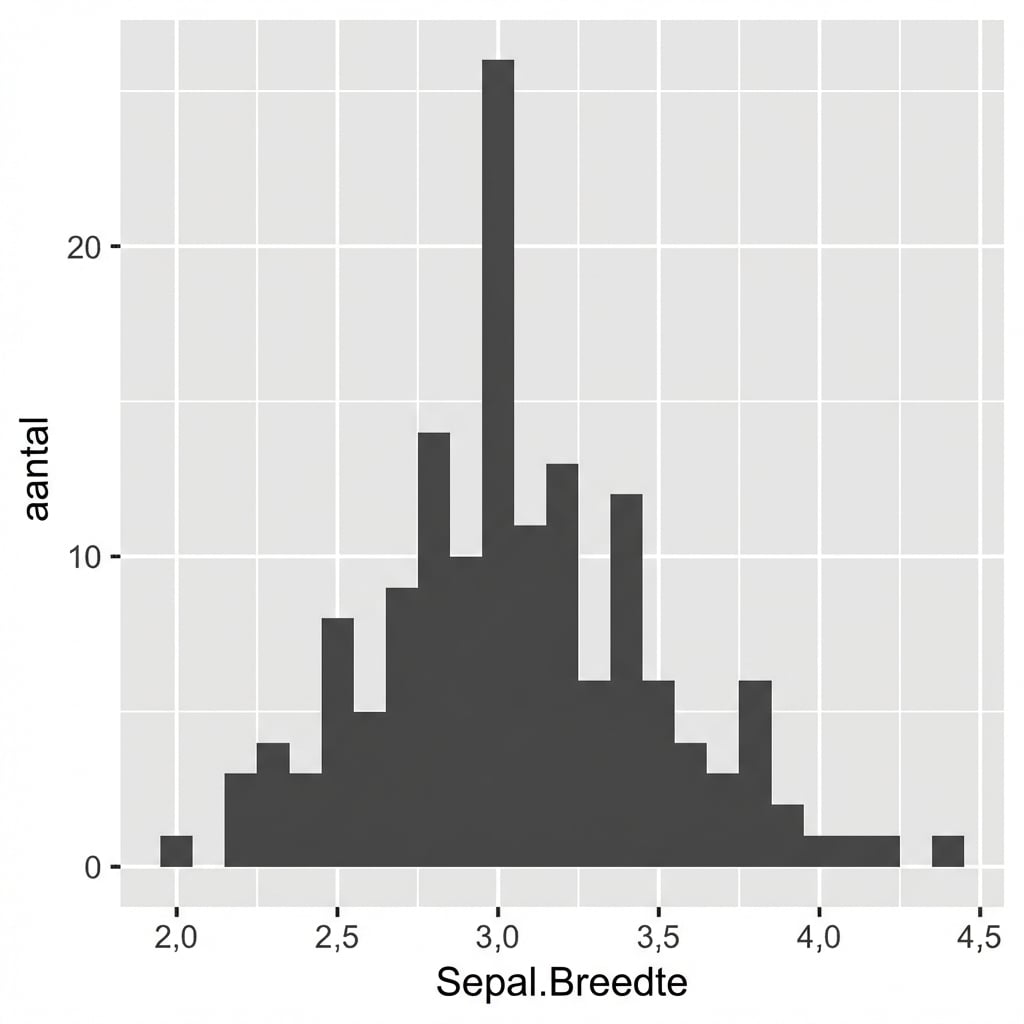
Intuïtieve en zinvolle binklassen

ggplot(iris, aes(x = Sepal.Width)) + 
  geom_histogram(binwidth = 0.1)
  • Kies altijd een zinvolle binklasse voor je data.

  • Geen spaties tussen balken.

Introductie tot datavisualisatie met ggplot2

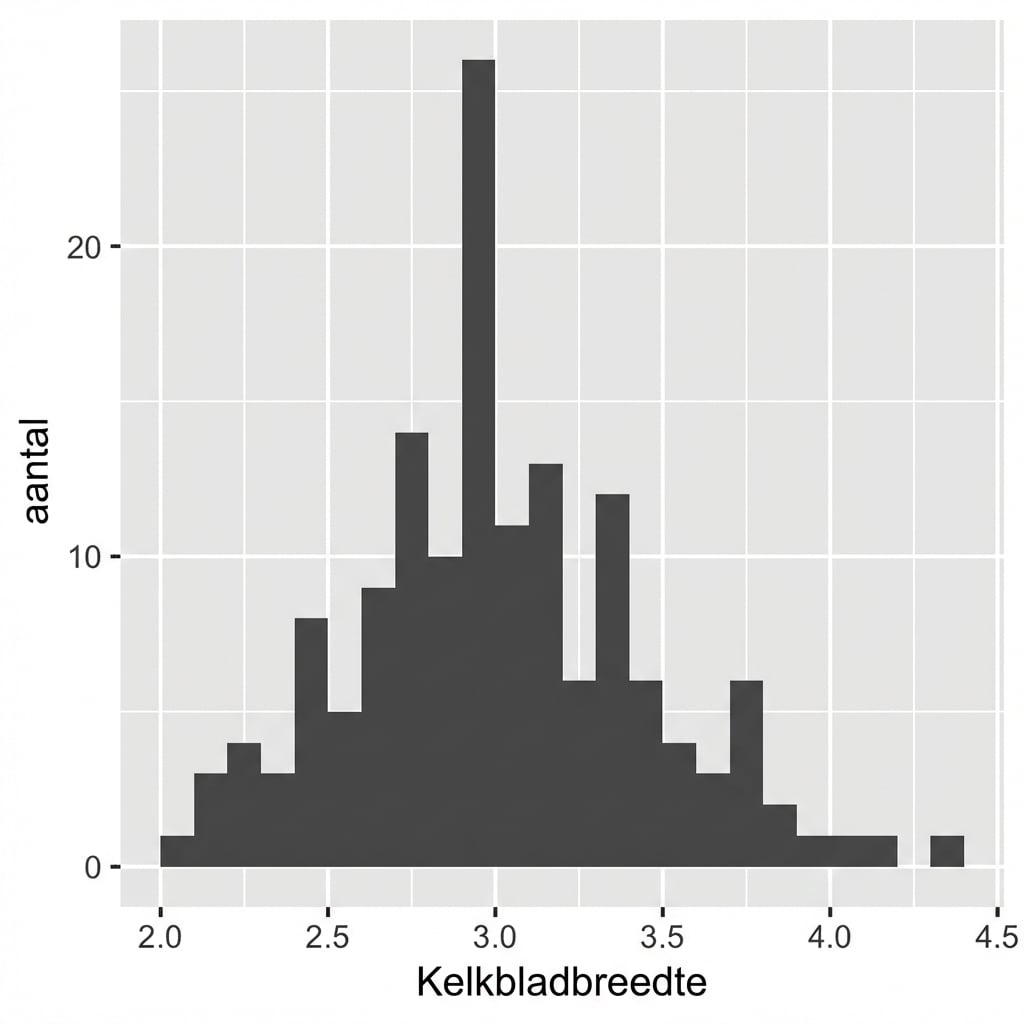
Plaats markeringen opnieuw

ggplot(iris, aes(x = Sepal.Width)) + 
  geom_histogram(binwidth = 0.1,
                 center = 0.05)
  • Kies altijd een zinvolle binklasse voor je data.

  • Geen spaties tussen balken.

  • X-aslabels staan tussen de balken.

Introductie tot datavisualisatie met ggplot2

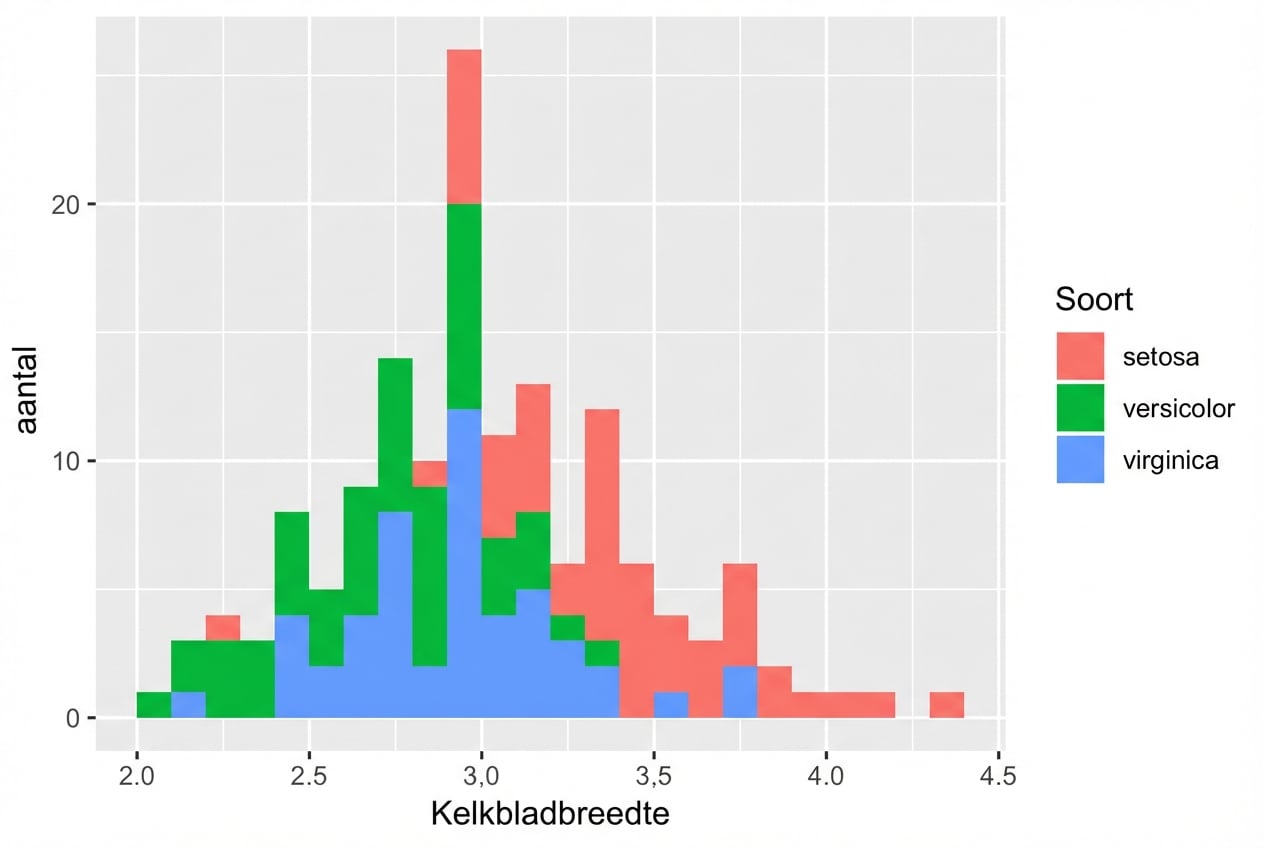
Verschillende soorten

ggplot(iris, aes(x = Sepal.Width, 
                 fill = Species)) + 
  geom_histogram(binwidth = .1, 
                 center = 0.05)

Introductie tot datavisualisatie met ggplot2

Standaardpositie is "stack"

ggplot(iris, aes(x = Sepal.Width,
                 fill = Species)) + 
  geom_histogram(binwidth = .1, 
                 center = 0.05,
                 position = "stack") 

Introductie tot datavisualisatie met ggplot2

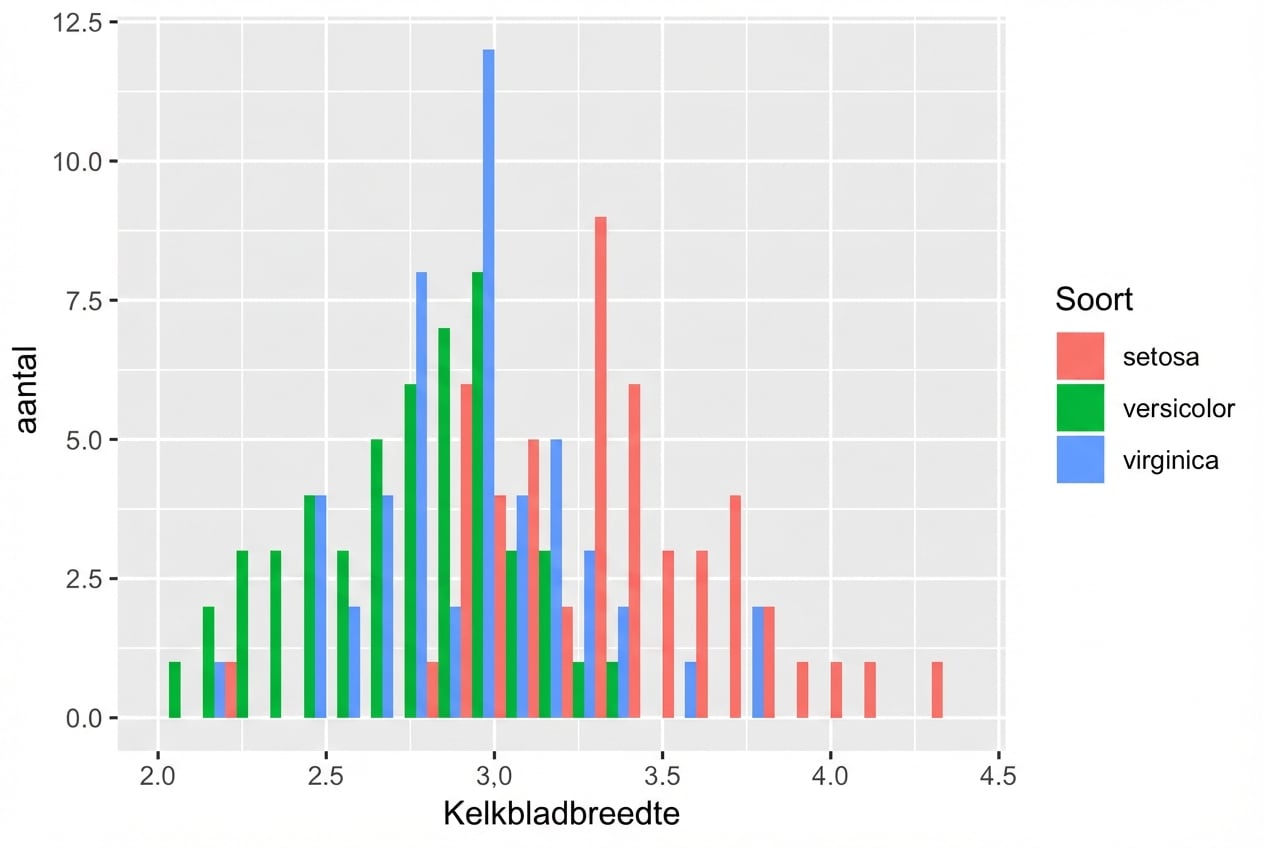
position = "dodge"

ggplot(iris, aes(x = Sepal.Width, 
                 fill = Species)) + 
  geom_histogram(binwidth = .1, 
                 center = 0.05, 
                 position = "dodge")

Introductie tot datavisualisatie met ggplot2

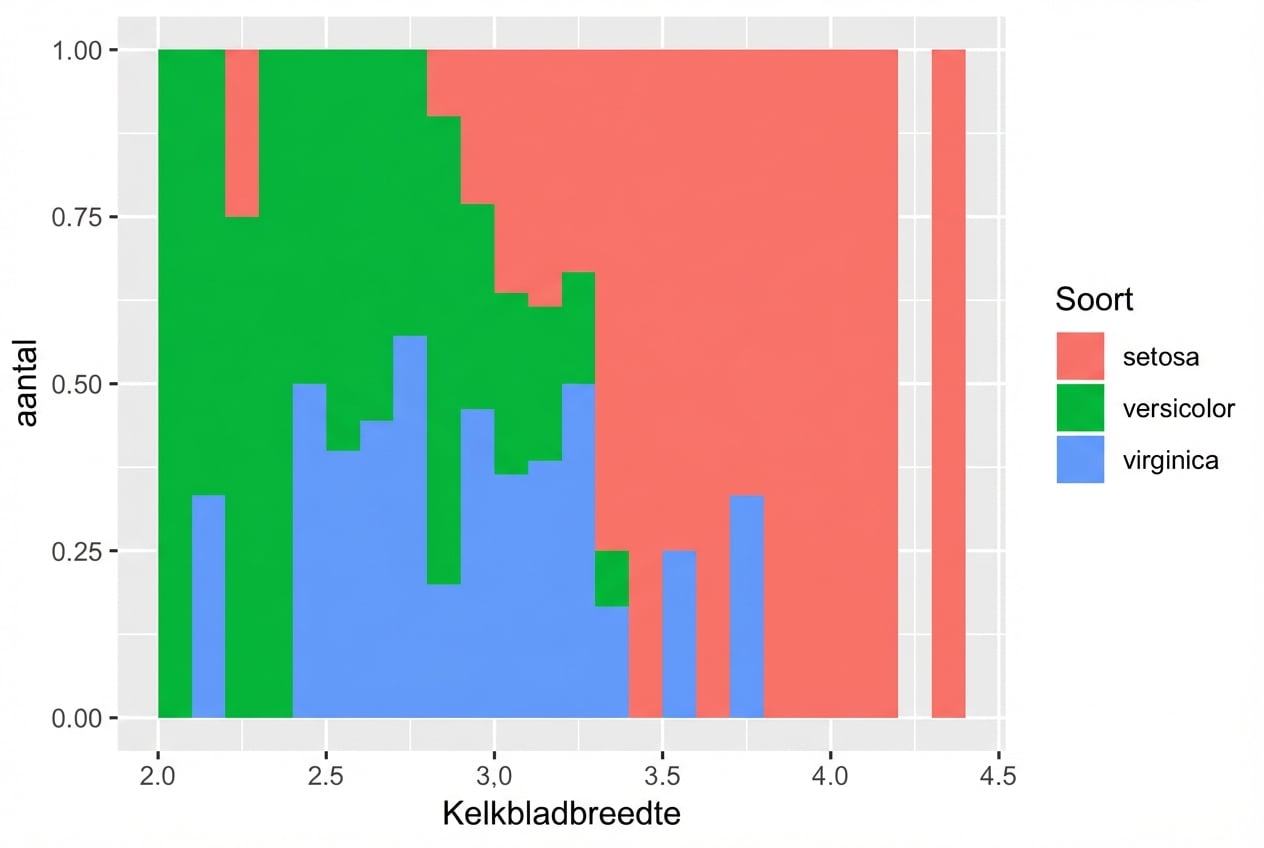
position = "fill"

ggplot(iris, aes(x = Sepal.Width, 
                 fill = Species)) + 
  geom_histogram(binwidth = .1, 
                 center = 0.05, 
                 position = "fill")  

Introductie tot datavisualisatie met ggplot2

Laatste slide

Introductie tot datavisualisatie met ggplot2

Preparing Video For Download...