Kwantitatieve vergelijkingen: scatterplots

Introductie tot datavisualisatie met Matplotlib

Ariel Rokem

Data Scientist

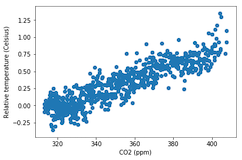
Introductie tot scatterplots

fig, ax = plt.subplots()

ax.scatter(climate_change["co2"], climate_change["relative_temp"])
ax.set_xlabel("CO2 (ppm)") ax.set_ylabel("Relatieve temperatuur (Celsius)") plt.show()
Introductie tot datavisualisatie met Matplotlib

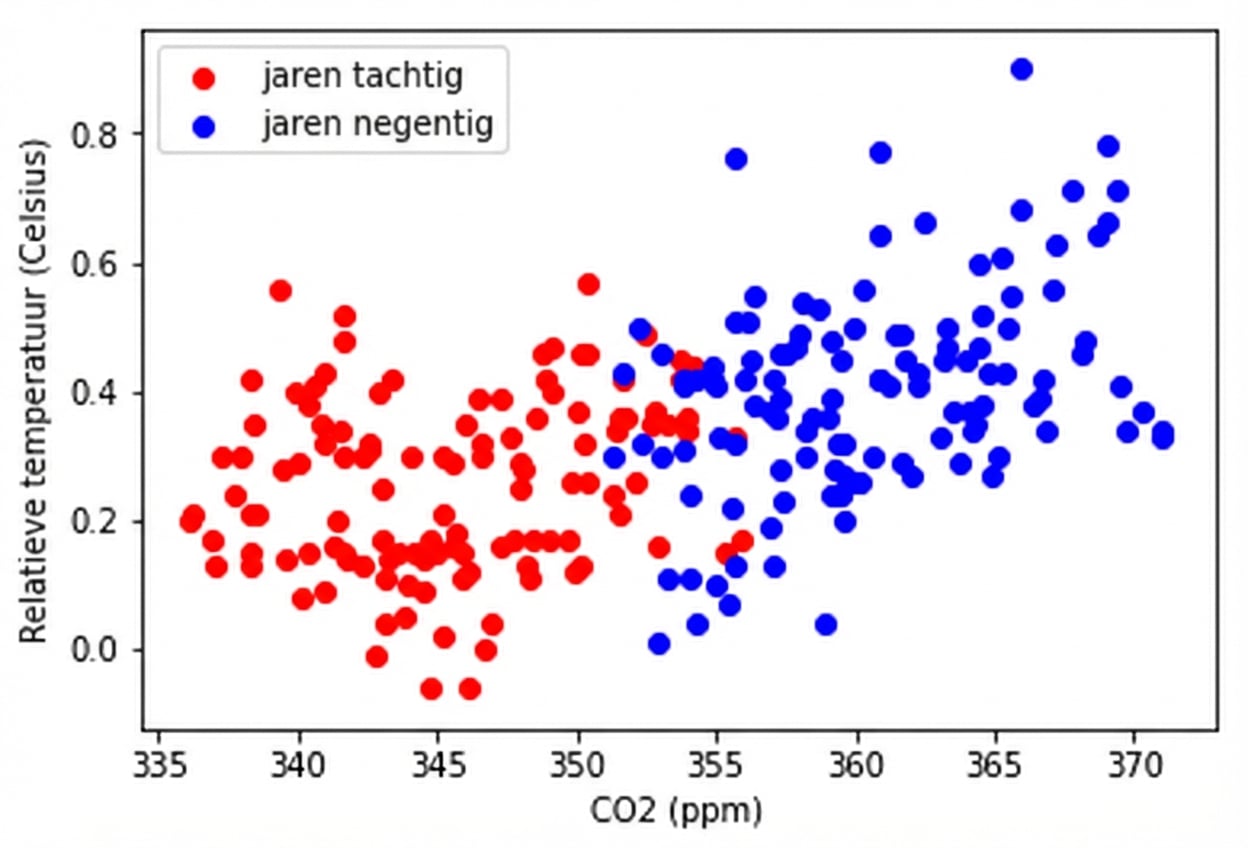
Scatterplots aanpassen

eighties = climate_change["1980-01-01":"1989-12-31"]
nineties = climate_change["1990-01-01":"1999-12-31"]

fig, ax = plt.subplots()
ax.scatter(eighties["co2"], eighties["relative_temp"], color="red", label="eighties")
ax.scatter(nineties["co2"], nineties["relative_temp"], color="blue", label="nineties")
ax.legend() ax.set_xlabel("CO2 (ppm)") ax.set_ylabel("Relatieve temperatuur (Celsius)") plt.show()
Introductie tot datavisualisatie met Matplotlib

Vergelijking coderen met kleur

Introductie tot datavisualisatie met Matplotlib

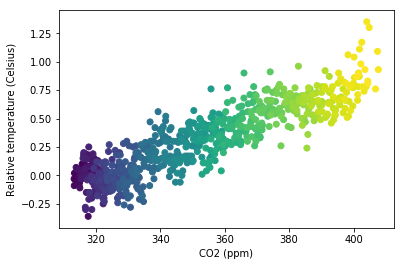
Een derde variabele coderen met kleur

fig, ax = plt.subplots()

ax.scatter(climate_change["co2"], climate_change["relative_temp"], c=climate_change.index)
ax.set_xlabel("CO2 (ppm)") ax.set_ylabel("Relatieve temperatuur (Celsius)") plt.show()
Introductie tot datavisualisatie met Matplotlib

Tijd coderen in kleur

Introductie tot datavisualisatie met Matplotlib

Maak zelf scatterplots!

Introductie tot datavisualisatie met Matplotlib

Preparing Video For Download...