Je eigen Docker-images maken
Introductie tot Docker

Tim Sangster
Software Engineer @ DataCamp
Images maken met Dockerfiles
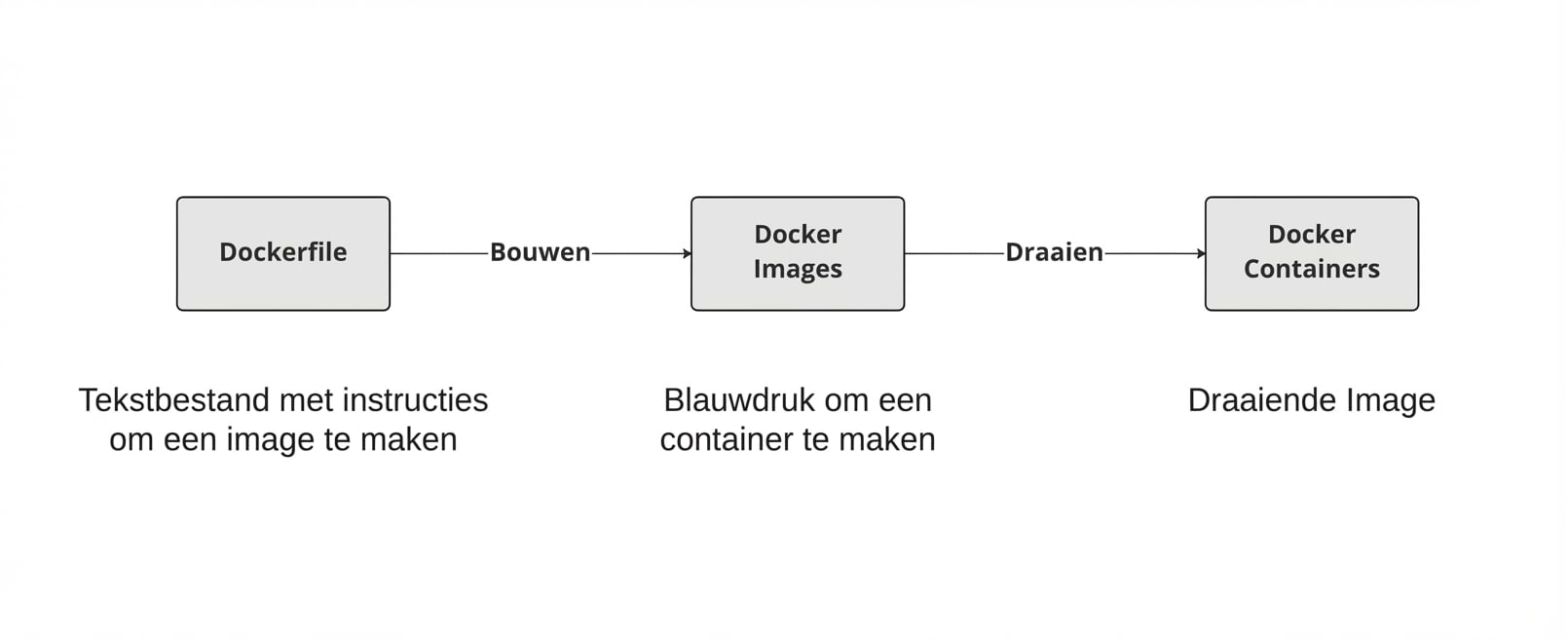
Starten met een Dockerfile
Een Dockerfile start altijd vanaf een andere image, opgegeven met de FROM-instructie.
FROM postgres
FROM ubuntu
FROM hello-world
FROM my-custom-data-pipeline
FROM postgres:15.0
FROM ubuntu:22.04
FROM hello-world:latest
FROM my-custom-data-pipeline:v1
Een Dockerfile bouwen
Een Dockerfile bouwen maakt een image.
docker build /location/to/Dockerfile
docker build .
[+] Building 0.1s (5/5) FINISHED
 => [internal] load build definition from Dockerfile
 => => transferring dockerfile: 54B
...
 => CACHED [1/1] FROM docker.io/library/ubuntu
 => exporting to image
 => => exporting layers
 => => writing image sha256:a67f41b1d127160a7647b6709b3789b1e954710d96df39ccaa21..
Onze image een naam geven
In de praktijk geven we onze images bijna altijd een naam met de vlag -t:
docker build -t first_image .
...
=> => writing image sha256:a67f41b1d127160a7647b6709b3789b1e954710d96df39ccaa21..
=> => naming to docker.io/library/first_image
docker build -t first_image:v0 .
=> => writing image sha256:a67f41b1d127160a7647b6709b3789b1e954710d96df39ccaa21..
=> => naming to docker.io/library/first_image:v0
Images aanpassen
RUN <valid-shell-command>
FROM ubuntu
RUN apt-get update
RUN apt-get install -y python3
Gebruik de vlag -y om prompts te vermijden:
...
After this operation, 22.8 MB of additional disk space will be used.
Do you want to continue? [Y/n]
Een niet-triviale Dockerfile bouwen
Bij het bouwen voert Docker echt commando’s uit na RUN
Docker dat RUN apt-get update draait, kost evenveel tijd als wanneer wij dat doen!
root@host:/# apt-get update
Get:1 http://ports.ubuntu.com/ubuntu-ports jammy InRelease [270 kB]
...
Get:17 http://ports.ubuntu.com/ubuntu-ports jammy-security/restricted arm64 Pack..
Fetched 23.0 MB in 2s (12.3 MB/s)
Reading package lists... Done
Samenvatting
| Gebruik | Dockerfile-instructie |
|---|---|
| Start een Dockerfile vanaf een image | FROM <image-name> |
| Voeg een shell-commando toe aan image | RUN <valid-shell-command> |
| Zorg dat geen invoer nodig is voor het commando. | RUN apt-get install -y python3 |
| Gebruik | Shell-commando |
|---|---|
| Image bouwen vanuit Dockerfile | docker build /location/to/Dockerfile |
| Image bouwen in huidige map | docker build . |
| Een naam kiezen bij het bouwen | docker build -t first_image . |
Laten we oefenen!
Introductie tot Docker

