Personal access tokens (PAT)

Introductie tot GitHub-concepten

George Boorman

Curriculum Manager, DataCamp

Authenticatie

  • Je kunt Git in de terminal gebruiken om met GitHub te werken
git clone https://github.com/george-boorman/bank_marketing
Username for 'https://github.com': george-boorman
Password for 'https://[email protected]':
Introductie tot GitHub-concepten

Authenticatie mislukt


remote: Support voor wachtwoordauthenticatie is verwijderd op 13 augustus 2021.
remote: Zie https://docs.github.com/en/get-started/getting-started-with-git/about-remote-
repositories#cloning-with-https-urls voor de momenteel aanbevolen manieren van authenticatie.
fatal: Authenticatie mislukt voor 'https://github.com/george-boorman/bank_marketing/'
Introductie tot GitHub-concepten

GitHub Docs

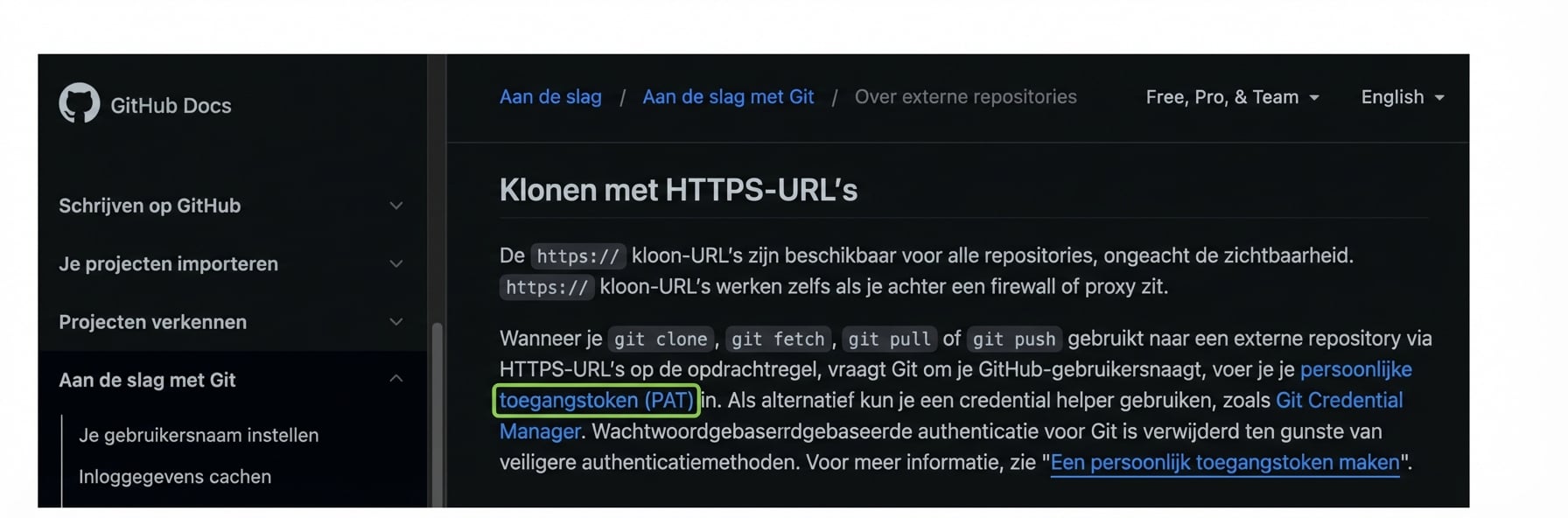
GitHub Docs-pagina met instructies om een personal access token (PAT) te gebruiken bij git clone, fetch, pull of push naar een externe repository.

1 https://docs.github.com/en/get-started/getting-started-with-git/about-remote-repositories#cloning-with-https-urls
Introductie tot GitHub-concepten

Wat is een personal access token?

  • Personal access token (PAT)

    • Alternatief voor wachtwoorden in de terminal
    • Sinds aug 2021 verplicht i.p.v. wachtwoorden
    • Veiliger
  • Niet nodig op GitHub

    • Alleen nodig om via de terminal een remote repo te benaderen
1 https://docs.github.com/en/authentication/keeping-your-account-and-data-secure/creating-a-personal-access-token
Introductie tot GitHub-concepten

Een PAT maken

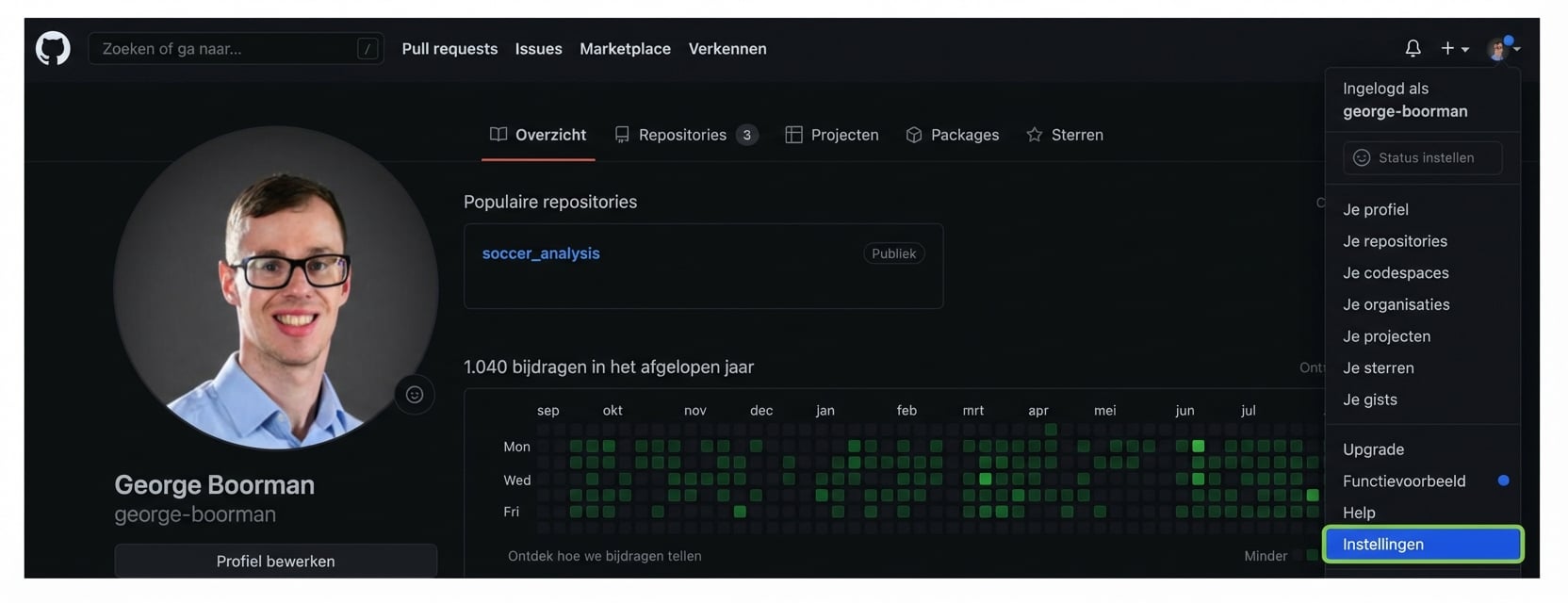
sectie Instellingen openen via je profielpagina

Introductie tot GitHub-concepten

Een PAT maken

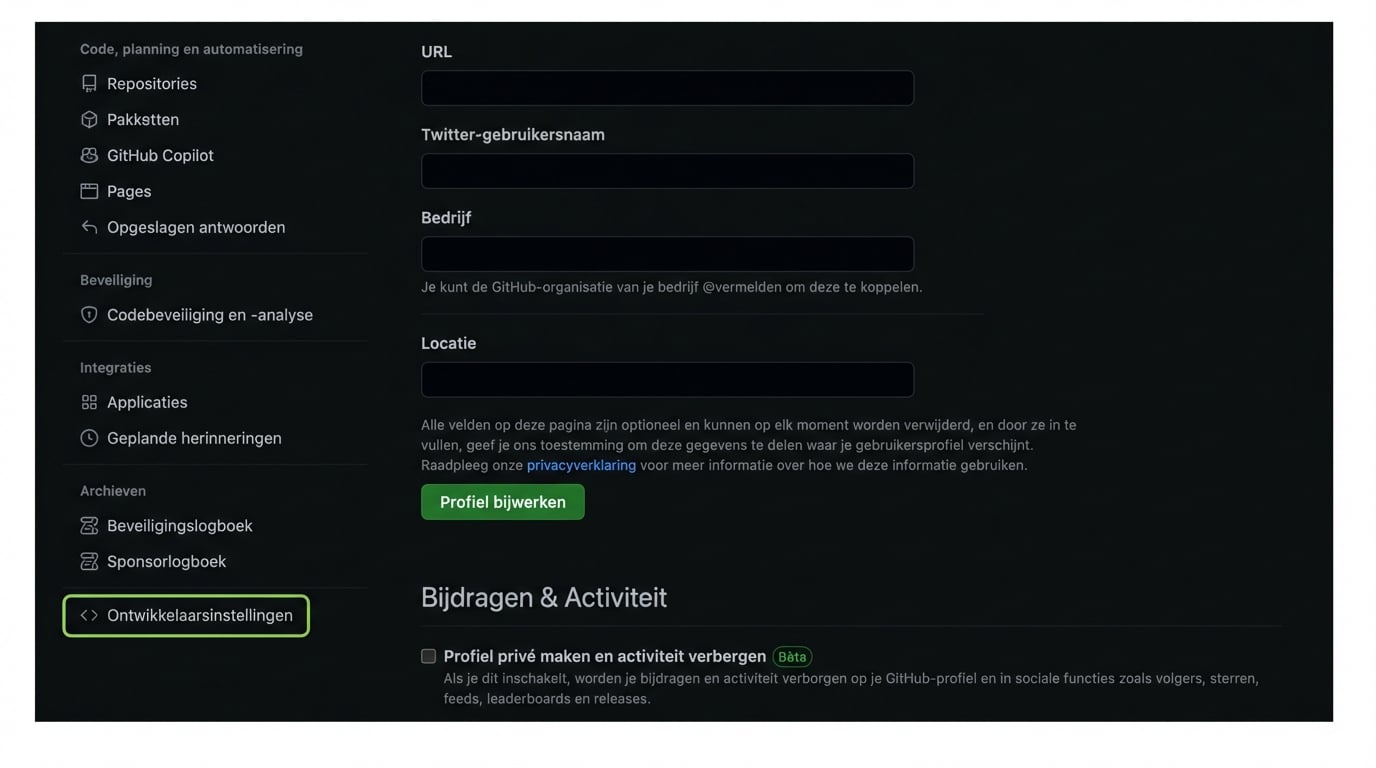
Ontwikkelaarsinstellingen op de pagina Instellingen

Introductie tot GitHub-concepten

Een PAT maken

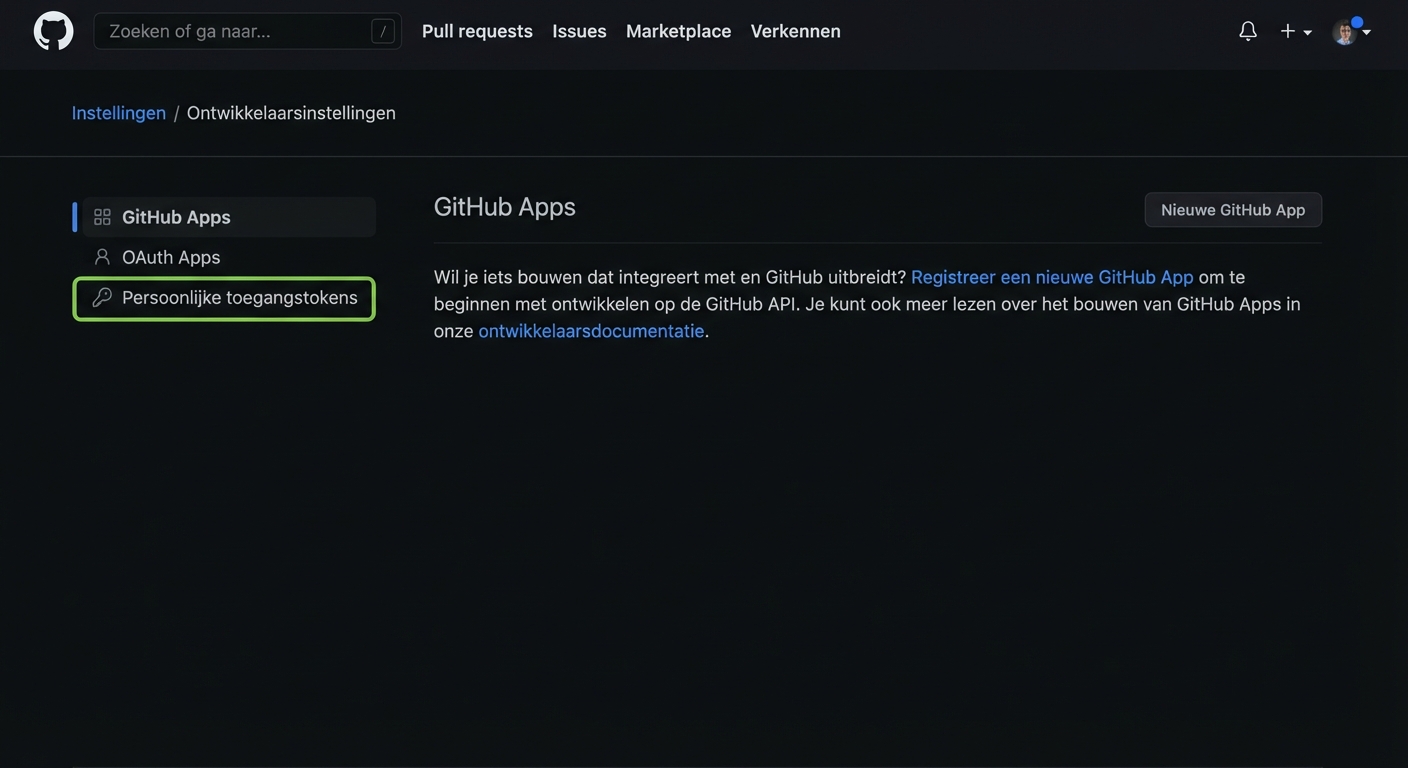
Pagina Ontwikkelaarsinstellingen met drie opties: GitHub Apps, OAuth Apps en Personal access tokens

Introductie tot GitHub-concepten

Een PAT maken

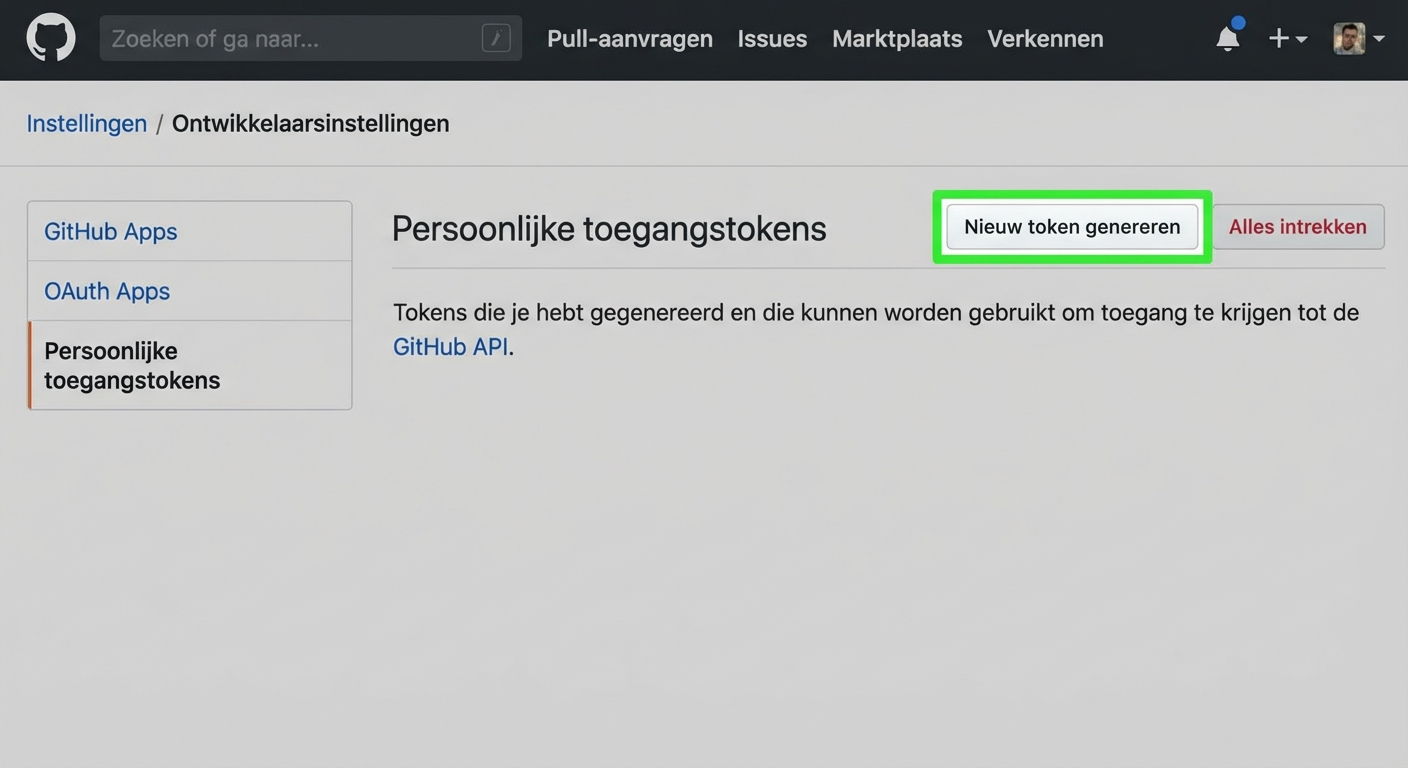
Sectie Personal access tokens met een knop Generate new token

Introductie tot GitHub-concepten

Een PAT maken

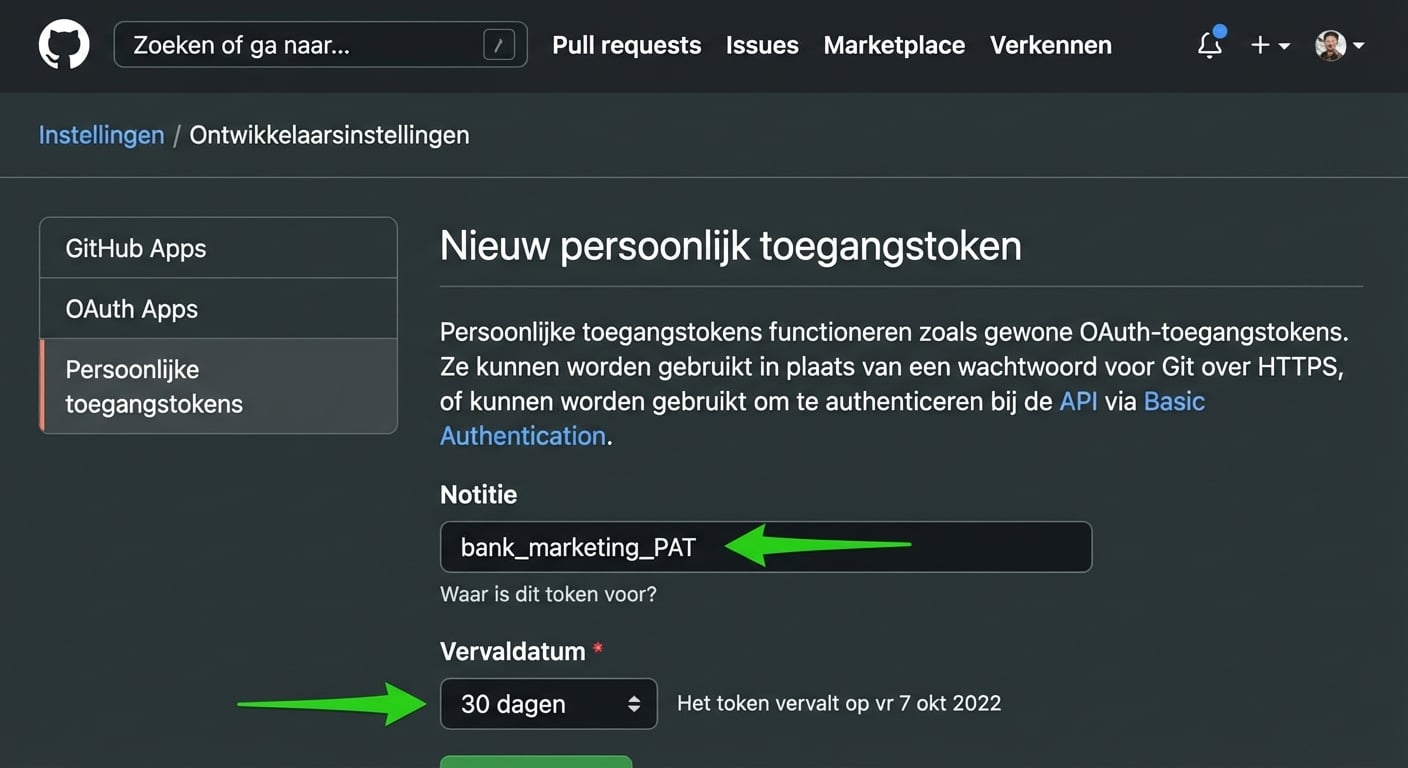
Secties Note en Expiration van de nieuwe PAT

Introductie tot GitHub-concepten

Een PAT maken

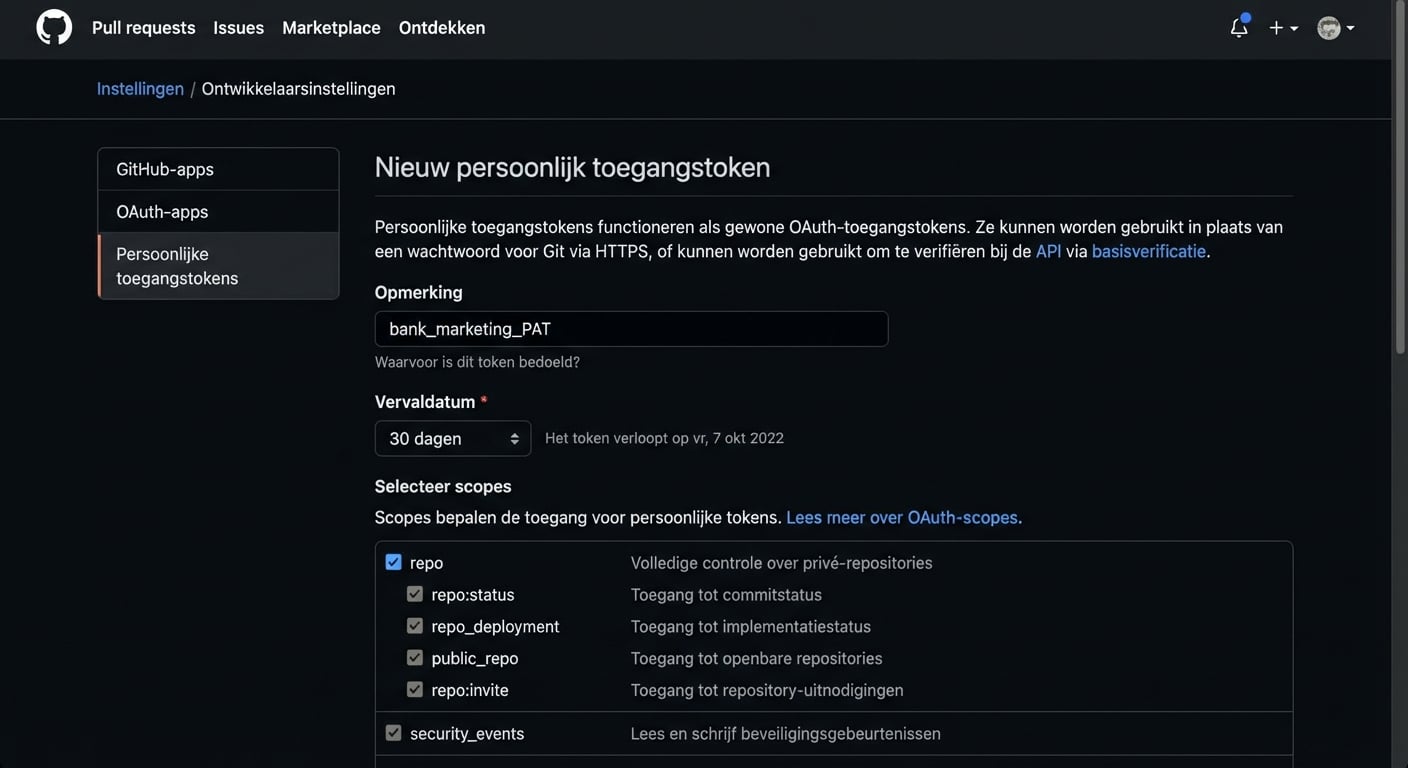
Het selectievakje voor repo-toegang aanvinken

Introductie tot GitHub-concepten

Een PAT maken

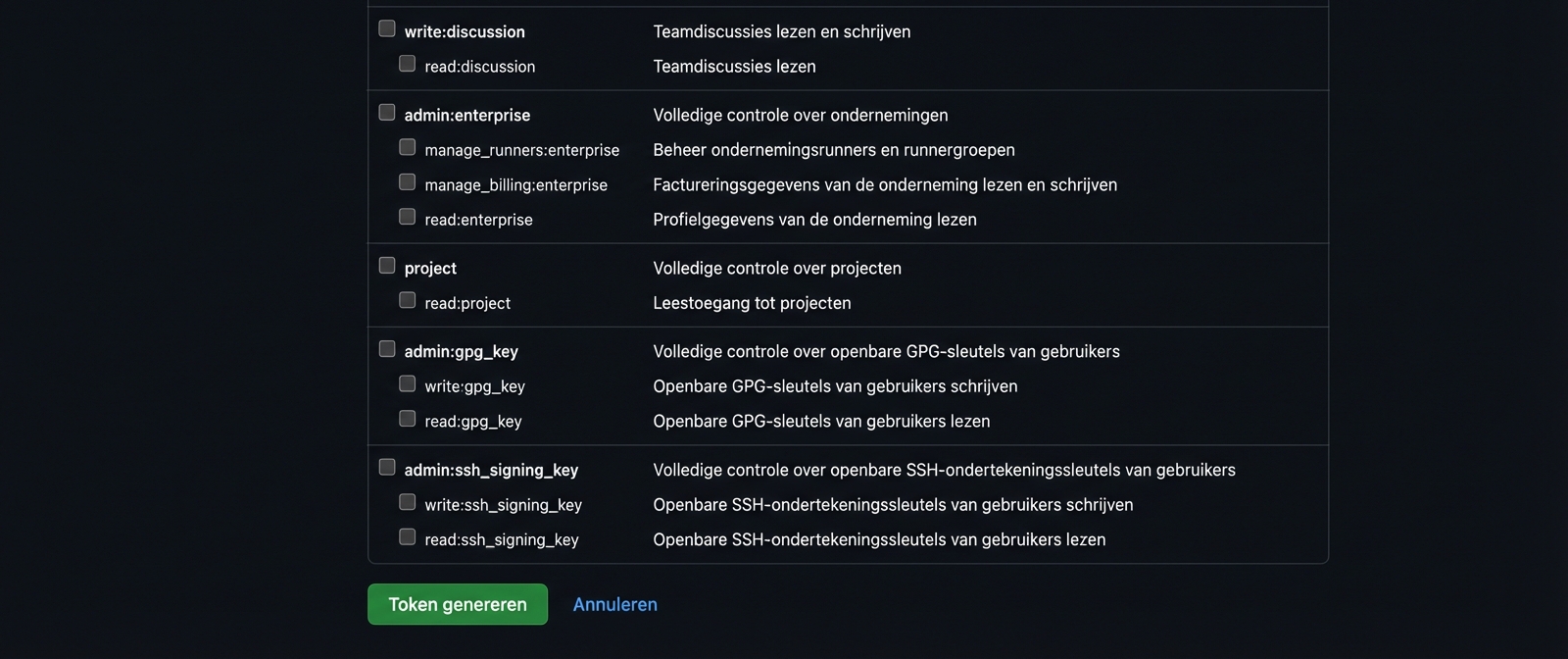
Knop Generate token

Introductie tot GitHub-concepten

De PAT gebruiken

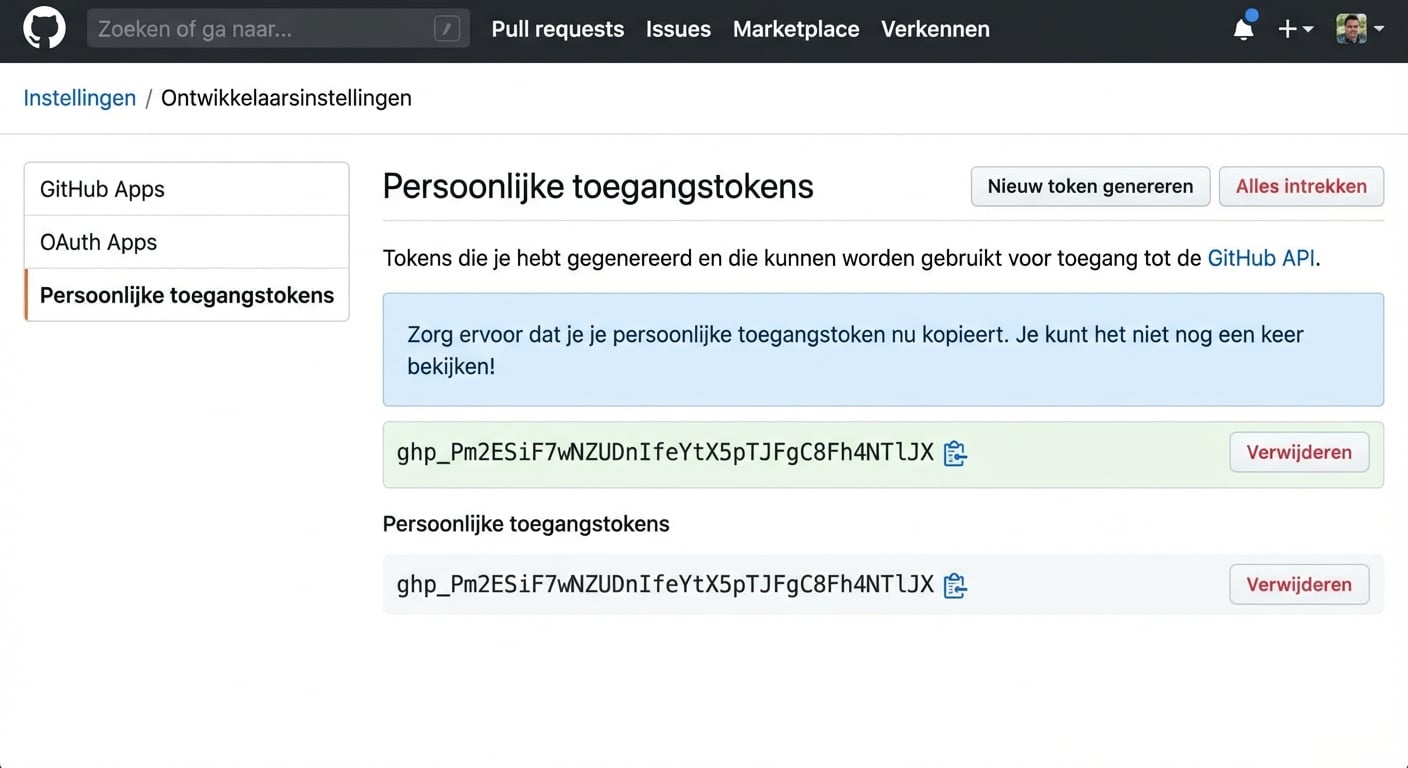
PAT weergegeven als een mix van letters en cijfers die je kunt kopiëren

Introductie tot GitHub-concepten

De PAT gebruiken

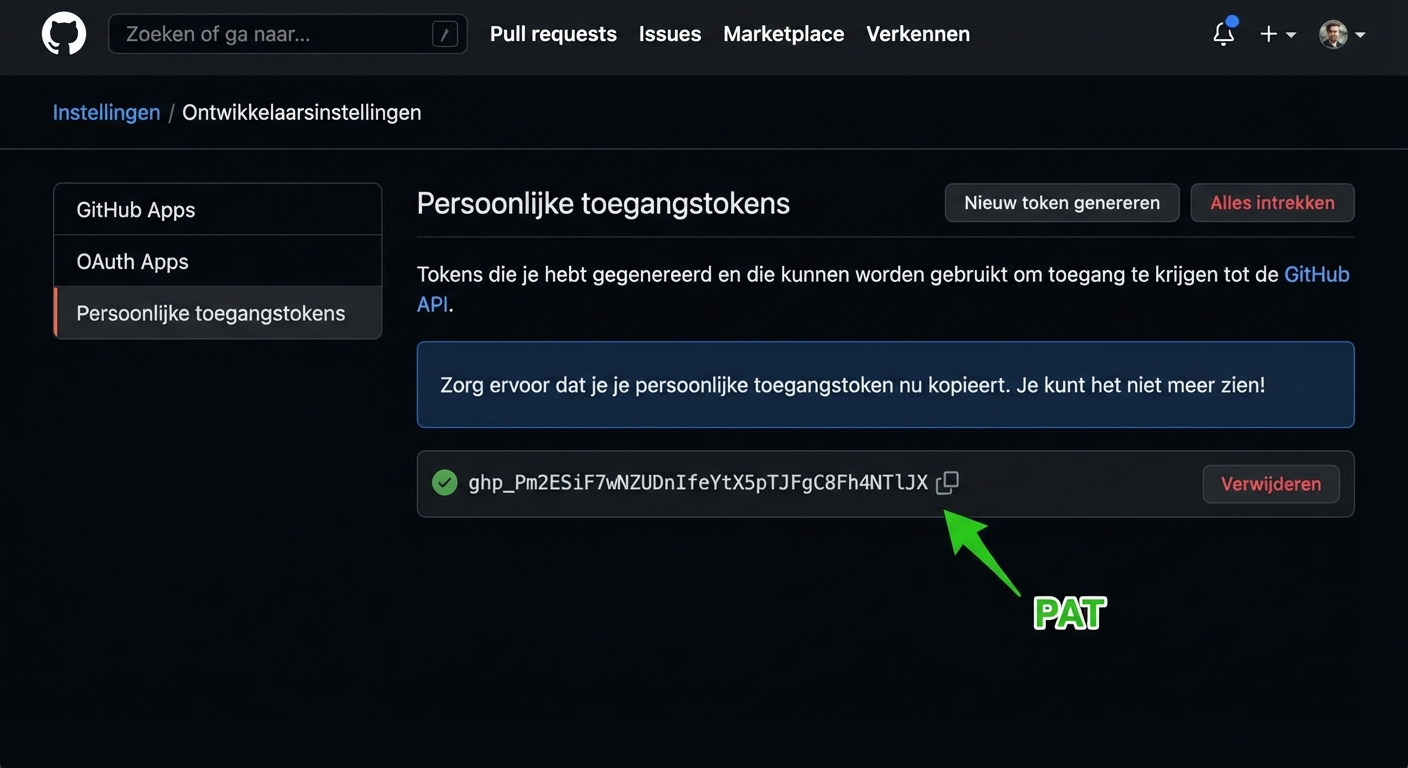
PAT gemarkeerd als een mix van letters en cijfers die je kunt kopiëren

  • Deel nooit een PAT!
Introductie tot GitHub-concepten

De PAT gebruiken

git clone https://github.com/george-boorman/bank_marketing
Cloning into 'bank_marketing'...
Username for 'https://github.com': george-boorman
Password for 'https://[email protected]':
remote: Enumerating objects: 3, done.
remote: Counting objects: 100% (3/3), done.
remote: Total 3 (delta 0), reused 0 (delta 0), pack-reused 0
ls
bank_marketing
Introductie tot GitHub-concepten

Laten we oefenen!

Introductie tot GitHub-concepten

Preparing Video For Download...