SLA’s en rapportage in Airflow

Introductie tot Apache Airflow in Python

Mike Metzger

Data Engineer

SLA’s

Wat is een SLA?

  • SLA staat voor Service Level Agreement
  • In Airflow: de tijd die een taak of DAG hoort te duren
  • Een SLA Miss is wanneer taak/DAG de verwachte tijd overschrijdt
  • Bij een gemiste SLA wordt een e-mail verzonden en een log opgeslagen
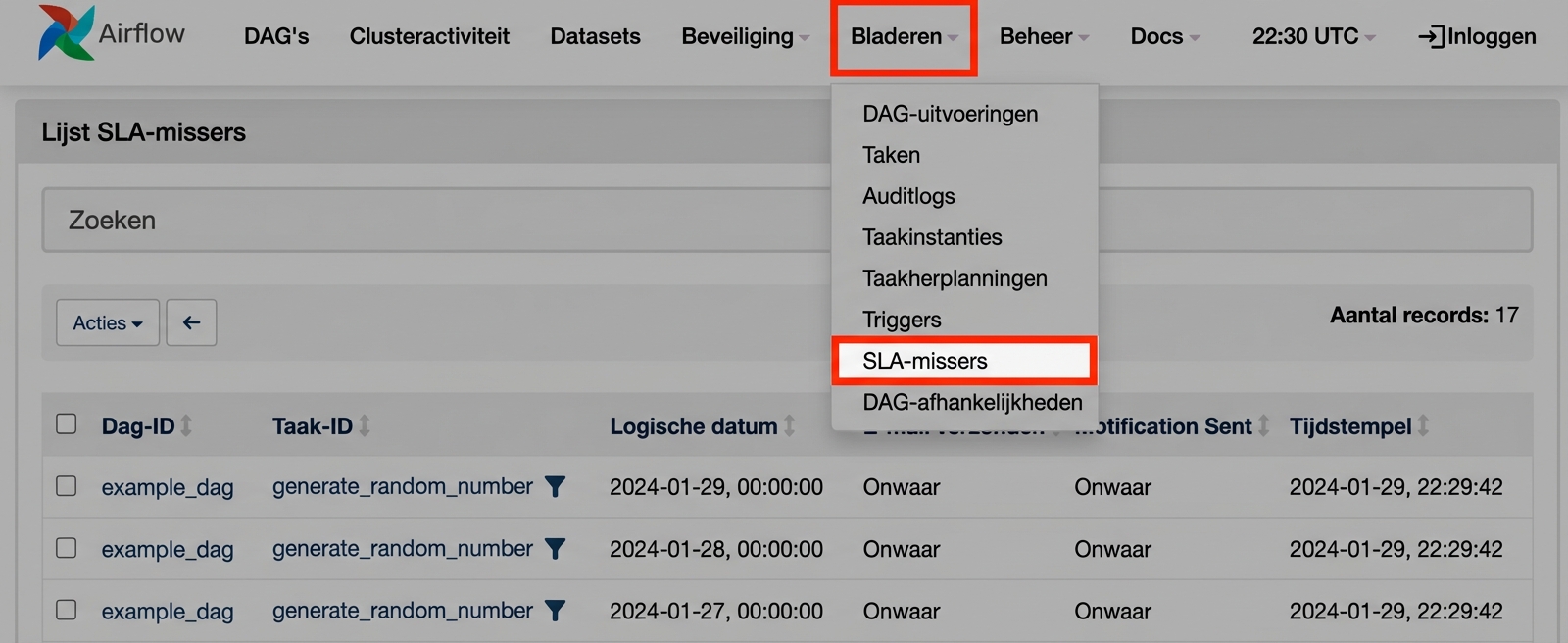
  • Je ziet SLA-misses in de web-UI
Introductie tot Apache Airflow in Python

SLA Misses

  • Te vinden onder Browse: SLA Misses

Weergave SLA Misses

Introductie tot Apache Airflow in Python

SLA’s definiëren

  • Met het argument 'sla' op de taak

    task1 = BashOperator(task_id='sla_task', 
                       bash_command='runcode.sh',
                       sla=timedelta(seconds=30),
                       dag=dag)
    
  • In de default_args-dictionary

    default_args={
     'sla': timedelta(minutes=20),
     'start_date': datetime(2023,2,20)
    }
    dag = DAG('sla_dag', default_args=default_args)
    
Introductie tot Apache Airflow in Python

timedelta-object

  • In de datetime-bibliotheek
  • Te importeren via from datetime import timedelta
  • Neemt dagen, seconden, minuten, uren en weken als argumenten
    timedelta(seconds=30)
    timedelta(weeks=2)
    timedelta(days=4, hours=10, minutes=20, seconds=30)
    
Introductie tot Apache Airflow in Python

Algemene rapportage

  • Opties voor success / failure / error
  • Keys in de default_args-dictionary
default_args={
  'email': ['[email protected]'],
  'email_on_failure': True,
  'email_on_retry': False,
  'email_on_success': True,
  ...
}
  • Binnen DAG’s via de EmailOperator
Introductie tot Apache Airflow in Python

Laten we oefenen!

Introductie tot Apache Airflow in Python

Preparing Video For Download...