Werken met gestructureerde data

Introductie tot API's in Python

Chris Ramakers

Engineering manager

Complexe datastructuren

Lyric API-respons
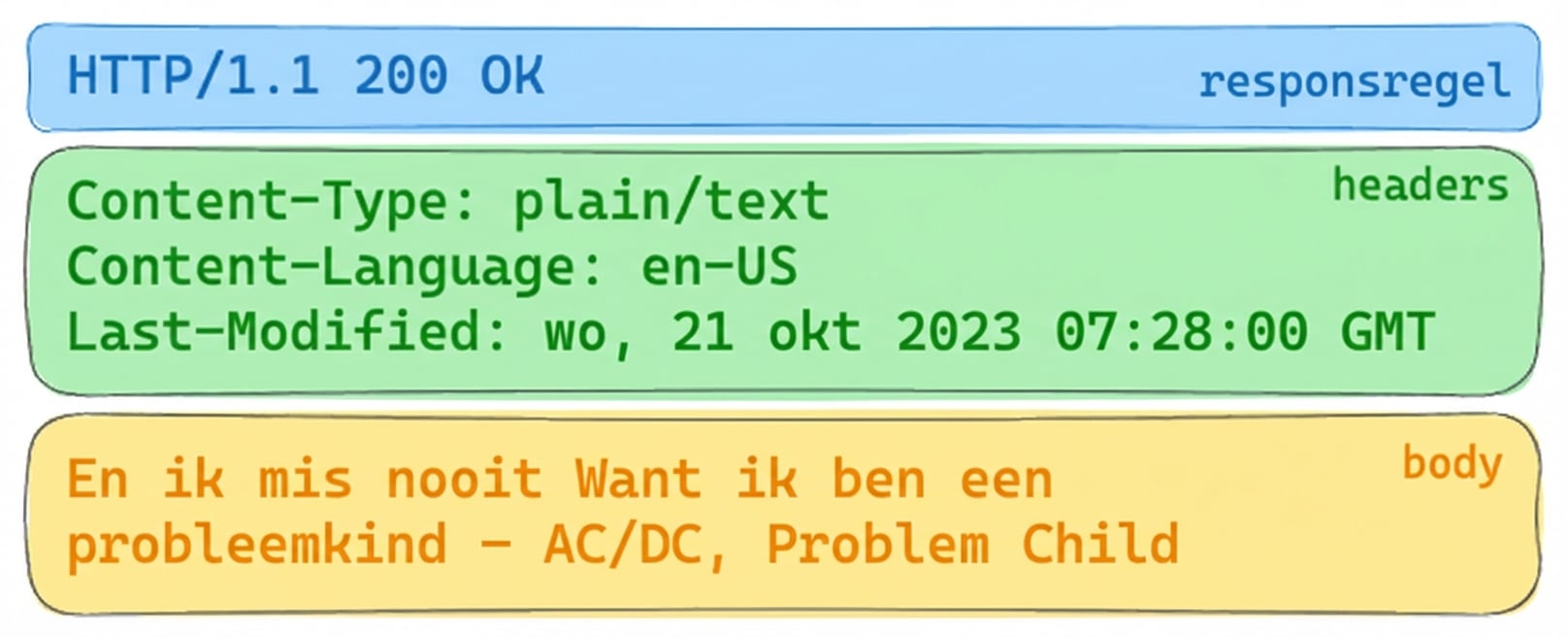
Lyric API-respons met HTTP 200 OK. Headers: Content-Type: plain/text, Content-Language: en-US, Last-Modified: Wed, 21 Oct 2023. Body: songtekst van "Problem Child" van AC/DC.

Album API-respons

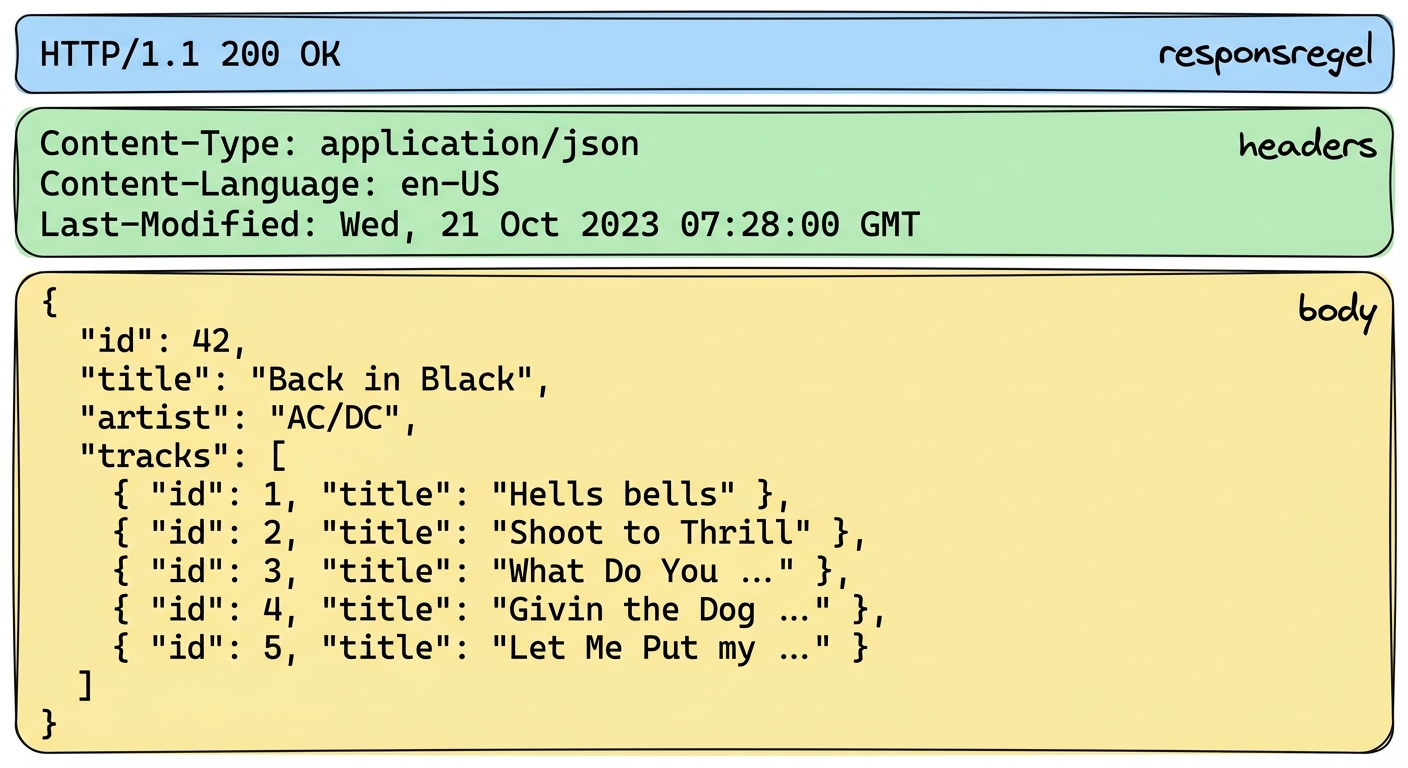
Album API-respons met HTTP 200 OK. Headers geven JSON-inhoud aan. De body bevat albumdetails voor "Back in Black" van AC/DC, met tracktitels.

Introductie tot API's in Python

Complexe datastructuren: JSON

  • JSON
    • JavaScript Object Notation
    • Breed ondersteund
    • Leesbaar voor mensen & bruikbaar voor machines
  • Content-type, mime-type of media-type
  • Andere formaten
    • XML
    • CSV
    • YAML

Album API-respons

Album API-respons met HTTP 200 OK. Headers geven JSON-inhoud aan. De body bevat albumdetails voor "Back in Black" van AC/DC, met tracktitels.

Introductie tot API's in Python

Van Python naar JSON en terug

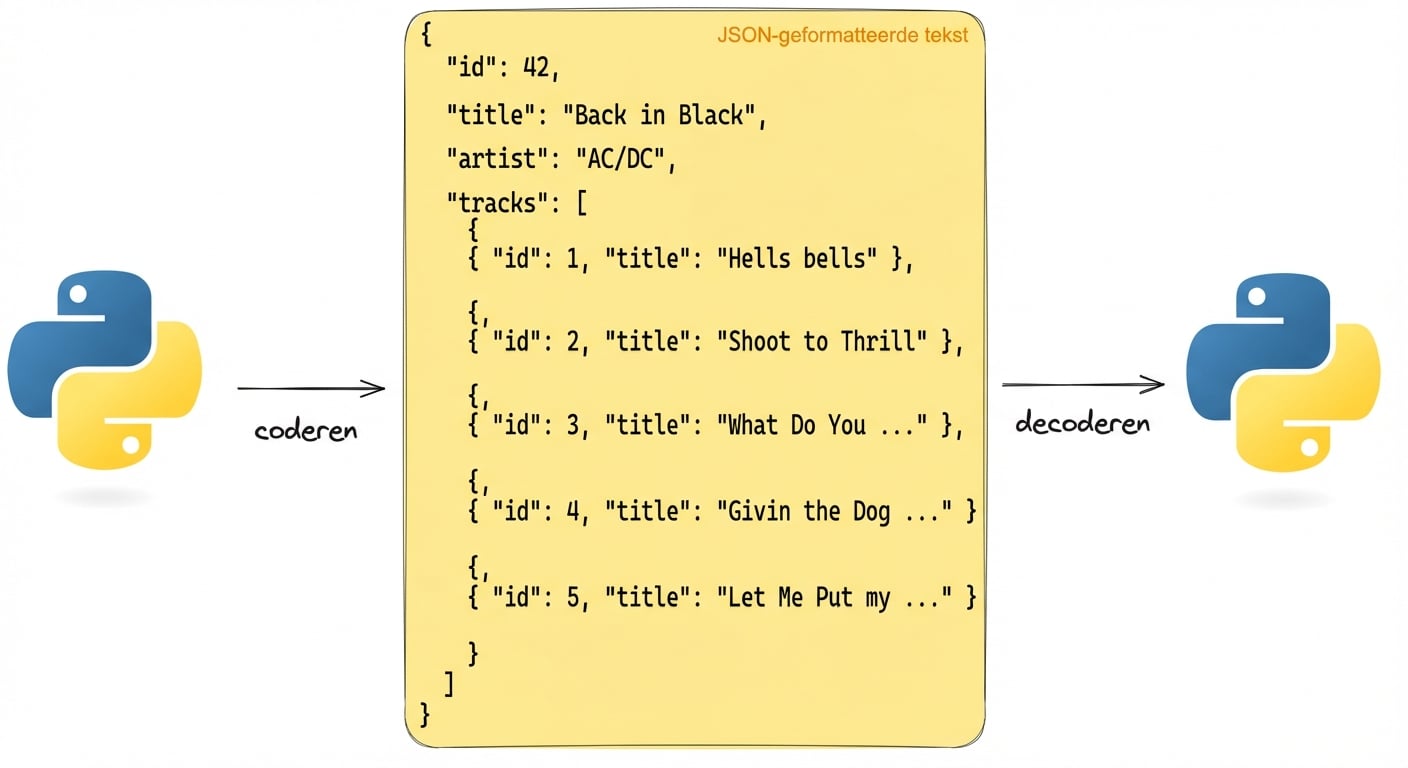
  Een visuele weergave van het encoderen en decoderen van JSON-tekst met Python. De JSON bevat albumdetails voor "Back in Black" van AC/DC.

import json
album =  {'id': 42, 'title':"Back in Black"}
string = json.dumps(album) # Encodeert een Python-object naar een JSON-string
album = json.loads(string) # Decodeert een JSON-string naar een Python-object
Introductie tot API's in Python

JSON-data opvragen

# GET-request zonder headers
response = requests.get('http://api.music-catalog.com/lyrics')
print(response.text)
N' I never miss Cause I'm a problem child - AC/DC, Problem Child
# GET-request met een Accept-header
response = requests.get('http://api.music-catalog.com/lyrics', headers={'accept': 'application/json'})

# Print de JSON-tekst
print(response.text)

# Decodeer naar een Python-object data = response.json() print(data['artist'])
{'artist': 'AC/DC', 'lyric': "N' I never miss Cause I'm a problem child", 'track': 'Problem Child'}

AC/DC
Introductie tot API's in Python

JSON-data verzenden

import requests
playlist = {"name": "Road trip", "genre":"rock", "private":"true"}

# Voeg de afspeellijst toe via het `json`-argument 
response = requests.post("http://api.music-catalog.com/playlists", json=playlist)
# Haal het request-object op
request = response.request

# Print de content-type header van het request
print(request.headers['content-type'])
application/json
Introductie tot API's in Python

Laten we oefenen!

Introductie tot API's in Python

Preparing Video For Download...