Kennismaken met arrays

Introductie tot NumPy

Izzy Weber

Core Curriculum Manager, DataCamp

NumPy en het Python-ecosysteem
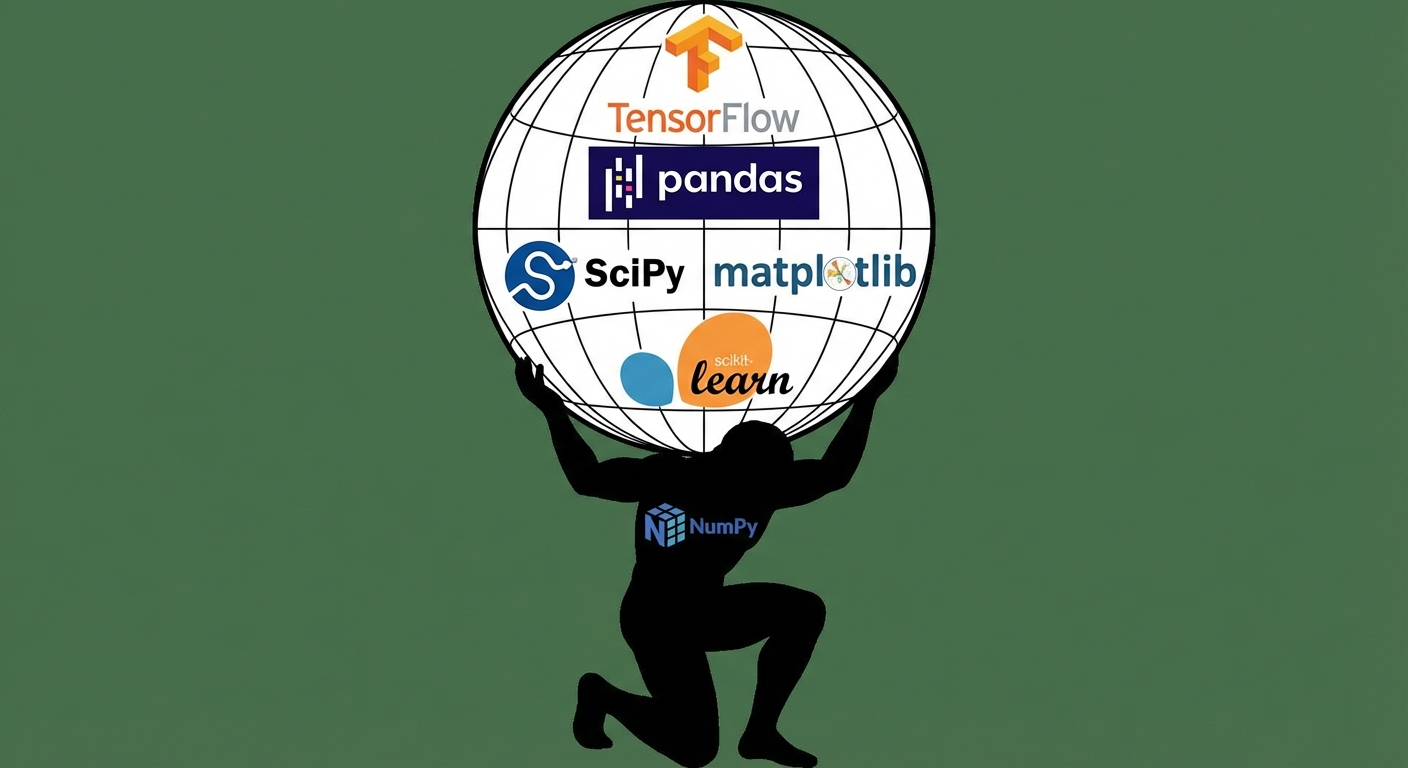
Een afbeelding van Atlas die de wereldbol draagt, gestileerd als NumPy omdat NumPy de Python-wereld ondersteunt

Introductie tot NumPy

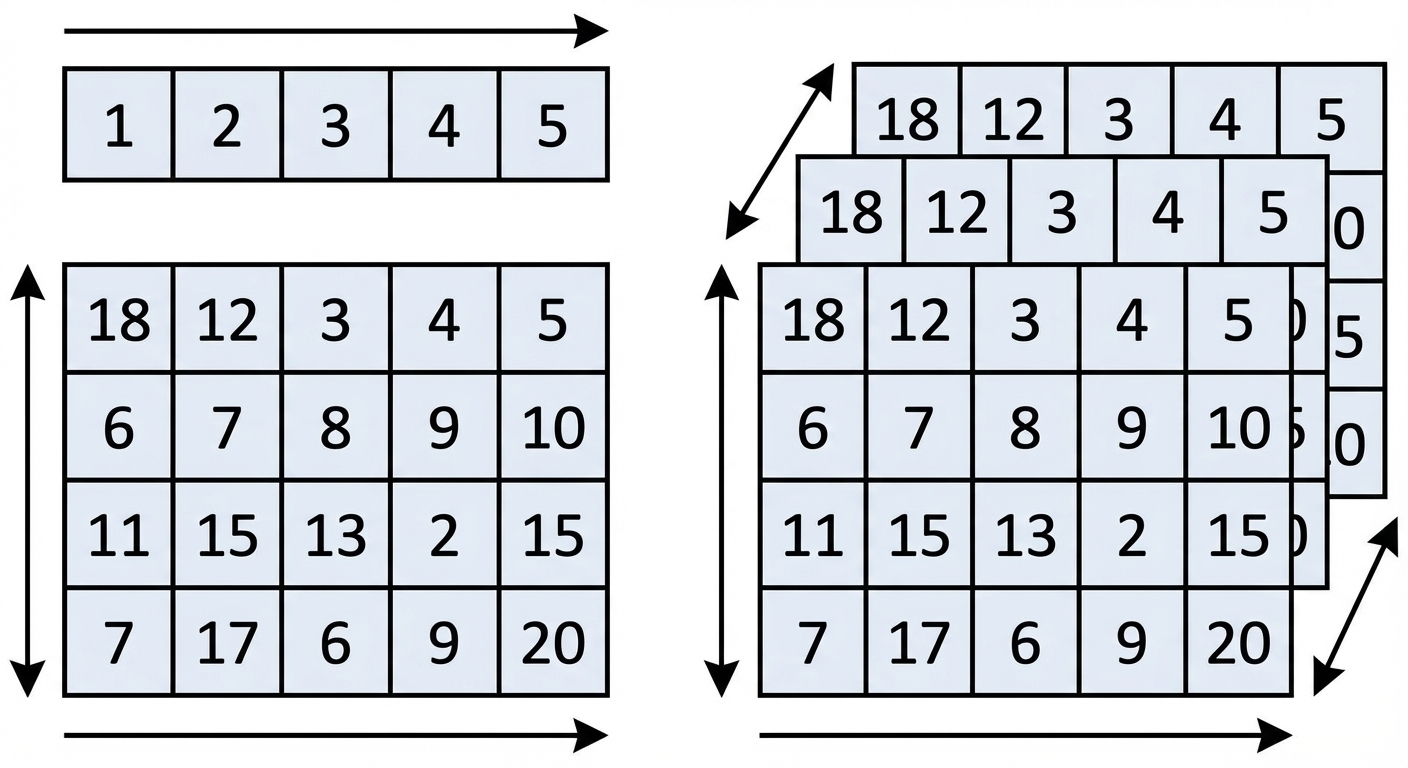
NumPy-arrays


afbeeldingen van 1D-, 2D- en 3D-arrays

Introductie tot NumPy

NumPy importeren


import numpy as np
Introductie tot NumPy

1D-arrays maken uit lijsten

python_list = [3, 2, 5, 8, 4, 9, 7, 6, 1]
array = np.array(python_list)
array
array([3, 2, 5, 8, 4, 9, 7, 6, 1])


type(array)
numpy.ndarray
Introductie tot NumPy

2D-arrays maken uit lijsten

python_list_of_lists = [[3, 2, 5],
                        [9, 7, 1],
                        [4, 3, 6]]
np.array(python_list_of_lists)
array([[3, 2, 5],
       [9, 7, 1],
       [4, 3, 6]])
Introductie tot NumPy

Python-lijsten

  • Kunnen veel verschillende datatypes bevatten
python_list = ["beep", False, 56, .945, [3, 2, 5]]


NumPy-arrays

  • Bevatten maar één datatype
  • Gebruiken minder geheugen
numpy_boolean_array = [[True, False], [True, True], [False, True]]

numpy_float_array = [1.9, 5.4, 8.8, 3.6, 3.2]
Introductie tot NumPy

Arrays maken from scratch


Er zijn veel NumPy-functies om arrays from scratch te maken, zoals:

  • np.zeros()
  • np.random.random()
  • np.arange()
Introductie tot NumPy

Arrays maken: np.zeros()

np.zeros((5, 3))
array([[0., 0., 0.],
       [0., 0., 0.],
       [0., 0., 0.],
       [0., 0., 0.],
       [0., 0., 0.]])
Introductie tot NumPy

Arrays maken: np.random.random()

np.random.random((2, 4))
array([[0.88524516, 0.85641352, 0.33463107, 0.53337117],
       [0.69933362, 0.09295327, 0.93616428, 0.03601592]])
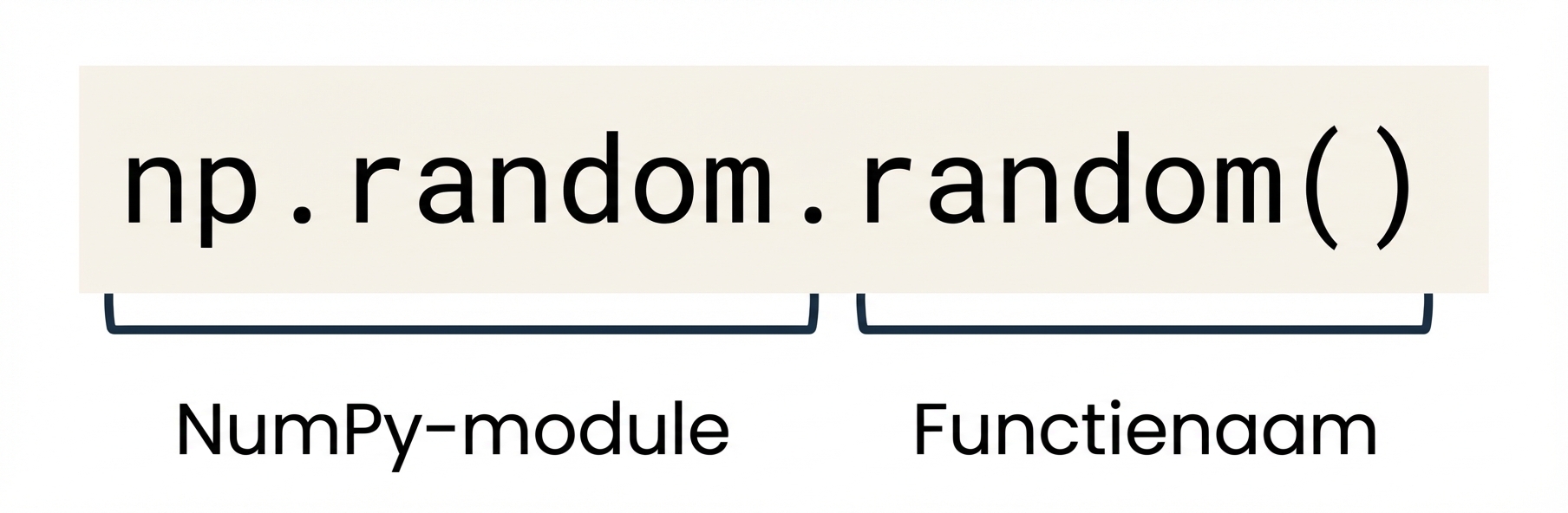
 

np.random is een NumPy-module en np.random.random() is een functie binnen np.random

Introductie tot NumPy

Arrays maken met np.arange()

np.arange(-3, 4)
array([-3, -2, -1,  0,  1,  2,  3])
np.arange(4)
array([0, 1, 2, 3])
np.arange(-3, 4, 3)
array([-3,  0,  3])
from matplotlib import pyplot as plt
plt.scatter(np.arange(0, 7),
            np.arange(-3, 4))
plt.show()
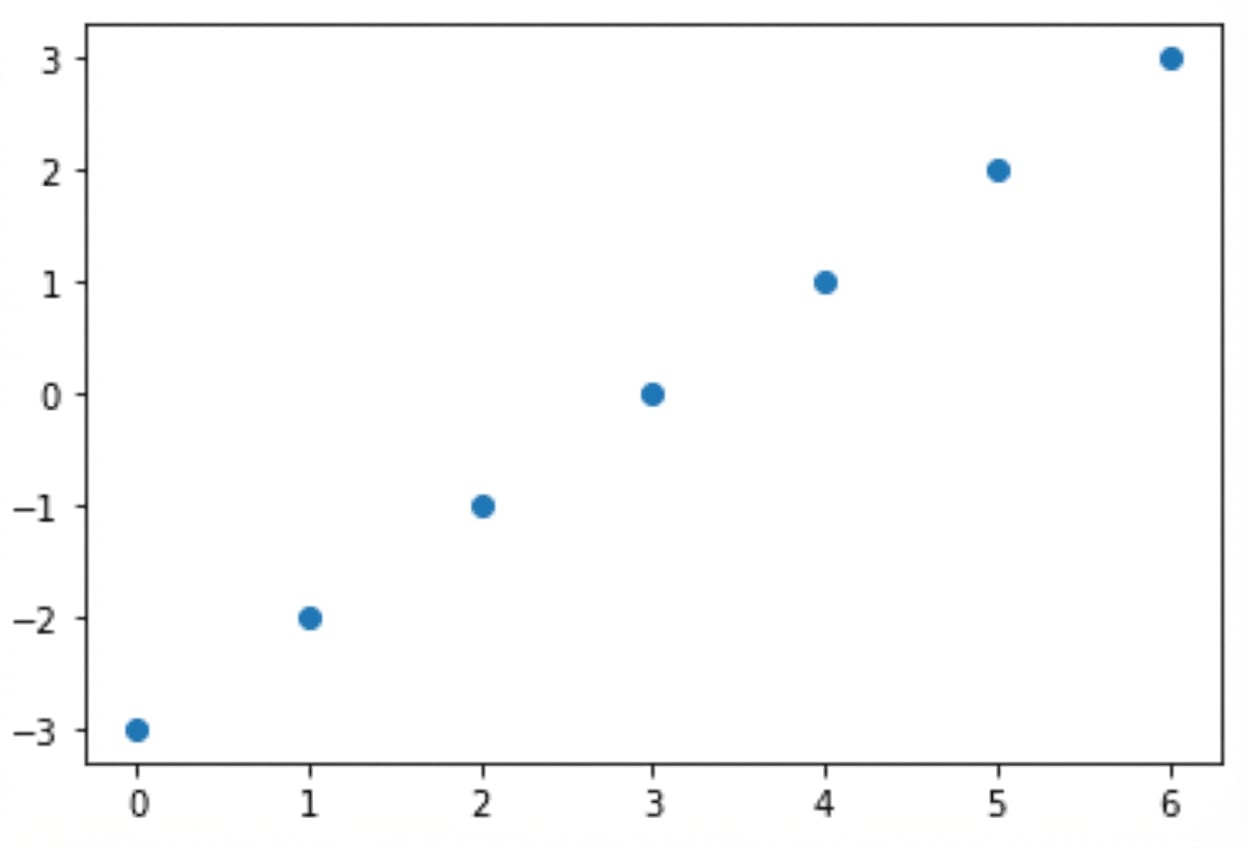
Een plot met twee range-arrays op de X- en Y-as

Introductie tot NumPy

Laten we oefenen!

Introductie tot NumPy

Preparing Video For Download...