Til je opzoekvaardigheden naar een hoger niveau!
Geavanceerde Excel-functies

Agata Bak-Geerinck
Product Owner Data, Telenet
Van Excel naar het leiden van een datateam!


De kracht van LOOKUP-functies
Eerder op DataCamp:
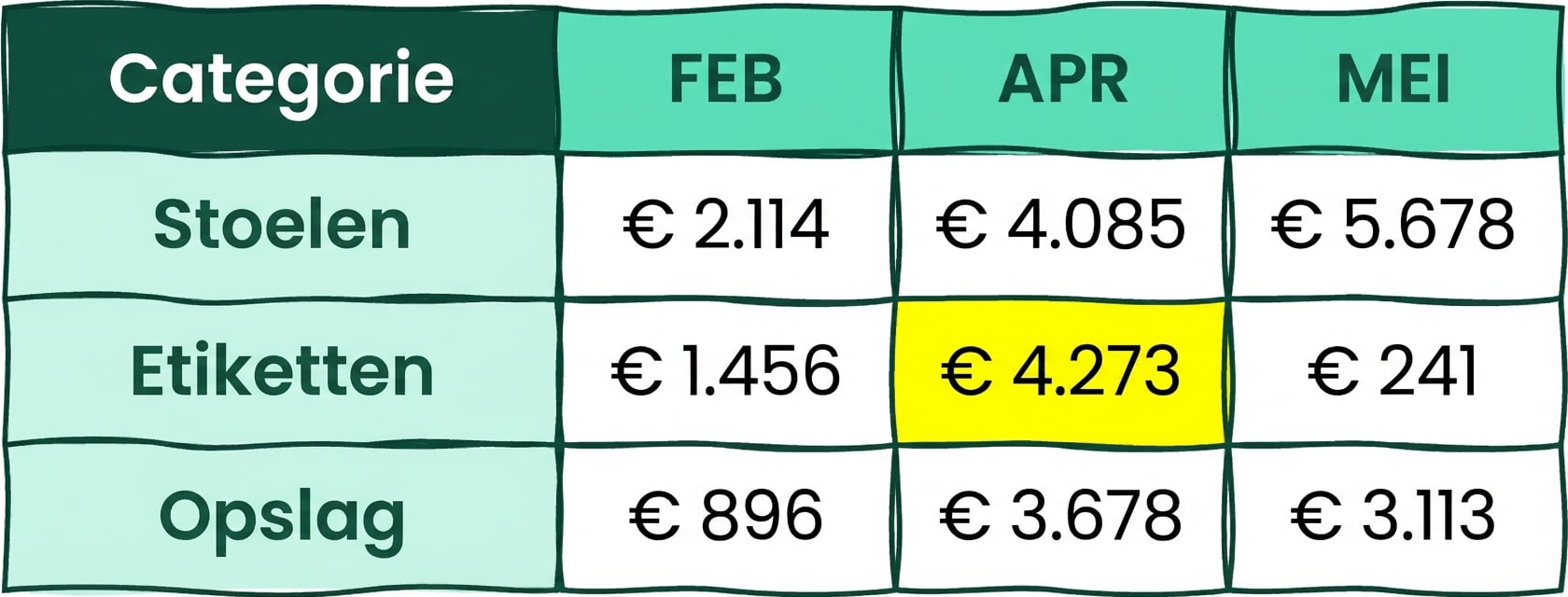
VLOOKUP()- verticale zoekopdrachtHLOOKUP()- horizontale zoekopdracht
Beperkingen:
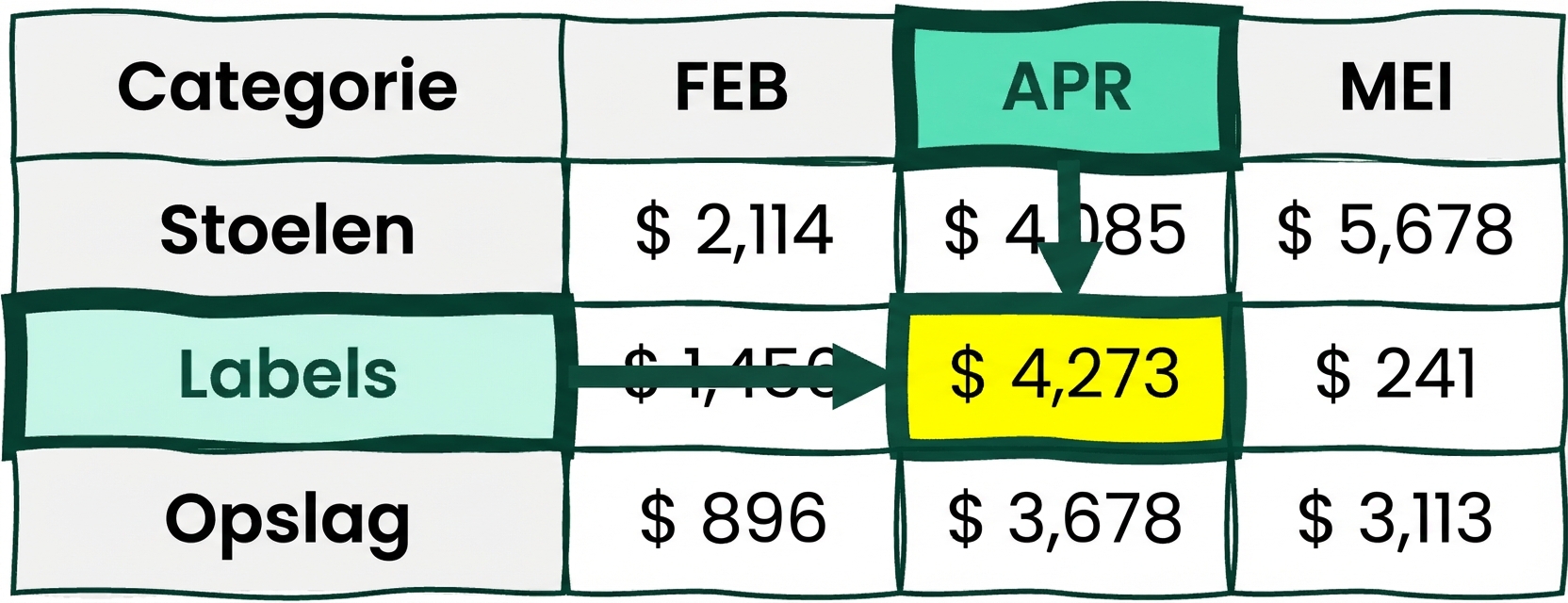
VLOOKUP()- gezochte waarde moet rechts van de zoekwaarde staanHLOOKUP()- gezochte waarde moet onder de zoekwaarde staan
Wat is een array?
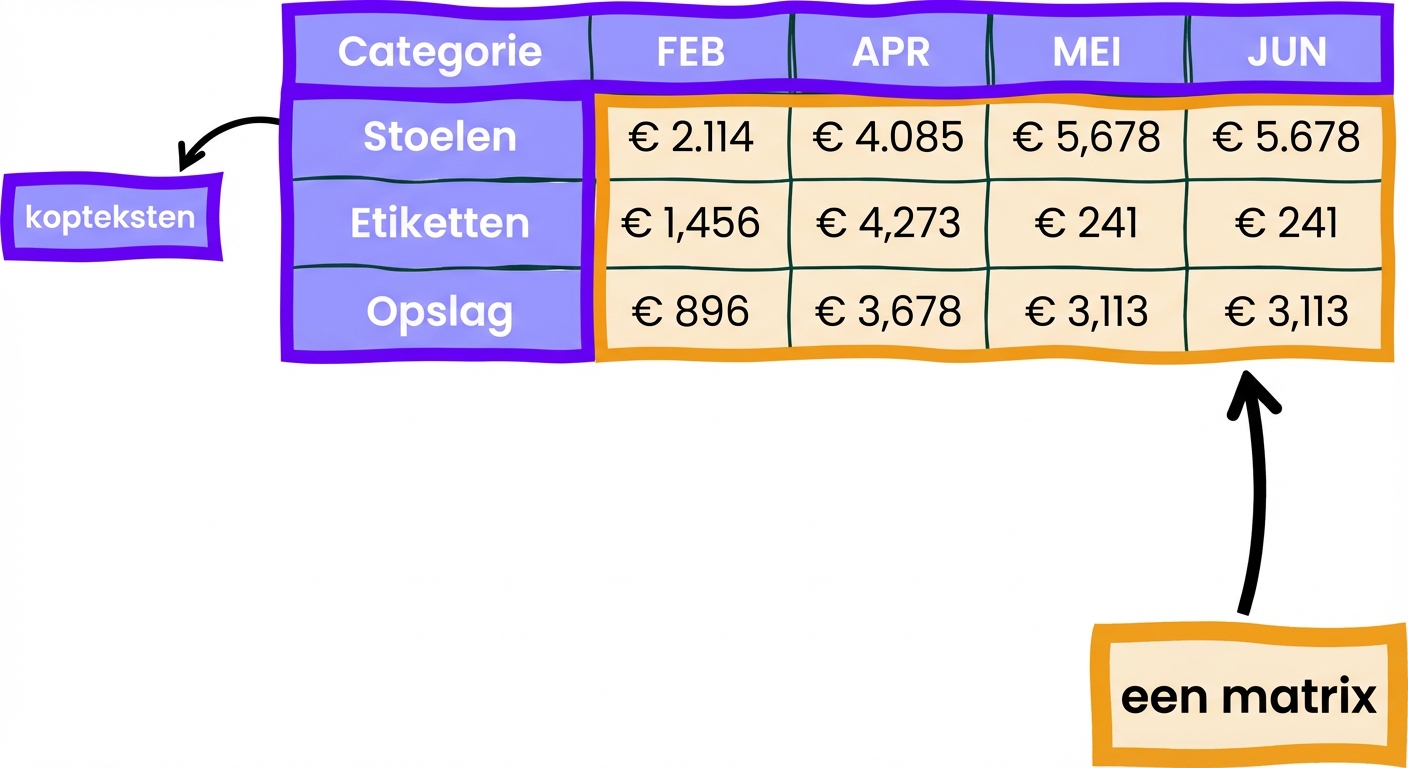
Een Excel-tabel bestaat uit:
- Kop: rij- en kolomnamen
- Array: onderliggende waarden
1 https://support.microsoft.com/
Tromgeroffel... XLOOKUP!
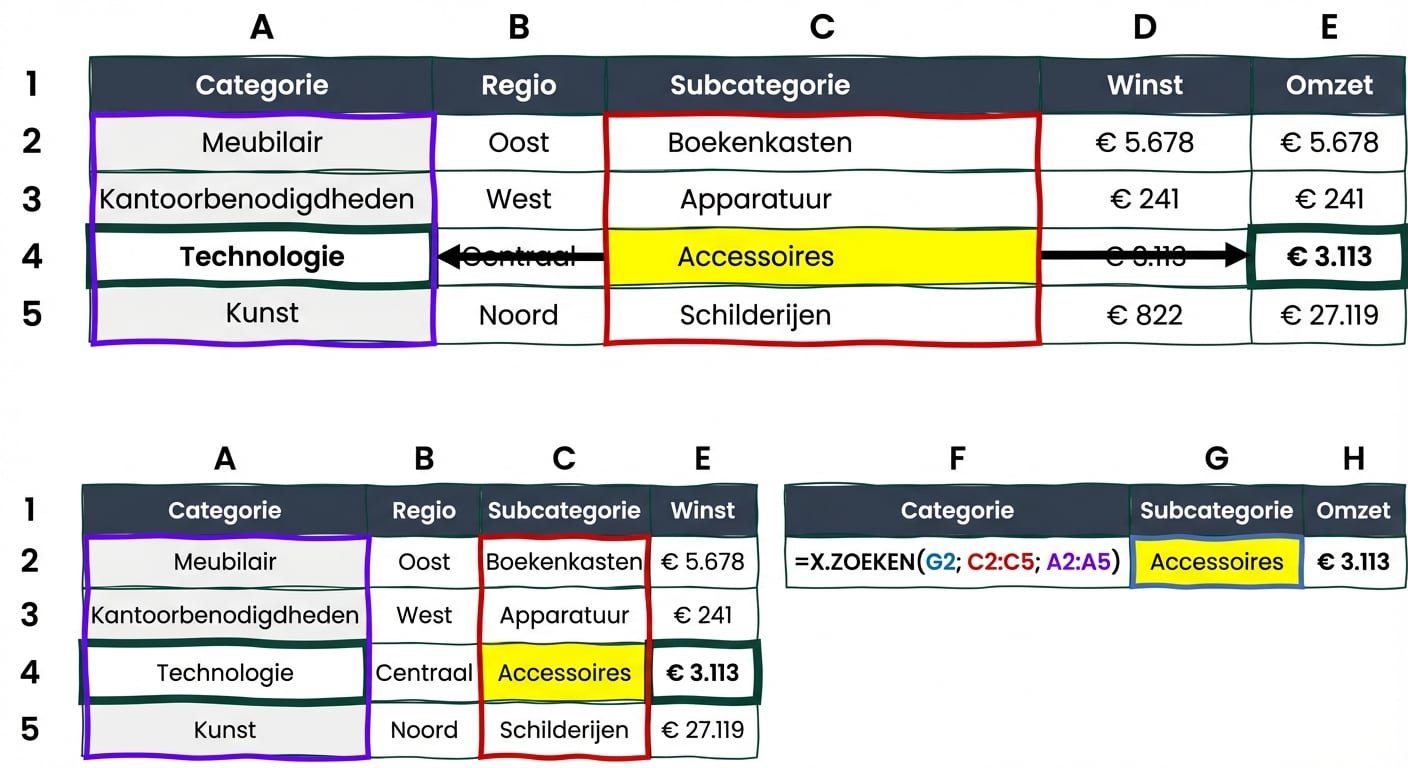
XLOOKUP() - Een zoekfunctie die in elke richting kan zoeken, dankzij arrays.
NIEUW sinds Excel 2021!
Syntax: XLOOKUP(lookup_value, lookup_array, return_array, [if_not_found], [match_mode], [search_mode])

2D-lookups? INDEX()
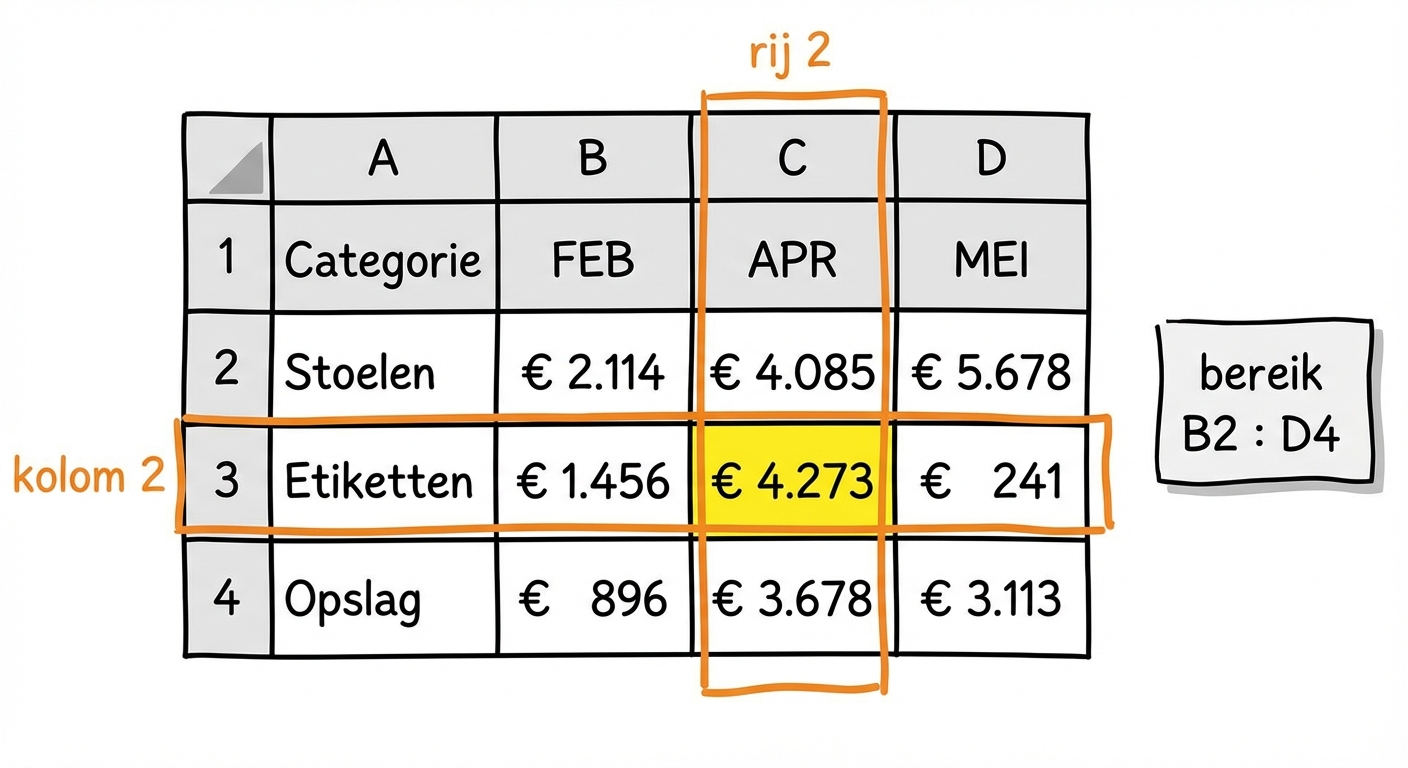
Verkoop Labels in april? = INDEX ( B2:D4, 2, 2)
- Syntaxis:
INDEX(array, row_num, [column_num]) - Geeft de waarde van een cel in een opgegeven array
2D-lookups? MATCH()
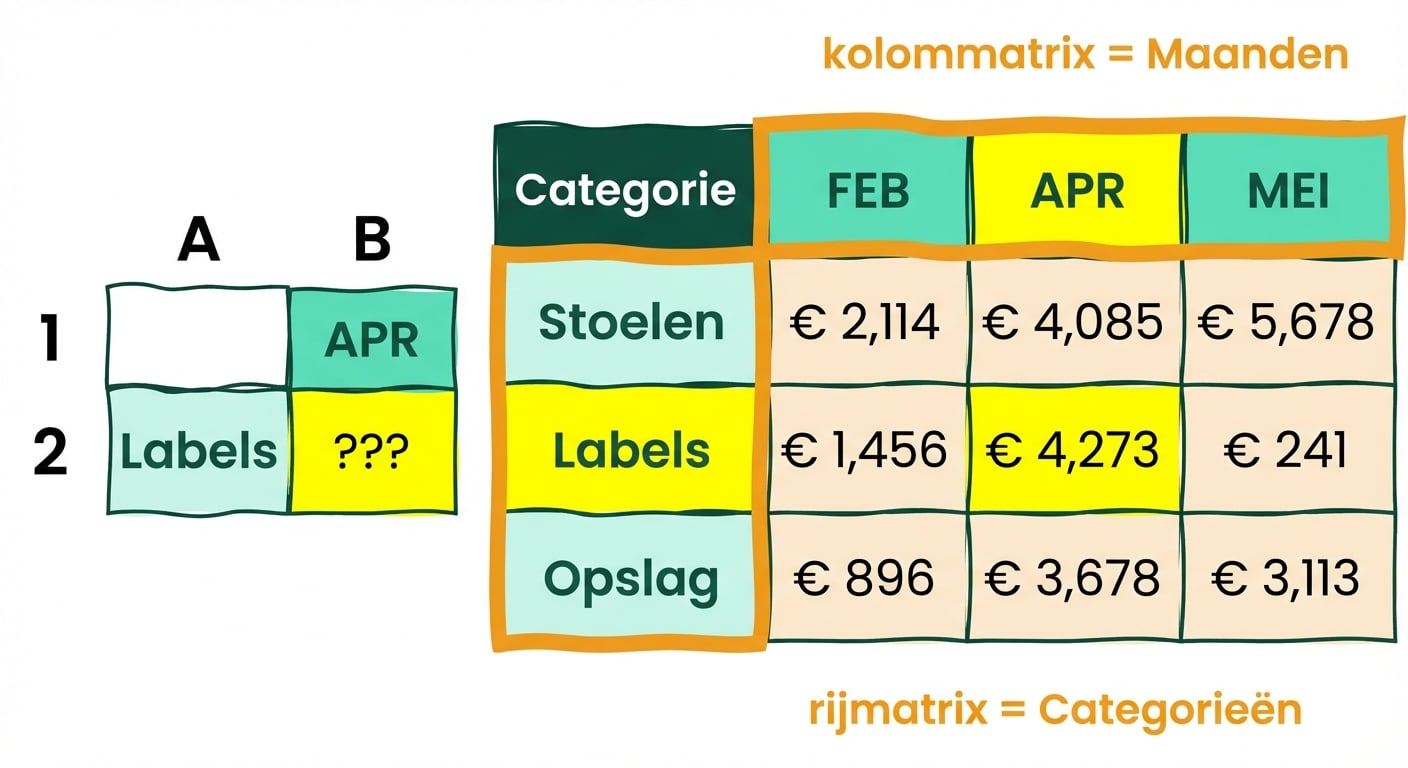
Waar vind je Verkoop Labels voor april?
= Match ( "Labels", Categories, 0) = rij 2
= Match ( "APR", Months, 0) = kolom 2
2D-lookups? (INDEX en) MATCH: perfecte combi
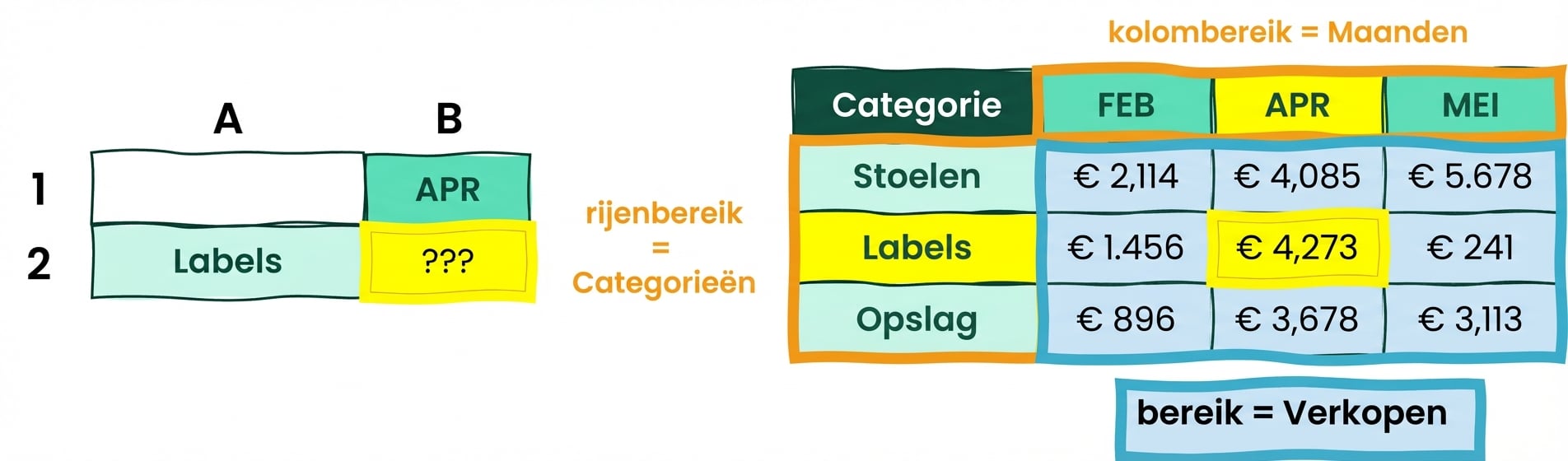
= INDEX ( B2:D4, 2, 2)
= INDEX(array, MATCH(rows), MATCH(columns))
= INDEX ( Sales, MATCH( "Labels", Categories, 0), MATCH( "APR", Months, 0) )
Maak kennis met onze dataset!
Commerce-dataset:
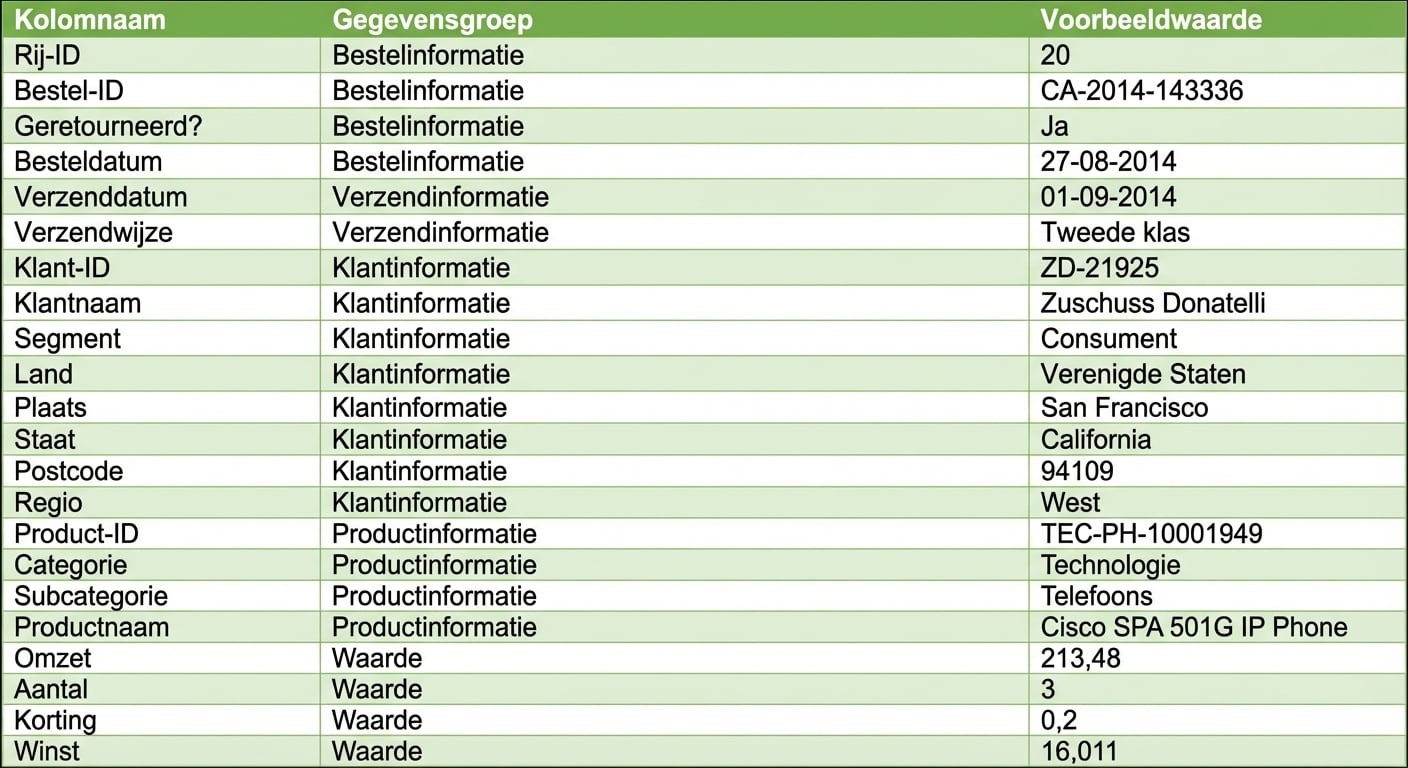
Data in één oogopslag:
- Bestelinformatie
- Klant socio-demo
- Gedetailleerde productdata
- Omzet, volumes, kortingen en winst
Bekijk de Metadata-sheet voor meer info.

