Gestroomlijnde data-inname met pandas
Amany Mahfouz
Instructor
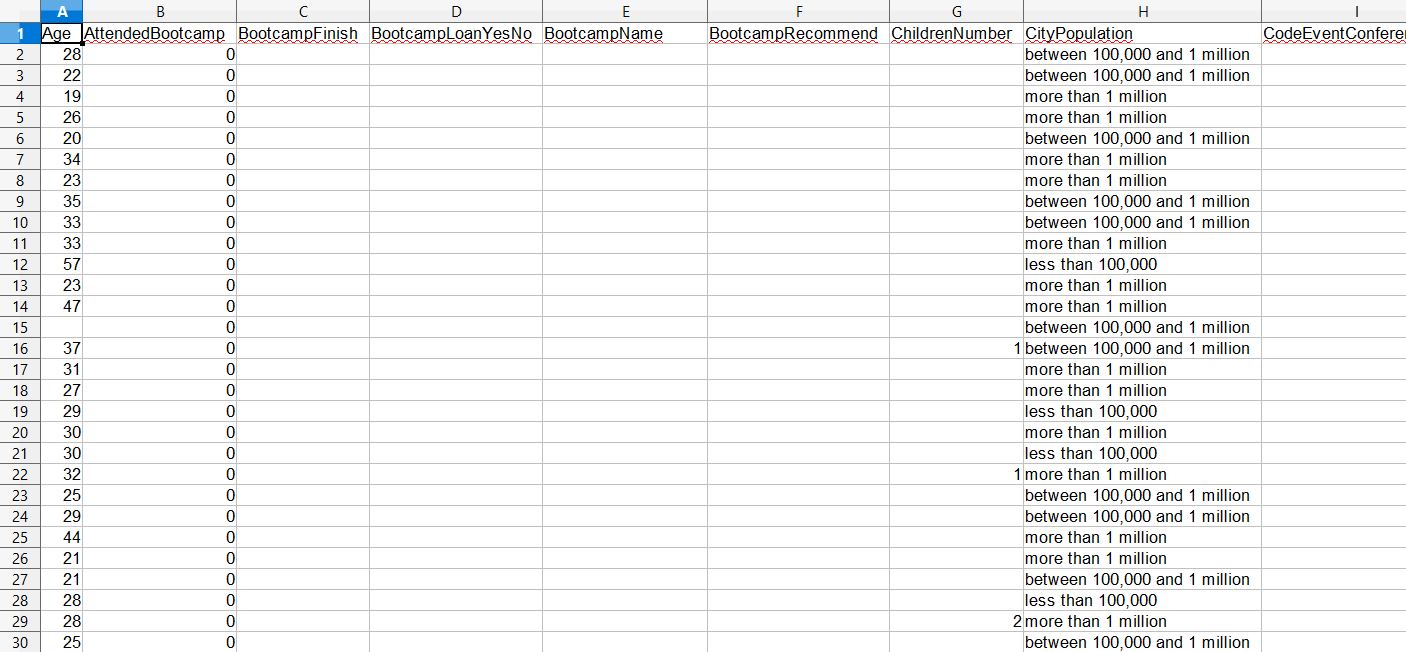
pandas een eigen laadfunctie: read_excel()import pandas as pd # Read the Excel file survey_data = pd.read_excel("fcc_survey.xlsx")# View the first 5 lines of data print(survey_data.head())
Age AttendedBootcamp ... SchoolMajor StudentDebtOwe
0 28.0 0.0 ... NaN 20000
1 22.0 0.0 ... NaN NaN
2 19.0 0.0 ... NaN NaN
3 26.0 0.0 ... Cinematography And Film 7000
4 20.0 0.0 ... NaN NaN
[5 rows x 98 columns]
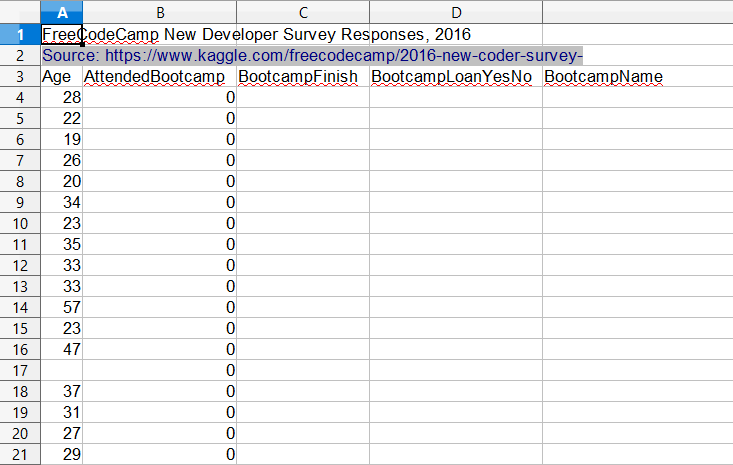
read_excel() deelt veel keyword-argumenten met read_csv()nrows: aantal te laden rijen beperkenskiprows: aantal of nummers van over te slaan rijenusecols: kolommen kiezen op naam, positie of letter (bijv. "A:P")
# Read columns W-AB and AR of file, skipping metadata header survey_data = pd.read_excel("fcc_survey_with_headers.xlsx", skiprows=2, usecols="W:AB, AR")# View data print(survey_data.head())
CommuteTime CountryCitizen ... EmploymentFieldOther EmploymentStatus Income
0 35.0 United States of America ... NaN Employed for wages 32000.0
1 90.0 United States of America ... NaN Employed for wages 15000.0
2 45.0 United States of America ... NaN Employed for wages 48000.0
3 45.0 United States of America ... NaN Employed for wages 43000.0
4 10.0 United States of America ... NaN Employed for wages 6000.0
[5 rows x 7 columns]
Gestroomlijnde data-inname met pandas