Invoergegevens

Introductie tot TensorFlow in Python

Isaiah Hull

Visiting Associate Professor of Finance, BI Norwegian Business School
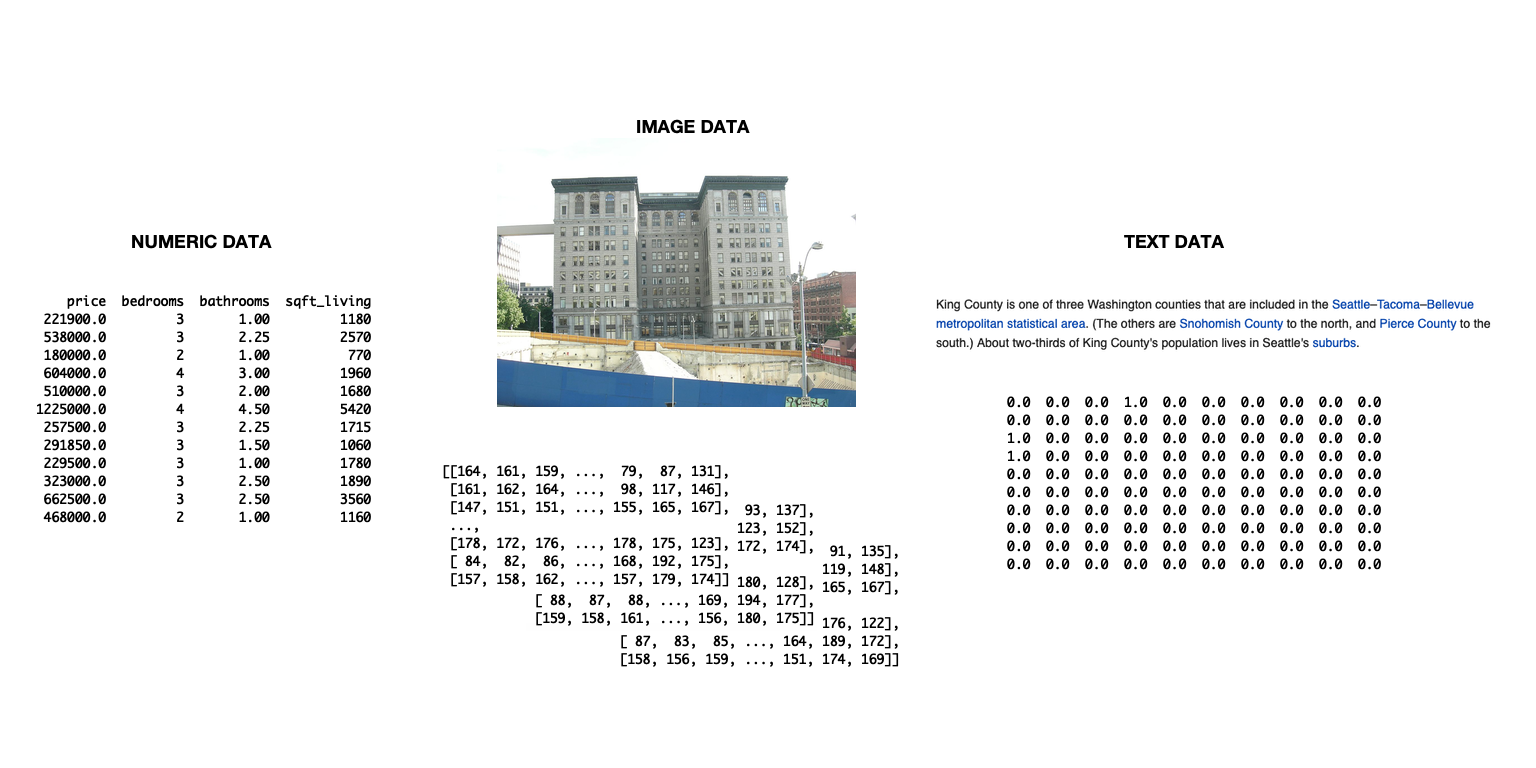
De slide toont een diagram van drie datatypes: tekst-, beeld- en numerieke data.

Introductie tot TensorFlow in Python

Data importeren voor TensorFlow

  • Data kun je importeren met tensorflow
    • Handig voor complexe pijplijnen
    • Niet nodig in dit hoofdstuk
  • Eenvoudigere aanpak in dit hoofdstuk
    • Data importeren met pandas
    • Data omzetten naar numpy-array
    • Gebruiken in tensorflow zonder aanpassing
Introductie tot TensorFlow in Python

Data importeren en converteren

# Import numpy and pandas
import numpy as np
import pandas as pd

# Load data from csv
housing = pd.read_csv('kc_housing.csv')

# Convert to numpy array
housing = np.array(housing)
  • We focussen in dit hoofdstuk op data in csv-formaat
  • Pandas heeft ook methoden voor andere formaten
    • Bijv. read_json(), read_html(), read_excel()
Introductie tot TensorFlow in Python

Parameters van read_csv()

Parameter Beschrijving Standaard
filepath_or_buffer Accepteert een bestandspad of URL. None
sep Scheidingsteken tussen kolommen. ,
delim_whitespace Boolean om op witruimte te scheiden. False
encoding Te gebruiken codering, indien van toepassing. None
Introductie tot TensorFlow in Python

Gemengde datatypes gebruiken

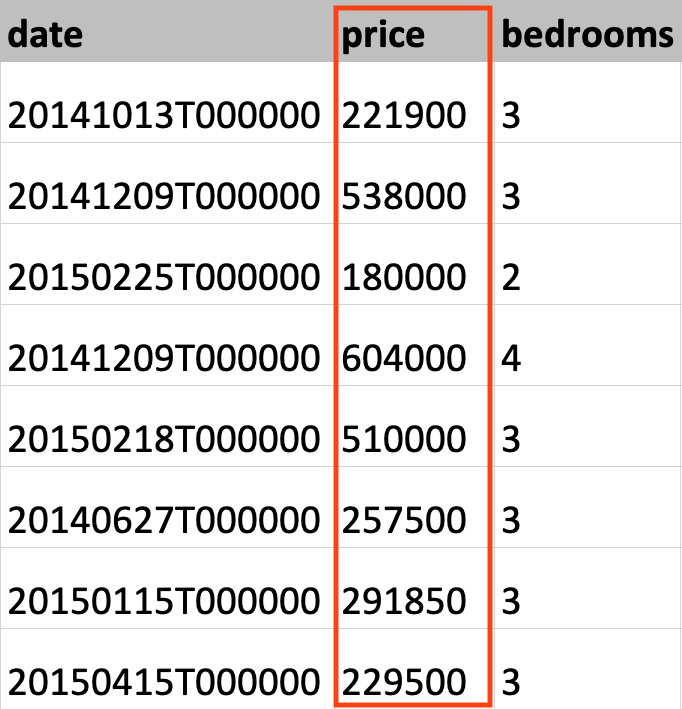
Deze afbeelding toont gegevens uit de King County-huisdataset met de kolom huisprijs gemarkeerd.

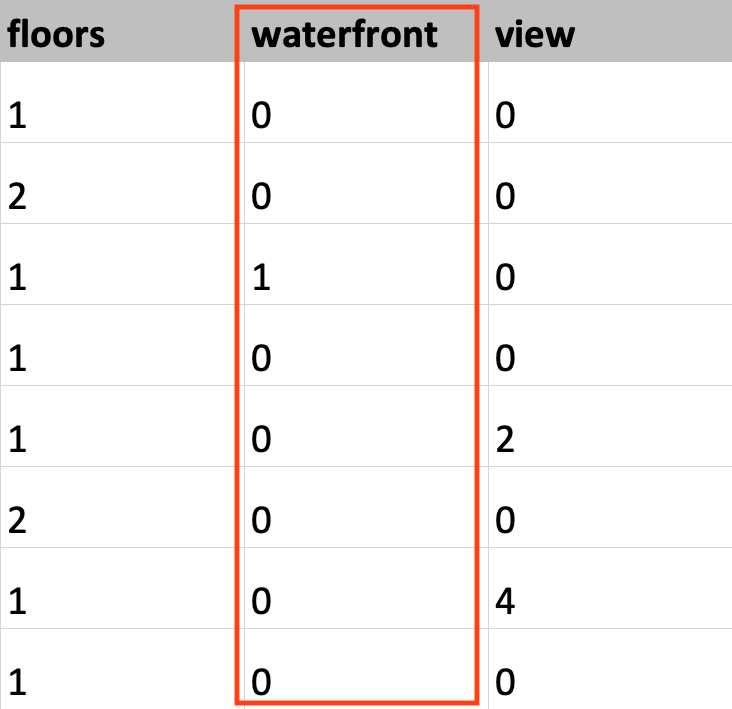
Deze afbeelding toont gegevens uit de King County-huisdataset met de kolom waterfront gemarkeerd.

Introductie tot TensorFlow in Python

Het datatype instellen

# Load KC dataset
housing = pd.read_csv('kc_housing.csv')

# Convert price column to float32
price = np.array(housing['price'], np.float32)

# Convert waterfront column to Boolean
waterfront = np.array(housing['waterfront'], np.bool)
Introductie tot TensorFlow in Python

Het datatype instellen

# Load KC dataset
housing = pd.read_csv('kc_housing.csv')

# Convert price column to float32
price = tf.cast(housing['price'], tf.float32)

# Convert waterfront column to Boolean
waterfront = tf.cast(housing['waterfront'], tf.bool)
Introductie tot TensorFlow in Python

Laten we oefenen!

Introductie tot TensorFlow in Python

Preparing Video For Download...