Gegevens verwerken in de Shell
Susan Sun
Data Person
Python
Documentatie:
man python
...
-V , --version
Prints the Python version number of the executable and exits.
python --version
Python 3.5.2
Voorbeeld: systeemeigen Python
which python
/usr/bin/python
Zo start je een interactieve Python-sessie in de terminal:
python
Python 3.5.2 (default, Nov 23 2017, 16:37:01)
[GCC 5.4.0 20160609] on linuxType "help", "copyright", "credits" or
"license" for more information.
>>>
Gebruik in de interactieve sessie alleen Python-syntax:
>>> print('hello world')
hello world
Verlaat de Python-sessie en keer terug naar de terminal:
>>> exit()
$
Interactieve Python-sessie:
Alternatief:
.py-scriptpython + bestandsnaamMethode 1
.py-bestand met een teksteditor in de command line (bijv. nano, Vim, Emacs)
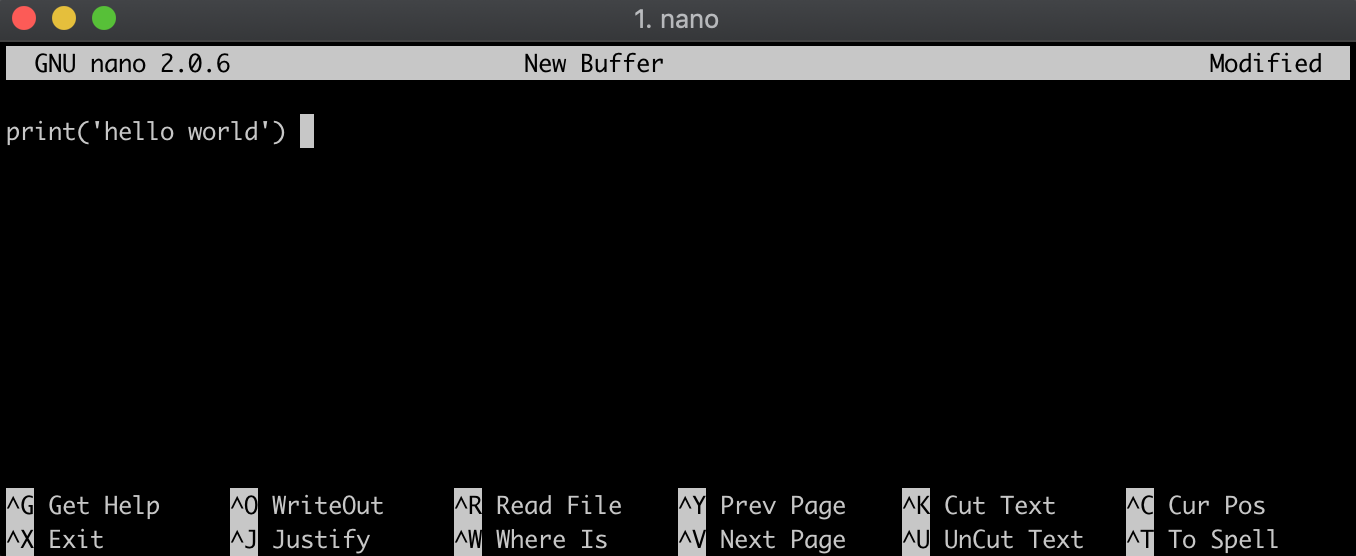
Methode 2
.py-bestand door Python-syntax met echo in hello_world.py te schrijven; zo maak je het bestand meteen aan.echo "print('hello world')" > hello_world.py
Controleer de inhoud:
cat hello_world.py
print('hello world')
Zorg dat je in dezelfde map staat als het .py-bestand:
ls
hello_world.py
Voer het .py-bestand uit door de bestandsnaam te laten volgen op python:
python hello_world.py
hello world
Gegevens verwerken in de Shell