Plot multiple time series

Tijdreeksen visualiseren in Python

Thomas Vincent

Head of Data Science, Getty Images

Clarity is key

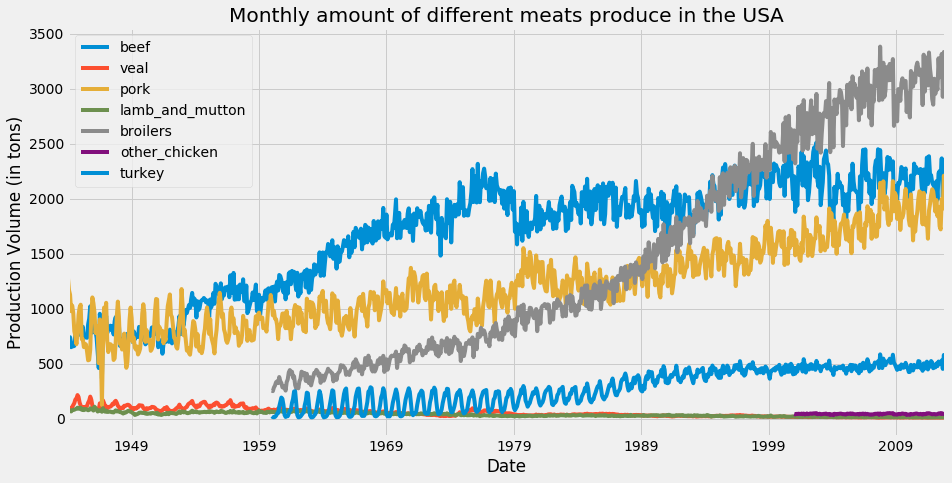
In this plot, the default matplotlib color scheme assigns the same color to the beef and turkey time series.
Color cycles in matplotlib

Tijdreeksen visualiseren in Python

The colormap argument

ax = df.plot(colormap='Dark2', figsize=(14, 7))
ax.set_xlabel('Date')
ax.set_ylabel('Production Volume (in tons)')

plt.show()

For the full set of available colormaps, click here.

Tijdreeksen visualiseren in Python

Changing line colors with the colormap argument
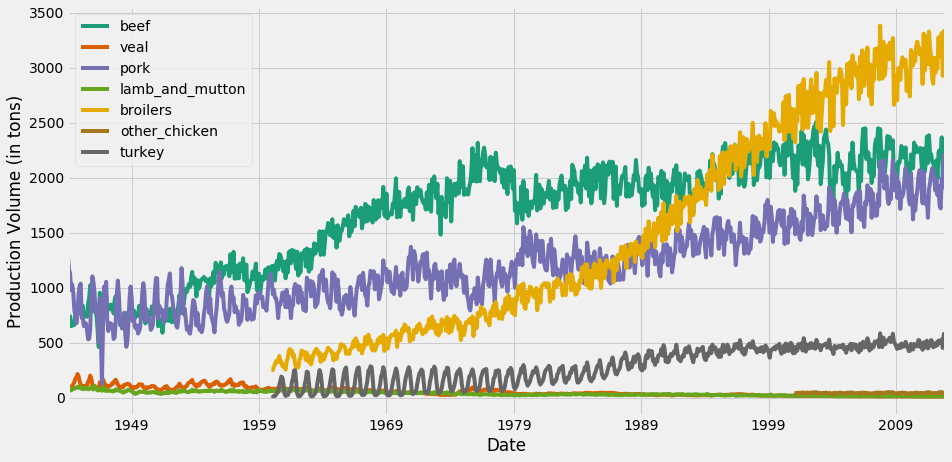
Changing color schemes for time series visualization

Tijdreeksen visualiseren in Python

Enhancing your plot with information

ax = df.plot(colormap='Dark2', figsize=(14, 7))

df_summary = df.describe() # Specify values of cells in the table ax.table(cellText=df_summary.values, # Specify width of the table colWidths=[0.3]*len(df.columns), # Specify row labels rowLabels=df_summary.index, # Specify column labels colLabels=df_summary.columns, # Specify location of the table loc='top') plt.show()
Tijdreeksen visualiseren in Python

Adding Statistical summaries to your plots
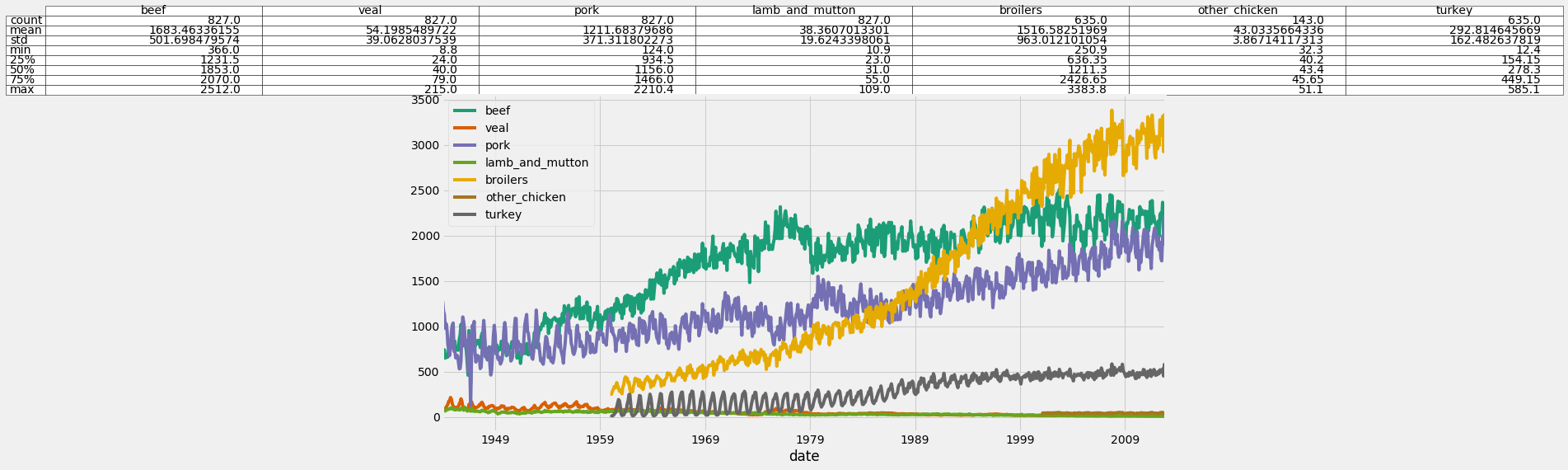
Adding Statistical summaries to your plots

Tijdreeksen visualiseren in Python

Dealing with different scales

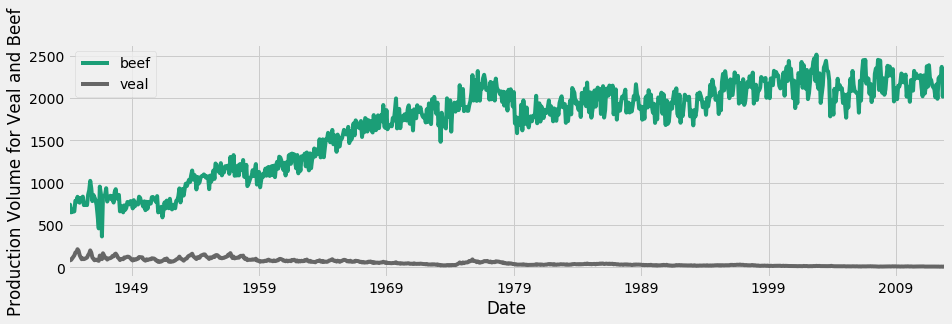
Time series for beef and veal

Tijdreeksen visualiseren in Python

Only veal

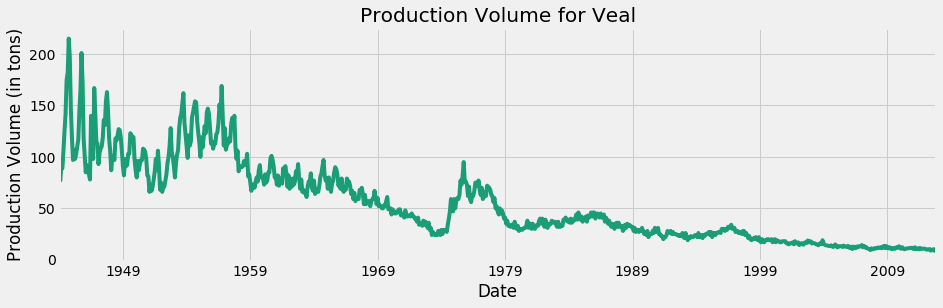
Time series for veal only

Tijdreeksen visualiseren in Python

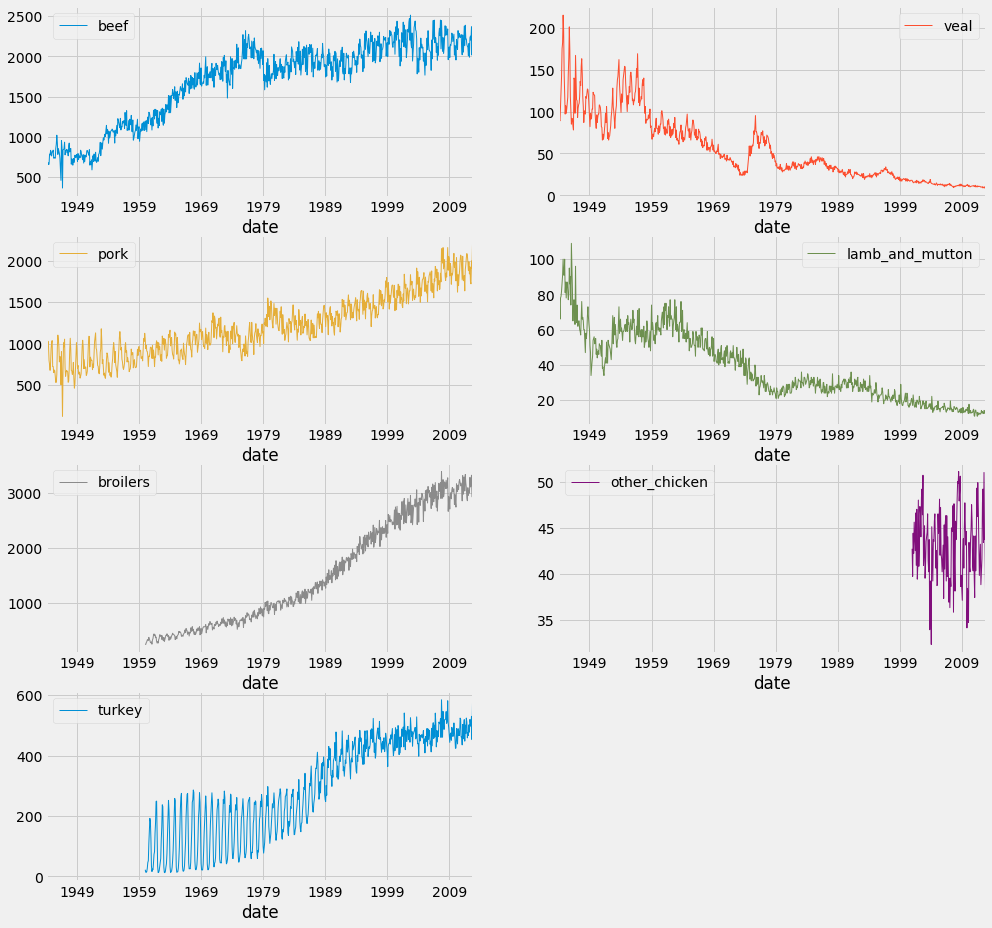
Facet plots

df.plot(subplots=True,
                linewidth=0.5,
                layout=(2, 4),
                figsize=(16, 10),
                sharex=False,
                sharey=False)

plt.show()
Tijdreeksen visualiseren in Python

Facet plots

Tijdreeksen visualiseren in Python

Time for some action!

Tijdreeksen visualiseren in Python

Preparing Video For Download...