Introductie tot datavisualisatie met Plotly in Python
Alex Scriven
Data Scientist
$$

$$
add_annotation()$$
update_layout() en het argument annotationstext - De tekst die wordt weergegeven$$
x en y: bepalen de positie van de annotatie$$
showarrow = True/False - pijl toevoegen$$
🛑 Let op bij absolute plaatsing: als je data verandert, kan er overlap ontstaan
x en y naar de datapunten in de plot$$
xref en yref op paper voor een absolute positiex en y percentages van 0 tot 1 over het plotgebiedx=0.5, y=0.5) staat in het midden van de plot
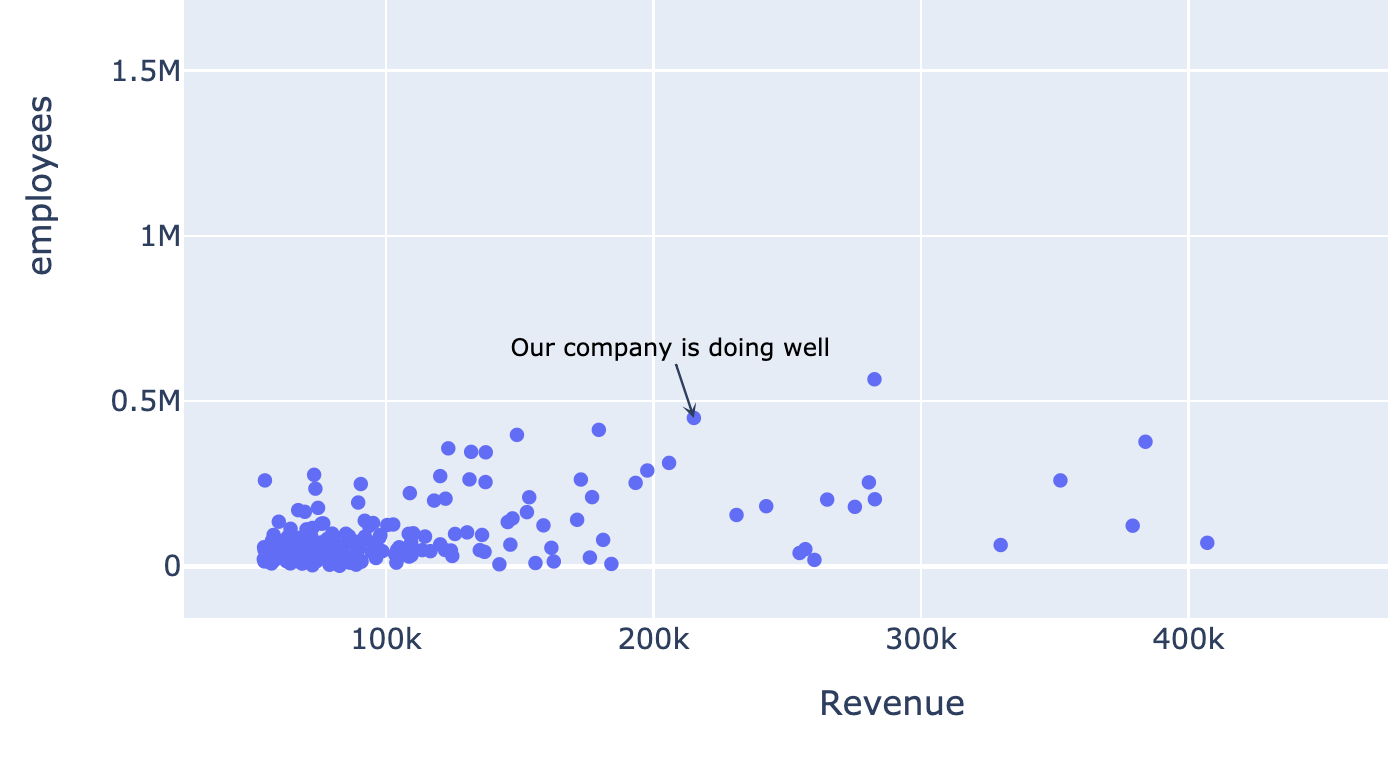
my_annotation = dict( x=215111, y=449000,showarrow=True, arrowhead=3,text="Our company is doing well", font=dict(size=10, color="black") )fig.update_layout(annotations=[my_annotation]) fig.show()
$$

$$
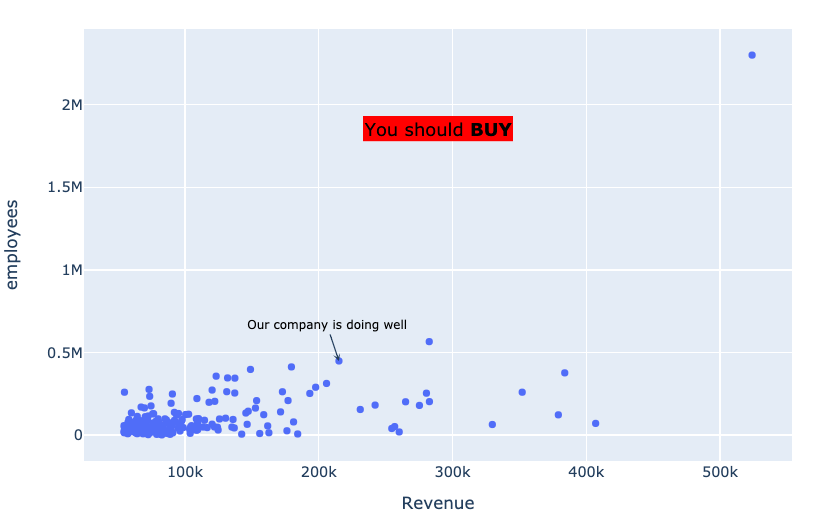
float_annotation = dict( xref="paper", yref="paper",x=0.5, y=0.8,showarrow=False, text="You should <b>BUY</b>", font=dict(size=15, color="black"), bgcolor="rgb(255,0,0)" )

Introductie tot datavisualisatie met Plotly in Python