Introductie tot datavisualisatie met Plotly in Python
Alex Scriven
Data Scientist

Plotly heeft unieke voordelen:
plotly.express
Plotly-grafieken kun je maken:
plotly.express voor snelle plots (px)plotly.graph_objects (go) voor meer controle$$
📈 We gebruiken vooral px
Bewaar de links naar de kern‑documentatie!
Gedetailleerde referentiepagina voor specifieke plots
$$
Voor scatterplots:
plotly.express-pagina met voorbeeldenEen basis-Plotly-figure:
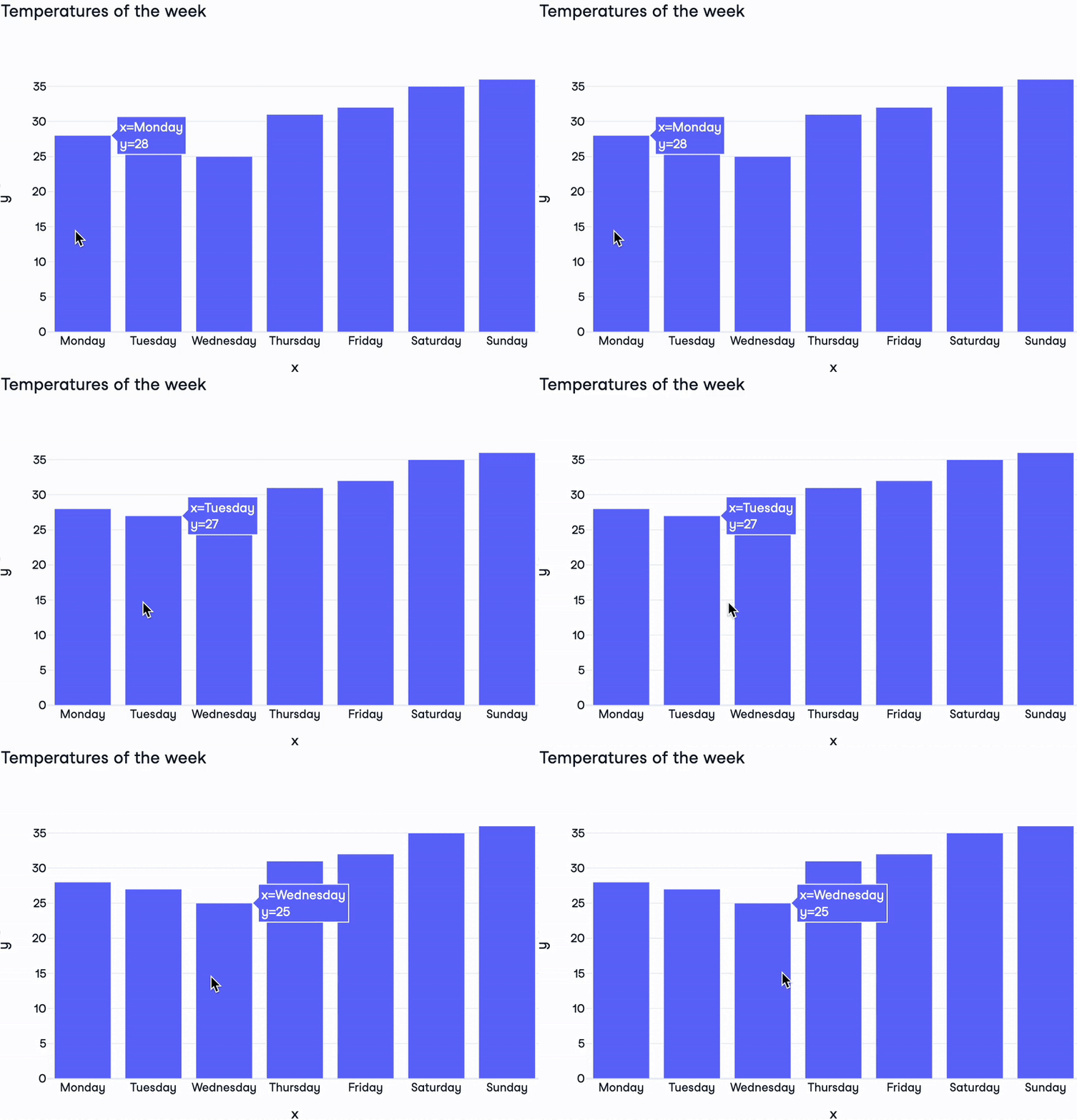
import plotly.express as pxdays = ["Monday", "Tuesday", "Wednesday", "Thursday", "Friday", "Saturday", "Sunday"] temperatures = [28, 27, 25, 31, 32, 35, 36]fig = px.bar( x=days, y=temperatures, title="Temperatures of the week")fig.show()

Onderdelen van een Plotly-figure:
layout: dictionary die de stijl van de figure bepaaltlayout per figuredata: lijst met dictionaries voor graftype en data zelftrace. Er zijn >40 types!frames: voor animaties (buiten deze cursus)
print(fig)
Figure({'data': [{'type': 'bar',
'x': array(['Monday', 'Tuesday', 'Wednesday', 'Thursday', 'Friday'
, 'Saturday','Sunday'], dtype=object),
'y': {'bdata': 'HBsZHy AjJA==....'}],
'layout': {'title': {'text': 'Temperatures of the week'}}})
$$

Introductie tot datavisualisatie met Plotly in Python