Introductie tot datavisualisatie met Plotly in Python
Alex Scriven
Data Scientist
$$

Plotly-figuren bevatten een lijst met traces — de data en het type
Toegankelijk via fig.data[0], fig.data[1]
.add_trace()$$
px_fig = px.scatter(df...)
print(px_fig)
Figure({'data': [trace1], 'layout': {...}})
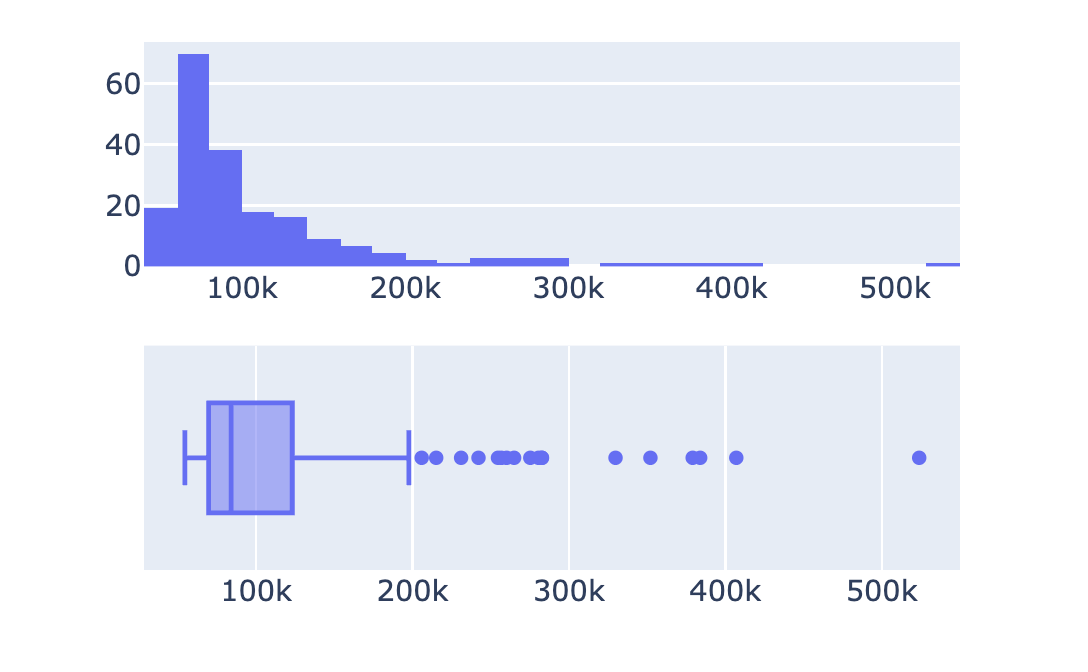
import plotly.express as px from plotly.subplots import make_subplots # Maak een subplot-raster fig = make_subplots(rows=2, cols=1)# Maak Plotly Express-figuren hist = px.histogram(revenues, x='Revenue') box = px.box(revenues, x='Revenue')# Haal traces op en voeg toe aan subplots fig.add_trace(hist.data[0], row=1, col=1) fig.add_trace(box.data[0], row=2, col=1) fig.show()

$$
$$
$$

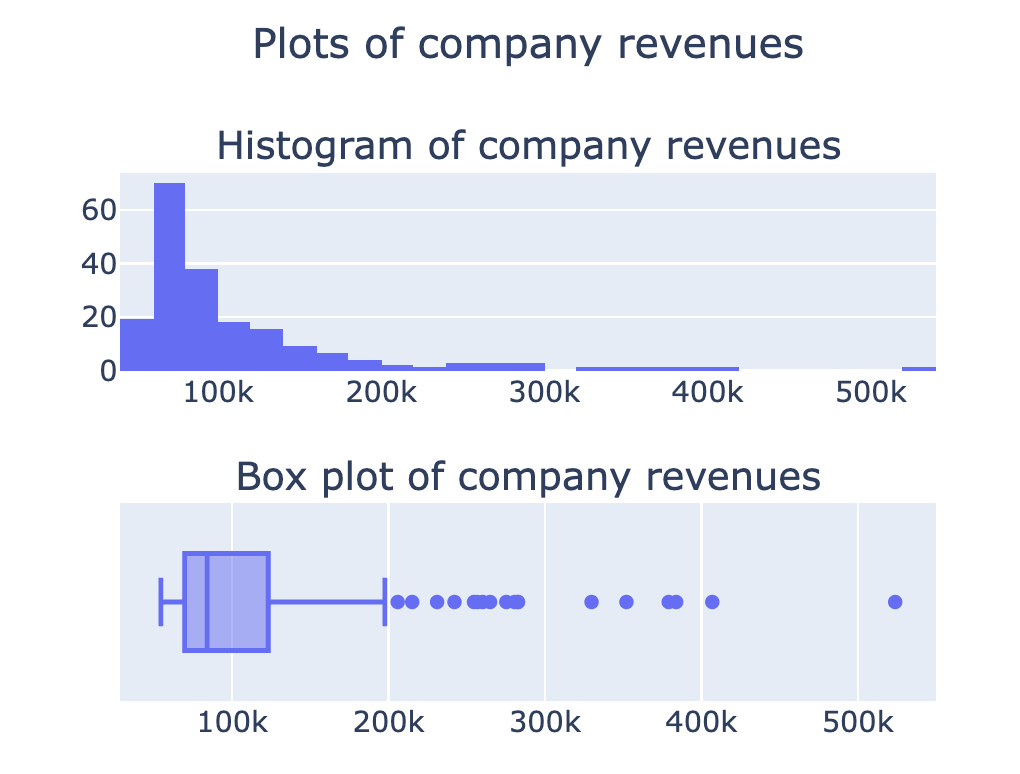
from plotly.subplots import make_subplots fig = make_subplots(rows=2, cols=1, subplot_titles=[ 'Histogram van bedrijfsomzet', 'Boxplot van bedrijfsomzet'])## Traces toevoegen (fig.add_trace())fig.update_layout({'title': {'text': 'Plots van bedrijfsomzet', 'x': 0.5, 'y': 0.9}}) fig.show()

Meer opties in de documentatie
$$
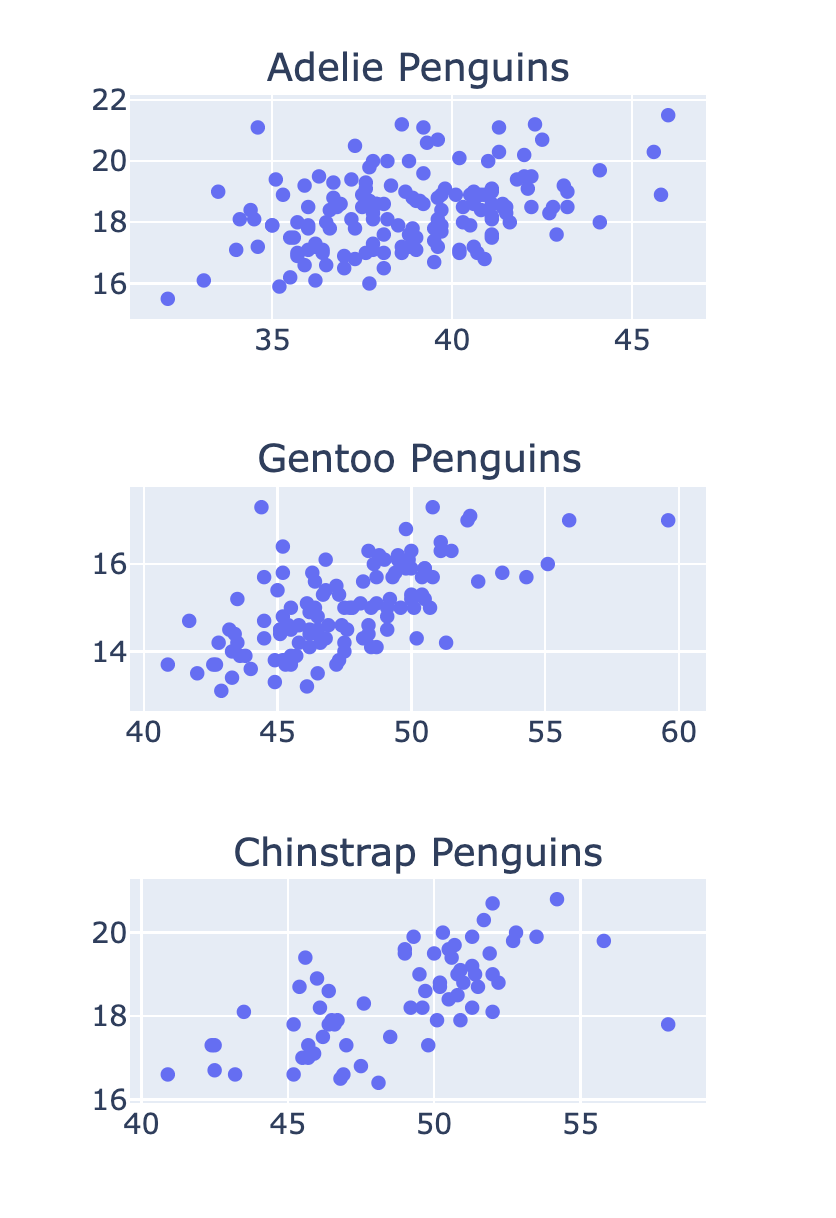
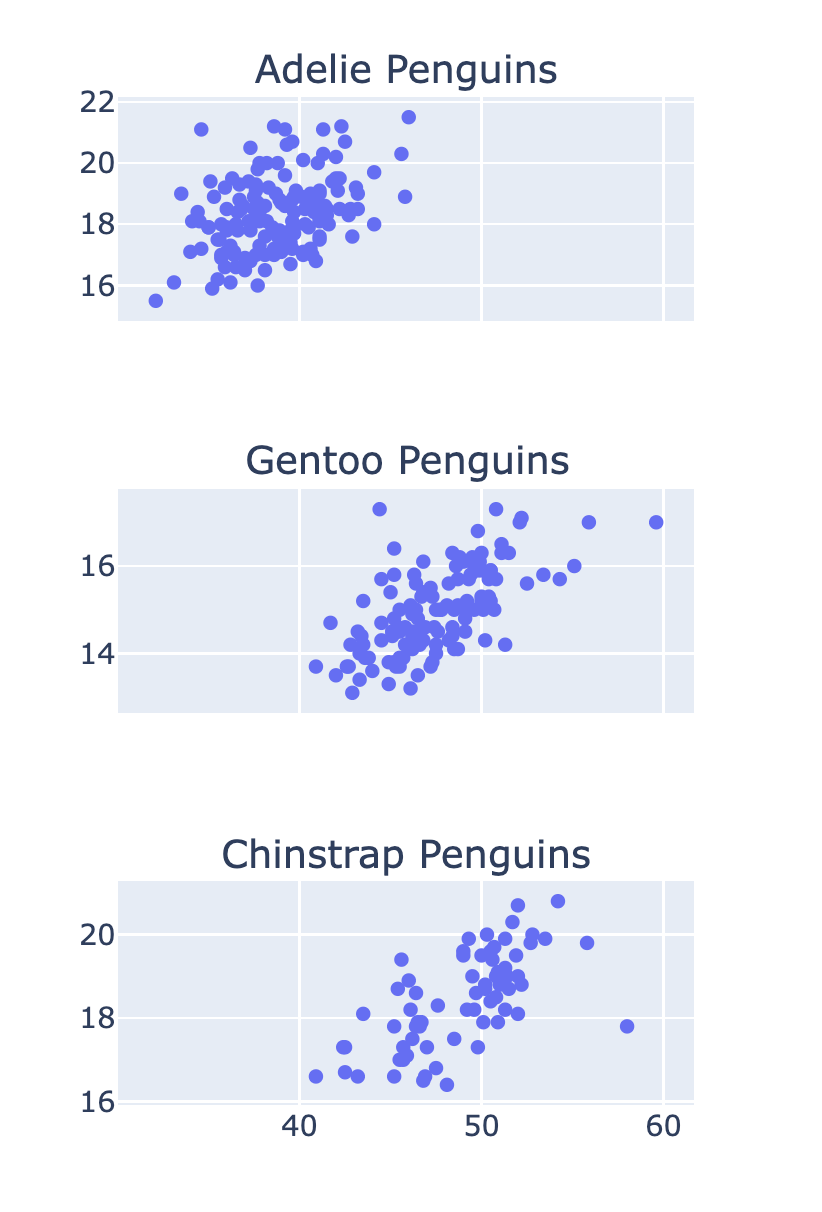
fig = make_subplots(rows=3, cols=1, subplot_titles=['Adelie-pinguïns' , 'Gentoopinguïns', 'Kinbandpinguïns'])row_num = 1 for species in ['Adelie', 'Gentoo', 'Chinstrap']: # Filter data for this species df = penguins[penguins['Species'] == species]scatter = px.scatter(df, x='Culmen Length (mm)' , y='Culmen Depth (mm)') # Voeg de trace toe aan de subplot fig.add_trace(scatter.data[0] , row=row_num, col=1) row_num +=1

fig = make_subplots(
rows=3, cols=1
, shared_xaxes=True)

Introductie tot datavisualisatie met Plotly in Python