Dropdowns

Introductie tot datavisualisatie met Plotly in Python

Alex Scriven

Data Scientist

Wat is een dropdown?

 

  • Laat de gebruiker kiezen uit opties

  • Werkt data of layoutelementen bij


Eenvoudig dropdown-voorbeeld

Introductie tot datavisualisatie met Plotly in Python

Dropdowns in Plotly

$$

fig = go.Figure()

for suburb in ['Ashfield', 'Lidcombe', 'Bondi Junction']: df = syd_houses[syd_houses.Suburb == suburb]
fig.add_trace( px.bar(df, x='Year', y='Median House Price').data[0])
  • Dropdowns werken door specifieke traces te tonen/verbergen
Introductie tot datavisualisatie met Plotly in Python

Een trace verbergen

$$

  • Het argument visible bepaalt of traces zichtbaar zijn (True) of niet (False)
  • Gebruik args om visible van verschillende traces te updaten
args:[{'visible': [True, False, False]}]


Binnen data layout

Introductie tot datavisualisatie met Plotly in Python

Het dropdown-object

# Create the dropdown
dropdown_buttons = [
  {'label': 'Ashfield', 'method': 'update',

'args': [{'visible': [True, False, False]}, {'title': 'Ashfield'}]},
{'label': 'Lidcombe', 'method': 'update',
'args': [{'visible': [False, True, False]}, {'title': 'Lidcombe'}]},
{'label': 'Bondi Junction', 'method': 'update',
'args': [{'visible': [False, False, True]}, {'title': 'Bondi Junction'}]}
]
Introductie tot datavisualisatie met Plotly in Python

De dropdown toevoegen

$$

fig.update_layout({
  'updatemenus':[{
    'type': "dropdown",
    'x': 1.3,
    'y': 0.5,
    'showactive': True,
    'active': 0,
    'buttons': dropdown_buttons}]
})
fig.show()

$$

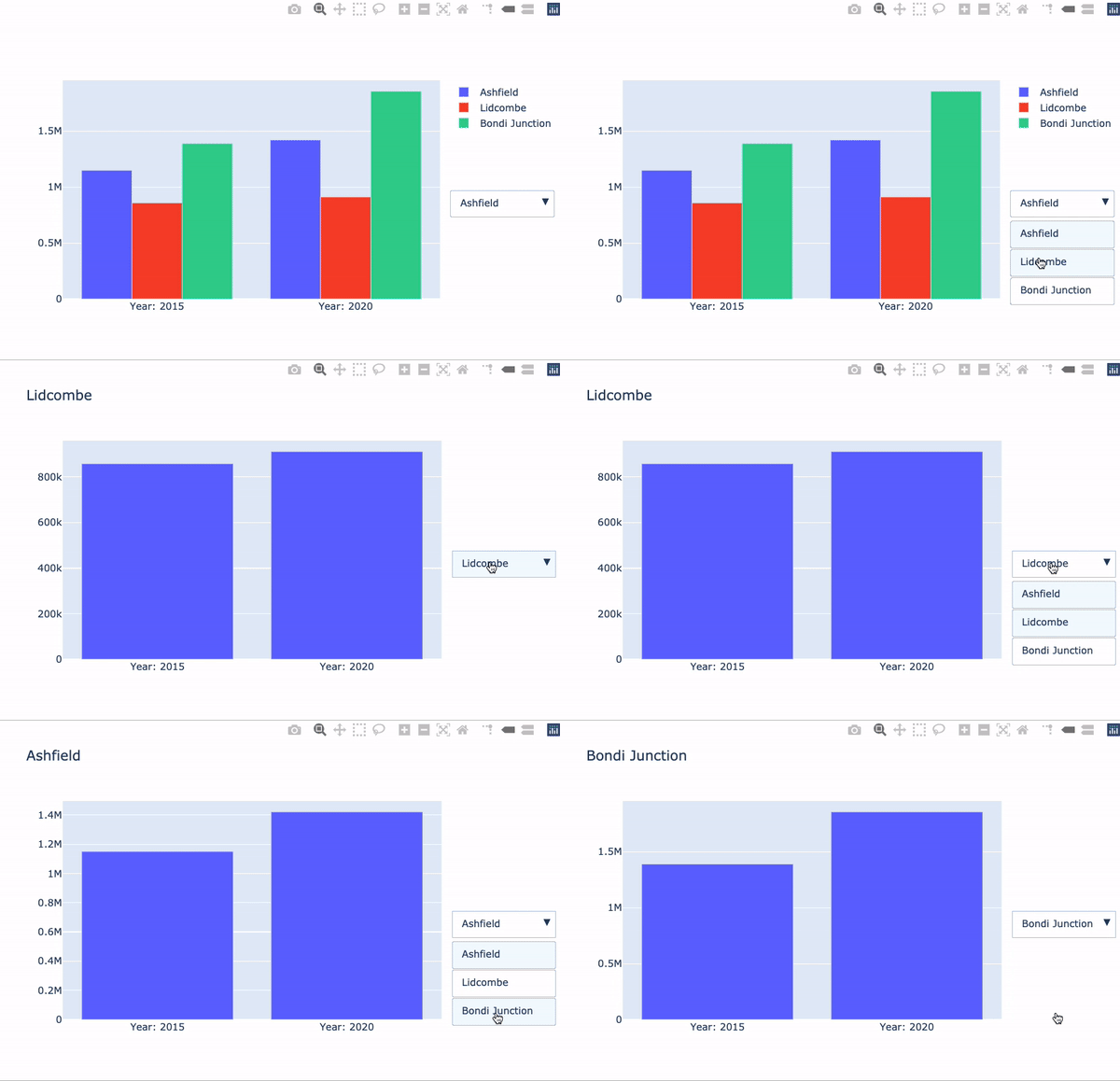
Dropdown huizenprijzen

Introductie tot datavisualisatie met Plotly in Python

Laten we oefenen!

Introductie tot datavisualisatie met Plotly in Python

Preparing Video For Download...