Matplotlib
Python voor R-gebruikers

Daniel Chen
Instructor
Matplotlib plots
import matplotlib.pyplot as plt
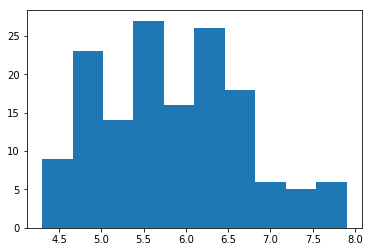
plt.hist(iris['sepal_length'])
plt.show()
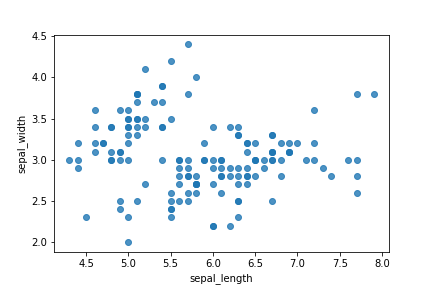
Matplotlib scatter
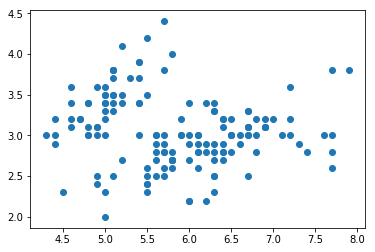
plt.scatter(iris['sepal_length'], iris['sepal_width'])
plt.show()
Polishing up the figure
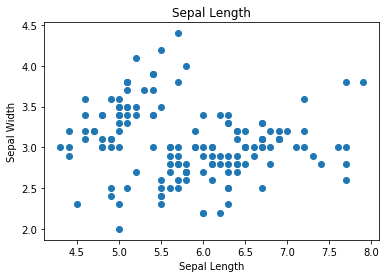
fig, ax = plt.subplots()
ax.scatter(iris['sepal_length'], iris['sepal_width'])
ax.set_title('Sepal Length')
ax.set_xlabel('Sepal Length')
ax.set_ylabel('Sepal Width')
plt.show()
Rotating axis ticks
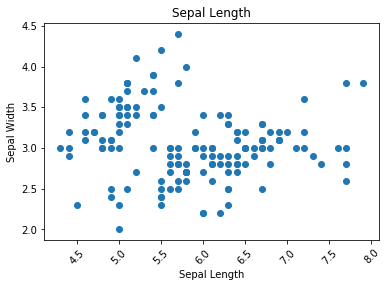
fig, ax = plt.subplots()
ax.scatter(iris['sepal_length'], iris['sepal_width'])
ax.set_title('Sepal Length')
ax.set_xlabel('Sepal Length')
ax.set_ylabel('Sepal Width')
plt.xticks(rotation=45) # rotate the x-axis ticks
plt.show()
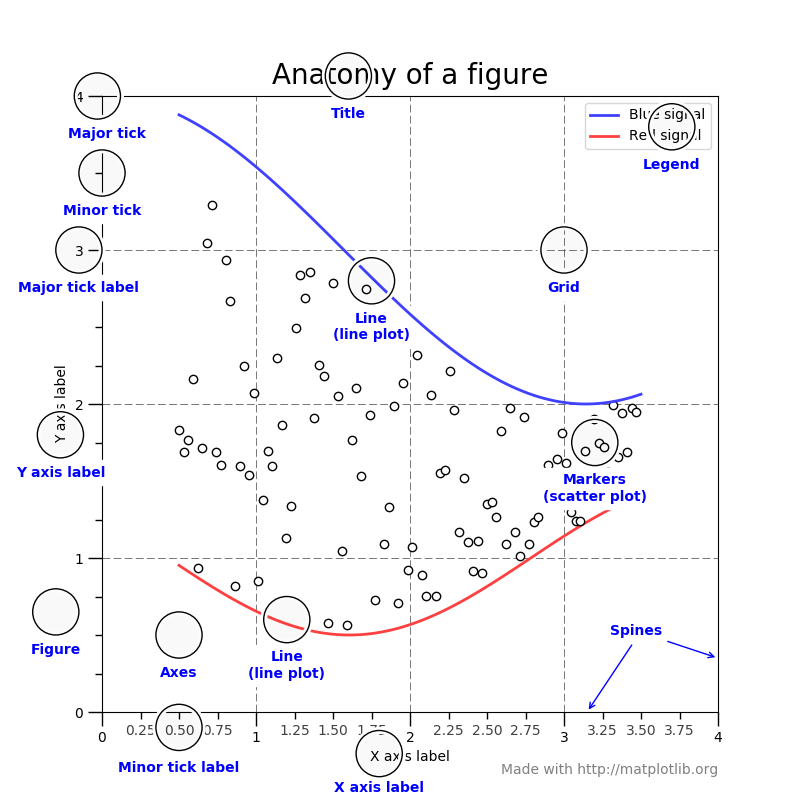
Parts of a matplotlib figure
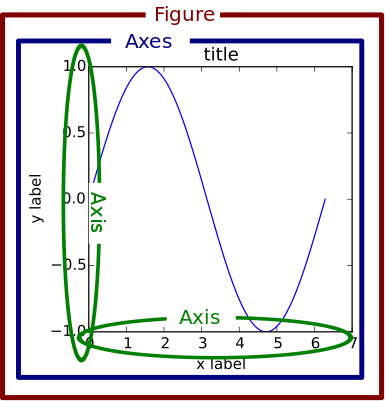
Parts of a matplotlib figure 2
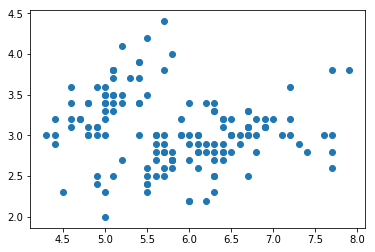
Figures and axes
fig, ax = plt.subplots()
ax.scatter(iris['sepal_length'], iris['sepal_width'])
plt.show()
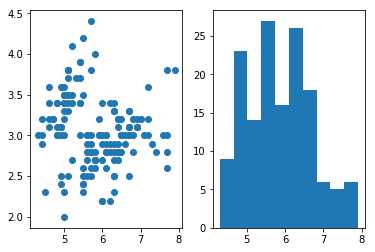
Multiple axes
fig, (ax1, ax2) = plt.subplots(1, 2)
ax1.scatter(iris['sepal_length'], iris['sepal_width'])
ax2.hist(iris['sepal_length'])
plt.show()
Remember
fig, ax = plt.subplots()
sns.regplot(x='sepal_length', y='sepal_width',
            data=iris, fit_reg=False, ax=ax)
plt.show()
Clearing the figure
fig, (ax1, ax2) = plt.subplots(1, 2)
ax1.scatter(iris['sepal_length'], iris['sepal_width'])
ax2.hist(iris['sepal_length'])
plt.show()
plt.clf()

