Introductie tot datavisualisatie met Julia
Gustavo Vieira Suñe
Data Analyst

layout)
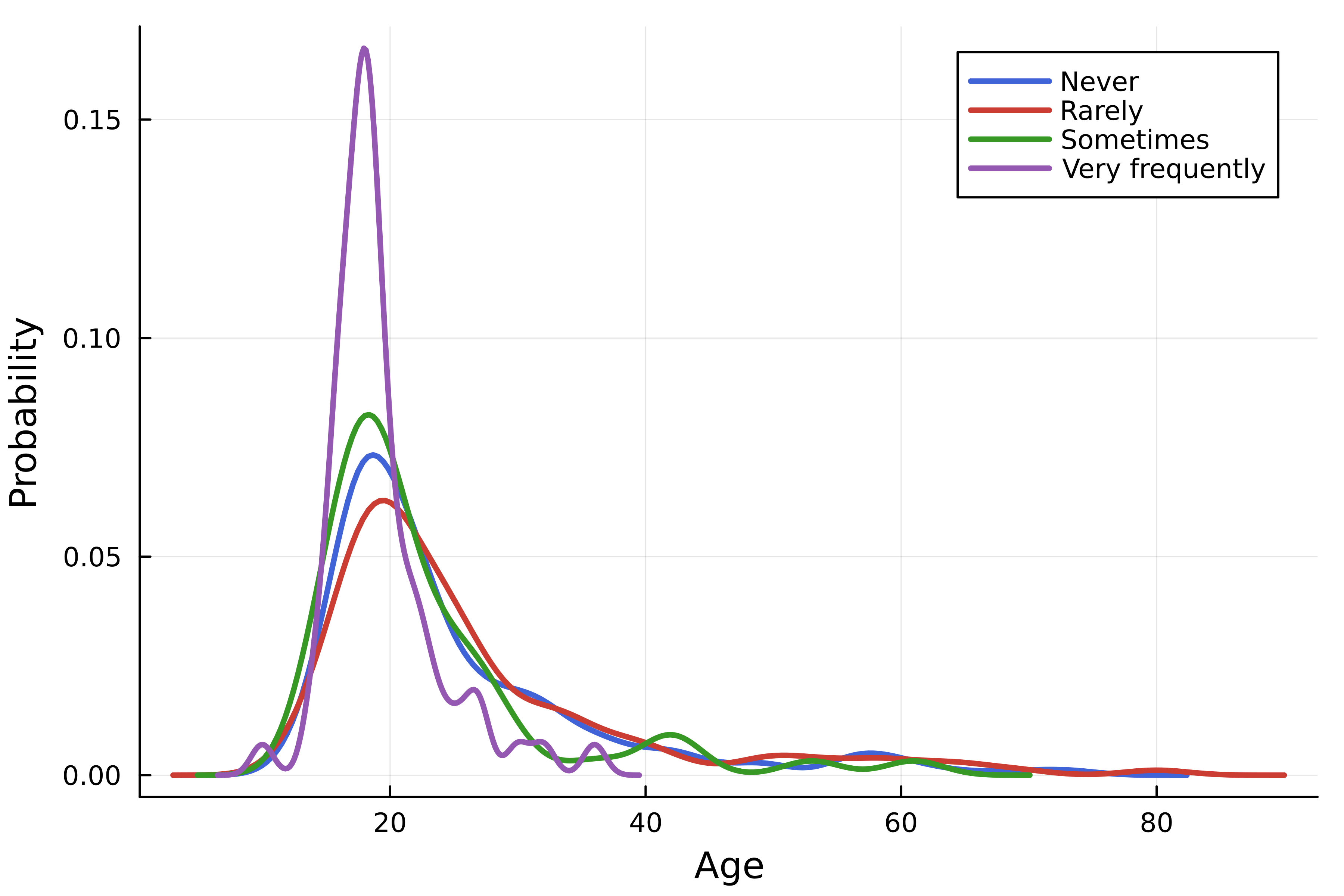
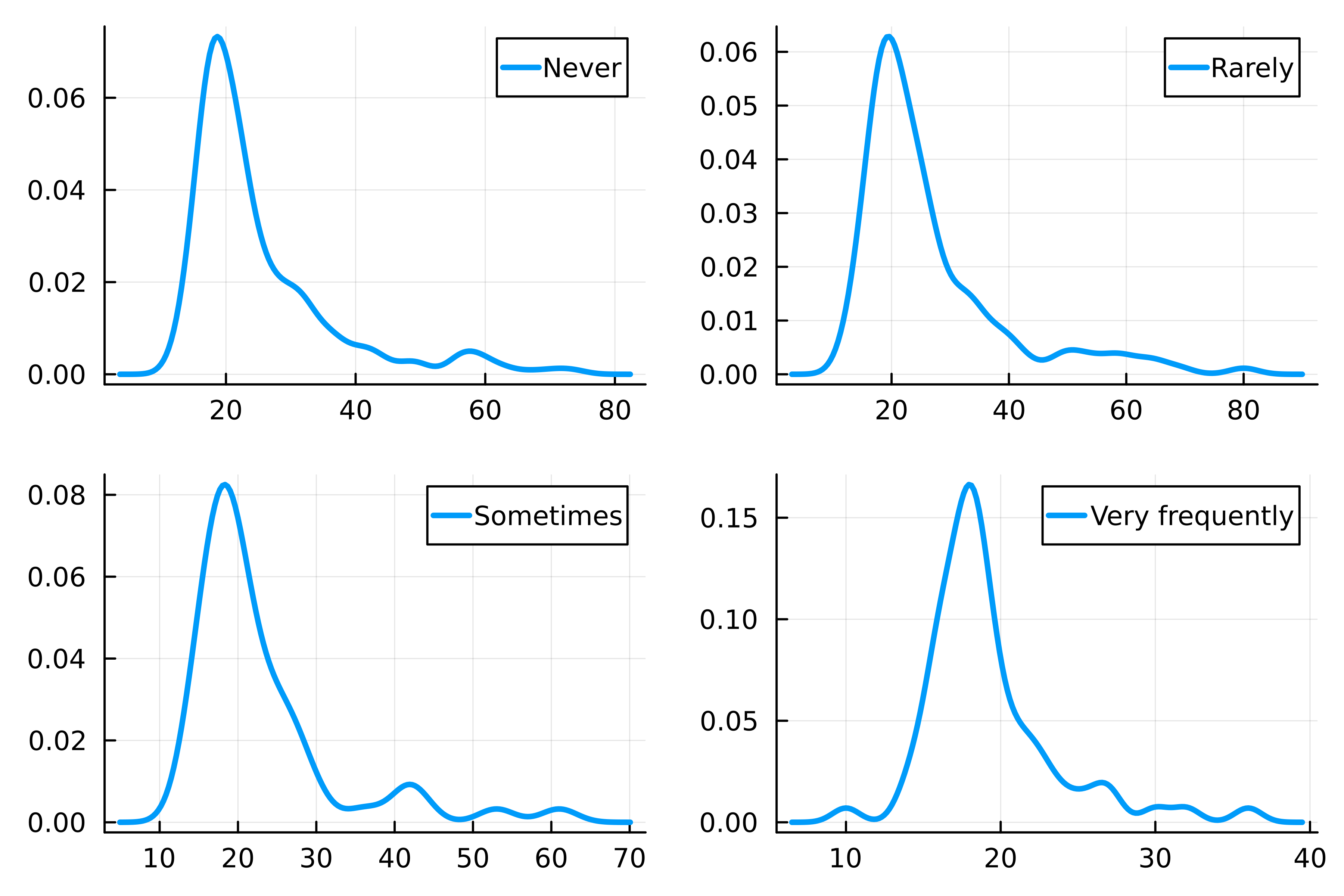
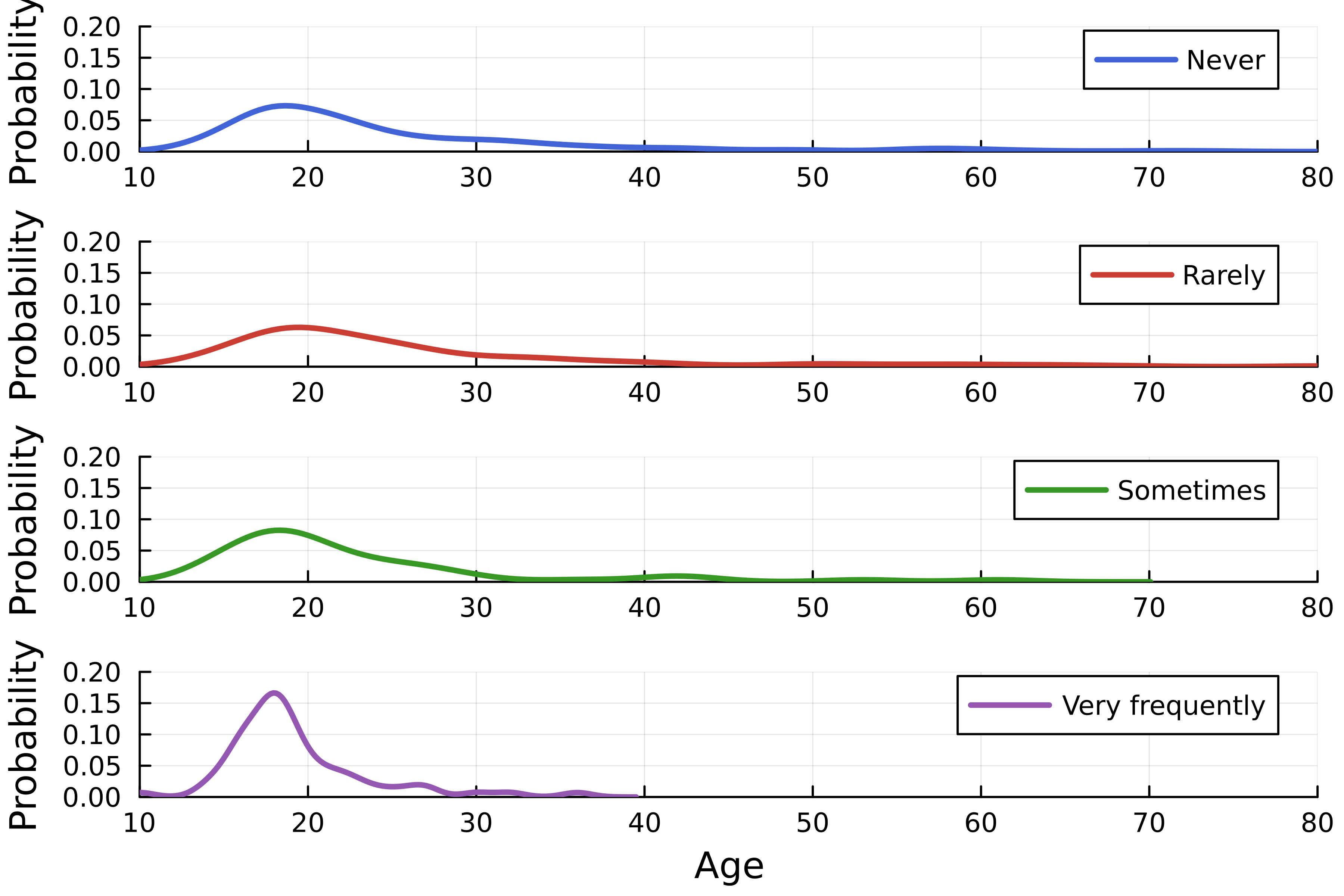
using StatsPlots, DataFrames, CSV # Dataset laden streaming = DataFrame( CSV.File("streaming.csv") )# Maak dichtheidsplot density( streaming.Age, group=streaming."Frequency [K pop]", linewidth=2.5,# Stel layout in layout=4, )

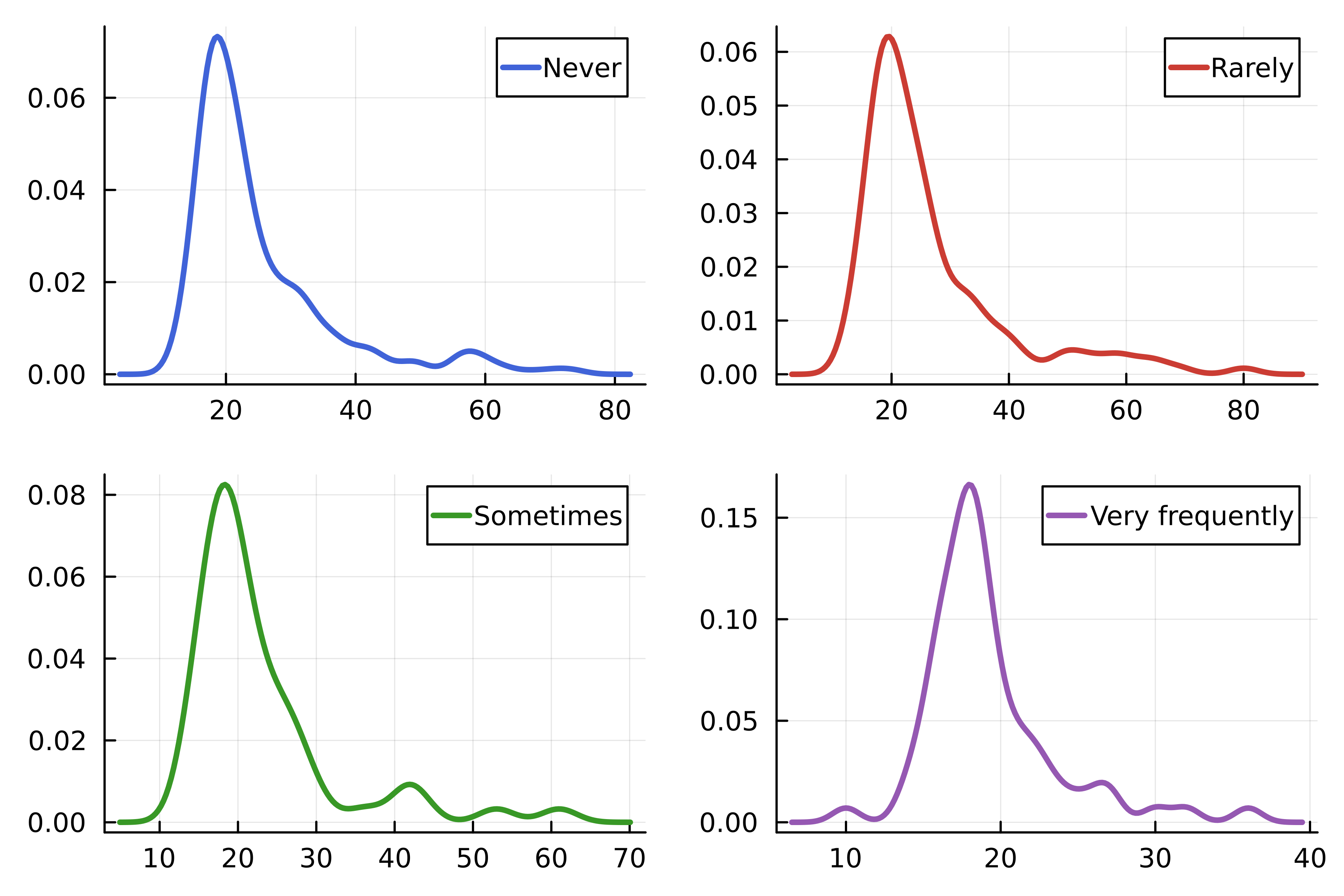
using Colors # Kleuren van het Julia-logo logocolors = Colors.JULIA_LOGO_COLORS colors = [logocolors.blue logocolors.red logocolors.green logocolors.purple]density( streaming.Age, group=streaming."Frequency [K pop]", linewidth=2.5, layout=4, # Lijnkleuren linecolor=colors, )

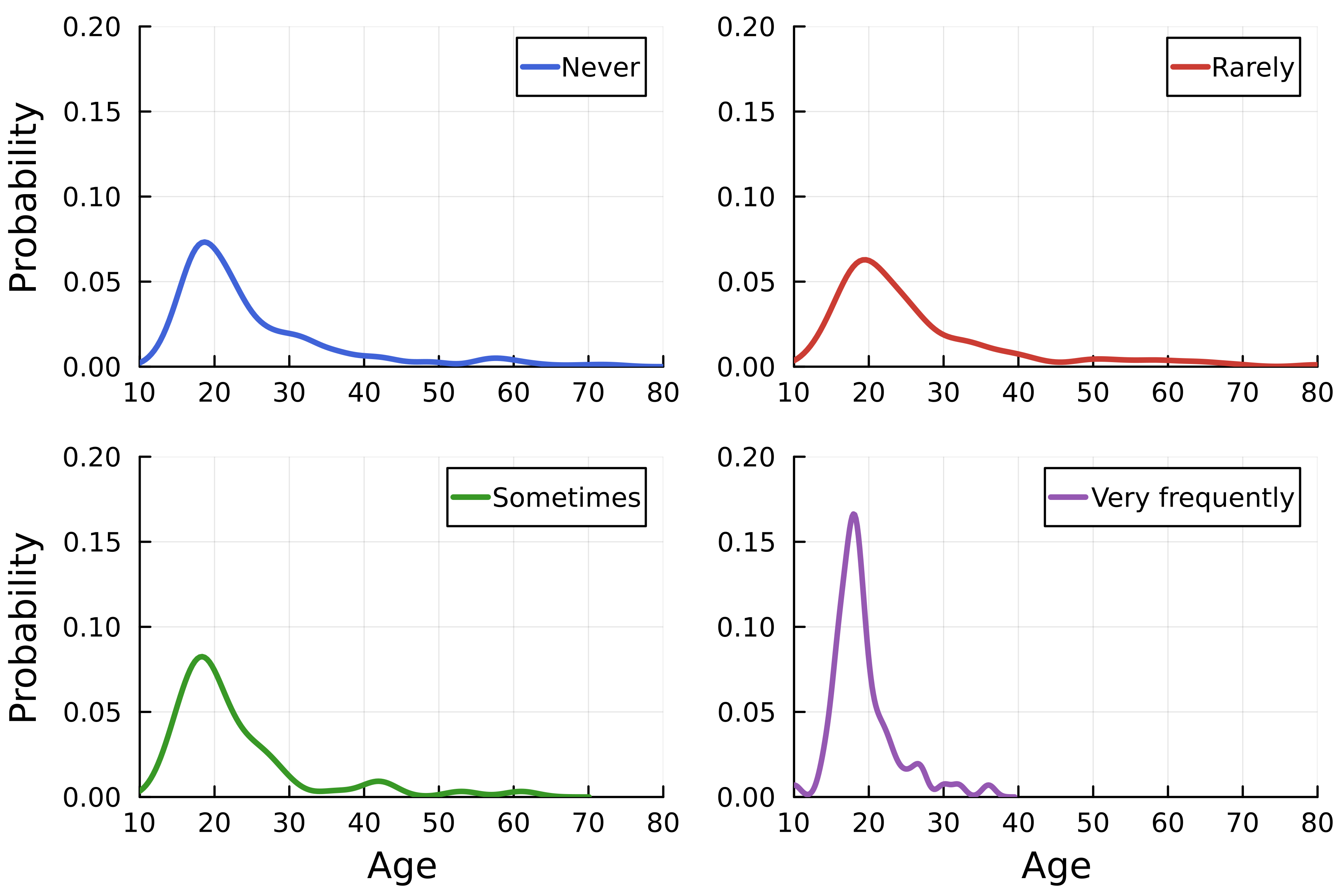
density( streaming.Age, group=streaming."Frequency [K pop]", linewidth=2.5, linecolor=colors,# Layout dimensions layout=(4, 1),# As-labels xlabel=["" "" "" "Age"], ylabel="Probability", )# As-grenzen xlims!(10, 80) ylims!(0, 0.2)


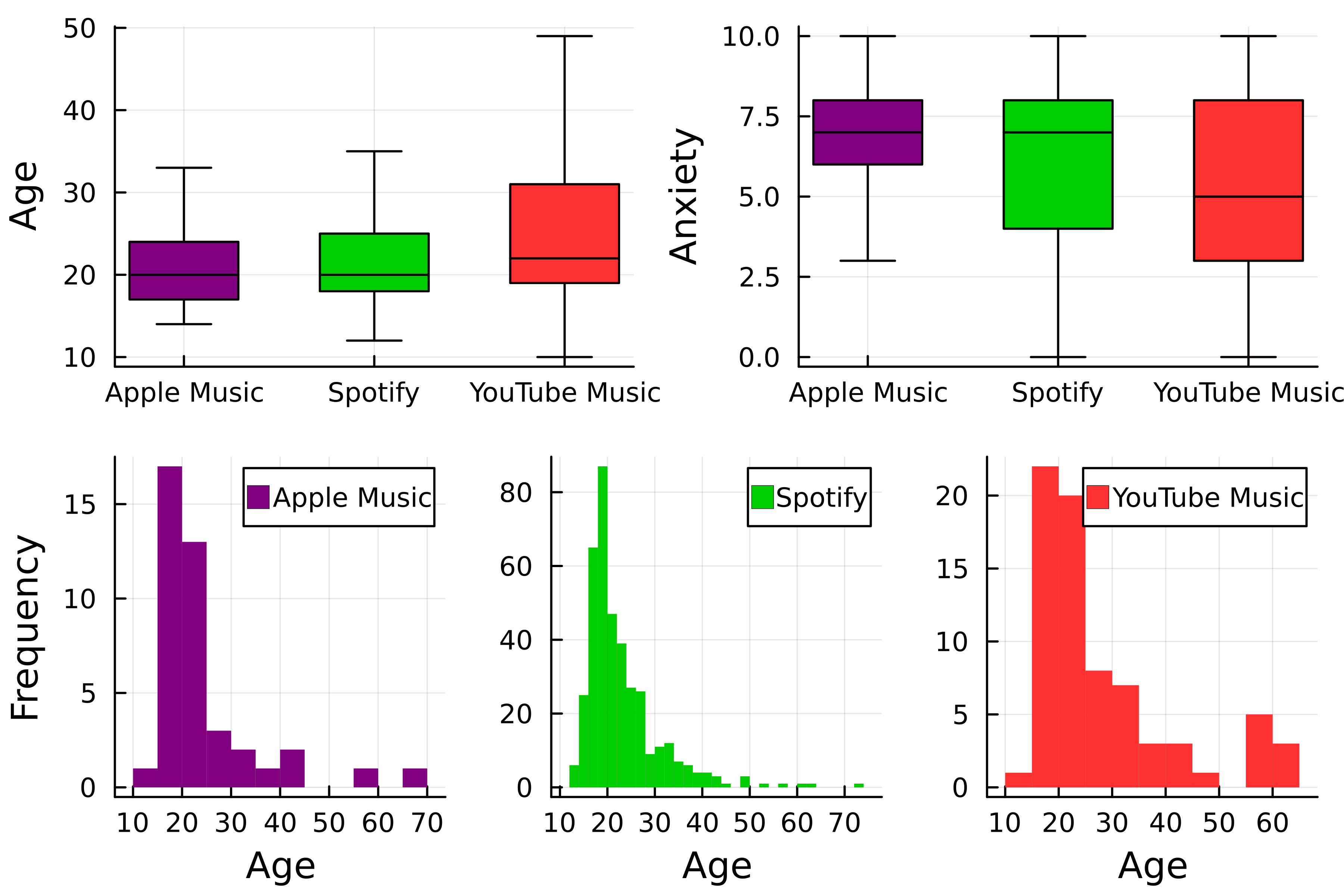
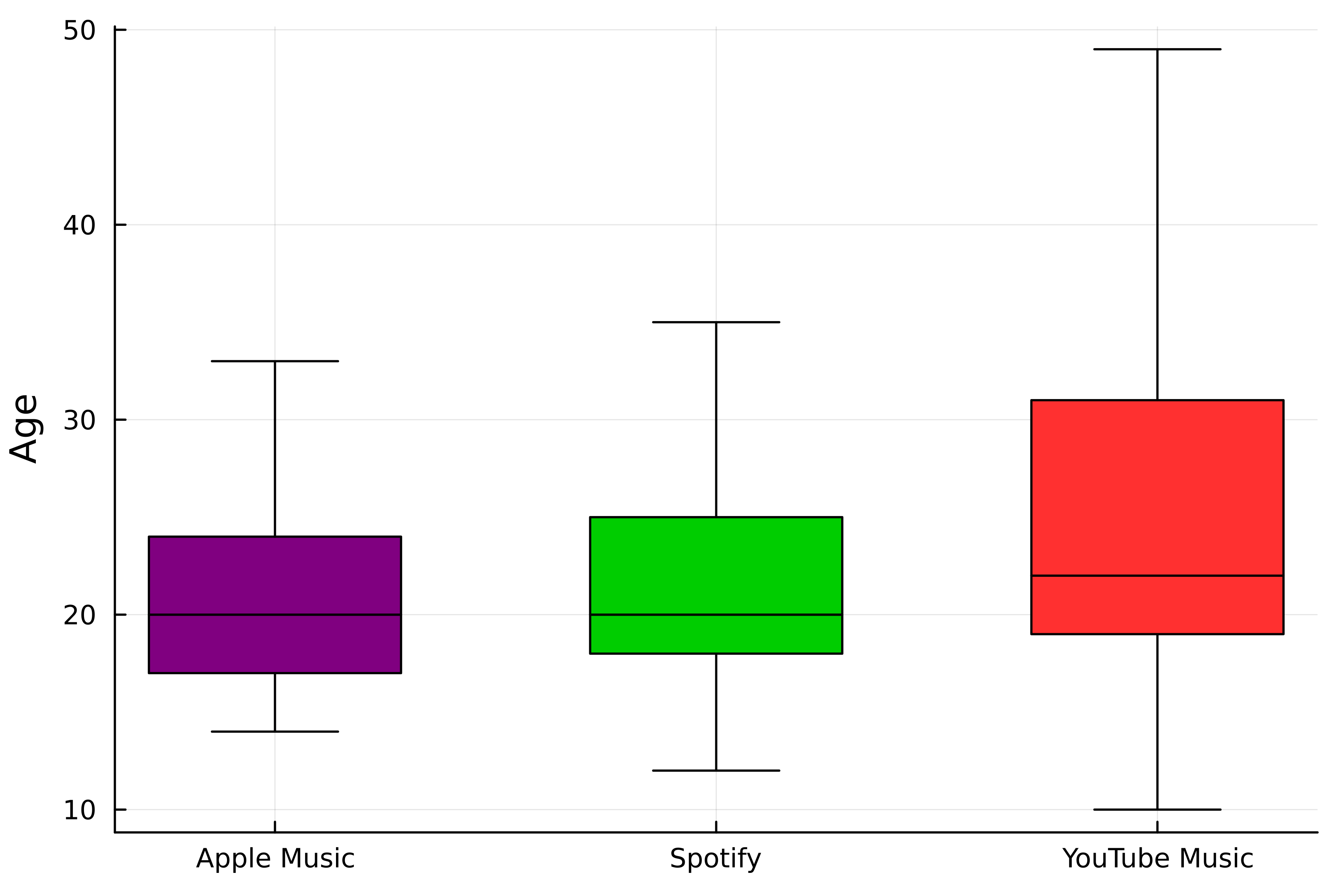
theme(:wong) # Kies kleuren colors = [:purple :green3 :firebrick1]# Eerste boxplot p1 = boxplot(streaming."Streaming service", streaming.Age,# Groepeer per streamingdienst group=streaming."Streaming service", color=colors,label=false, ylabel="Age", # Verwijder uitschieters outliers=false)

# Tweede boxplot
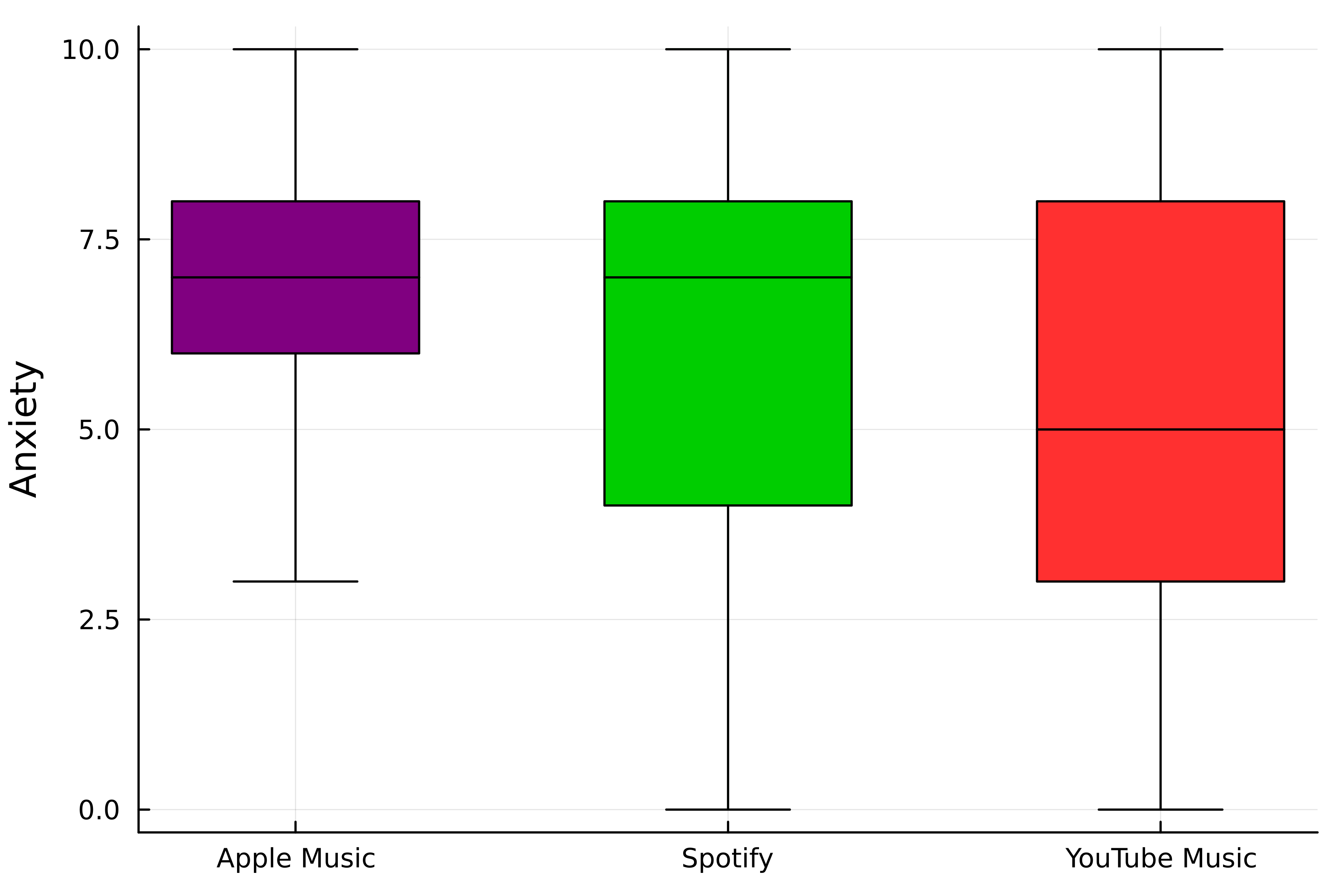
p2 = boxplot(
streaming."Streaming service",
streaming.Anxiety,
# Groepeer per streamingdienst
group=streaming."Streaming service",
color=colors,
label=false,
ylabel="Anxiety",
# Verwijder uitschieters
outliers=false,
)

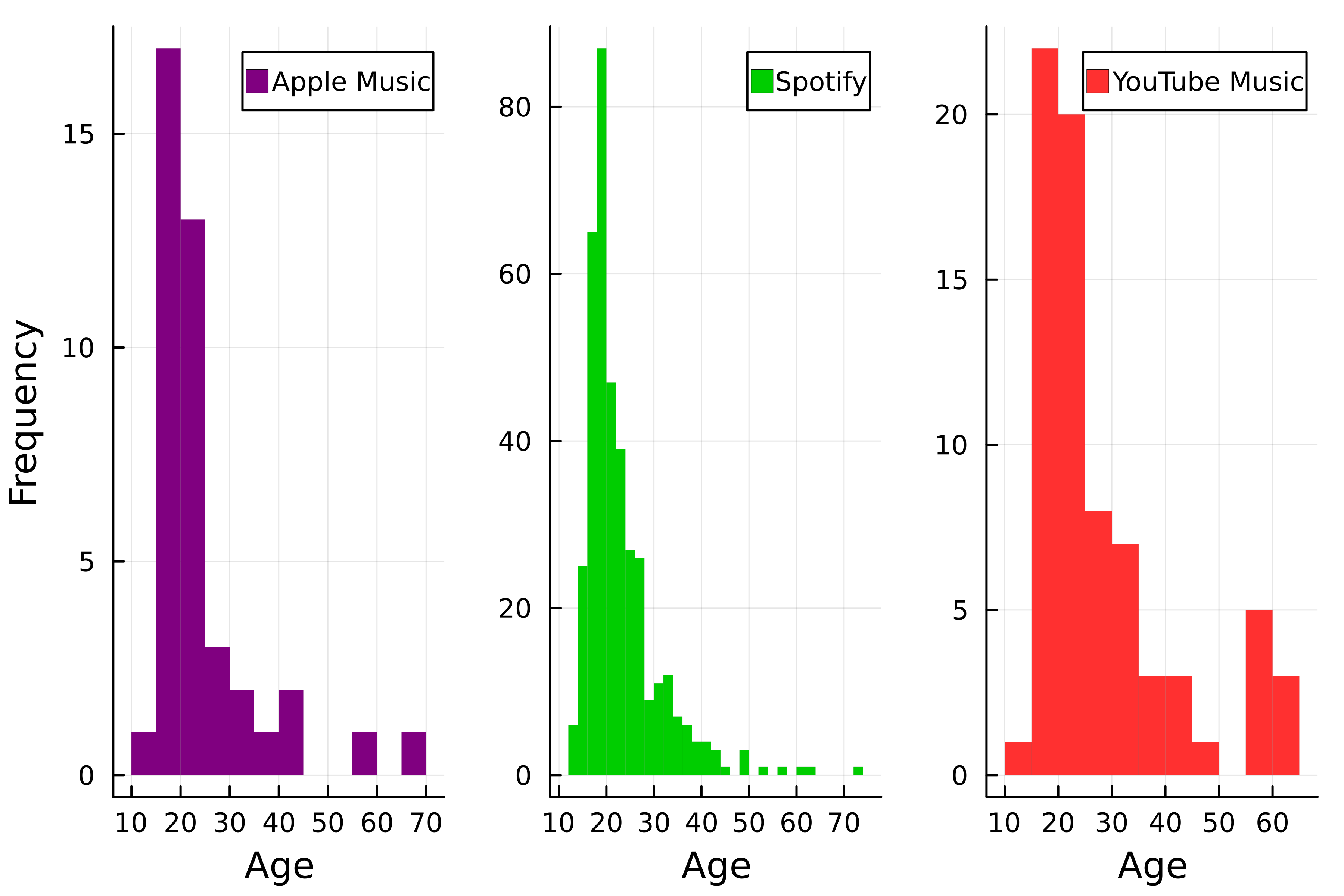
# Histogrammen p3 = histogram( streaming.Age, group=streaming."Streaming service", color=colors, # Verwijder lijnen linewidth=0,# Stel layout in layout=(1, 3),xlabel="Age", # Stel y-aslabels in ylabel=["Frequency" "" ""] )

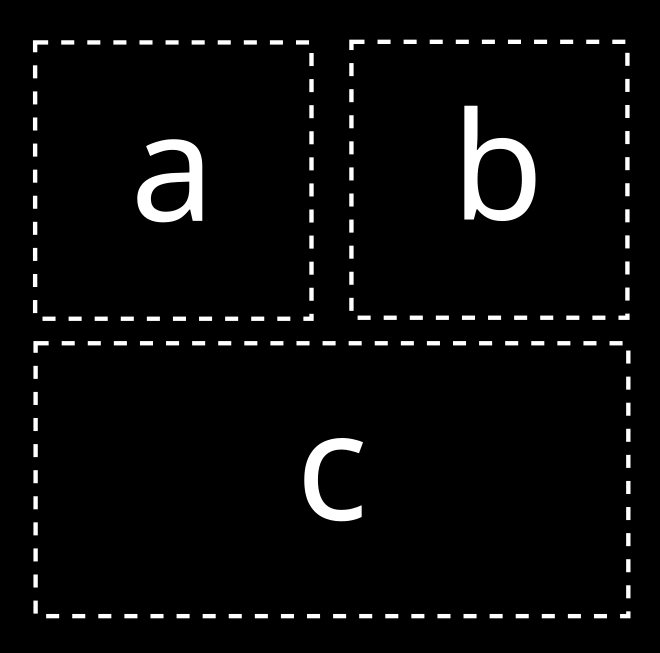
# Kies layout
layout = @layout [a b; c]
# Combineer de plots
plot(p1, p2, p3, layout=layout)

Introductie tot datavisualisatie met Julia