Plot garis

Pengantar Visualisasi Data dengan ggplot2

Rick Scavetta

Founder, Scavetta Academy

Jenis plot umum

Jenis plot Geom yang mungkin
Scatter plot points, jitter, abline, smooth, count
Bar plot histogram, bar, col, errorbar
Line plot line, path
Pengantar Visualisasi Data dengan ggplot2

Berang-berang

str(beaver)
'data.frame':    101 obs. of  3 variables:
 $ time  : POSIXct, format: "2000-01-01 09:30:00" "2000-01-01 09:40:00" "2000-01-01 09:50:00" ...
 $ temp  : num  36.6 36.7 36.9 37.1 37.2 ...
 $ active: Factor w/ 2 levels "0","1": 1 1 1 1 1 1 1 1 1 1 ...
Pengantar Visualisasi Data dengan ggplot2

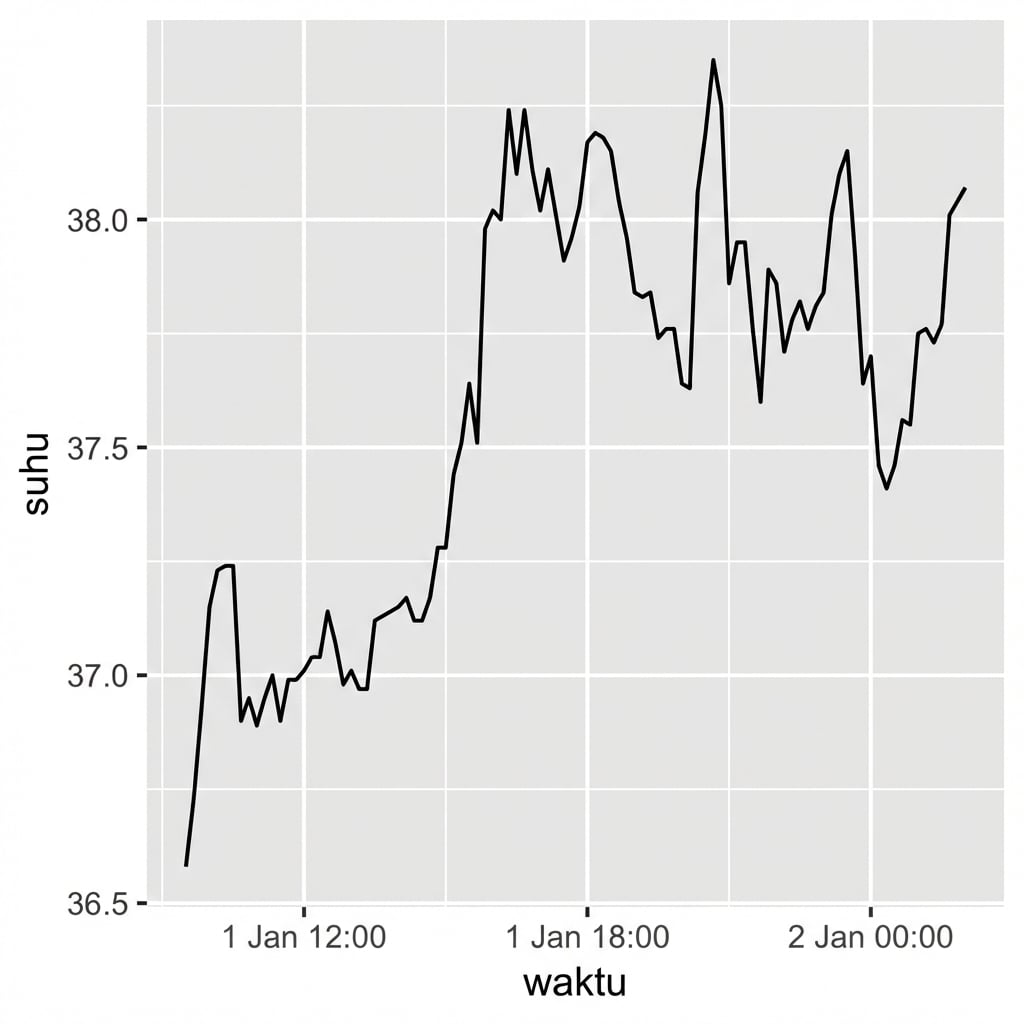
Berang-berang

ggplot(beaver, aes(x = time, y = temp)) +
  geom_line()

Pengantar Visualisasi Data dengan ggplot2

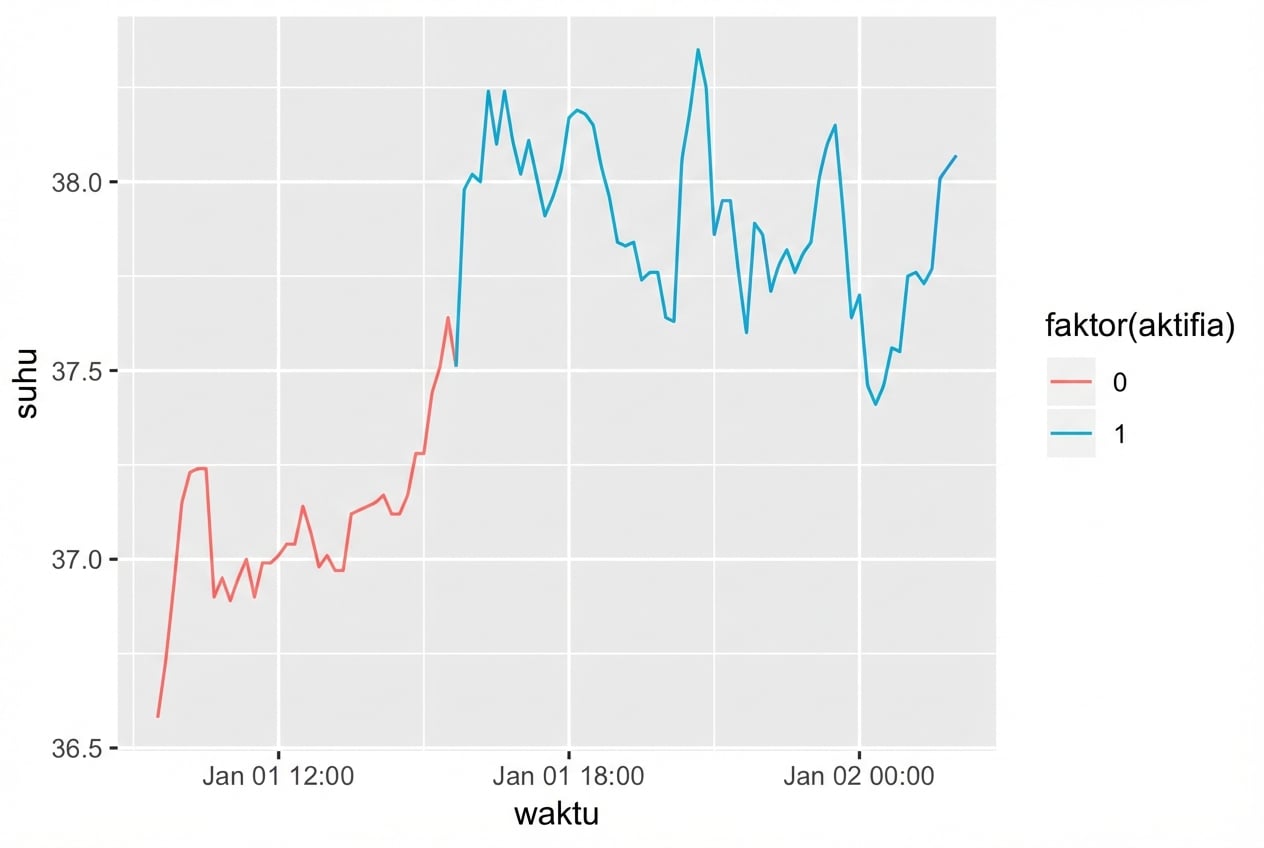
Berang-berang

ggplot(beaver, aes(x = time, y = temp, 
                   color = factor(active))
                   ) +
  geom_line()

Pengantar Visualisasi Data dengan ggplot2

Dataset tangkapan ikan

str(fish)
'data.frame':    427 obs. of  3 variables:
 $ Species: Factor w/ 7 levels "Pink","Chum",..: 1 2 3 4 5 6 7 1 2 3 ...
 $ Year   : int  1950 1950 1950 1950 1950 1950 1950 1951 1951 1951 ...
 $ Capture: int  100600 139300 64100 30500 0 23200 10800 259000 155900 51200 ...
Pengantar Visualisasi Data dengan ggplot2

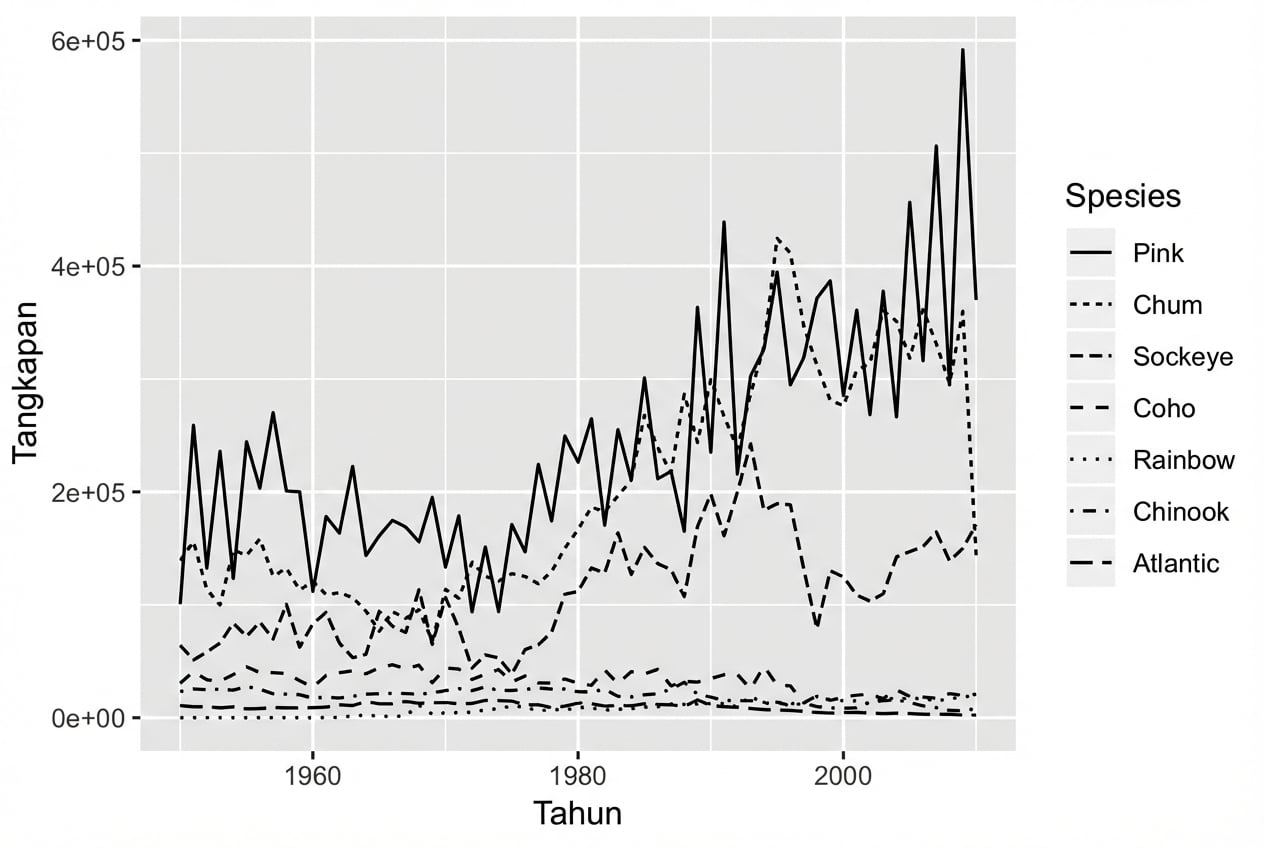
Aestetik linetype

ggplot(fish, aes(x = Year, 
                 y = Capture, 
                 linetype = Species)) + 
  geom_line()

Pengantar Visualisasi Data dengan ggplot2

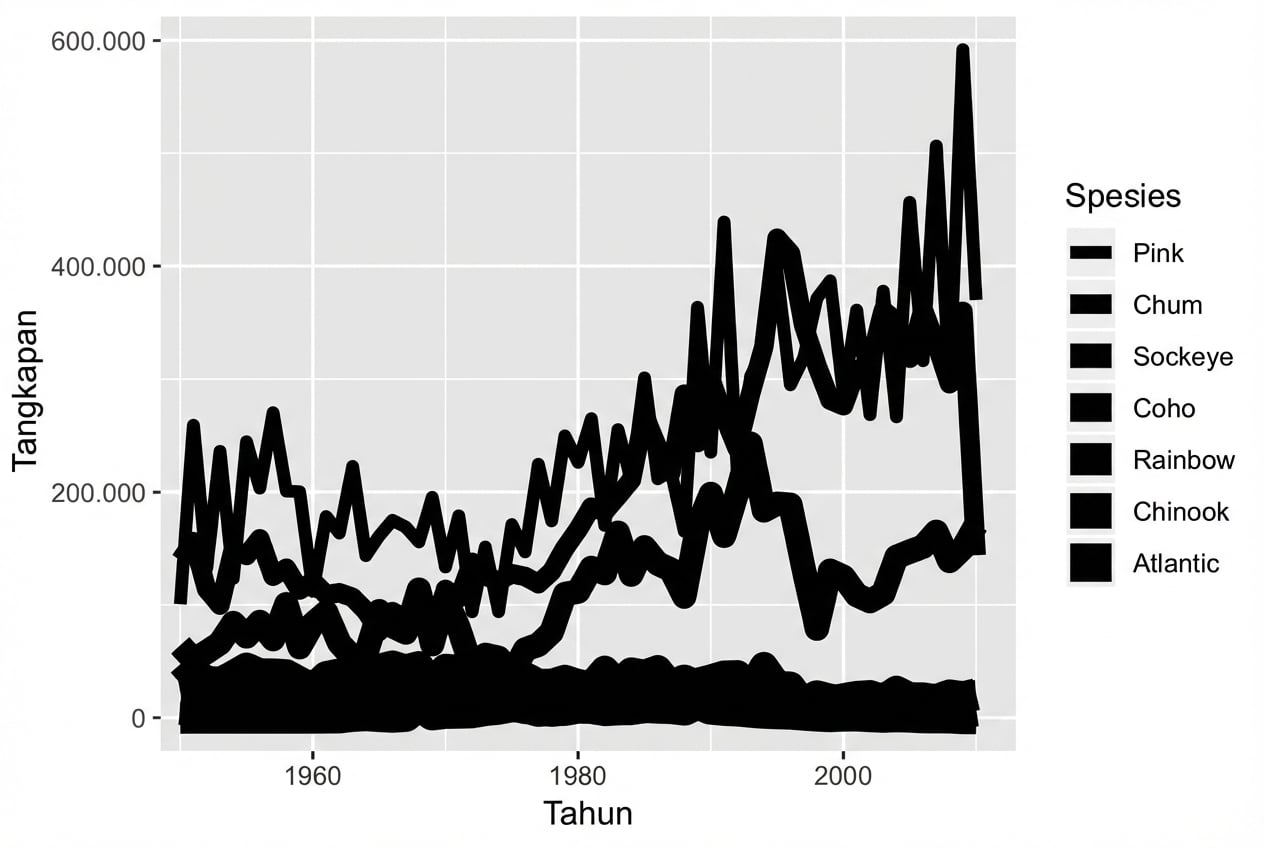
Aestetik size

ggplot(fish, aes(x = Year, 
                 y = Capture, 
                 size = Species)) + 
  geom_line()

Pengantar Visualisasi Data dengan ggplot2

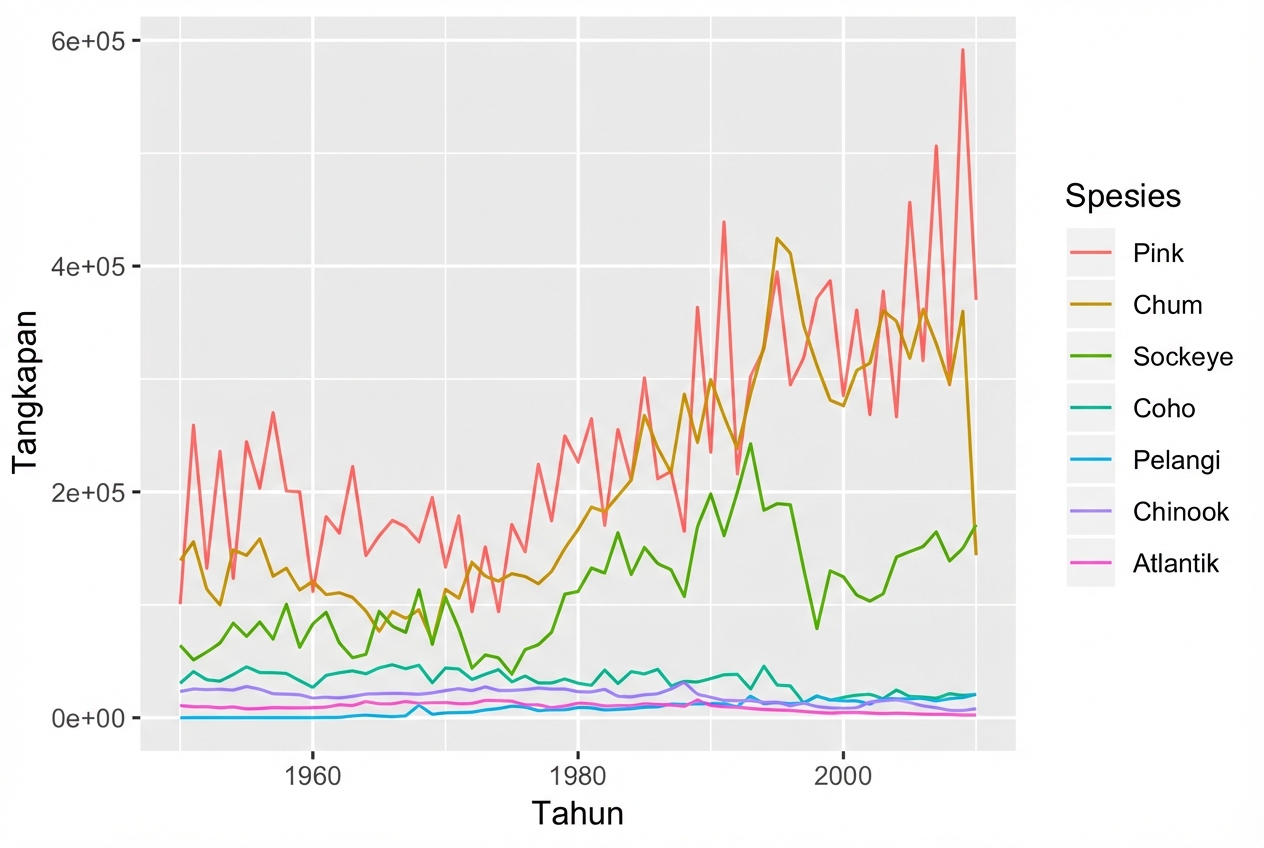
Aestetik color

ggplot(fish, aes(x = Year, 
                 y = Capture, 
                 color = Species)) + 
  geom_line()

Pengantar Visualisasi Data dengan ggplot2

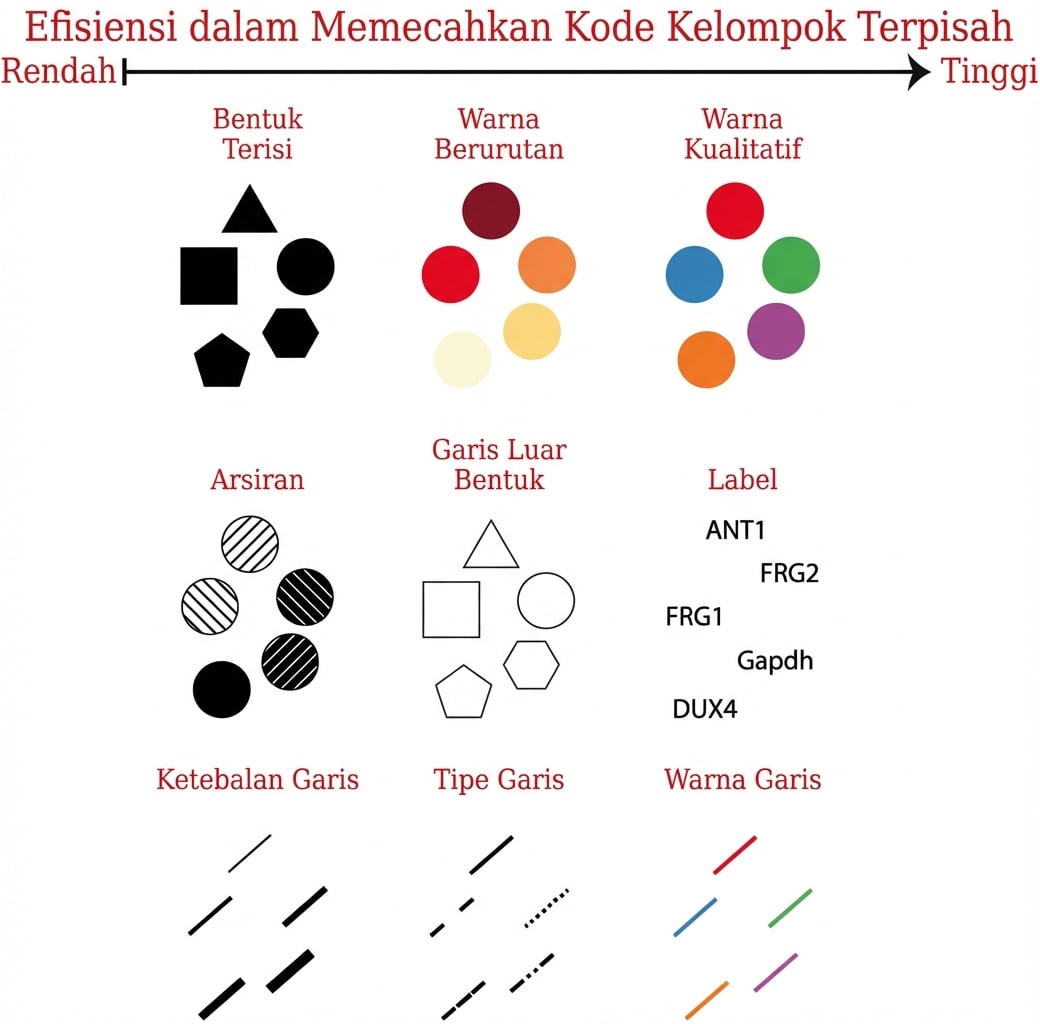
Aestetik untuk variabel kategorikal

Pengantar Visualisasi Data dengan ggplot2

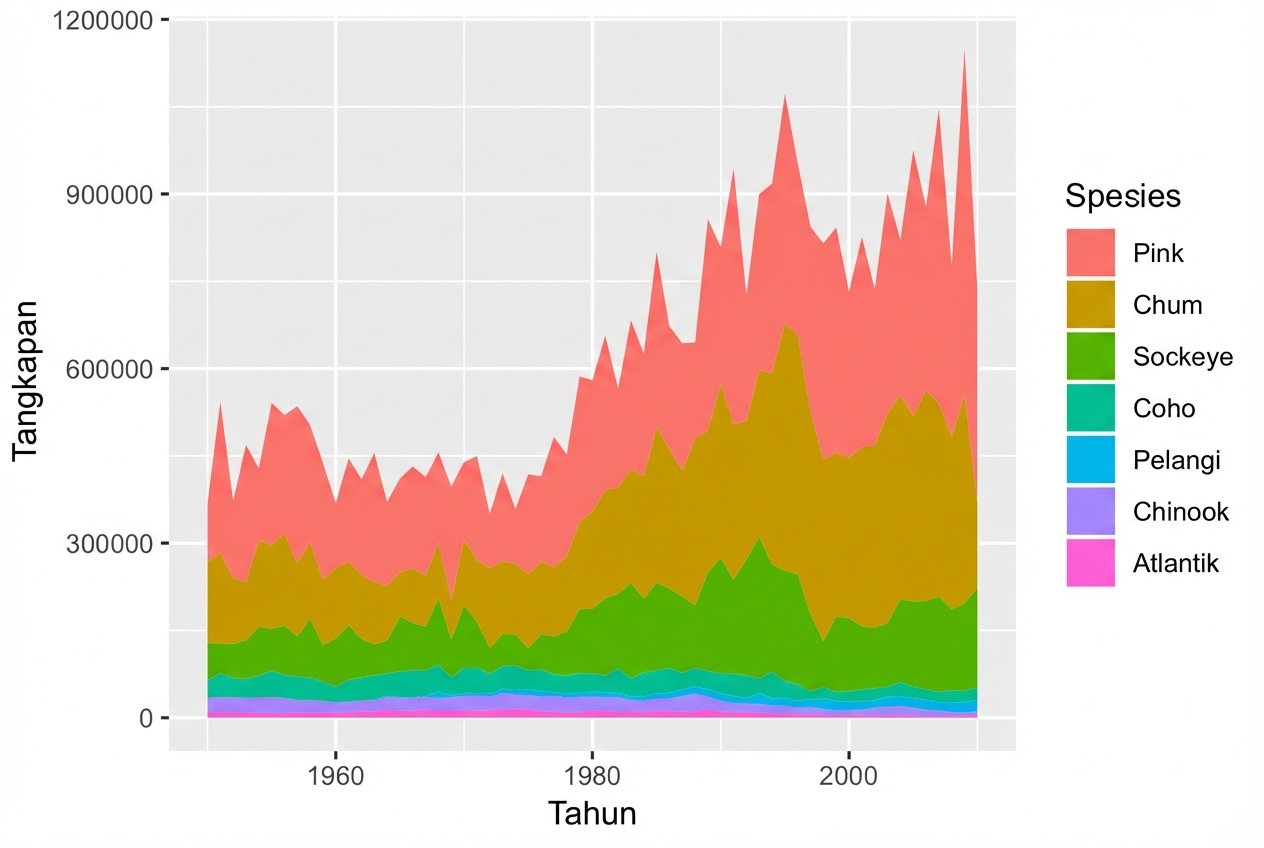
Aestetik fill dengan geom_area()

ggplot(fish, aes(x = Year, 
                 y = Capture, 
                 fill = Species)) + 
  geom_area()

Pengantar Visualisasi Data dengan ggplot2

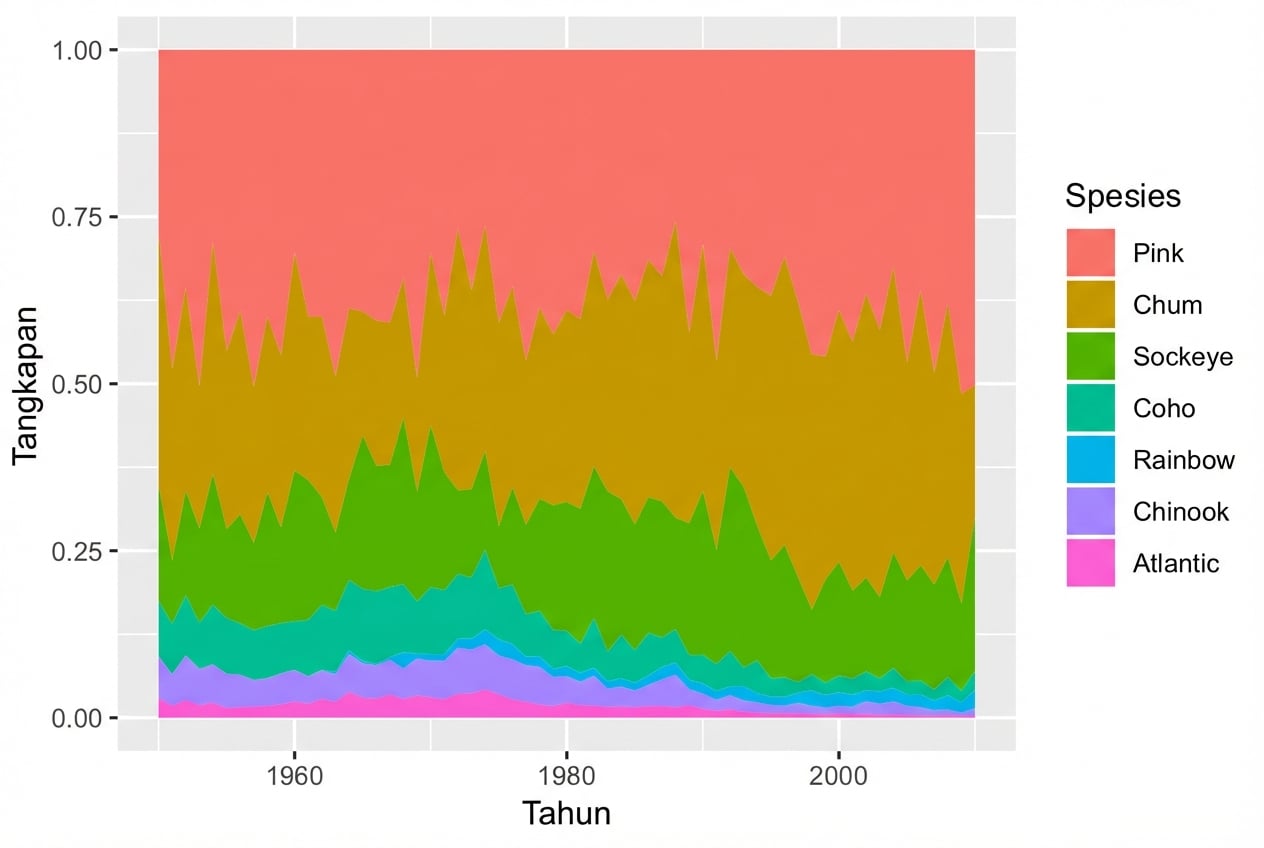
Menggunakan position = "fill"

ggplot(fish, aes(x = Year, 
                 y = Capture, 
                 fill = Species)) + 
  geom_area(position = "fill")

Pengantar Visualisasi Data dengan ggplot2

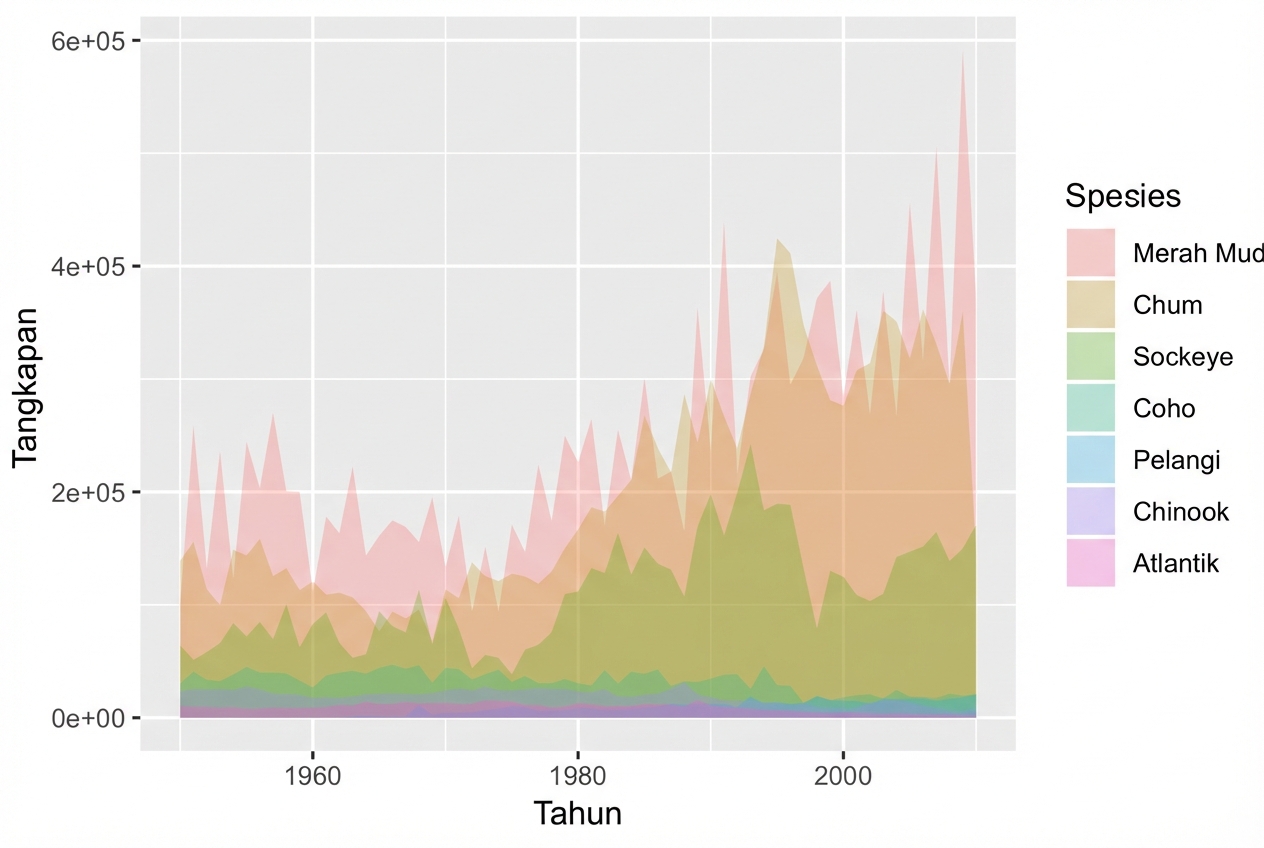
geom_ribbon()

ggplot(fish, aes(x = Year, 
                 y = Capture, 
                 fill = Species)) + 
  geom_ribbon(aes(ymax = Capture, 
                  ymin = 0), 
              alpha = 0.3)

Pengantar Visualisasi Data dengan ggplot2

Ayo berlatih!

Pengantar Visualisasi Data dengan ggplot2

Preparing Video For Download...