Scatter plot

Pengantar Visualisasi Data dengan ggplot2

Rick Scavetta

Founder, Scavetta Academy

48 geom

geom_*
abline contour dotplot jitter pointrange ribbon spoke
area count errorbar label polygon rug step
bar crossbar errorbarh line qq segment text
bin2d curve freqpoly linerange qq_line sf tile
blank density hex map quantile sf_label violin
boxplot density2d histogram path raster sf_text vline
col density_2d hline point rect smooth
Pengantar Visualisasi Data dengan ggplot2

Jenis plot umum

Jenis plot Geom yang mungkin
Scatter plot points, jitter, abline, smooth, count
Pengantar Visualisasi Data dengan ggplot2

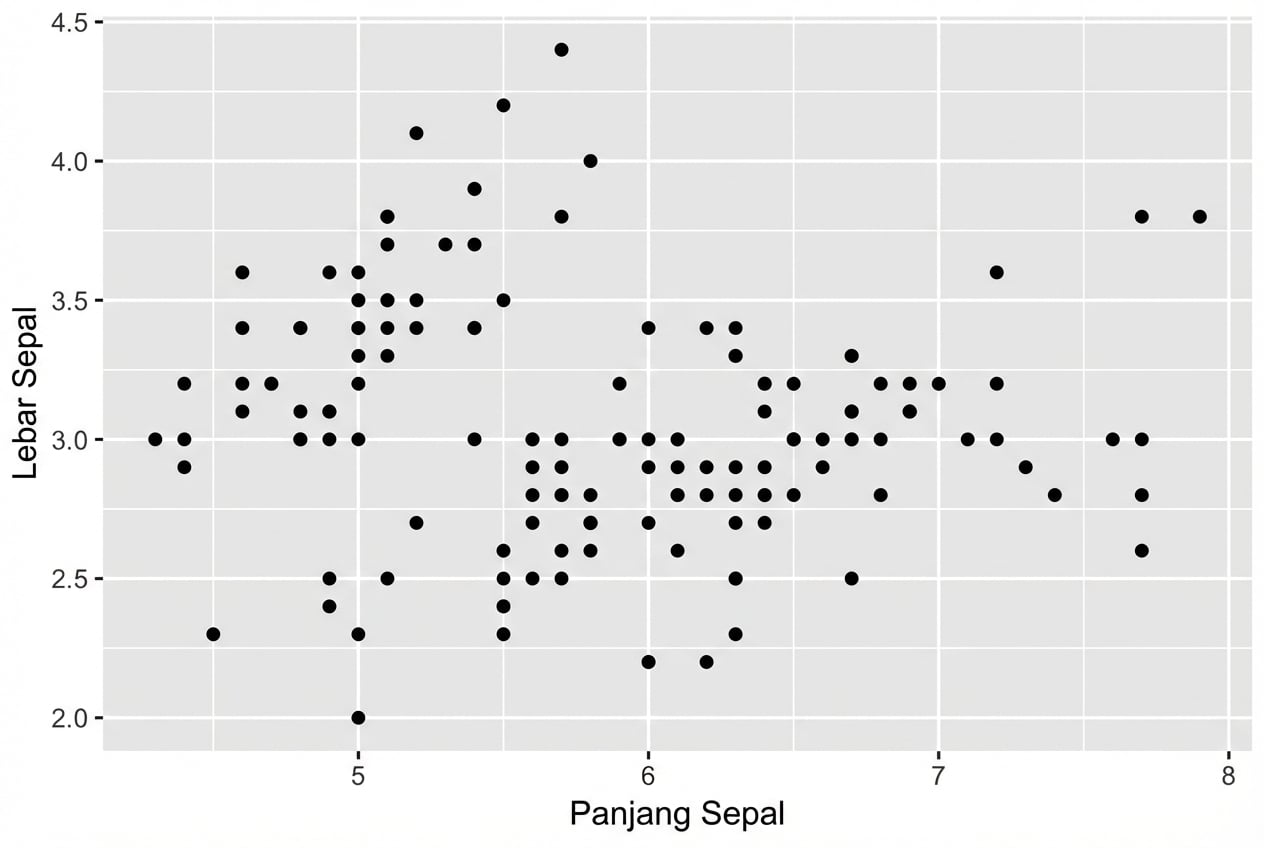
Scatter plot

  • Tiap geom menerima pemetaan estetika tertentu, mis. geom_point():
Esensial
x,y
ggplot(iris, aes(x = Sepal.Length, 
                 y = Sepal.Width)) + 
  geom_point()
Pengantar Visualisasi Data dengan ggplot2

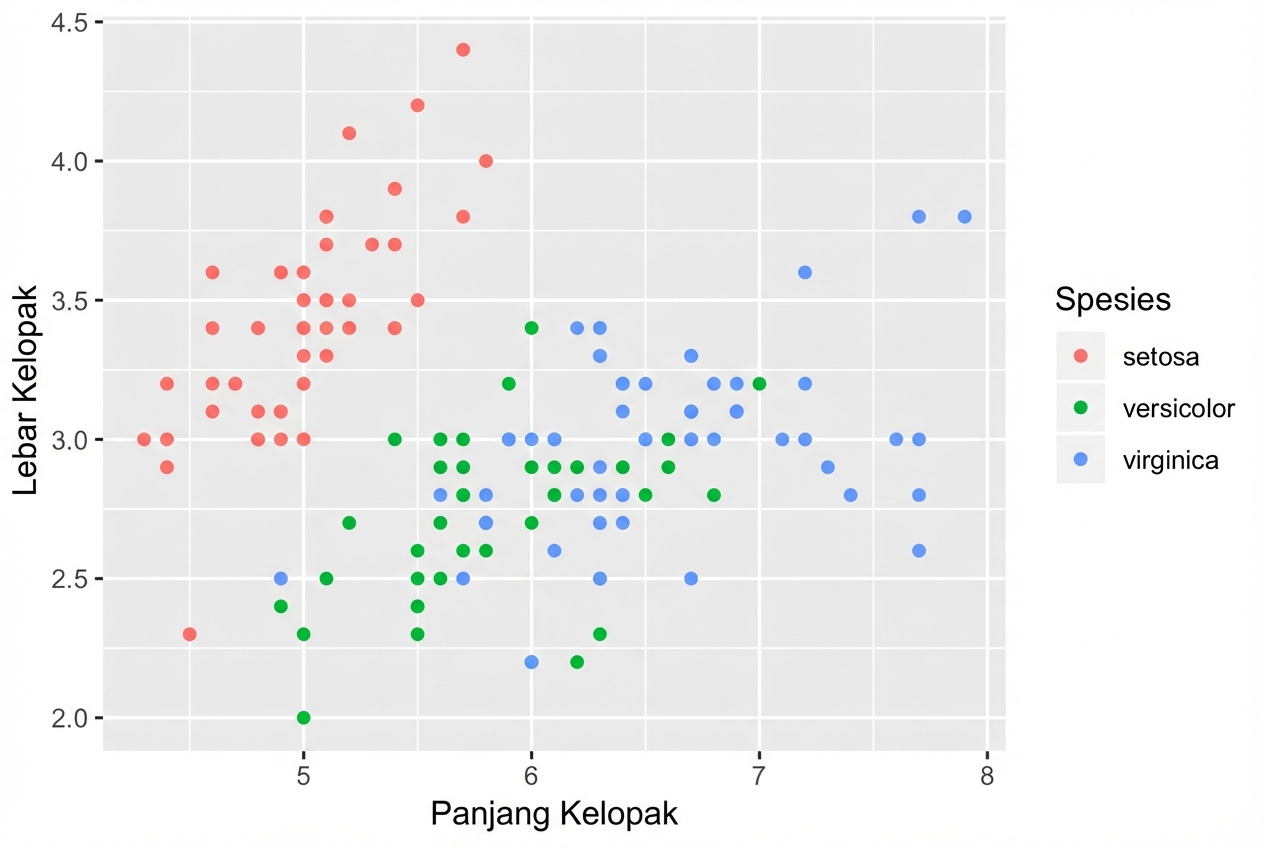
Scatter plot

  • Tiap geom menerima pemetaan estetika tertentu, mis. geom_point():
Esensial Opsional
x,y alpha, color, fill, shape, size, stroke
ggplot(iris, aes(x = Sepal.Length, 
                 y = Sepal.Width,
                 col = Species)) + 
  geom_point()
Pengantar Visualisasi Data dengan ggplot2

Pemetaan estetika khusus geom

# Hasilnya plot yang sama!
ggplot(iris, aes(x = Sepal.Length, y = Sepal.Width, col = Species)) + 
  geom_point()

ggplot(iris, aes(x = Sepal.Length, y = Sepal.Width)) + 
  geom_point(aes(col = Species))

Kendalikan pemetaan estetika tiap layer secara independen:

Pengantar Visualisasi Data dengan ggplot2
head(iris, 3) # Data mentah
Species Sepal.Length Sepal.Width Petal.Length Petal.Width
1  setosa          5.1         3.5          1.4         0.2
2  setosa          4.9         3.0          1.4         0.2
3  setosa          4.7         3.2          1.3         0.2
iris %>%
  group_by(Species) %>% 
  summarise_all(mean) -> iris.summary

iris.summary # Statistik ringkas
# A tibble: 3 x 5
  Species    Sepal.Length Sepal.Width Petal.Length Petal.Width
  <fct>             <dbl>       <dbl>        <dbl>       <dbl>
1 setosa             5.01        3.43         1.46       0.246
2 versicolor         5.94        2.77         4.26       1.33 
3 virginica          6.59        2.97         5.55       2.03
Pengantar Visualisasi Data dengan ggplot2
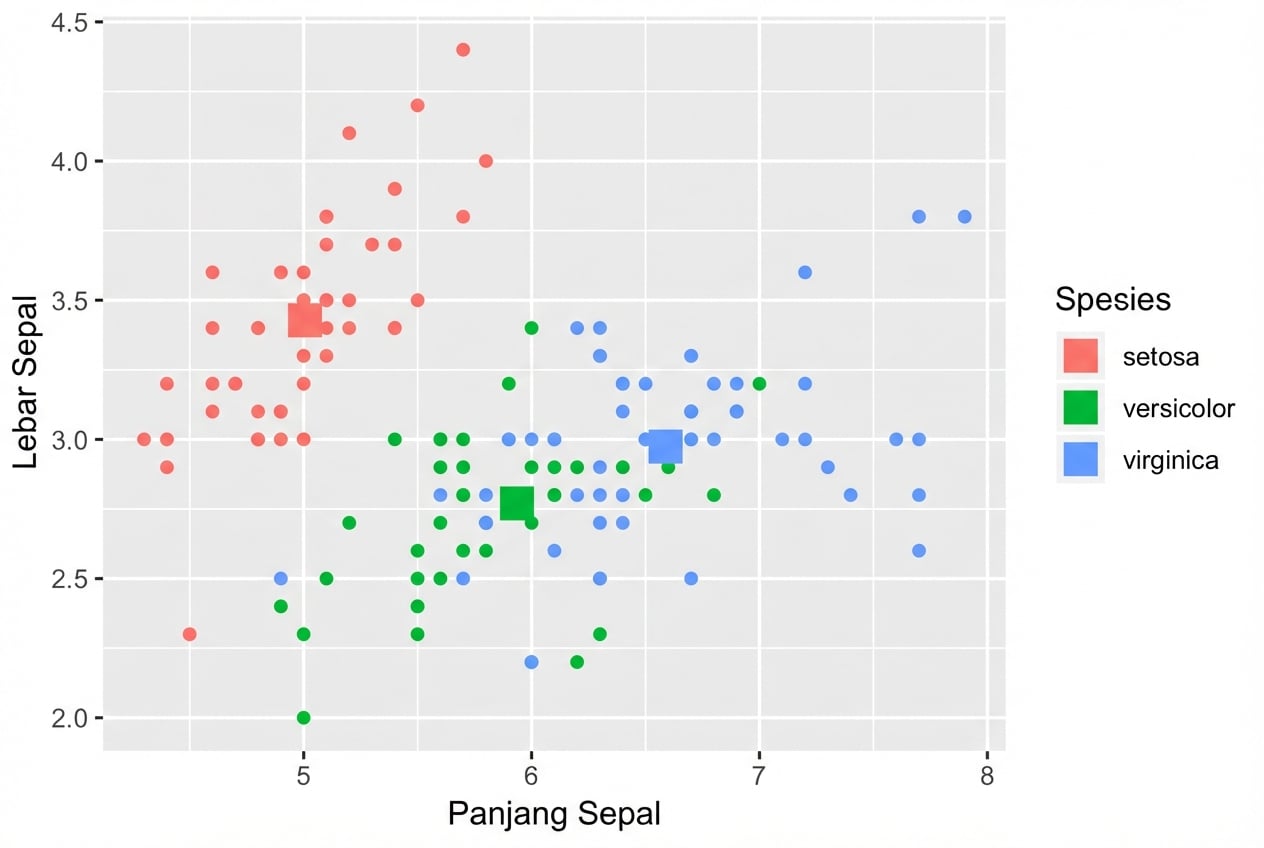
ggplot(iris, aes(x = Sepal.Length, y = Sepal.Width, col = Species)) +
  # Mewarisi data dan aes dari ggplot() 
  geom_point() + 
  # Data berbeda, aes tetap diwarisi
  geom_point(data = iris.summary, shape = 15, size = 5)
Pengantar Visualisasi Data dengan ggplot2

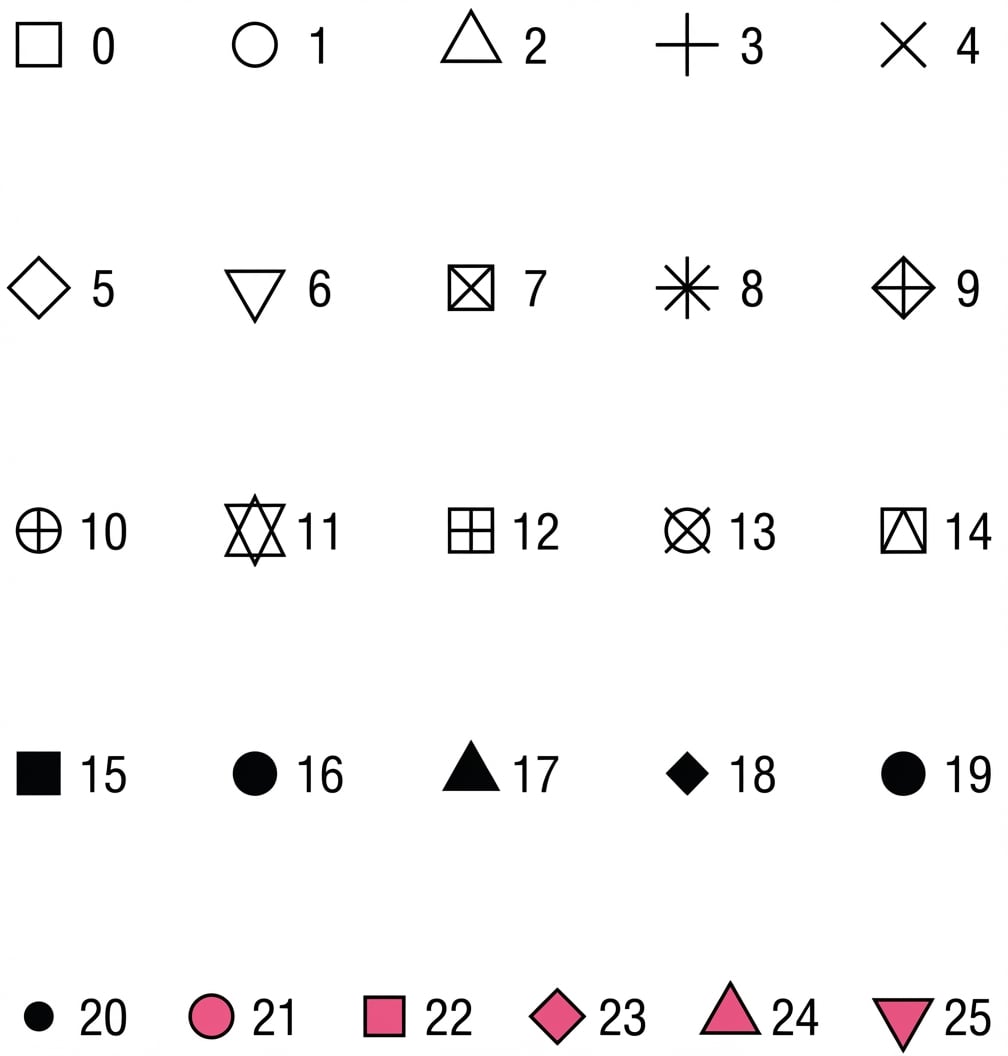
Nilai atribut shape

Pengantar Visualisasi Data dengan ggplot2

Contoh

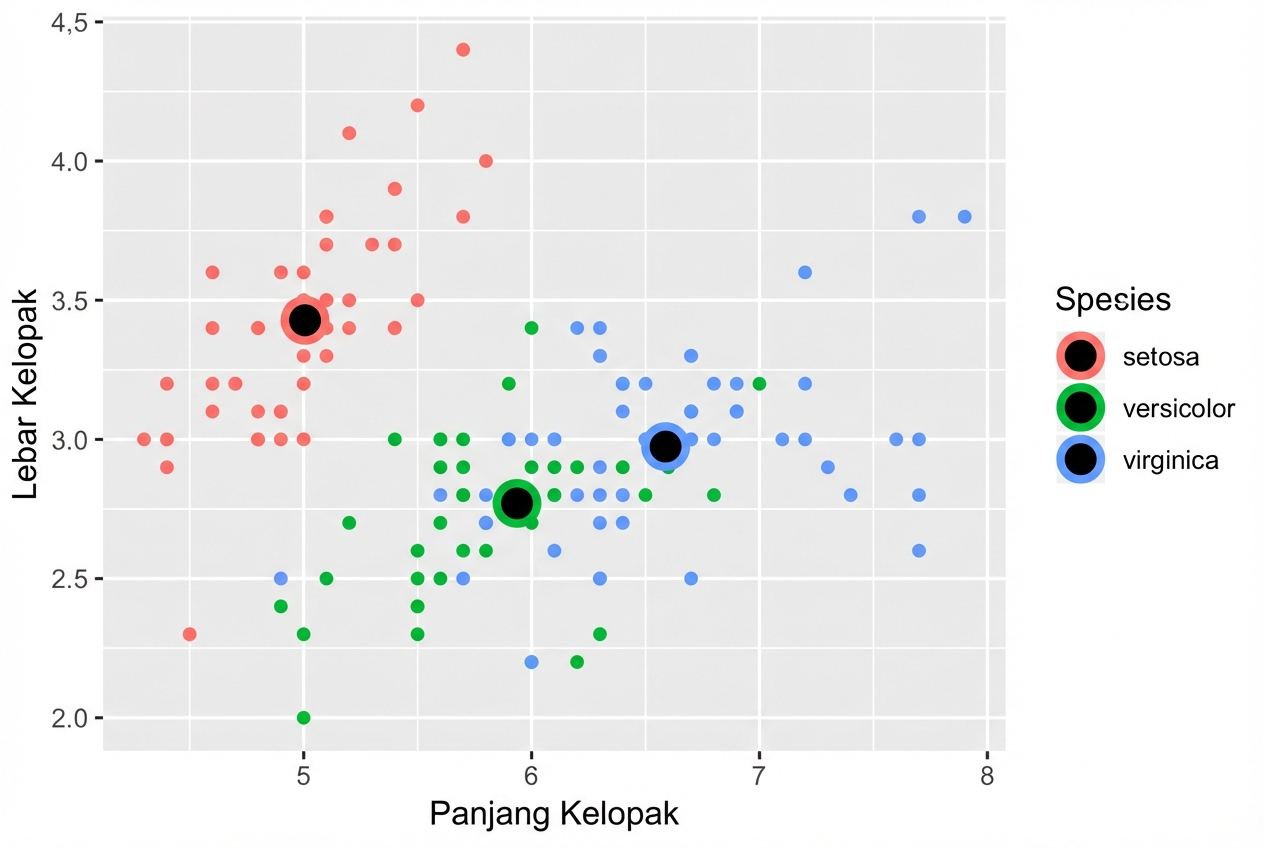
ggplot(iris, aes(x = Sepal.Length, y = Sepal.Width, col = Species)) + 
  geom_point() +
  geom_point(data = iris.summary, shape = 21, size = 5, 
             fill = "black", stroke = 2)
Pengantar Visualisasi Data dengan ggplot2

Stat on-the-fly oleh ggplot2

  • Lihat course kedua untuk layer stats.
  • Catatan: Hindari memplot hanya mean tanpa ukuran sebaran, mis. standar deviasi.

Pengantar Visualisasi Data dengan ggplot2

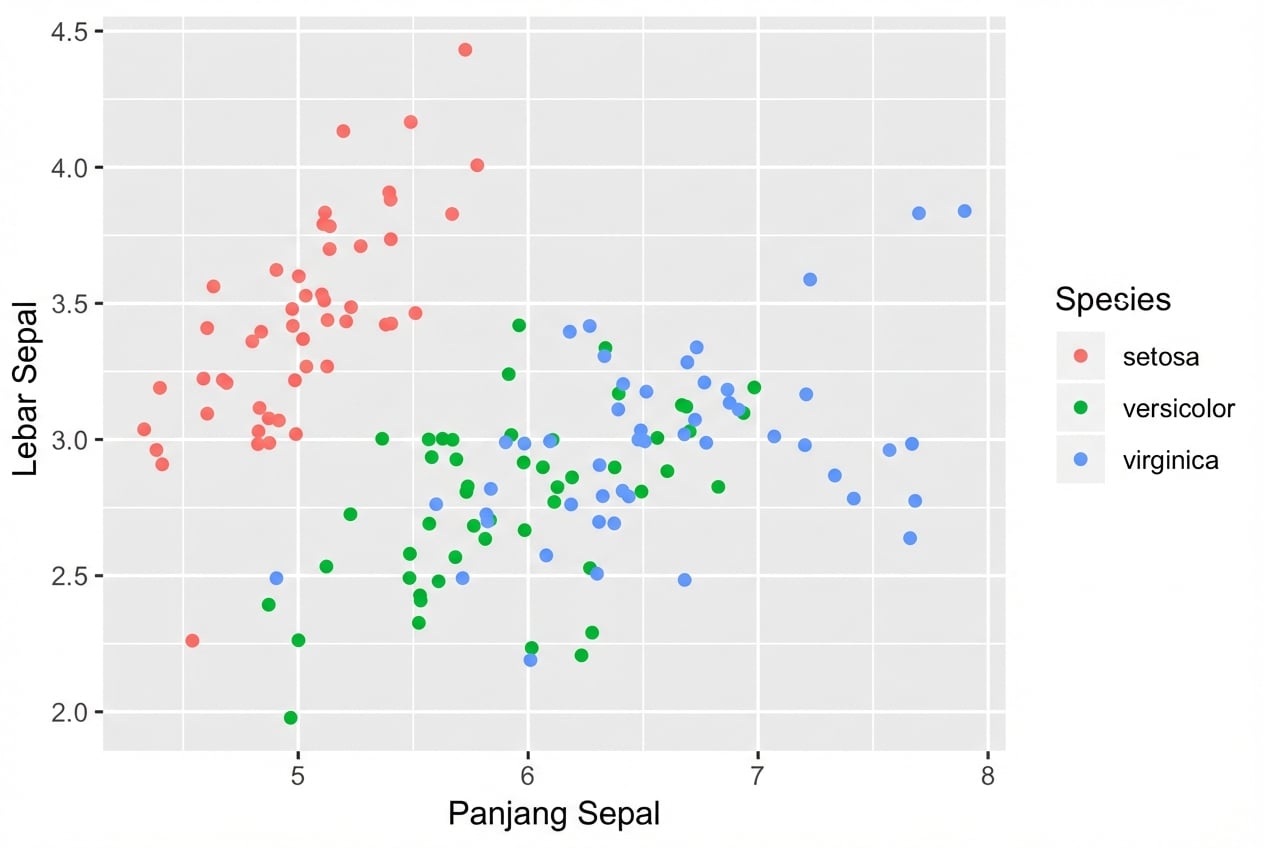
position = "jitter"

ggplot(iris, aes(x = Sepal.Length, y = Sepal.Width, col = Species)) + 
  geom_point(position = "jitter")
Pengantar Visualisasi Data dengan ggplot2

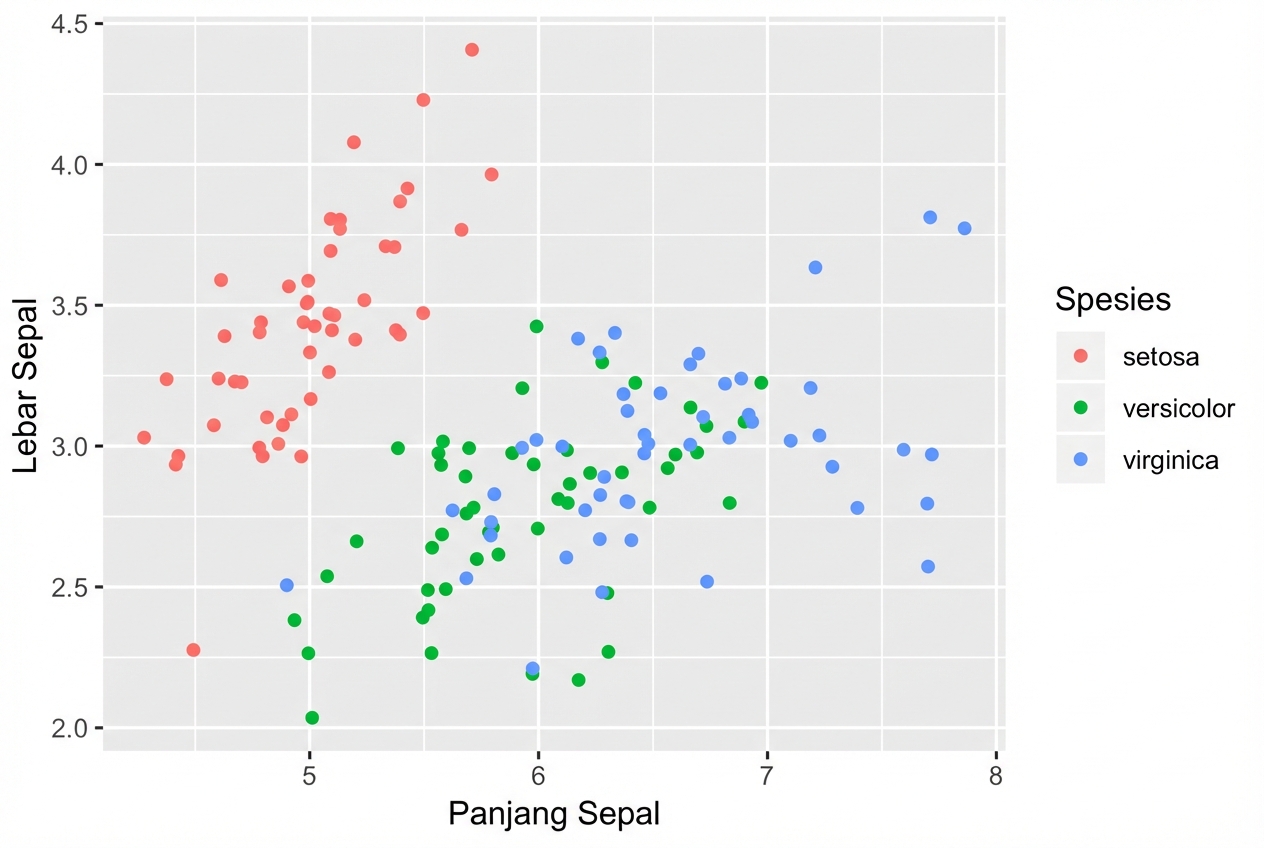
geom_jitter()

Cara singkat untuk geom_point(position = "jitter")

ggplot(iris, aes(x = Sepal.Length, y = Sepal.Width, col = Species)) + 
  geom_jitter()
Pengantar Visualisasi Data dengan ggplot2

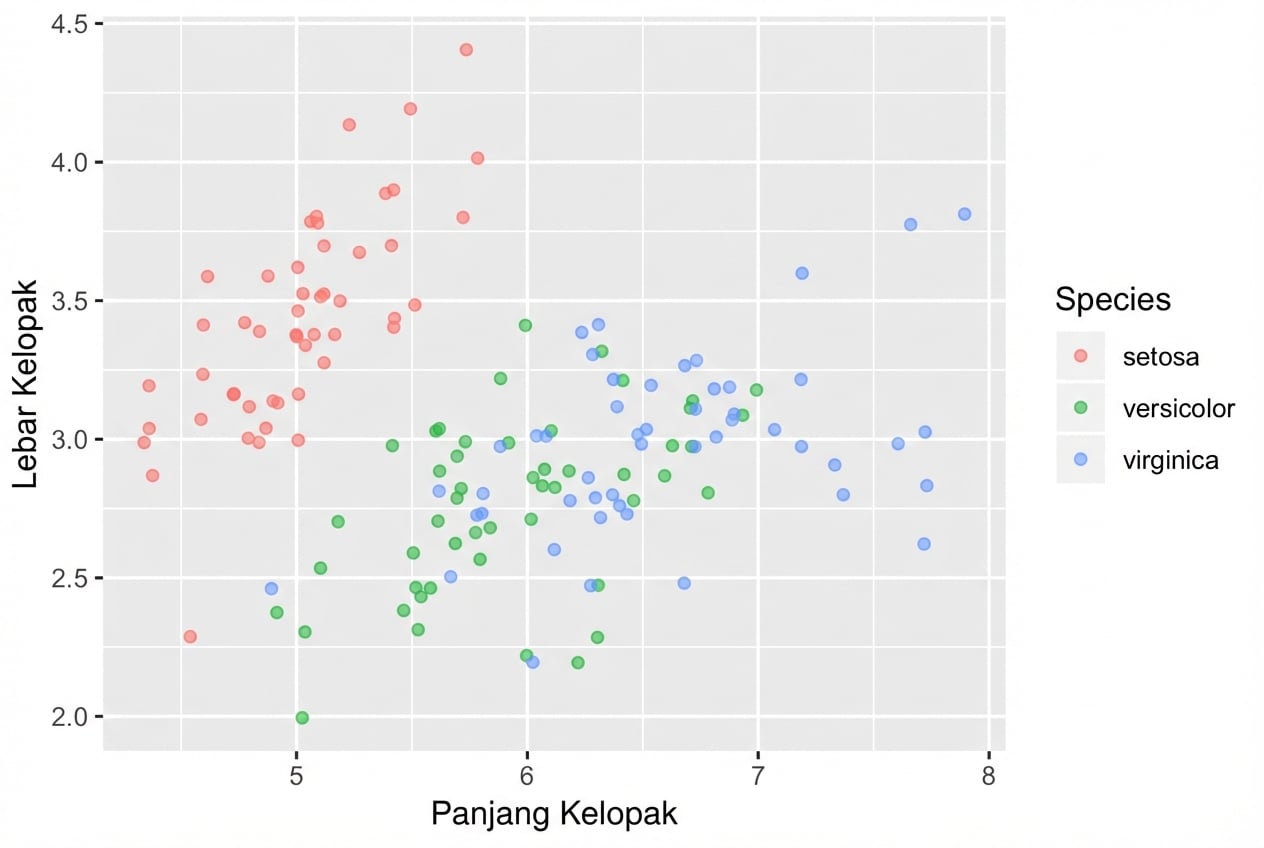
Jangan lupa atur alpha

  • Gabungkan jitter dengan alpha-blending bila perlu
ggplot(iris, aes(x = Sepal.Length, y = Sepal.Width, col = Species)) + 
  geom_jitter(alpha = 0.6)
Pengantar Visualisasi Data dengan ggplot2

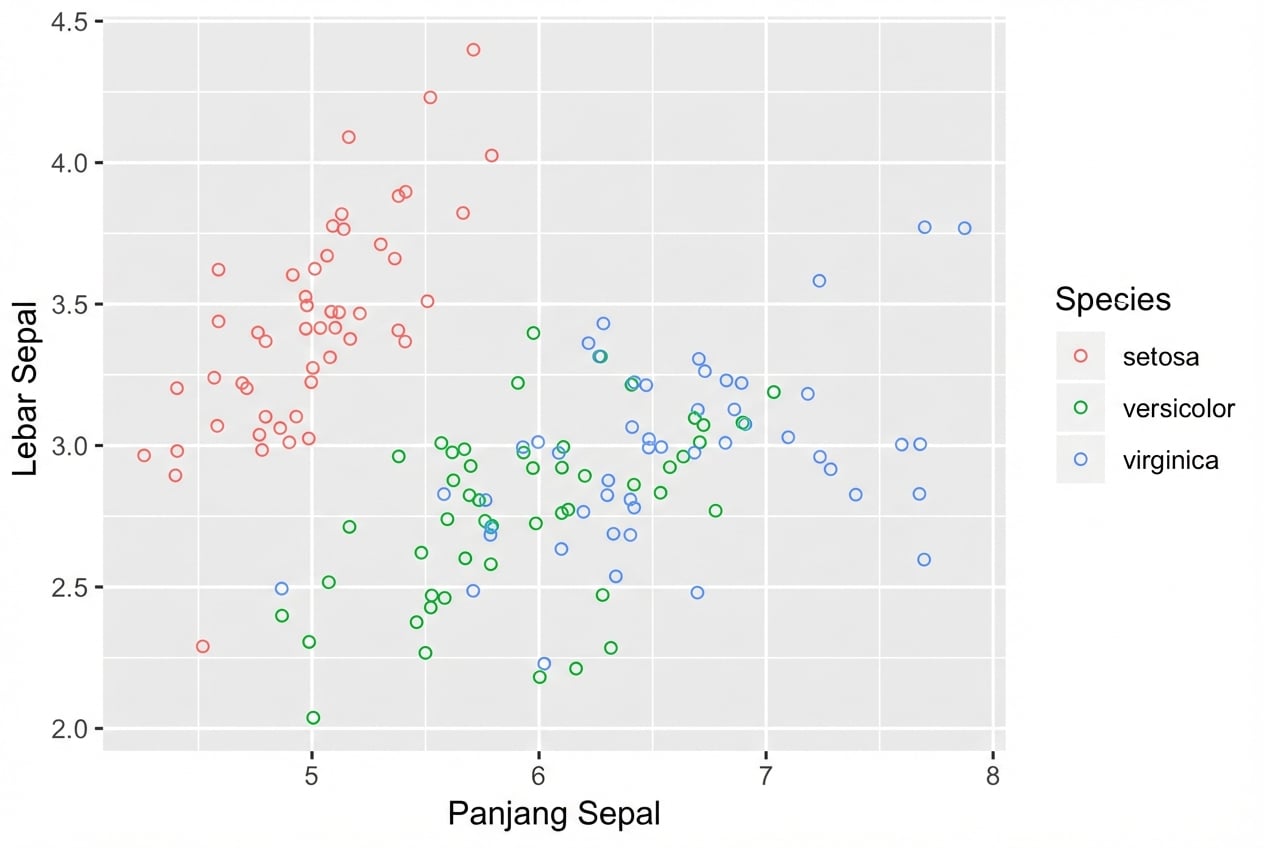
Lingkaran kosong juga membantu

  • shape = 1 adalah lingkaran kosong.
  • Tidak perlu juga pakai alpha-blending.
ggplot(iris, aes(x = Sepal.Length, y = Sepal.Width, col = Species)) + 
  geom_jitter(shape = 1)
Pengantar Visualisasi Data dengan ggplot2

Ayo berlatih!

Pengantar Visualisasi Data dengan ggplot2

Preparing Video For Download...