readxl (2)

Pengantar Mengimpor Data di R

Filip Schouwenaars

Instructor, DataCamp

read_excel()

read_excel(path, sheet = 1, 
           col_names = TRUE, 
           col_types = NULL, 
           skip = 0)
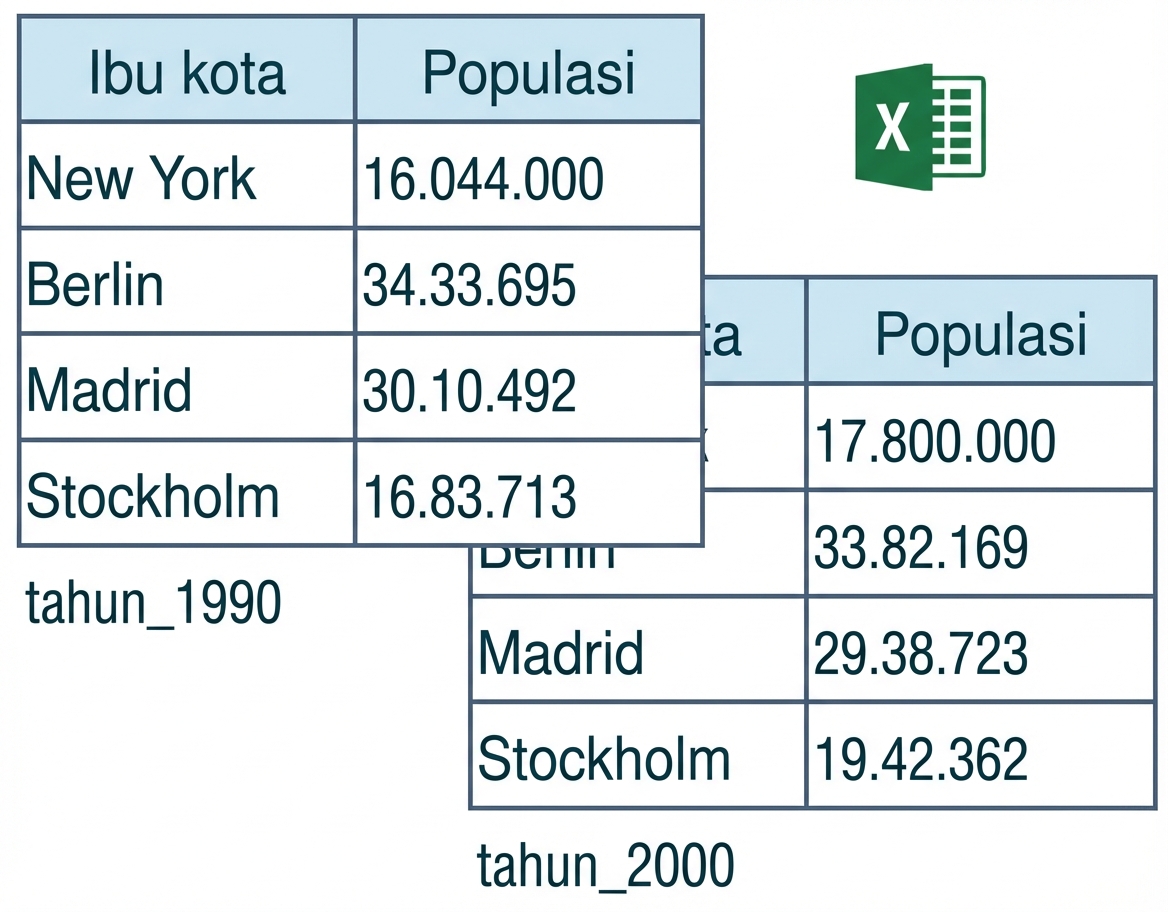
Tangkapan layar 15-07-2019 pukul 15.27.34.png

Pengantar Mengimpor Data di R

read_excel() - col_names

read_excel(path, sheet = 1, 
           col_names = TRUE, 
           col_types = NULL, 
           skip = 0)
  • col_names = FALSE: R memberi nama otomatis

  • col_names = vektor karakter: tentukan manual

Pengantar Mengimpor Data di R

read_excel() - col_types

read_excel(path, sheet = 1, 
           col_names = TRUE, 
           col_types = NULL, 
           skip = 0)

read_excel("cities.xlsx", col_types = c("text", "text"))
# A tibble: 4 × 2
    Capital Population
      <chr>      <chr>
1  New York   16044000
2    Berlin    3433695
3    Madrid    3010492
4 Stockholm    1683713
Pengantar Mengimpor Data di R

read_excel() - col_types

read_excel(path, sheet = 1, 
           col_names = TRUE, 
           col_types = NULL, 
           skip = 0)`
read_excel("cities.xlsx", 
             col_types = c("text", "blank"))
# A tibble: 4 × 1
    Capital
      <chr>
1  New York
2    Berlin
3    Madrid
4 Stockholm
Pengantar Mengimpor Data di R

read_excel() - skip

read_excel(path, sheet = 1, 
           col_names = TRUE, 
           col_types = NULL, 
           skip = 0)
read_excel("cities.xlsx", 
             col_names = c("Capital", "Population"),
             skip = 2)
# A tibble: 3 × 2
    Capital Population
      <chr>      <dbl>
1    Berlin    3433695
2    Madrid    3010492
3 Stockholm    1683713
Pengantar Mengimpor Data di R

Ringkasan

  • excel_sheets()

  • read_excel()

  • Semua yang Anda butuhkan!

  • Cepat

  • Argumen sama seperti di paket readr

  • Konsisten

Pengantar Mengimpor Data di R

Ayo berlatih!

Pengantar Mengimpor Data di R

Preparing Video For Download...