Ekstraksi

Pengantar Data Engineering

Vincent Vankrunkelsven

Data Engineer @ DataCamp

Mengekstrak data: apa artinya?
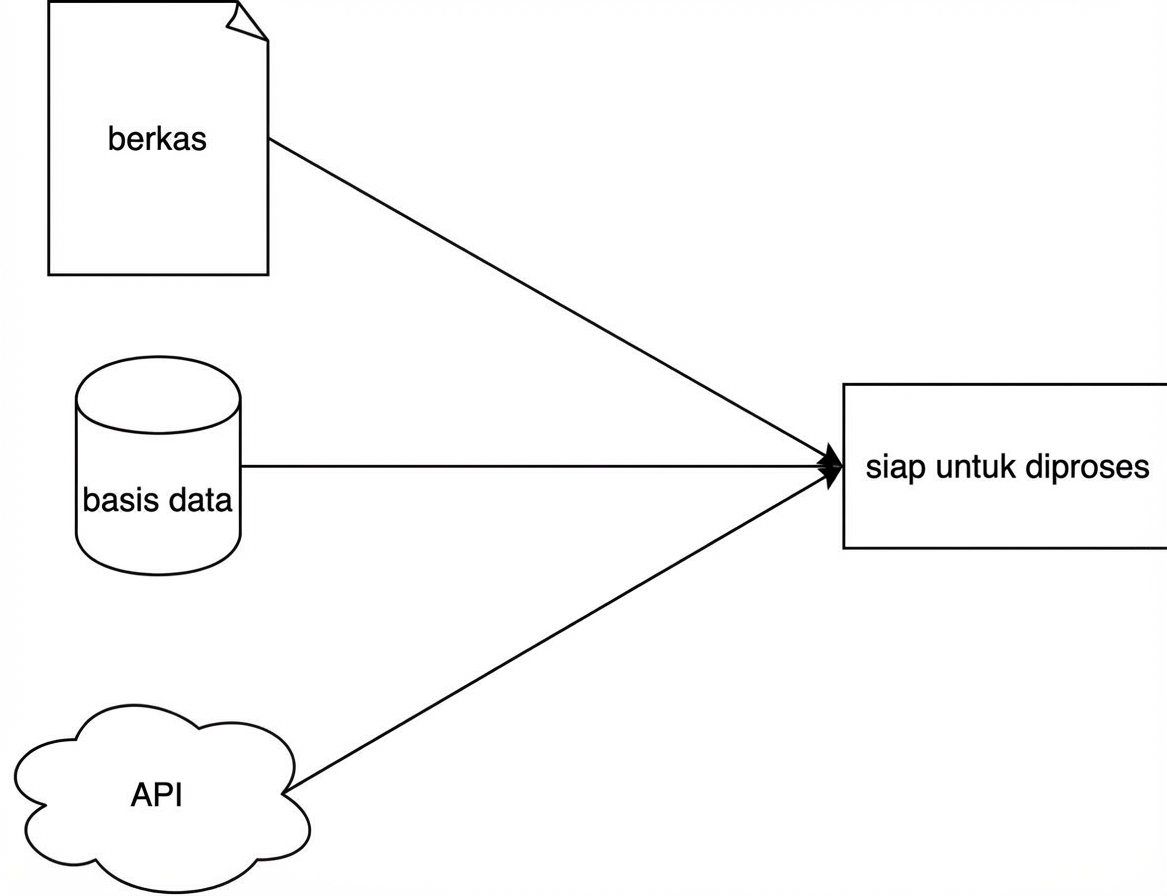
Diagram yang merepresentasikan fase ekstraksi sederhana

Pengantar Data Engineering

Ekstraksi dari file teks

Tidak terstruktur

  • Teks polos
  • Mis. bab buku


Call me Ishmael. Some years ago—never 
mind how long precisely—having little or
no money in my purse, and nothing particular
to interest me on shore, I thought ....

File datar

  • Baris = record
  • Kolom = atribut
  • Mis. .tsv atau .csv


Year,Make,Model,Price
1997,Ford,E350,3000.00
1999,Chevy,"Venture Extended Edition",4900.00
1999,Chevy,"Venture Extended Edition",5000.00
1996,Jeep,Grand Cherokee,4799.00
Pengantar Data Engineering

JSON

  • JavaScript Object Notation
  • Semi-terstruktur
  • Atomik
    • number
    • string
    • boolean
    • null
  • Komposit
    • array
    • object
{
  "an_object": {
    "nested": [
      "one",
      "two",
      "three",
      {
        "key": "four"
      }
    ]
  }
}
import json

result = json.loads('{"key_1": "value_1", "key_2":"value_2"}') print(result["key_1"])
value_1
Pengantar Data Engineering

Data di Web

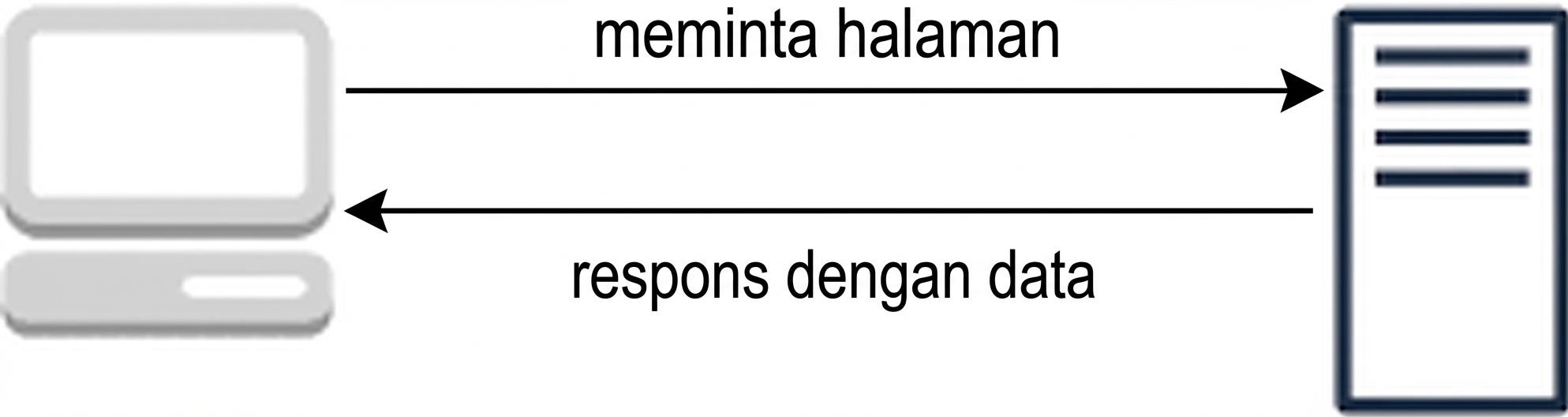
Permintaan (Requests)

Diagram yang merepresentasikan model request-response

Contoh

  1. Buka Google
  2. Permintaan ke Server Google
  3. Google merespons dengan halaman web
Pengantar Data Engineering

Data di Web melalui API

  • Kirim data dalam format JSON
  • API: application programming interface
  • Contoh
    • Twitter API
{ "statuses": [{ "created_at": "Mon May 06 20:01:29 +0000 2019", "text": "this is a tweet"}] }
  • Hackernews API
import requests

response = requests.get("https://hacker-news.firebaseio.com/v0/item/16222426.json") print(response.json())
{'by': 'neis', 'descendants': 0, 'id': 16222426, 'score': 17, 'time': 1516800333, 'title': .... }
Pengantar Data Engineering

Data dalam database

Database aplikasi

  • Transaksi
  • Insert atau ubah
  • OLTP
  • Berorientasi baris

Database analitik

  • OLAP
  • Berorientasi kolom
Pengantar Data Engineering

Ekstraksi dari database

Connection string/URI

postgresql://[user[:password]@][host][:port]

Penggunaan di Python

import sqlalchemy
connection_uri = "postgresql://repl:password@localhost:5432/pagila" 
db_engine = sqlalchemy.create_engine(connection_uri)

import pandas as pd pd.read_sql("SELECT * FROM customer", db_engine)
Pengantar Data Engineering

Ayo berlatih!

Pengantar Data Engineering

Preparing Video For Download...