Menemukan kontur
Pemrosesan Citra dengan Python

Rebeca Gonzalez
Data Engineer
Menemukan kontur
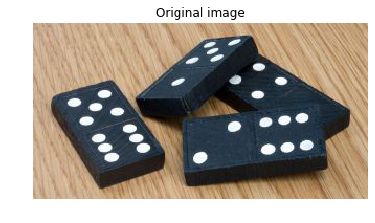
- Mengukur ukuran
- Mengklasifikasikan bentuk
- Menentukan jumlah objek

Total titik pada kepingan domino: 29.
Citra biner
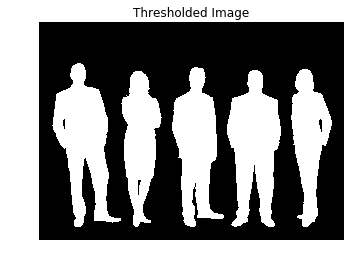
Kita dapat memperoleh citra biner dengan menerapkan thresholding atau menggunakan deteksi tepi

Temukan kontur dengan scikit-image
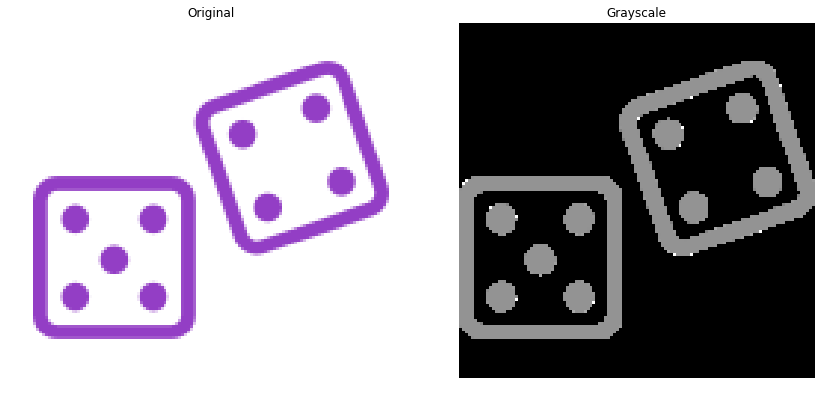
Menyiapkan citra
Ubah citra ke skala abu-abu 2D.
# Make the image grayscale
image = color.rgb2gray(image)
Temukan kontur dengan scikit-image
Menyiapkan citra
Binerkan citra
# Obtain the thresh value
thresh = threshold_otsu(image)

# Apply thresholding
thresholded_image = image > thresh

Temukan kontur dengan scikit-image
Lalu gunakan find_contours().
# Import the measure module
from skimage import measure

# Find contours at a constant value of 0.8
contours = measure.find_contours(thresholded_image, 0.8)
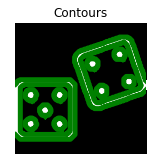
Nilai level konstan
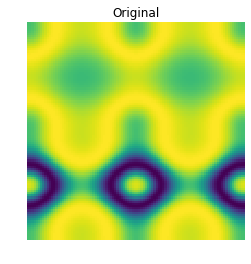
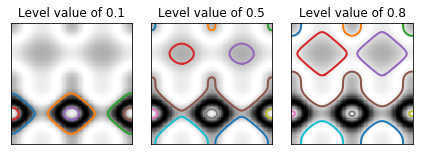
Langkah menemukan kontur
Hasilnya
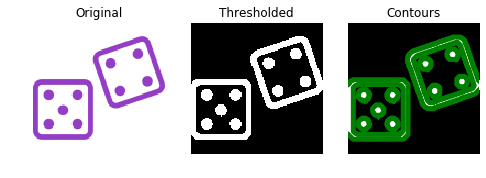
Bentuk sebuah kontur

Bentuk sebuah kontur
Bentuk sebuah kontur
Bentuk sebuah kontur
Bentuk sebuah kontur
Jumlah titik: 7.

