The TaskFlow API

Building Data Pipelines with Airflow

Volker Janz

Senior Developer Advocate at Astronomer

The classic approach

def extract_data():
    return {"users": 150, "events": 4200}

with DAG("etl_pipeline") as dag: t1 = PythonOperator(task_id="extract", python_callable=extract_data) t2 = PythonOperator(task_id="summary", python_callable=print_summary)
t1 >> t2
Building Data Pipelines with Airflow

The TaskFlow approach

from airflow.sdk import dag, task

@dag def etl_pipeline(): @task def extract_data(): return {"users": 150}
data = extract_data() print_summary(data)
Building Data Pipelines with Airflow

Why TaskFlow?


  • Less boilerplate, decorators replace operator instances
  • Implicit dependencies, return values wire tasks automatically
  • Readable, Dag reads like a Python script
  • Classic operators still available for provider integrations
TaskFlow API - visual

Building Data Pipelines with Airflow

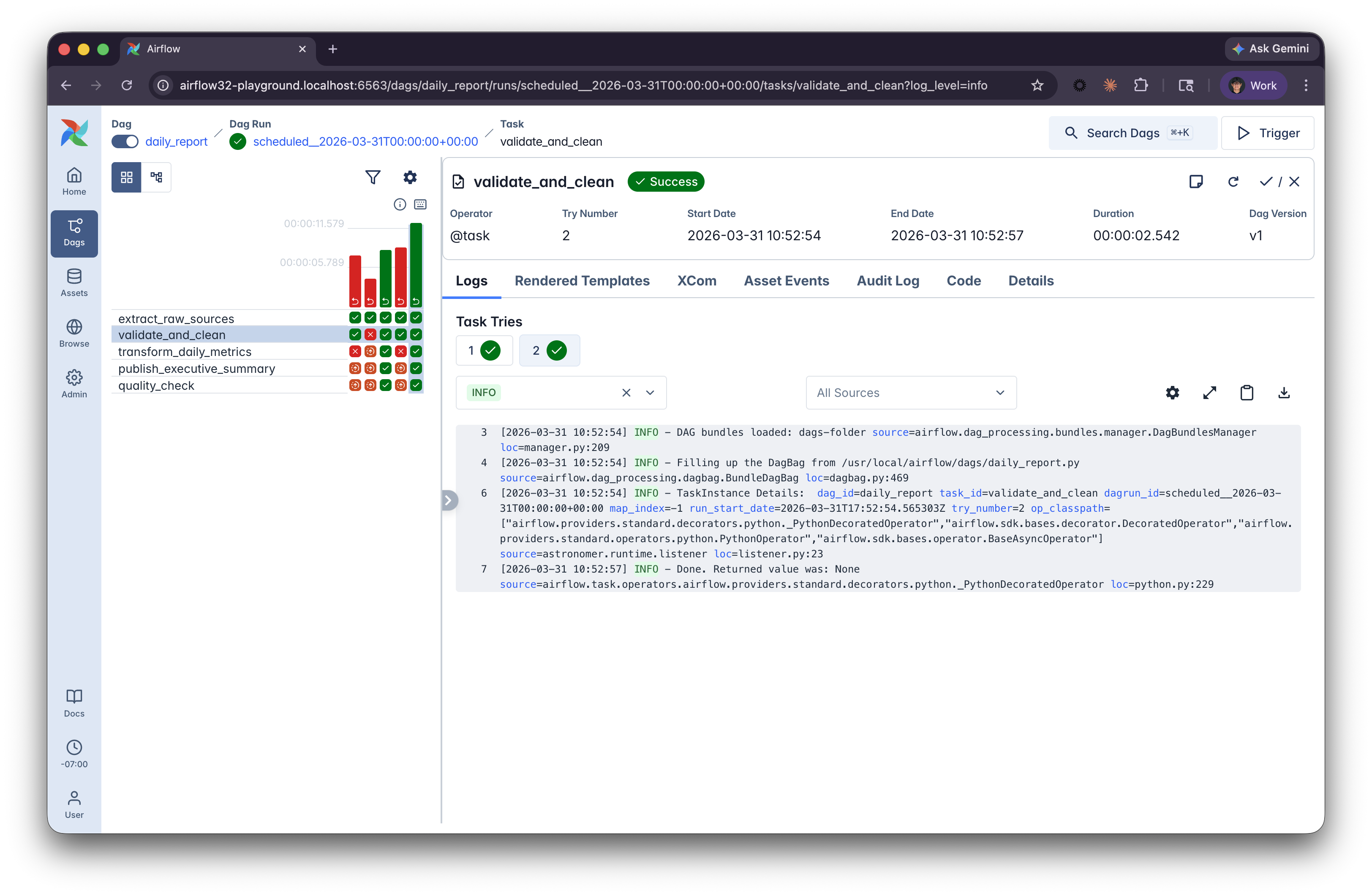
Airflow UI: Grid view

Airflow Grid view


  • Each column is a Dag run
  • Each row is a task
  • Colors show status: green = success, red = failed
  • Click a square to see logs and details
Building Data Pipelines with Airflow

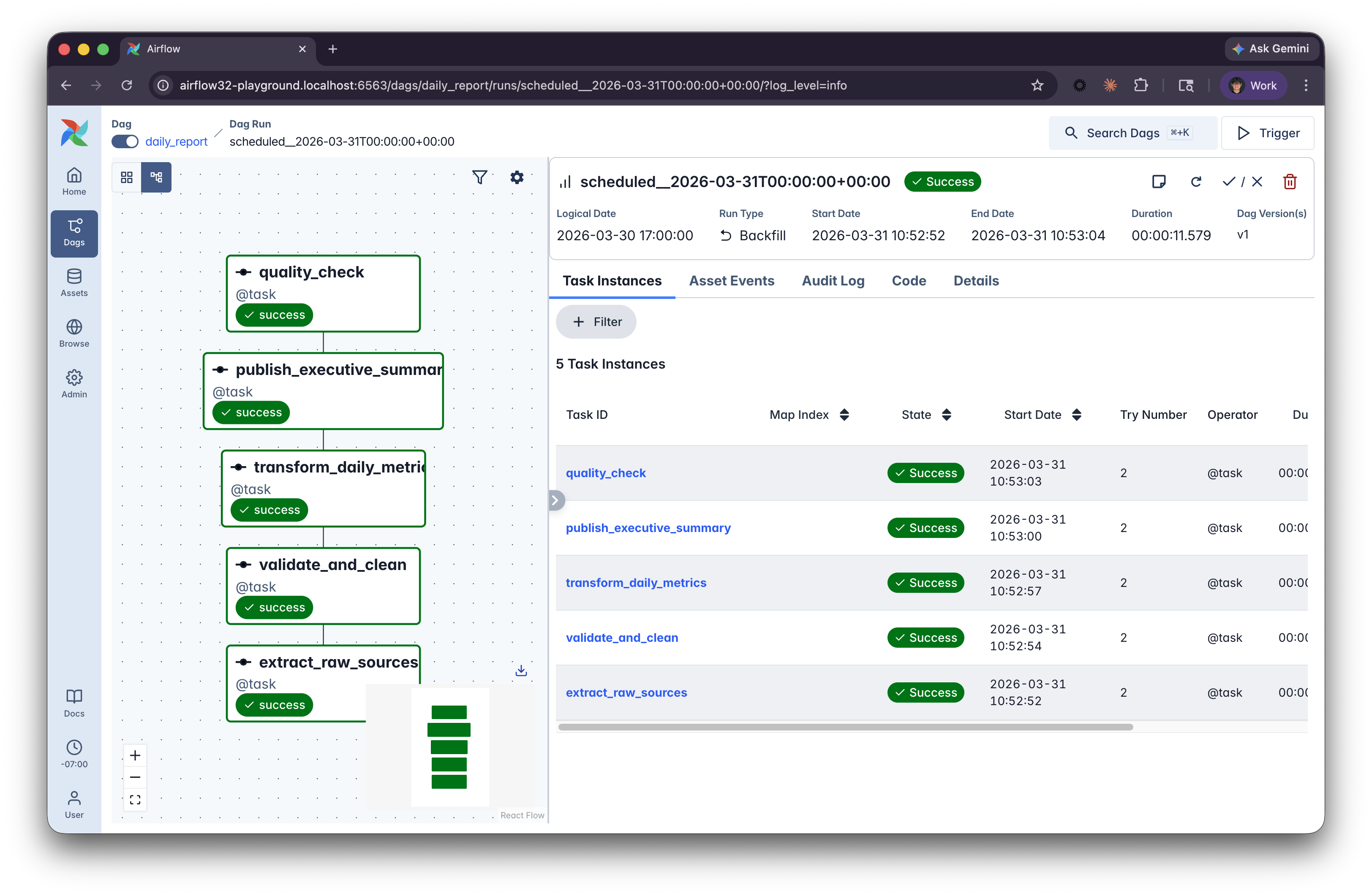
Airflow UI: Graph view

Airflow Grid view


  • Focuses one one Dag run
  • Reveals the dependencies, and parallel execution
  • Adjust details in settings
Building Data Pipelines with Airflow

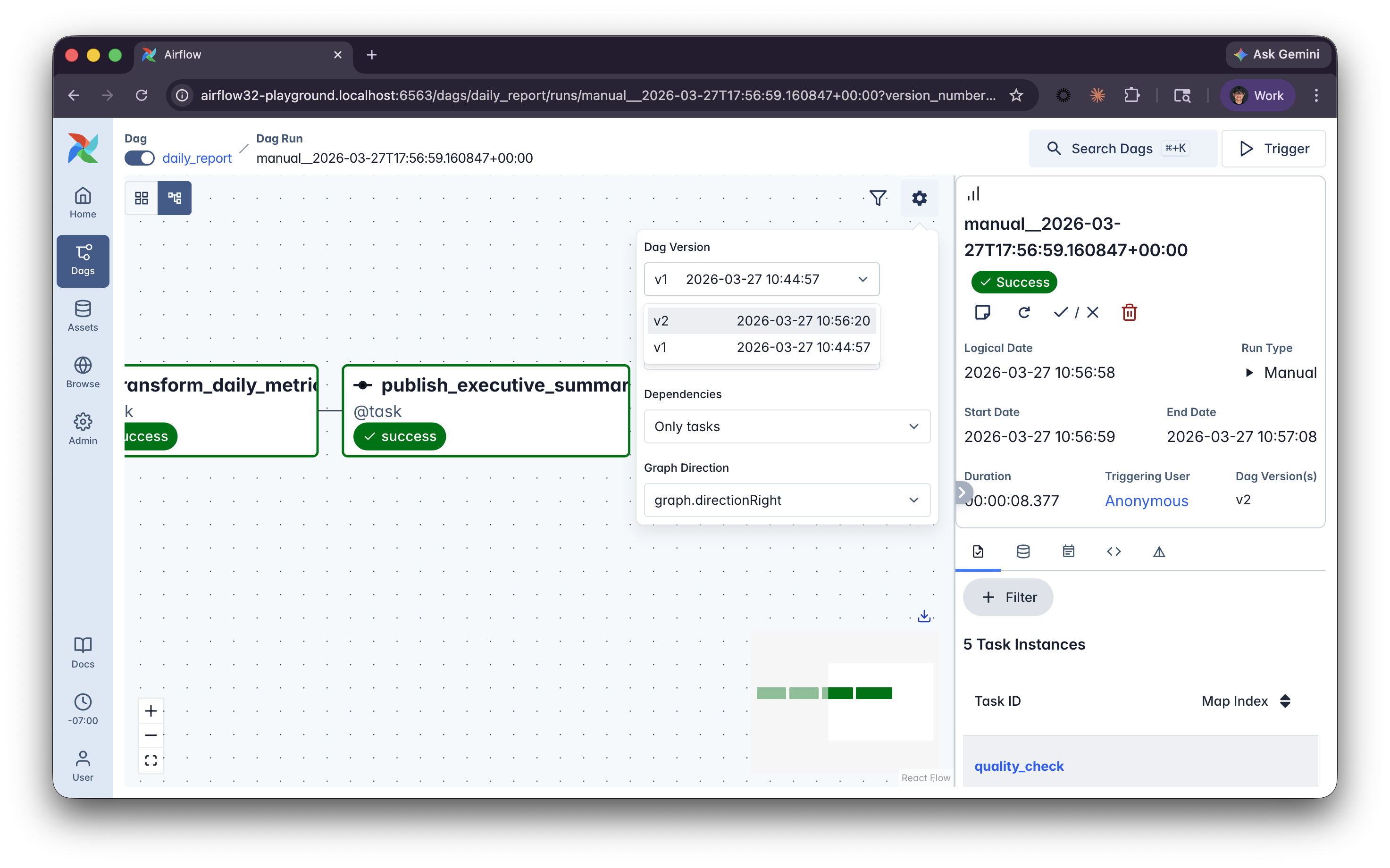
Airflow UI: Dag versioning

Dag version indicator in Airflow UI


  • Tracks structural changes automatically
  • Each run links to the version active at the time
  • Find versions in the Dag details panel
Building Data Pipelines with Airflow

Let's practice!

Building Data Pipelines with Airflow

Preparing Video For Download...