Templating, idempotency, and backfilling

Building Data Pipelines with Airflow

Volker Janz

Senior Developer Advocate at Astronomer

Jinja templates in Airflow

@task.bash
def export_data():
    return "cp /data/sales.csv /export/sales_{{ ds }}.csv"


  • {{ ds }} renders the logical date in YYYY-MM-DD format
  • Each run gets its own date, so the same task produces different output per run
  • Only works in templatable fields (like bash_command, sql)
Building Data Pipelines with Airflow

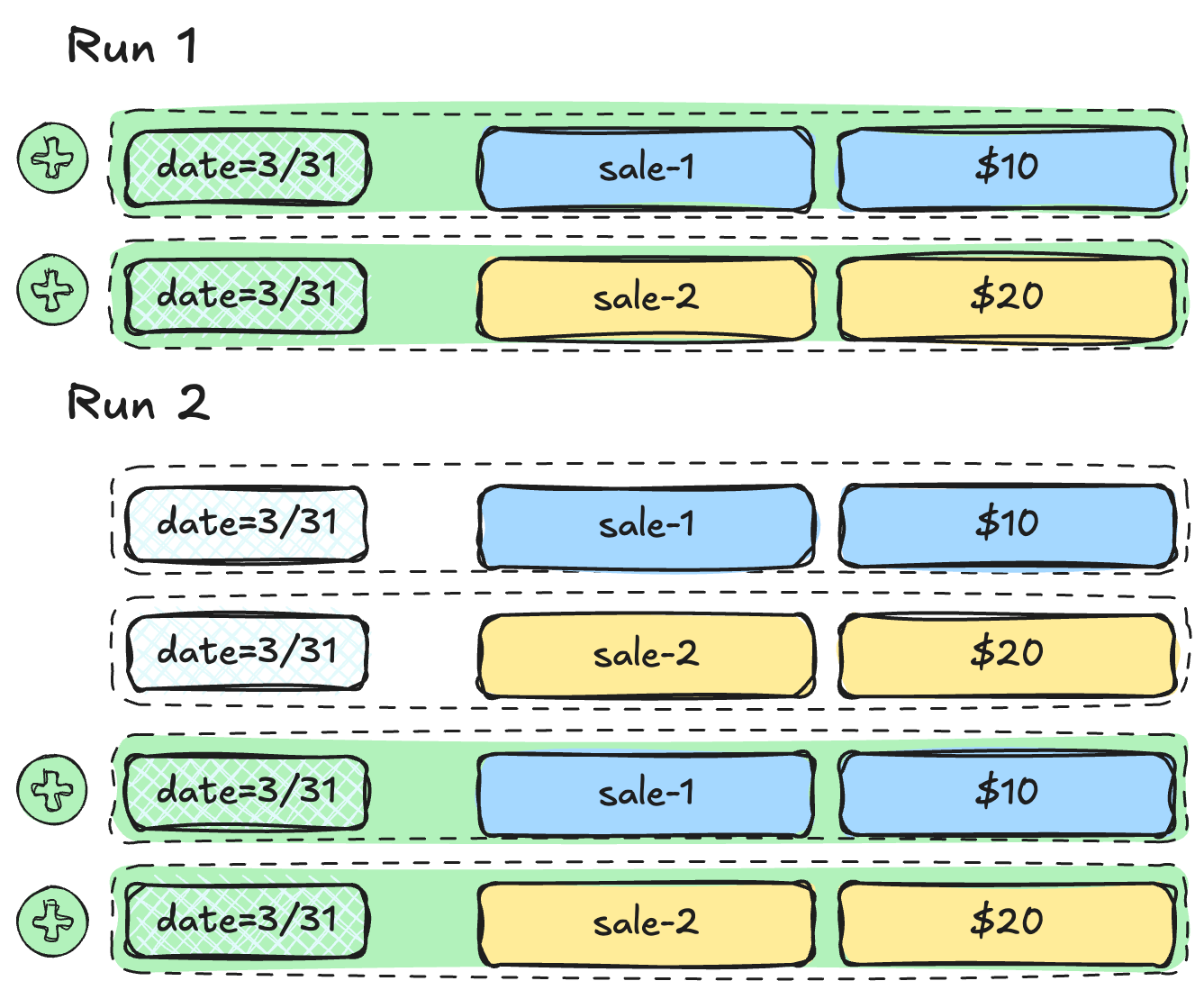
The idempotency problem


Run 1 (March 31st):

  • INSERT sales for March 31st
  • Result: 3 rows

Run 2 (re-run March 31st):

  • INSERT sales for March 31st again
  • Result: 6 rows (duplicates!)

Duplicate rows on re-run

Building Data Pipelines with Airflow

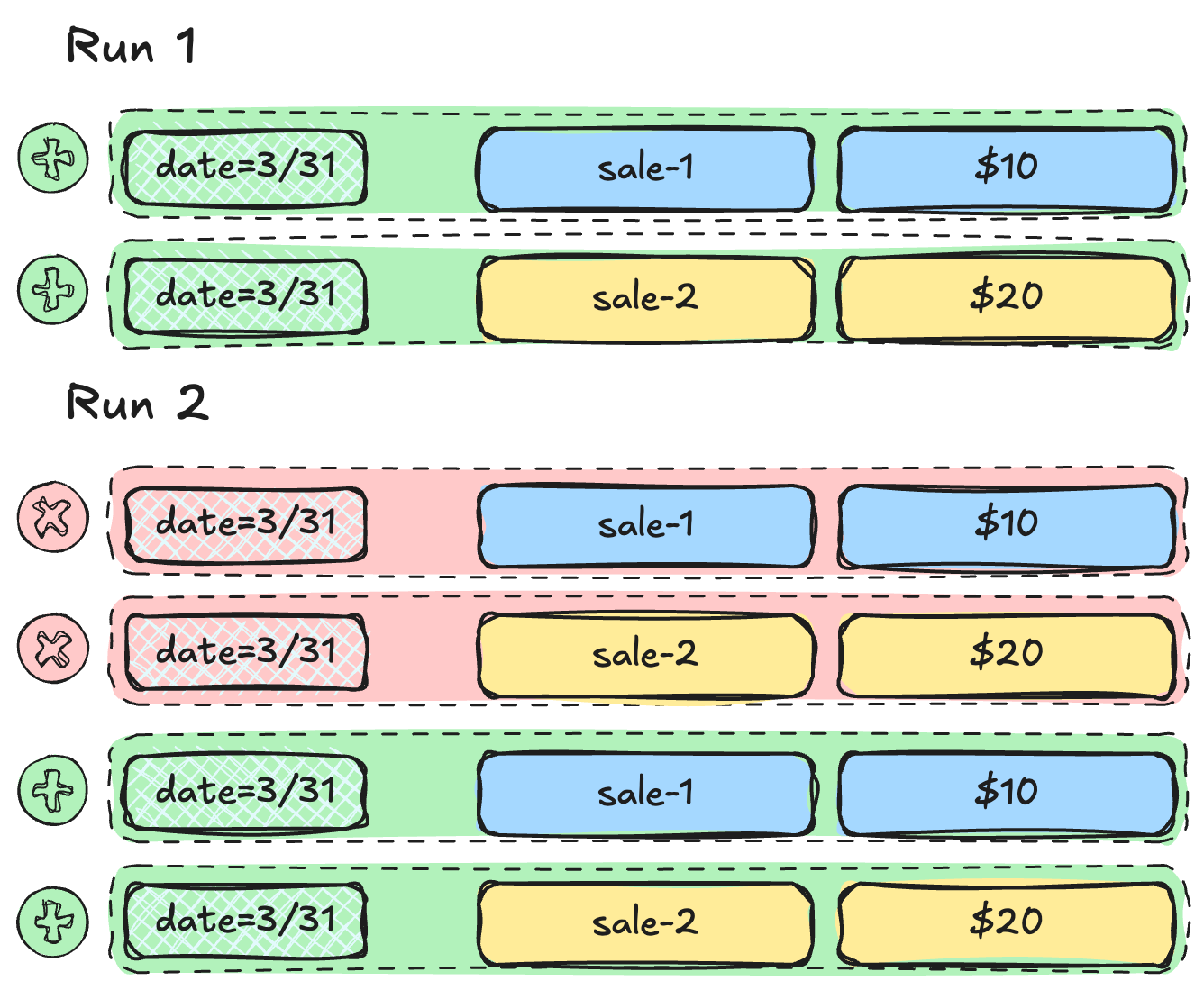
The delete-then-insert pattern

staged_rows = SQLExecuteQueryOperator(
    task_id="get_staged_rows",
    conn_id="duckdb_default",
    sql="SELECT * FROM staging WHERE date = '{{ ds }}'",
)

load = SQLInsertRowsOperator( task_id="load_sales", conn_id="duckdb_default", table_name="sales", columns=["date", "product", "amount"], preoperator="DELETE FROM sales WHERE date = '{{ ds }}';", rows=staged_rows.output, )

$$

  • Can also use UPSERT or MERGE approaches

Delete-then-insert

Building Data Pipelines with Airflow

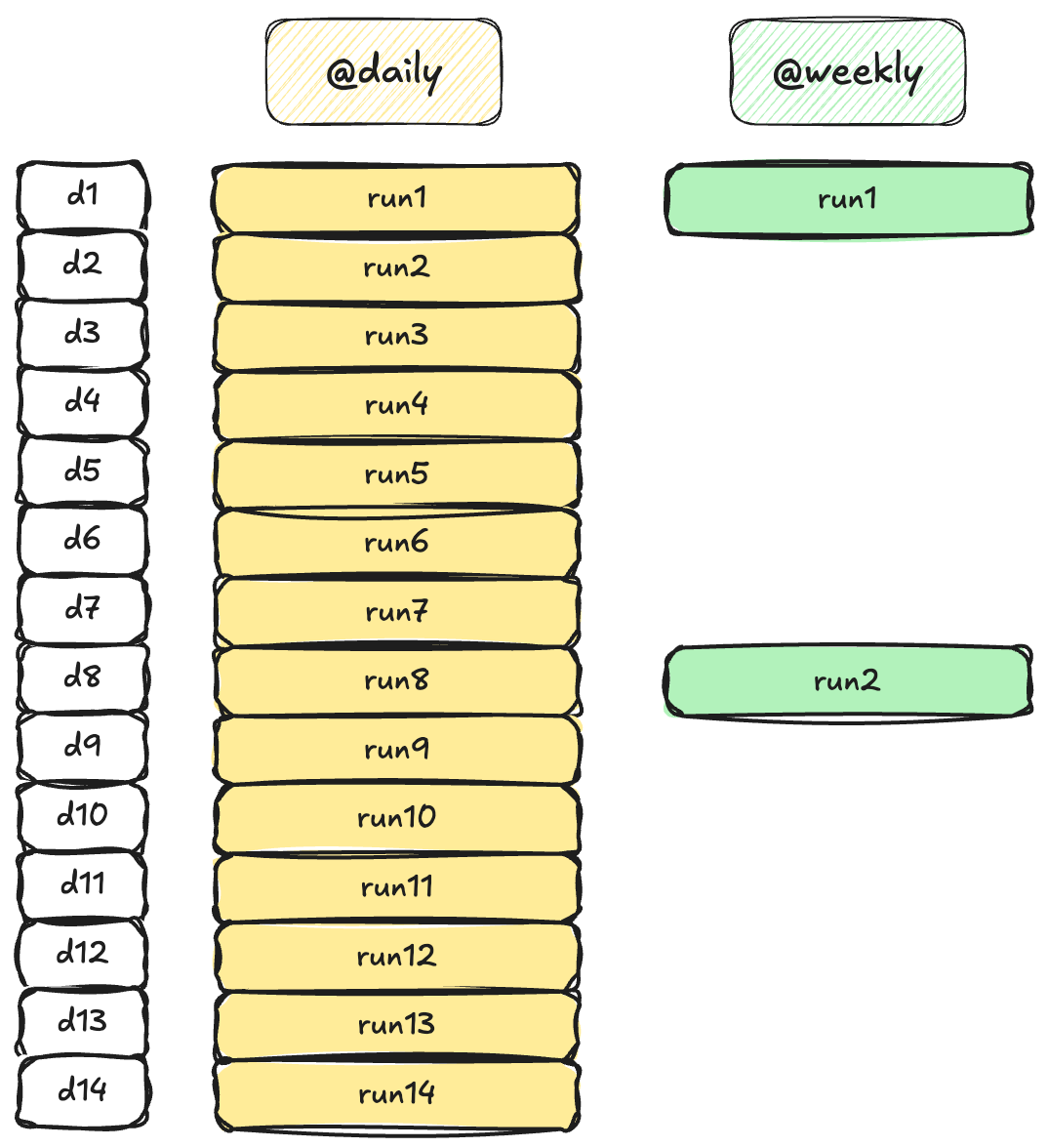
Backfilling


  • Reprocess a range of historical dates
  • Airflow creates one Dag run per logical date
  • Combined with idempotency, backfilling is safe

Backfill depends on schedule

Building Data Pipelines with Airflow

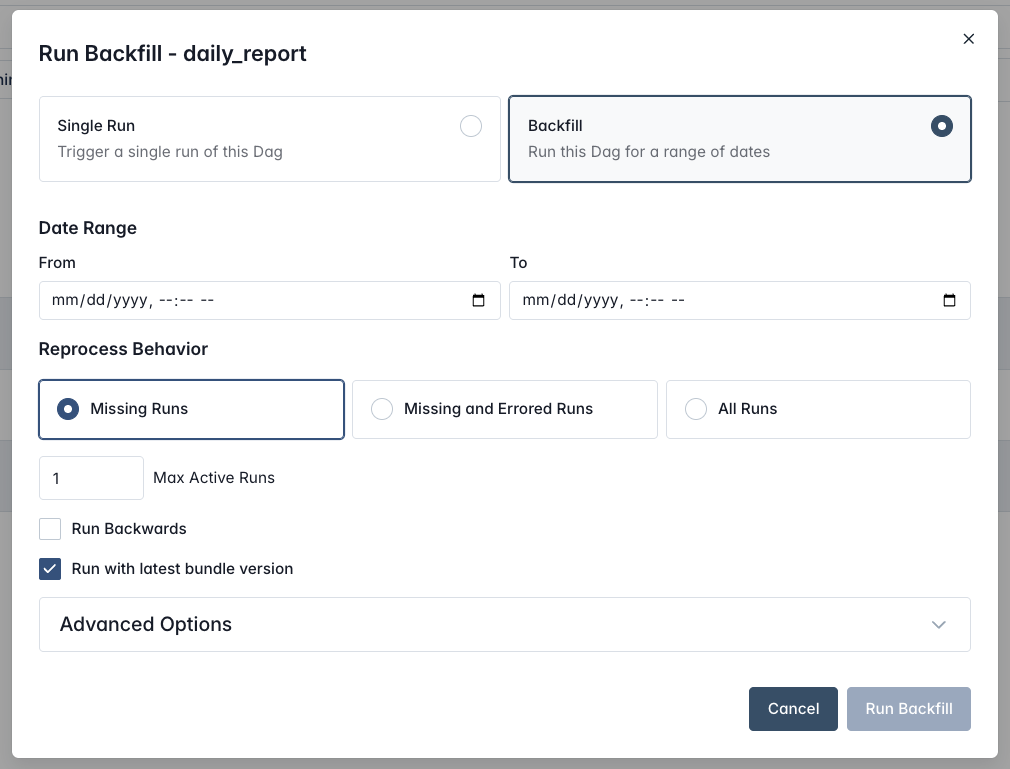
Backfill in the UI

  • Trigger a Dag, select Backfill, set a From and To date
  • Can choose to trigger Missing Runs, Missing and Errored Runs, or All Runs
  • Can set the parallelism with Max Active Runs and change the order of execution
  • With Run Backfill the process starts and runs are created

Airflow backfill UI

Building Data Pipelines with Airflow

Let's practice!

Building Data Pipelines with Airflow

Preparing Video For Download...