From development to production

Building Data Pipelines with Airflow

Volker Janz

Senior Developer Advocate at Astronomer

The Airflow CLI

$ airflow dags trigger <dag_id>
$ airflow dags list-runs <dag_id>
$ airflow backfill create --dag-id <dag_id> ...


  • Your production toolkit alongside the UI
  • Automate operations and script deployments
Building Data Pipelines with Airflow

Triggering a run

$ airflow dags trigger daily_sales_load --logical-date 2026-04-20
dag_id            | logical_date             | run_id
daily_sales_load  | 2026-04-20T00:00:00+00:00 | manual__2026-...


  • Creates a manual run for a specific date
  • The --logical-date flag sets which date the run processes
  • Notice the run_id starts with manual__
Building Data Pipelines with Airflow

Listing runs

$ airflow dags list-runs daily_sales_load
run_id                           | state   | logical_date
scheduled__2026-04-23T00:00:00   | success | 2026-04-23T00:00:00
manual__2026-04-20T00:00:00      | success | 2026-04-20T00:00:00


  • Shows all runs for a Dag
  • The run_id prefix tells you how the run was created
  • scheduled__ = created by the scheduler
  • manual__ = created by trigger command or UI
Building Data Pipelines with Airflow

Backfilling historical data

$ airflow backfill create \
    --dag-id daily_sales_load \
    --from-date 2026-04-20 \
    --to-date 2026-04-22 \
    --max-active-runs 1


  • Reprocess a range of historical dates
  • Creates one run per scheduled interval
  • --max-active-runs controls concurrency
  • Backfill runs start with backfill__
Building Data Pipelines with Airflow

Three types of runs

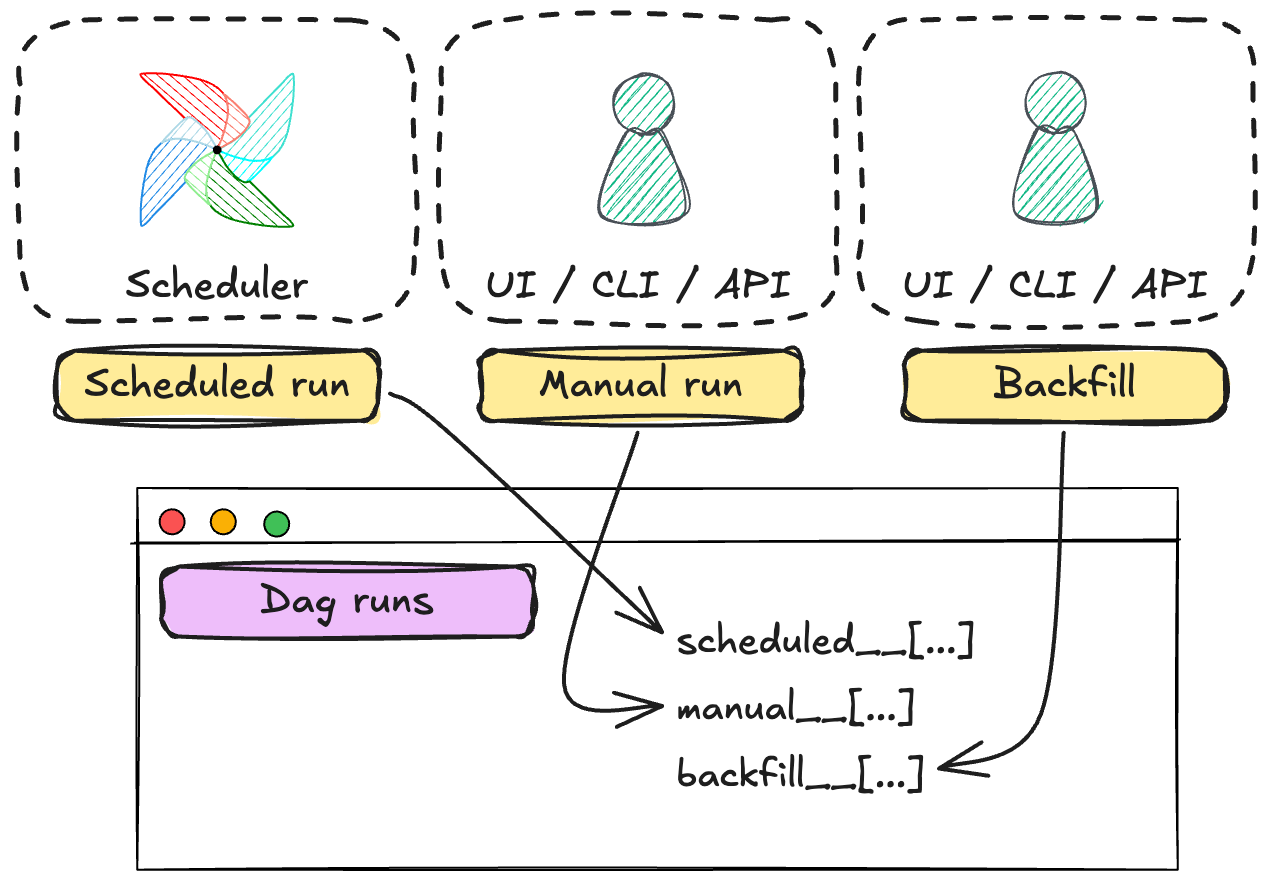
Three run types with their prefixes and how they are created

  • scheduled__: created automatically by the scheduler
  • manual__: created by the trigger command or UI button
  • backfill__: created by the backfill command for historical dates
  • The prefix in run_id always tells you which one it is
Building Data Pipelines with Airflow

Production challenges

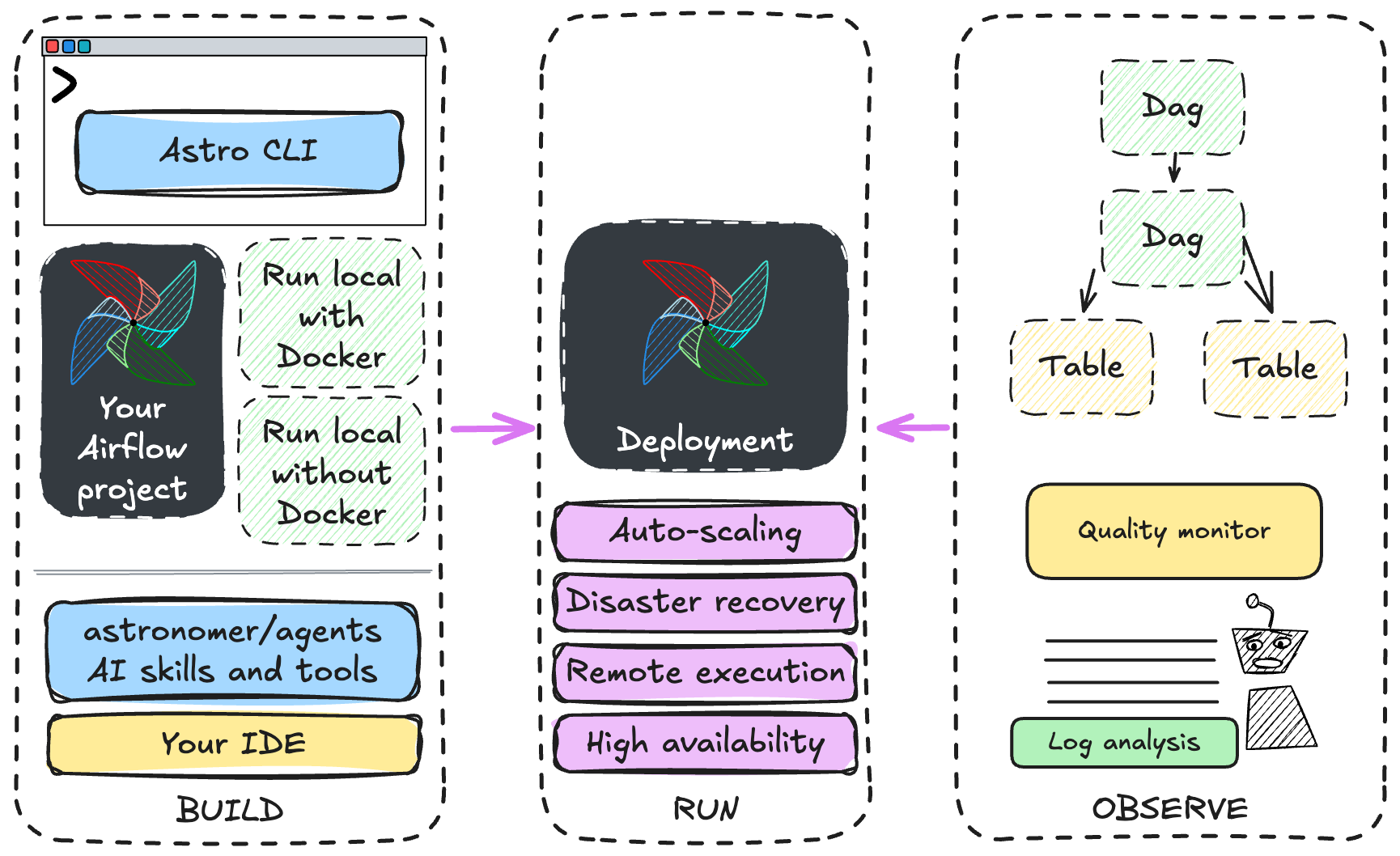
The Airflow production challenges: build, run, and observe

  • Build: setting up Airflow environments, AI-driven workflow development, deploying code to production
  • Run: scaling workers, handling failover across regions
  • Observe: failure investigation, tracking data freshness, tracing lineage across and beyond Dags
Building Data Pipelines with Airflow

Astro: Build


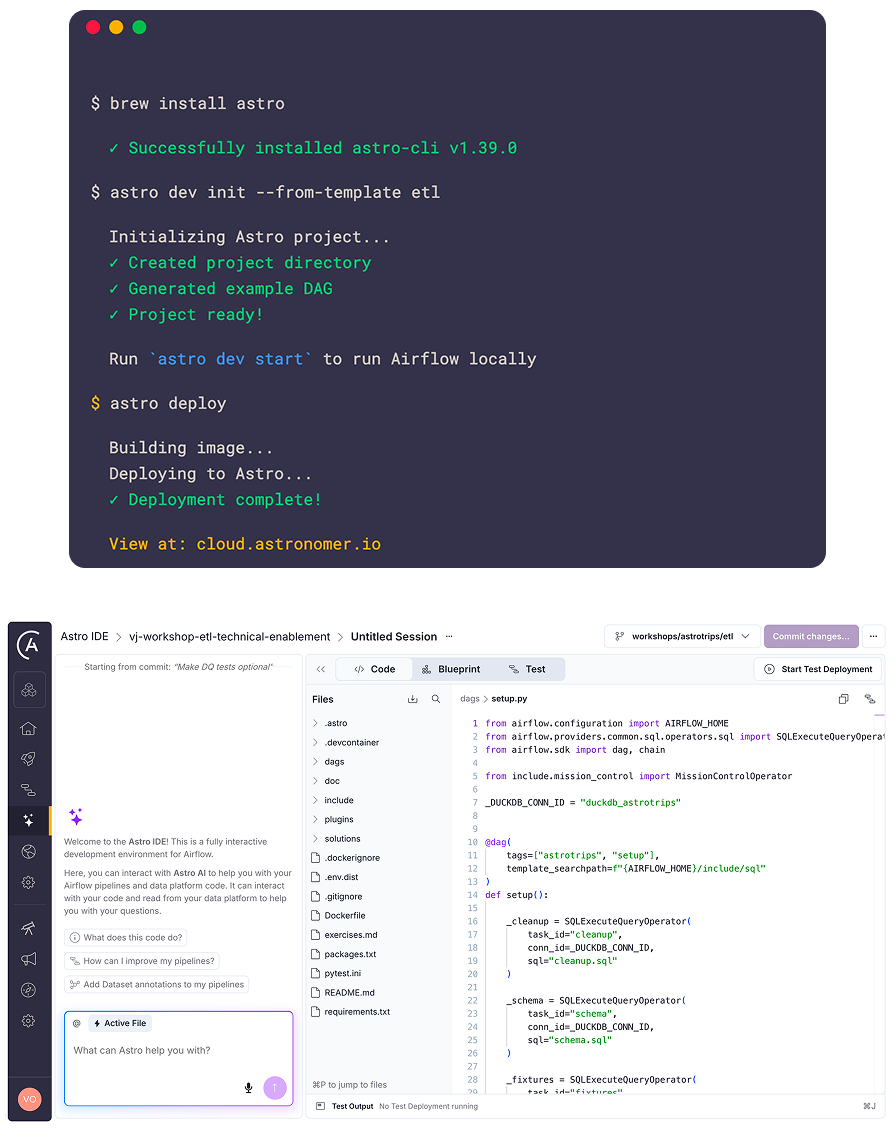
Astro CLI

  • Local Airflow in one command
  • Deploy to production seamlessly

$$

Astro IDE

  • Browser-based Dag authoring
  • AI-assisted coding, no local setup

Astro Build products

Building Data Pipelines with Airflow

Astro: Run and Observe

Run

  • Elastic auto-scaling based on task queue
  • High availability with automatic failover
  • No infrastructure management required

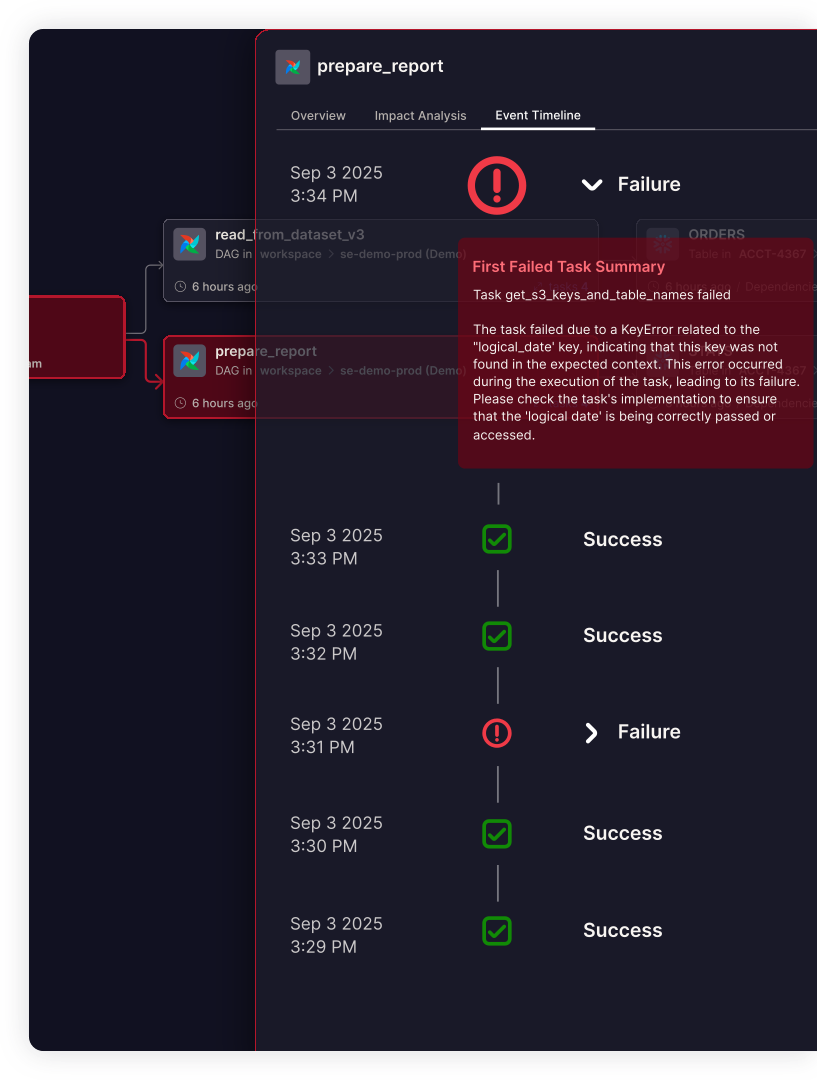
Observe

  • Pipeline lineage across Dags and tables
  • Proactive SLA alerts before deadlines are missed
  • AI log summaries for faster root cause analysis

Astro Observe

Building Data Pipelines with Airflow

Let's practice!

Building Data Pipelines with Airflow

Preparing Video For Download...