Sharing data between tasks

Building Data Pipelines with Airflow

Volker Janz

Senior Developer Advocate at Astronomer

What is XCom?
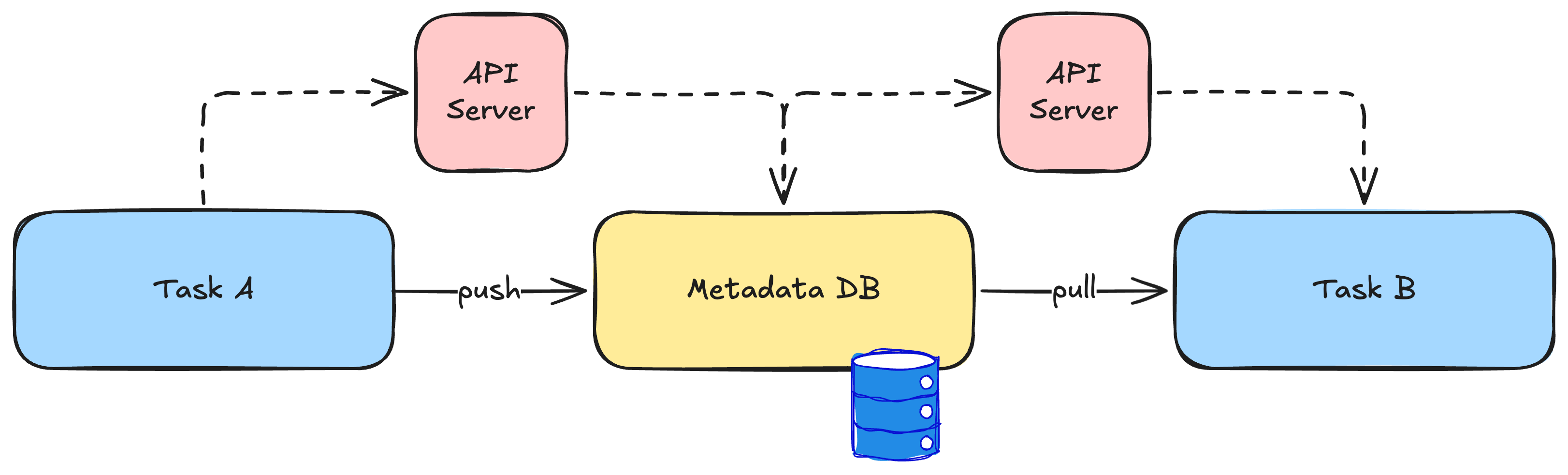
XCom push pull flow


  • XCom = cross-communication between tasks
  • Values stored in the metadata database
  • Classic approach: explicit xcom_push() and xcom_pull()
Building Data Pipelines with Airflow

XComArgs: the TaskFlow way


  • A @task return value becomes an XComArg
  • XComArg is a lazy reference, not the actual data
  • Passing it to another function creates the dependency
  • At runtime, Airflow resolves it by pulling from XCom
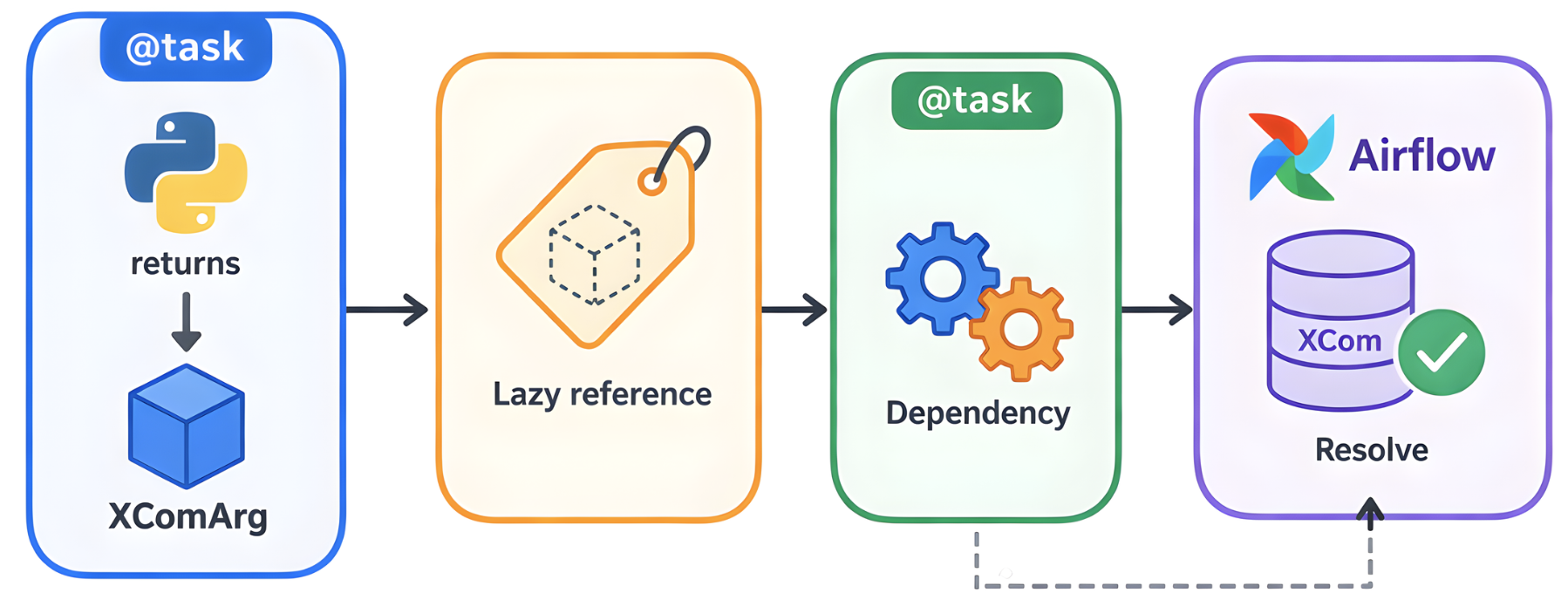
XComArgs in TaskFlow

Building Data Pipelines with Airflow

XComArgs in code

@task
def get_config():
    return {"name": "daily_etl"}

@task
def run_pipeline(config):
    print(config["name"])


config = get_config() # XComArg
run_pipeline(config) # dependency + data
Building Data Pipelines with Airflow

Mixing classic and TaskFlow

get_timestamp = BashOperator(
    task_id="get_timestamp",
    bash_command="date +%Y-%m-%d")

@task
def log_timestamp(ts_value):
    print(f"Timestamp: {ts_value}")


log_timestamp(get_timestamp.output)
Building Data Pipelines with Airflow

XCom limitations

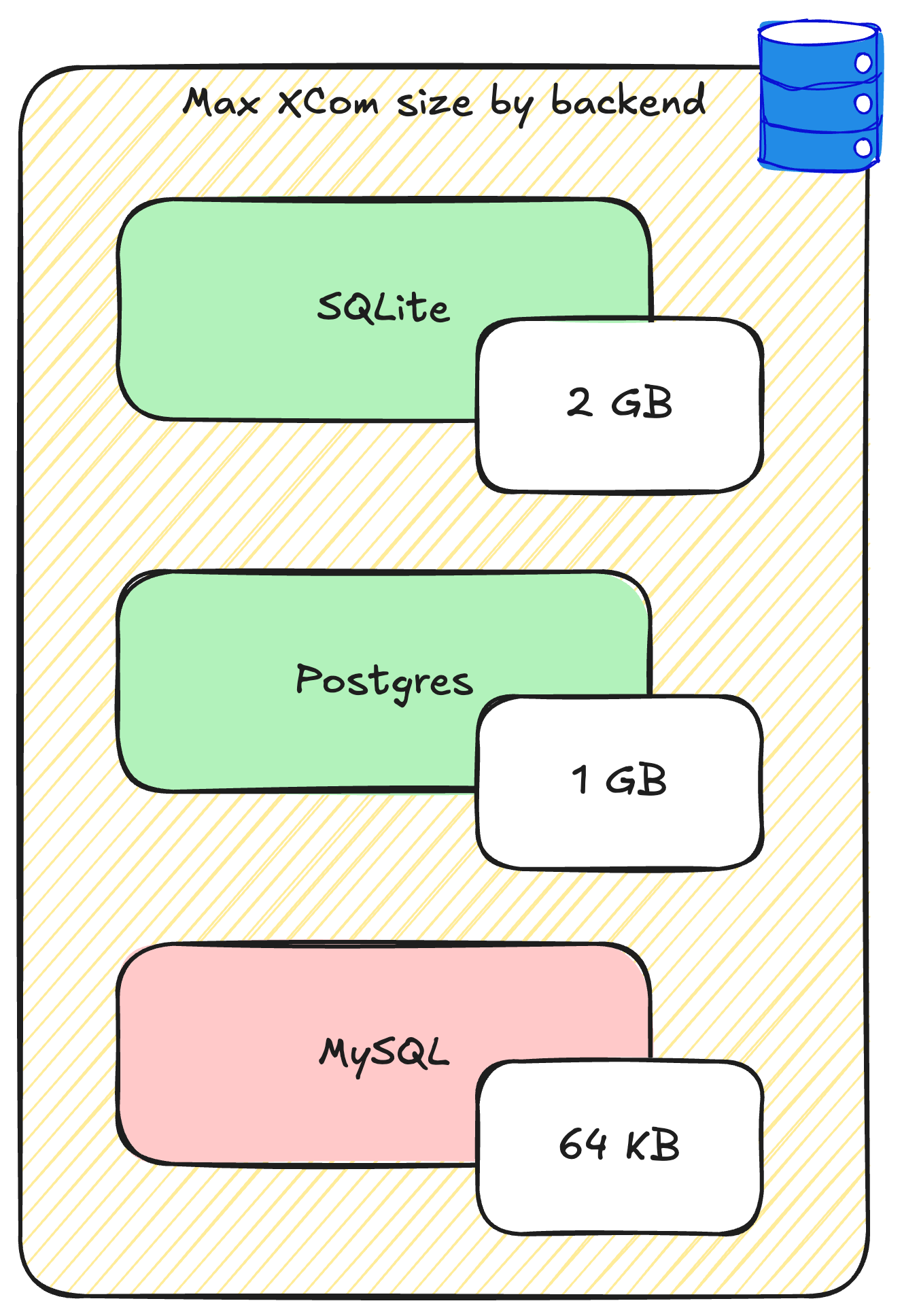
XCom size limits by backend


  • Max size depends on your database backend
  • Must be JSON serializable (dicts, lists, strings, numbers)
  • Every value adds load to the database
Building Data Pipelines with Airflow

Custom XCom backends

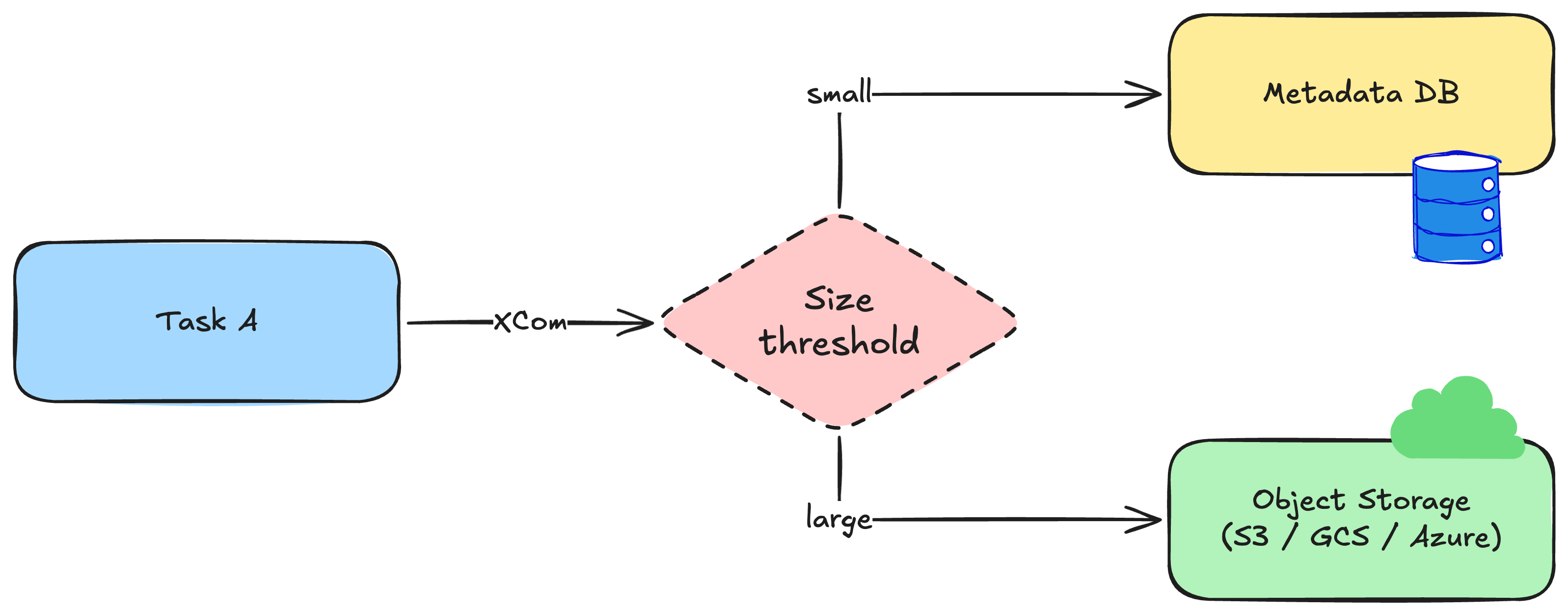
Custom XCom backend routing

  • Route values to an object storage
  • AIRFLOW__COMMON_IO__XCOM_OBJECTSTORAGE_THRESHOLD: only store XComs in the object storage if threshold is reached
Building Data Pipelines with Airflow

Let's practice!

Building Data Pipelines with Airflow

Preparing Video For Download...