Running SQL workloads

Building Data Pipelines with Airflow

Volker Janz

Senior Developer Advocate at Astronomer

Why SQL in Airflow?
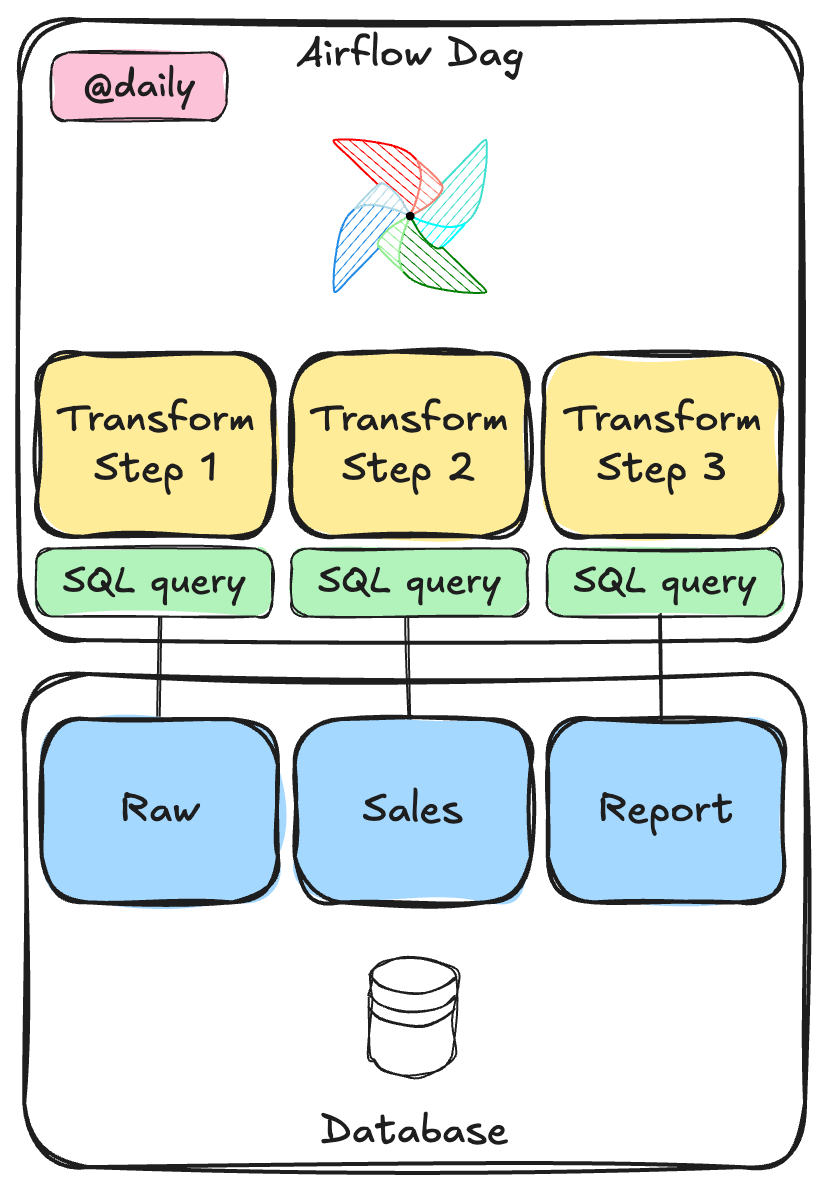
 

  • SQL workloads are the most common Airflow use case
  • Let the database do the heavy lifting
  • Airflow orchestrates when and where
  • The database handles the how

SQL orchestration in Airflow

Building Data Pipelines with Airflow

SQLExecuteQueryOperator

from airflow.providers.common.sql.operators.sql import SQLExecuteQueryOperator

SQLExecuteQueryOperator( task_id="load_sales", conn_id="duckdb_analytics", sql="INSERT INTO sales SELECT * FROM staging", )


  • Works with any database that has a compatible Airflow provider
  • PostgreSQL, Snowflake, BigQuery, DuckDB, and more
Building Data Pipelines with Airflow

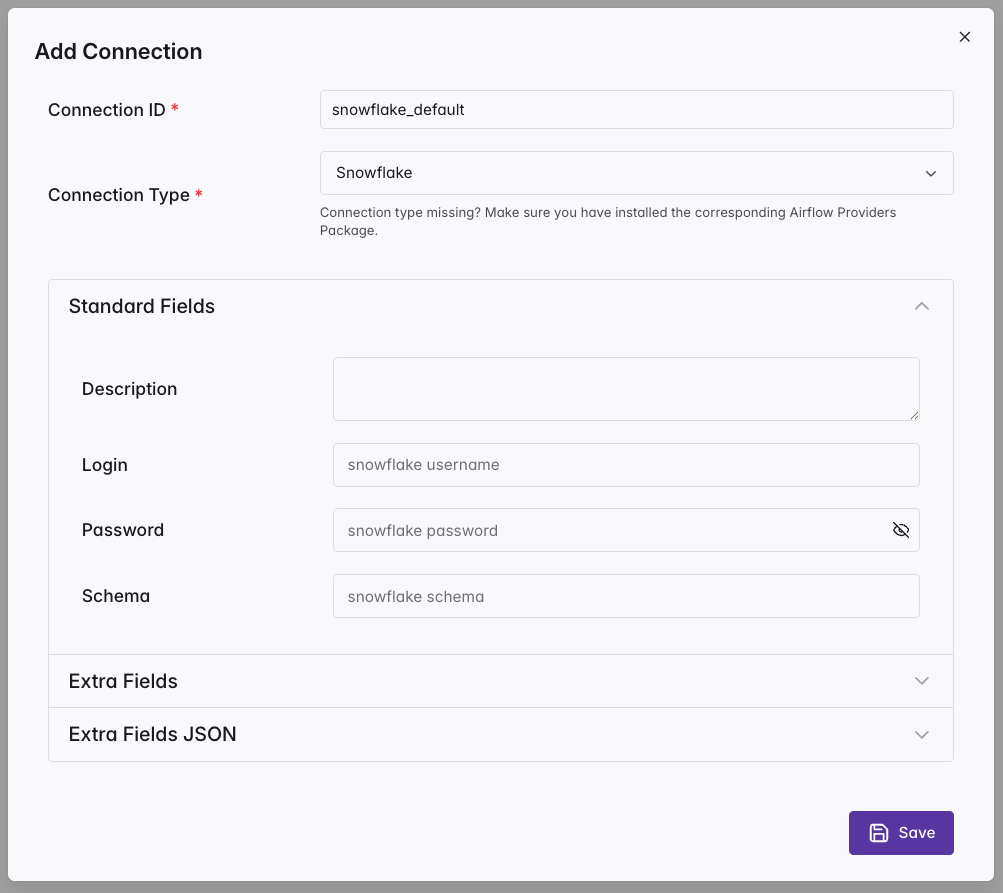
Connections

  • Store credentials outside your code
  • Each has an ID, type, host, port, login
  • Created in multiple ways: UI, CLI, API, or environment variables
  • Reference by conn_id in operators

Airflow Connections UI

Building Data Pipelines with Airflow

Building a SQL pipeline

from airflow.sdk import dag, task
from airflow.providers.common.sql.operators.sql import SQLExecuteQueryOperator

@dag(schedule="@daily")
def sales_pipeline():

    aggregate = SQLExecuteQueryOperator(
        task_id="aggregate_daily_sales",
        conn_id="duckdb_analytics",
        sql="""
            INSERT INTO daily_summary (order_date, total_orders, total_revenue)
            SELECT order_date, COUNT(*), SUM(revenue)
            FROM raw_orders GROUP BY order_date
        """,
    )
Building Data Pipelines with Airflow

External SQL files

@dag(
    schedule="@daily",
    template_searchpath="/path/to/include/sql",
)
def sales_pipeline():
    aggregate = SQLExecuteQueryOperator(
        task_id="aggregate_daily_sales",
        conn_id="duckdb_analytics",
        sql="aggregate_sales.sql",
    )
  • Set template_searchpath on @dag
  • Reference the filename in sql
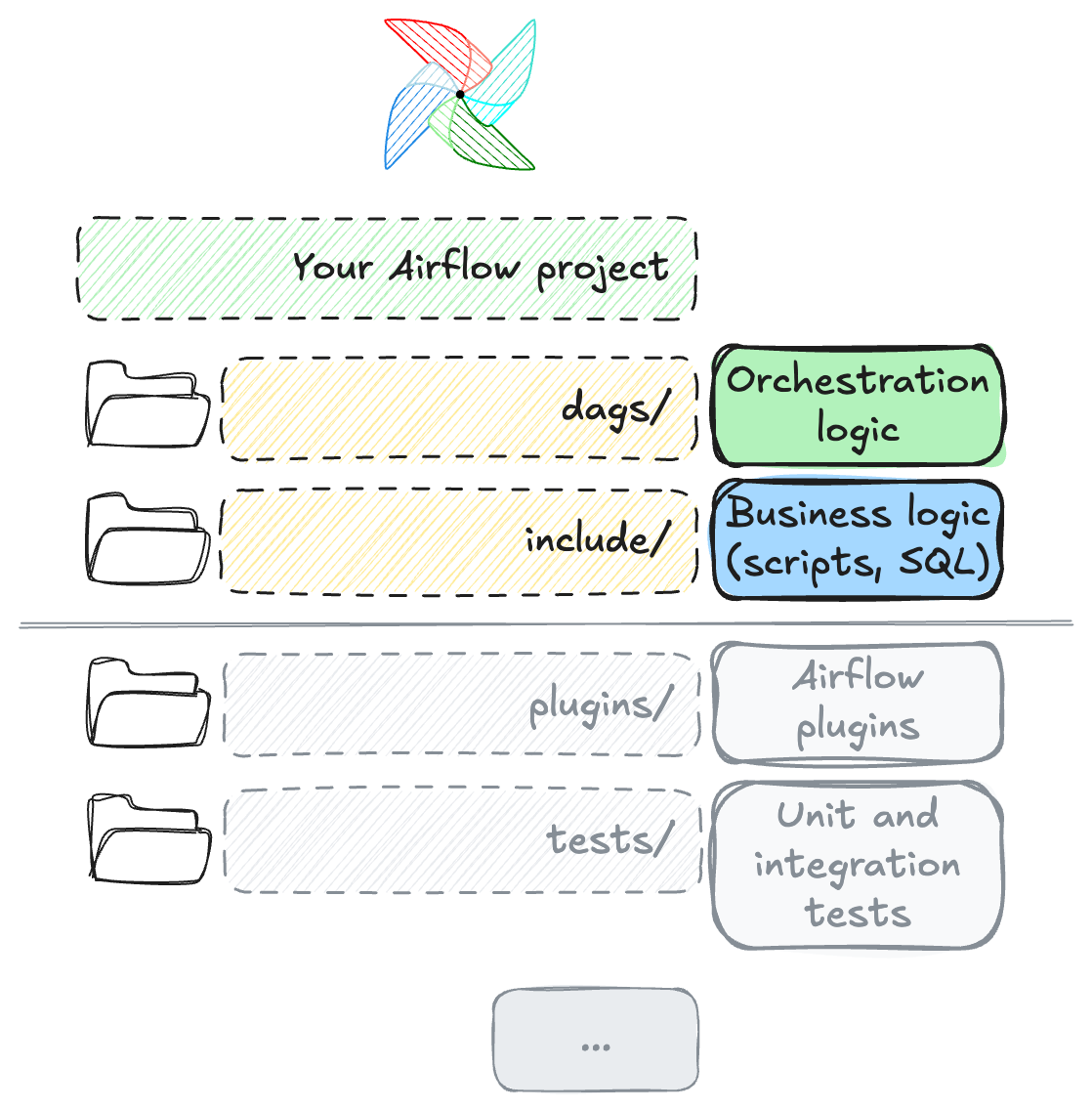
  • Keep scripts and business logic outside of the dags/ folder 💡

Project file structure

Building Data Pipelines with Airflow

Jinja templates in SQL files

DELETE FROM daily_summary WHERE order_date = '{{ ds }}';

INSERT INTO daily_summary (order_date, total_orders, total_revenue)
SELECT order_date, COUNT(*), SUM(revenue)
FROM raw_orders
WHERE order_date = '{{ ds }}'
GROUP BY order_date;


  • {{ ds }} renders the logical date (YYYY-MM-DD)
  • DELETE then INSERT: the idempotent pattern from Chapter 2
  • Re-running the same date produces the same result
Building Data Pipelines with Airflow

params vs parameters

params (Jinja rendering)

SQLExecuteQueryOperator(
    sql="""SELECT * FROM orders
           WHERE product = '{{ params.product }}'""",
    params={"product": user_input},
)
  • Value interpolated into SQL string
  • Vulnerable to SQL injection

parameters (DB-level binding)

SQLExecuteQueryOperator(
    sql="SELECT * FROM orders
         WHERE product = $product",
    parameters={"product": user_input},
)
  • Value passed to database driver
  • Injection-safe: driver handles escaping
Building Data Pipelines with Airflow

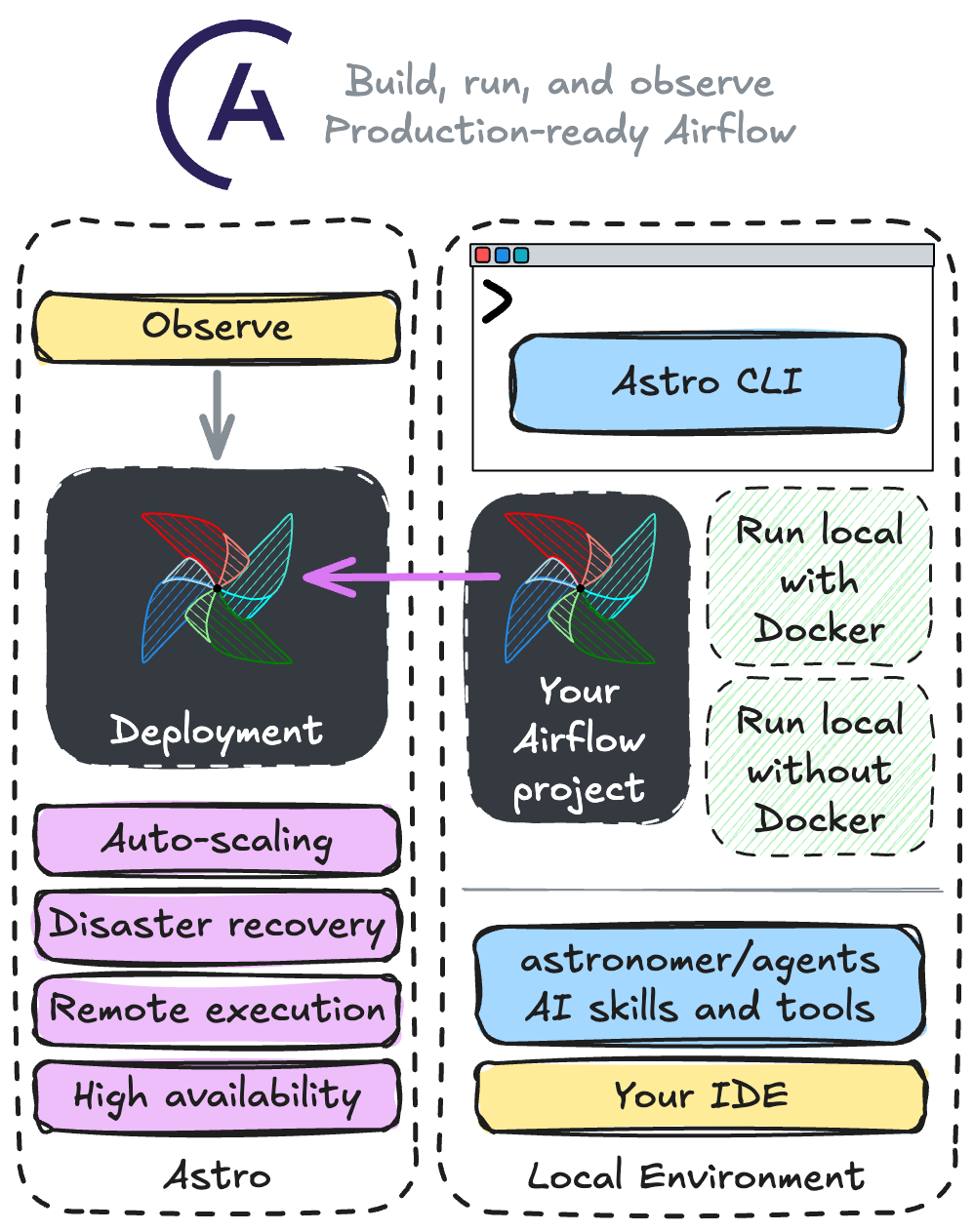
From local to production with Astro

$$

  • Astronomer's Astro: managed Airflow platform

$$

  • Astro CLI: local Airflow in one command

$$

  • Develop locally, deploy to production seamlessly

Astro CLI and platform

Building Data Pipelines with Airflow

Let's practice!

Building Data Pipelines with Airflow

Preparing Video For Download...