Git Tingkat Lanjut
Amanda Crawford-Adamo
Software and Data Engineer
.git/logs/refs/heads/
| Fitur | Git Reflog | Git Log |
|---|---|---|
| Tujuan | Menampilkan pembaruan referensi dan penulisan ulang di repo lokal | Hanya menampilkan riwayat commit |
| Cakupan | Hanya repositori lokal | Repositori lokal dan remote |
| Konten | Semua pembaruan ref (commit, reset, merge, dll.) | Hanya commit |
| Persistensi | Sementara (biasanya 90 hari) | Permanen (bagian dari riwayat repo) |
| Use Case | Memulihkan commit yang hilang, memahami aksi terbaru | Melihat riwayat proyek, memahami pengembangan fitur |
git reflog
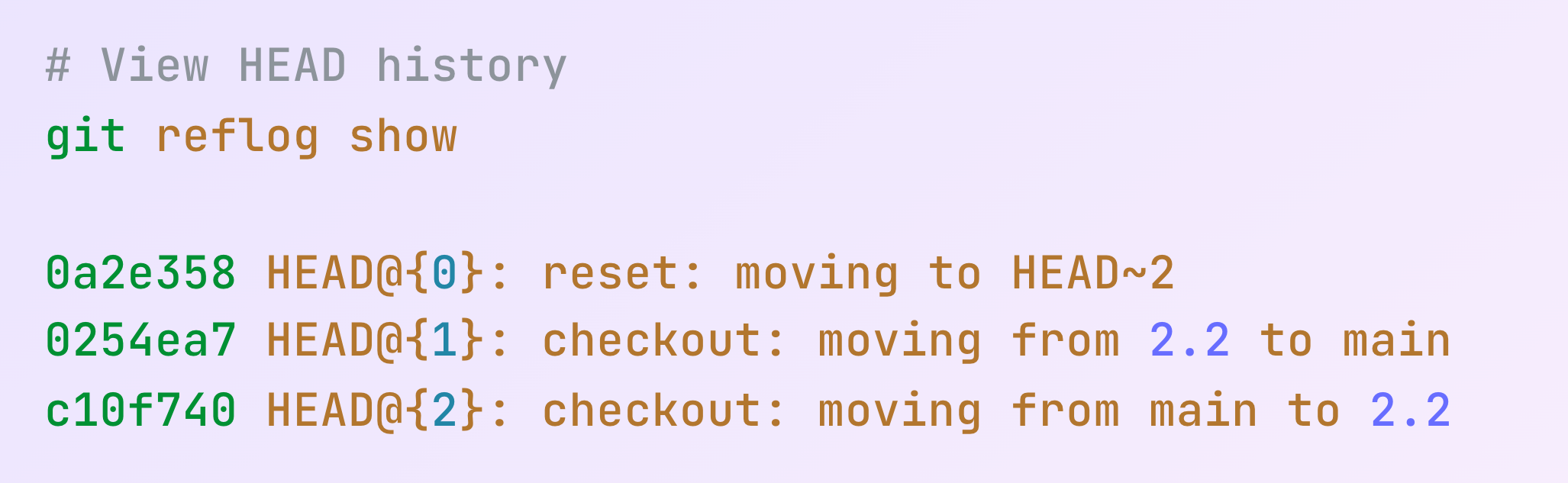
git reflog show
git reflog expire

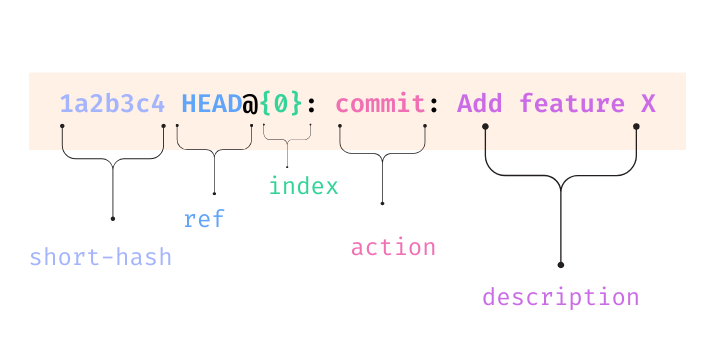
| Komponen | Deskripsi |
|---|---|
| short-hash | Hash commit yang dipersingkat |
| ref | Biasanya HEAD, bisa juga nama branch |
| index | Posisi di reflog (0 paling baru) |
| action | Jenis aksi (commit, reset, merge, dll.) |
| descriptions | Deskripsi tentang aksi |
since = tampilkan entri sejak waktu ini
git reflog --since "time-qualifer"
until = tampilkan entri hingga waktu ini
git reflog --until "time-qualifer"
git reflog --since="1 week ago"
git reflog --until="yesterday"
git reflog --until="2024-01-01"
etl-featureBagaimana memulihkan branch etl-feature?
git reflog
git checkout <hash>
git checkout -b <branch-name>
| Tipe Reset | Perintah | Dampak pada Working Directory | Dampak pada Staging Area |
|---|---|---|---|
| Soft | git reset --soft <commit> |
Tidak ada perubahan | Perubahan tetap staged |
| Mixed (Default) | git reset --mixed <commit> |
Tidak ada perubahan | Perubahan di-unstage |
| Hard | git reset --hard <commit> |
Perubahan dibuang | Perubahan dibuang |
Bagaimana mengembalikan perubahan skrip ETL sebelumnya?
git reflog
git reset --soft HEAD@{1}
Reflog adalah mesin waktu lokal saat kita keliru

Git Tingkat Lanjut