Plot your first time series

Memvisualisasikan Data Deret Waktu di Python

Thomas Vincent

Head of Data Science, Getty Images

The Matplotlib library

  • In Python, matplotlib is an extensive package used to plot data
  • The pyplot submodule of matplotlib is traditionally imported using the plt alias
import matplotlib.pyplot as plt
Memvisualisasikan Data Deret Waktu di Python

Plotting time series data

Your first time series

Memvisualisasikan Data Deret Waktu di Python

Plotting time series data

import matplotlib.pyplot as plt
import pandas as pd

df = df.set_index('date_column')
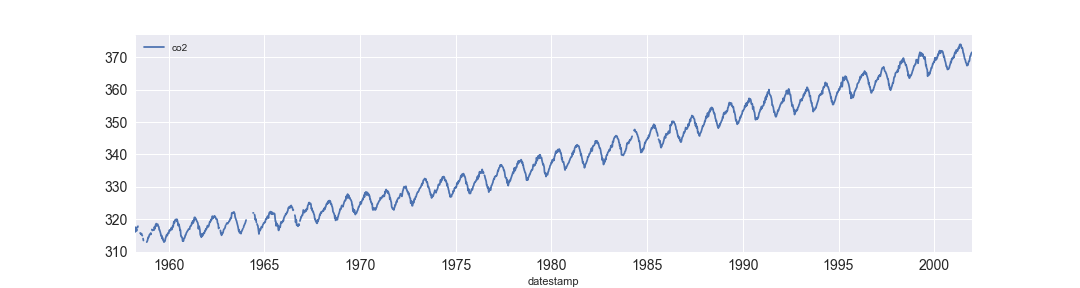
df.plot()
plt.show()
Memvisualisasikan Data Deret Waktu di Python

Adding style to your plots

plt.style.use('fivethirtyeight')
df.plot()
plt.show()
Memvisualisasikan Data Deret Waktu di Python

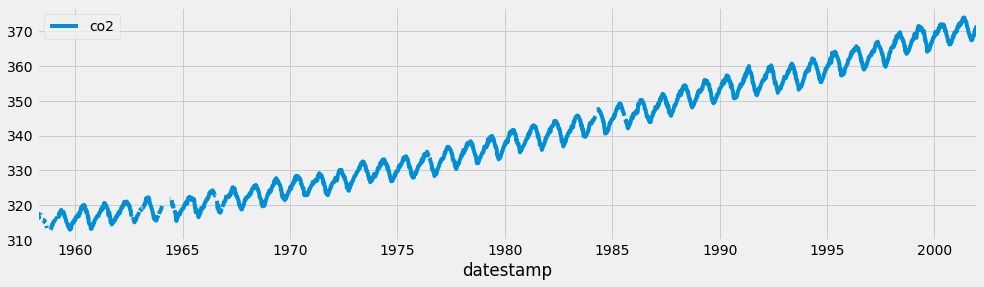
FiveThirtyEight style

A example of using the fivethirtyeight style

Memvisualisasikan Data Deret Waktu di Python

Matplotlib style sheets

print(plt.style.available)
['seaborn-dark-palette', 'seaborn-darkgrid', 
'seaborn-dark', 'seaborn-notebook', 
'seaborn-pastel', 'seaborn-white', 
'classic', 'ggplot', 'grayscale', 
'dark_background', 'seaborn-poster', 
'seaborn-muted', 'seaborn', 'bmh', 
'seaborn-paper', 'seaborn-whitegrid', 
'seaborn-bright', 'seaborn-talk', 
'fivethirtyeight', 'seaborn-colorblind', 
'seaborn-deep', 'seaborn-ticks']

Memvisualisasikan Data Deret Waktu di Python

Describing your graphs with labels

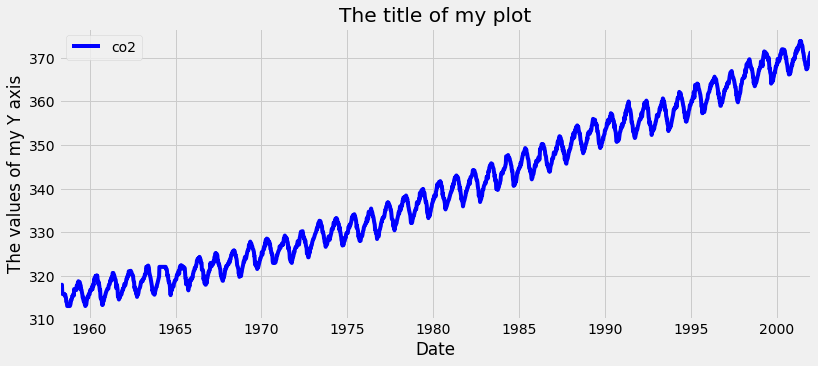
ax = df.plot(color='blue')
ax.set_xlabel('Date')
ax.set_ylabel('The values of my Y axis')
ax.set_title('The title of my plot')
plt.show()

Labelling your plots

Memvisualisasikan Data Deret Waktu di Python

Figure size, linewidth, linestyle and fontsize
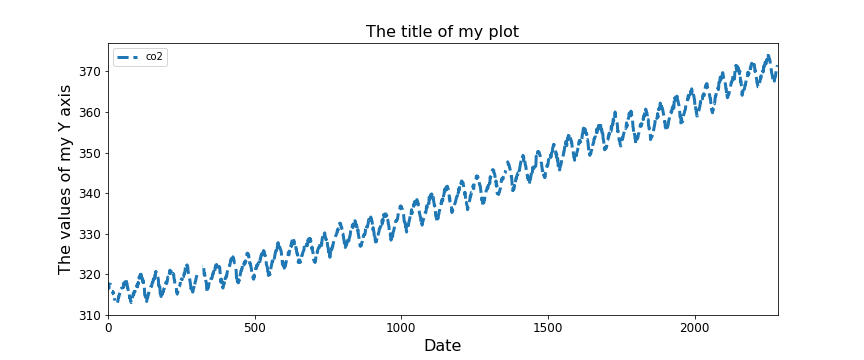
ax = df.plot(figsize=(12, 5), fontsize=12,
             linewidth=3, linestyle='--')
ax.set_xlabel('Date', fontsize=16)
ax.set_ylabel('The values of my Y axis', fontsize=16)
ax.set_title('The title of my plot', fontsize=16)
plt.show()

Memvisualisasikan Data Deret Waktu di Python

Let's practice!

Memvisualisasikan Data Deret Waktu di Python

Preparing Video For Download...