Memplot satu variabel

Visualisasi Data Interaktif dengan plotly di R

Adam Loy

Statistician, Carleton College

Menjelajah data wine

library(dplyr)
glimpse(wine)
Baris: 178
Kolom: 14
$ Type            <fct> 1, 1, 1, 1, 1, 1, 1, 1, 1, 1, 1, 1, 1, 1, 1, 1...
$ Alcohol         <dbl> 14.23, 13.20, 13.16, 14.37, 13.24, 14.20, 14.3...
$ Malic           <dbl> 1.71, 1.78, 2.36, 1.95, 2.59, 1.76, 1.87, 2.15...
...
$ Hue             <dbl> 1.04, 1.05, 1.03, 0.86, 1.04, 1.05, 1.02, 1.06...
$ Dilution        <dbl> 3.92, 3.40, 3.17, 3.45, 2.93, 2.85, 3.58, 3.58...
$ Proline         <int> 1065, 1050, 1185, 1480, 735, 1450, 1290, 1295,...
Visualisasi Data Interaktif dengan plotly di R

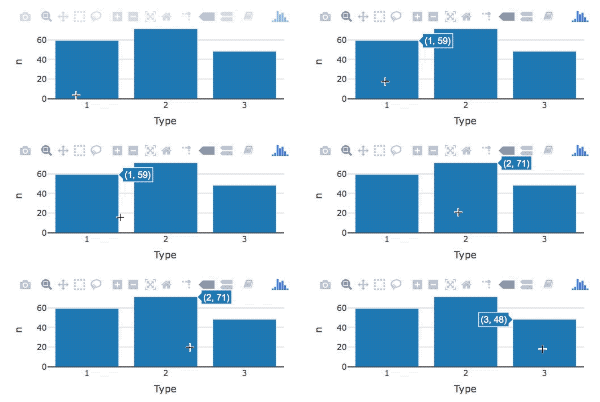
Diagram batang dengan plotly

GIF batang

library(plotly)

wine %>%
   count(Type) %>%                 
   plot_ly(x = ~Type, y = ~n) %>% 
   add_bars()
  • Buat tabel frekuensi dengan count()
  • Tentukan estetika dengan ~
  • Tambahkan trace batang dengan add_bars()
Visualisasi Data Interaktif dengan plotly di R

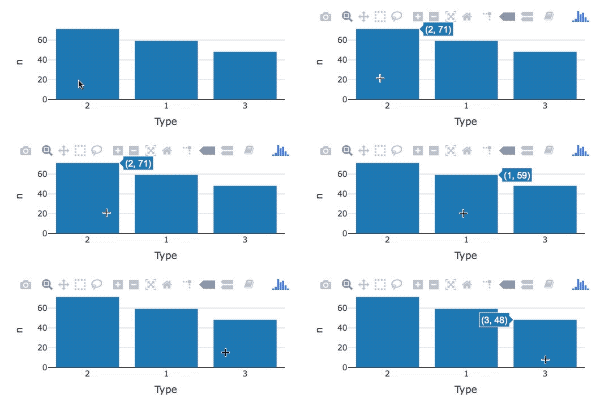
Mengubah urutan batang

GIF ubah urutan batang

library(forcats)
wine %>%
  count(Type) %>%                 
  mutate(Type = fct_reorder(Type, n, .desc = TRUE)) %>% 
  plot_ly(x = ~Type, y = ~n) %>%
  add_bars()
  • fct_reorder() untuk mengubah urutan batang
  • set argumen .desc ke TRUE
Visualisasi Data Interaktif dengan plotly di R

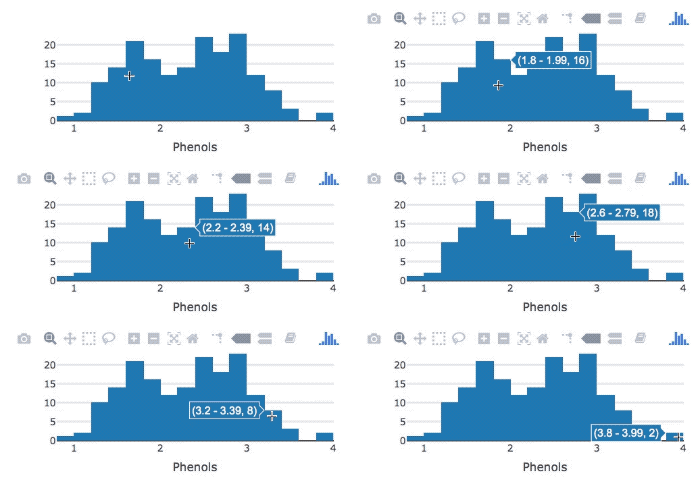
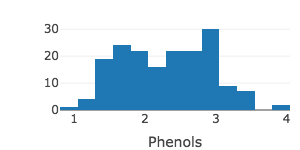
Histogram dengan plotly

GIF histogram

wine %>%
   plot_ly(x = ~Phenols) %>%  # tentukan estetika

add_histogram() # tambahkan trace histogram
Visualisasi Data Interaktif dengan plotly di R

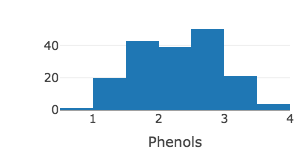
Mengatur jumlah bin

wine %>%
   plot_ly(x = ~Phenols) %>% 
   add_histogram(nbinsx = 10)
Visualisasi Data Interaktif dengan plotly di R

Mengatur lebar bin

wine %>%
   plot_ly(x = ~Phenols) %>% 
   add_histogram(xbins = list(start = 0.8, end = 4, size = 0.25))
Visualisasi Data Interaktif dengan plotly di R

Ayo berlatih!

Visualisasi Data Interaktif dengan plotly di R

Preparing Video For Download...