The reactive dataframe pattern

Membangun Dasbor dengan flexdashboard

Elaine McVey

Director of Data Science

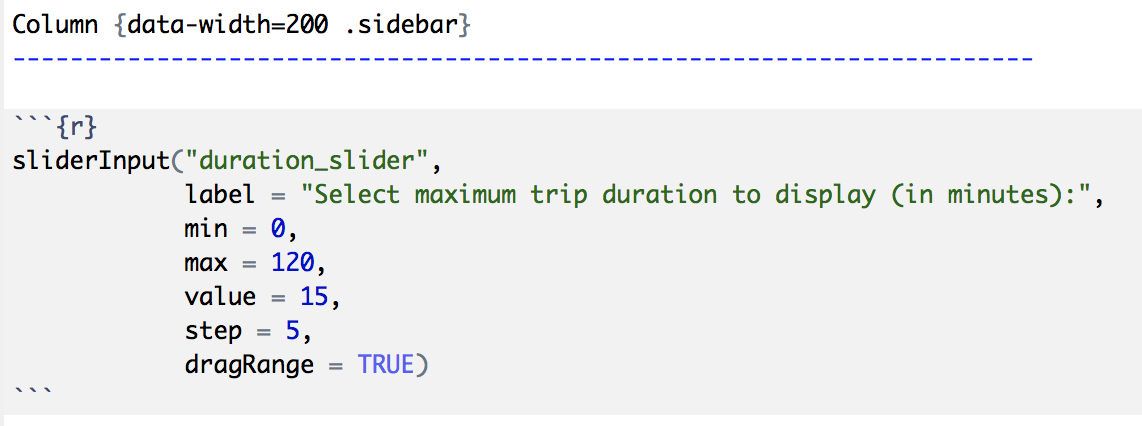
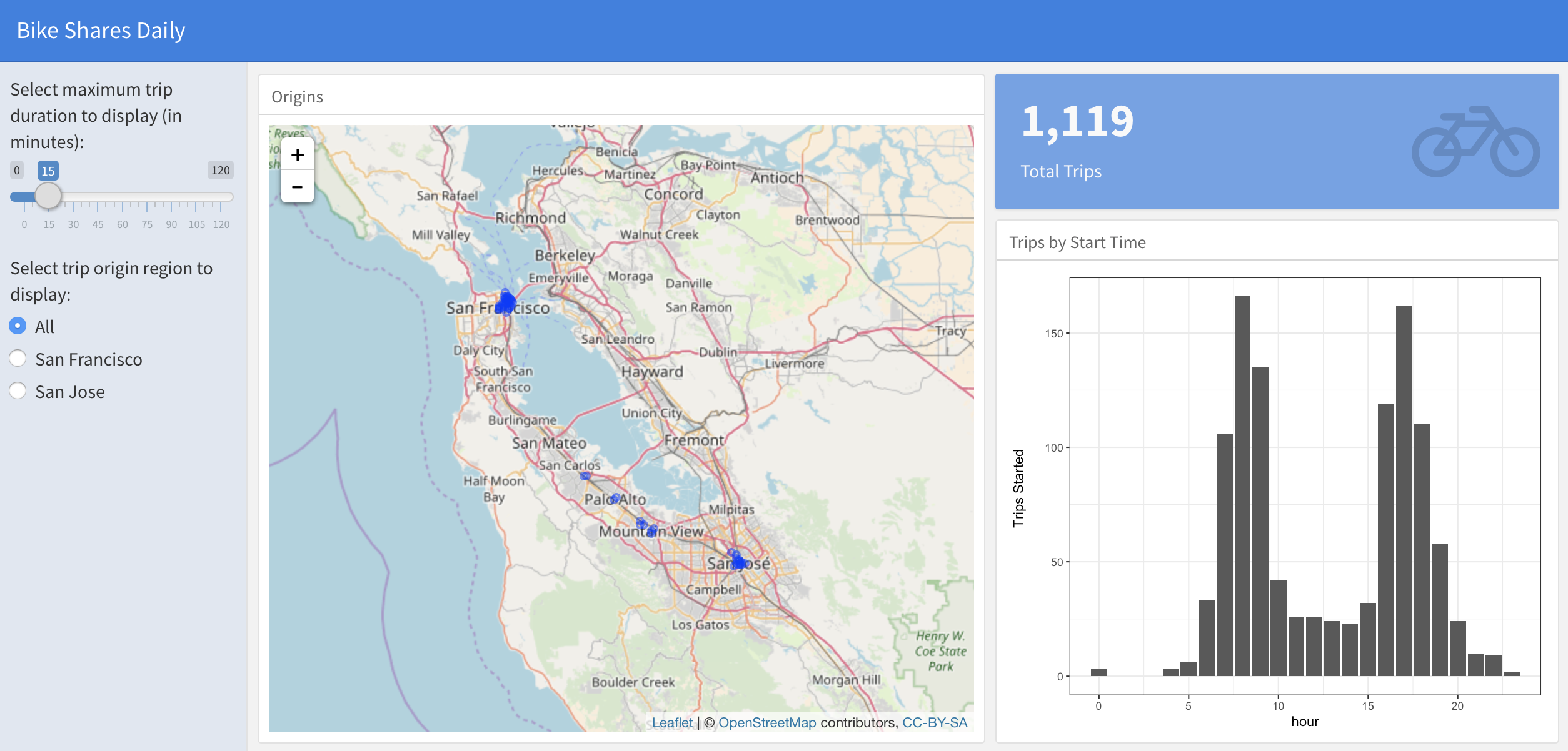
Creating a sidebar
Column {data-width=200 .sidebar}
Membangun Dasbor dengan flexdashboard

Creating a sidebar

alt text

Membangun Dasbor dengan flexdashboard

Adding user inputs

alt text

Membangun Dasbor dengan flexdashboard

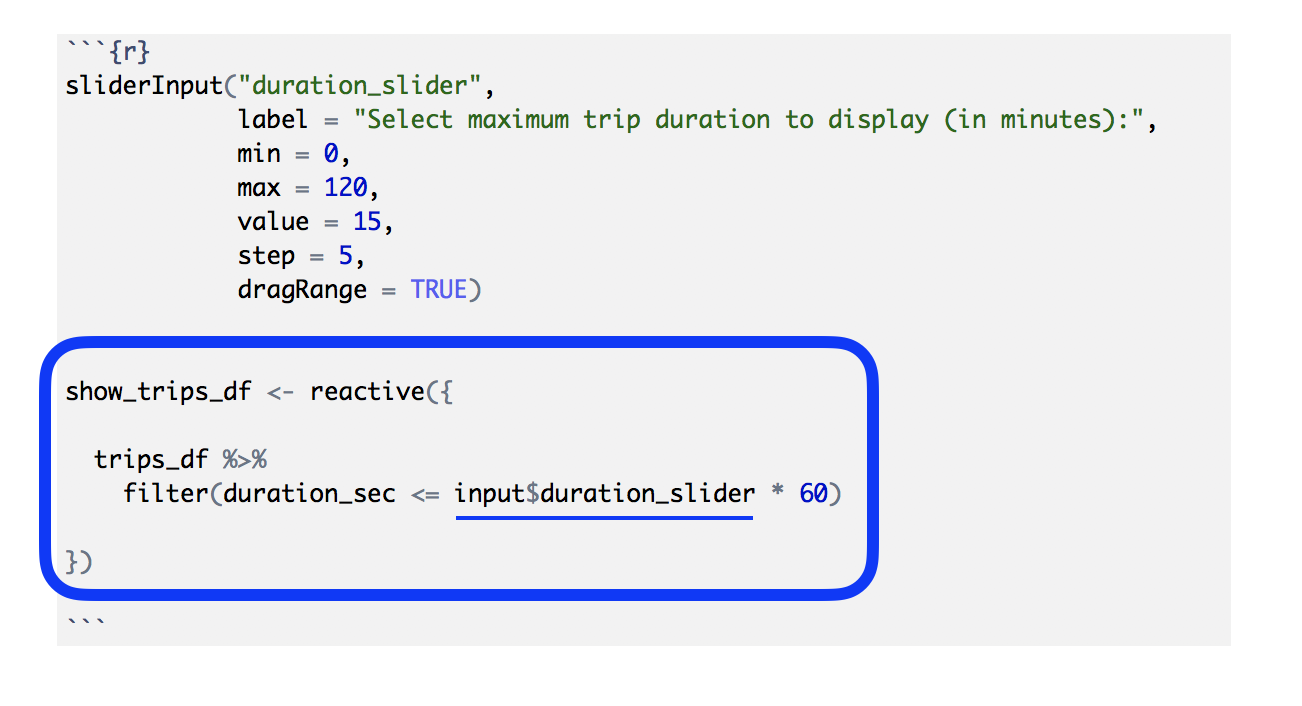
Making our dataframe reactive

alt text

Membangun Dasbor dengan flexdashboard

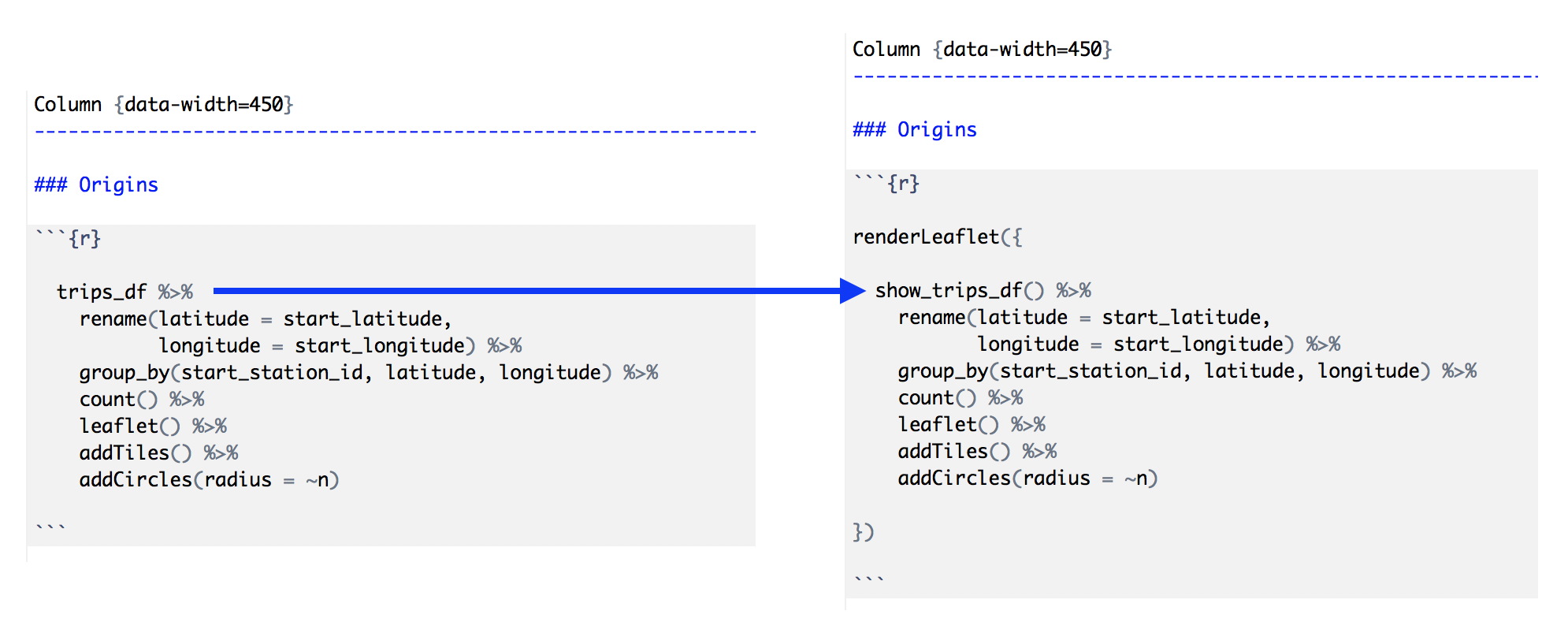
Using the reactive dataframe

alt text

Membangun Dasbor dengan flexdashboard

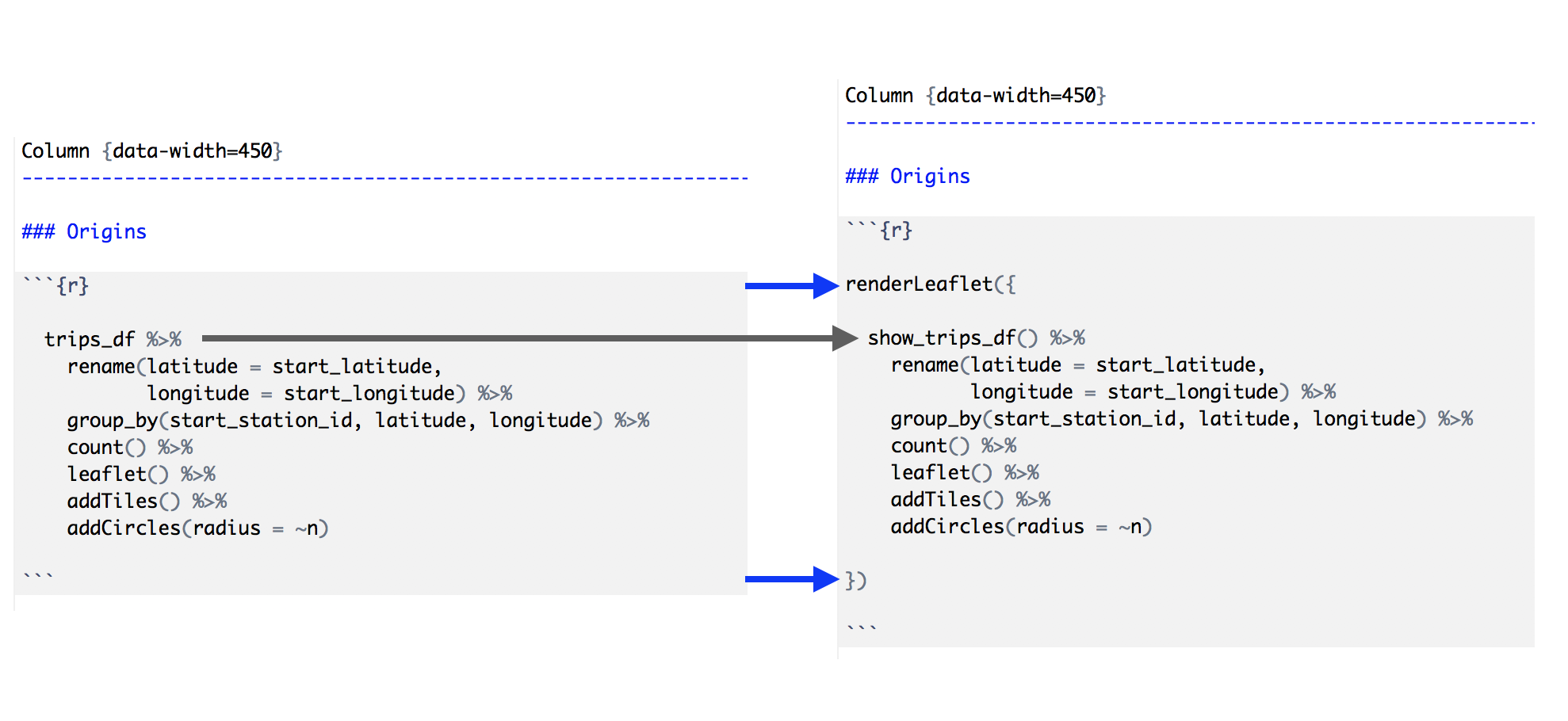
Making dashboard components reactive

alt text

Membangun Dasbor dengan flexdashboard

Steps to the reactive dataframe pattern

  1. Create a sidebar column (using .sidebar).
  2. Add user inputs to the sidebar (using xyzInput() Shiny widgets).
  3. Make a "dataframe" that reacts to user inputs (using reactive()).
  4. Replace the dataframe in the dashboard component code with the reactive version.
  5. Wrap each dashboard output with the appropriate Shiny version (renderXyz()).
Membangun Dasbor dengan flexdashboard

Let's practice!

Membangun Dasbor dengan flexdashboard

Preparing Video For Download...