Pengantar Visualisasi Data dengan Julia
Gustavo Vieira Suñe
Data Analyst

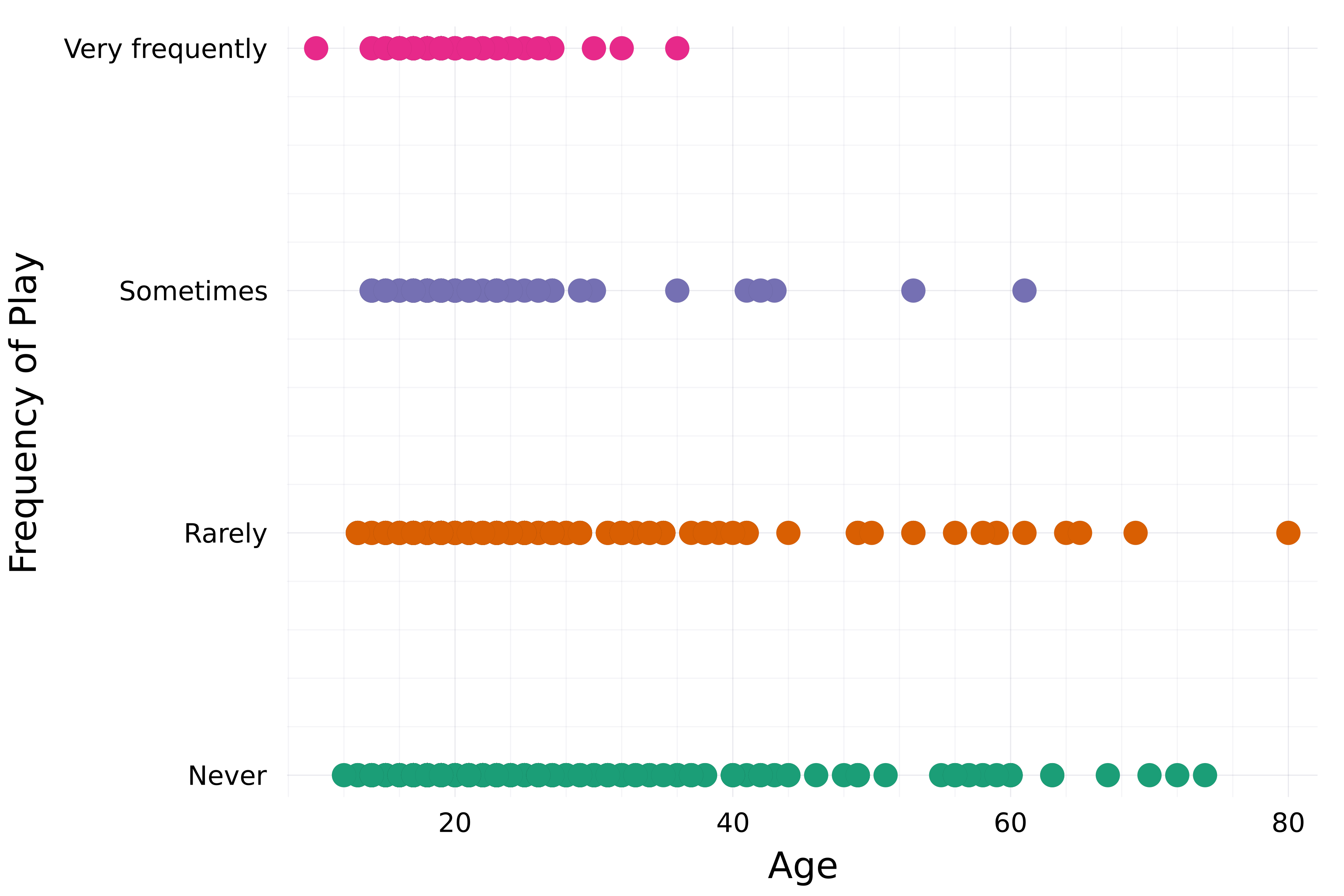
# Setel tema theme(:bright)# Buat plot sebar scatter( streaming.Age, streaming."Frequency [K pop]", group=streaming."Frequency [K pop]", label=false,# Atur palet warna palette=:Dark2_5 )xlabel!("Age") ylabel!("Frequency of Play")

Pernah dibahas:
title, xlabel, ylabelxticks, ytickscolorlinecolor, linewidthmarkercolorframestyleMasih banyak lagi:
xlims, ylimsalphalinestylelegend_title, legend_positionmarkersize, markershape...
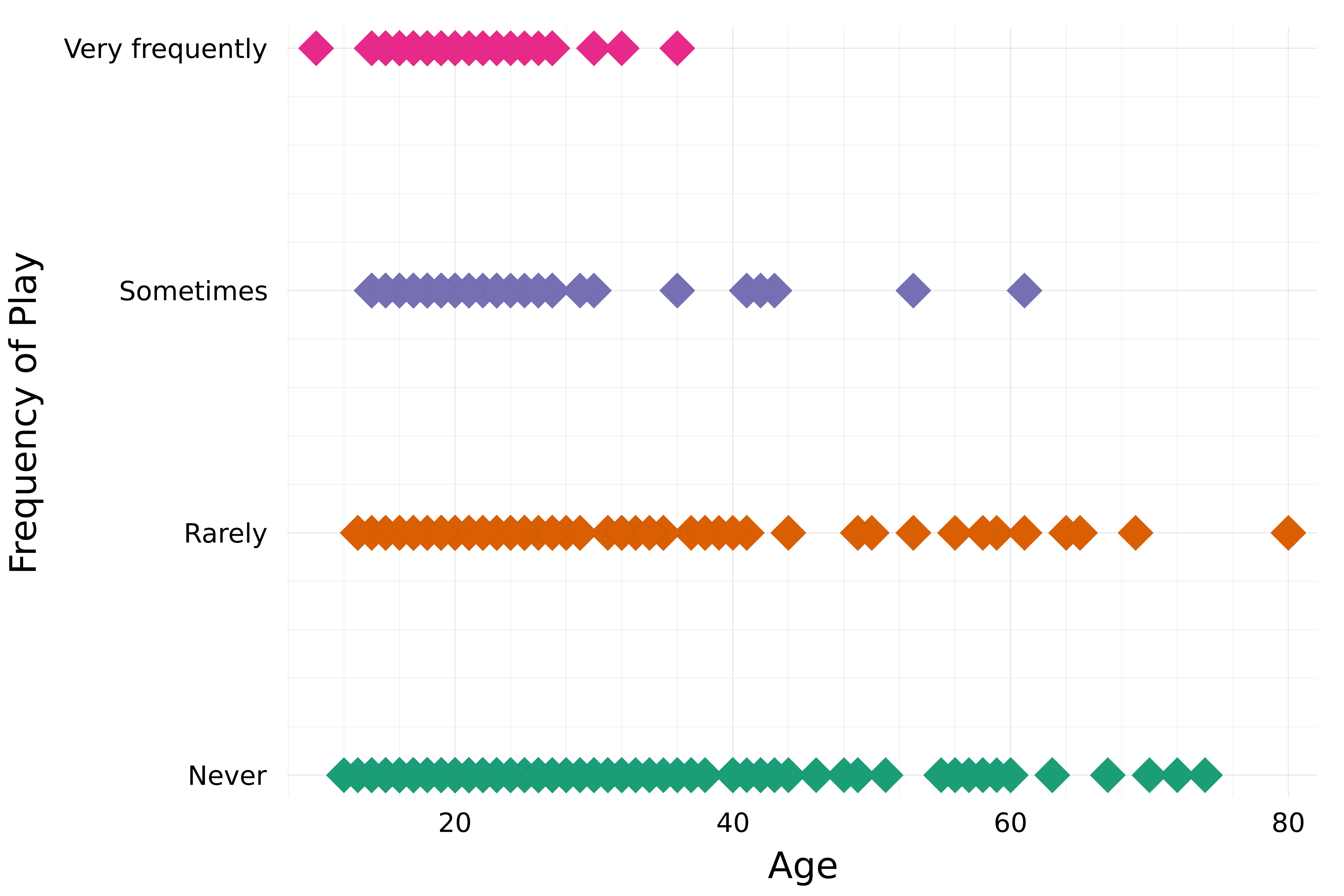
theme(:bright) scatter( streaming.Age, streaming."Frequency [K pop]", group=streaming."Frequency [K pop]", label=false, palette=:Dark2_5# Atribut marker markershape=:diamond, markersize=8, )xlabel!("Age") ylabel!("Frequency of Play")

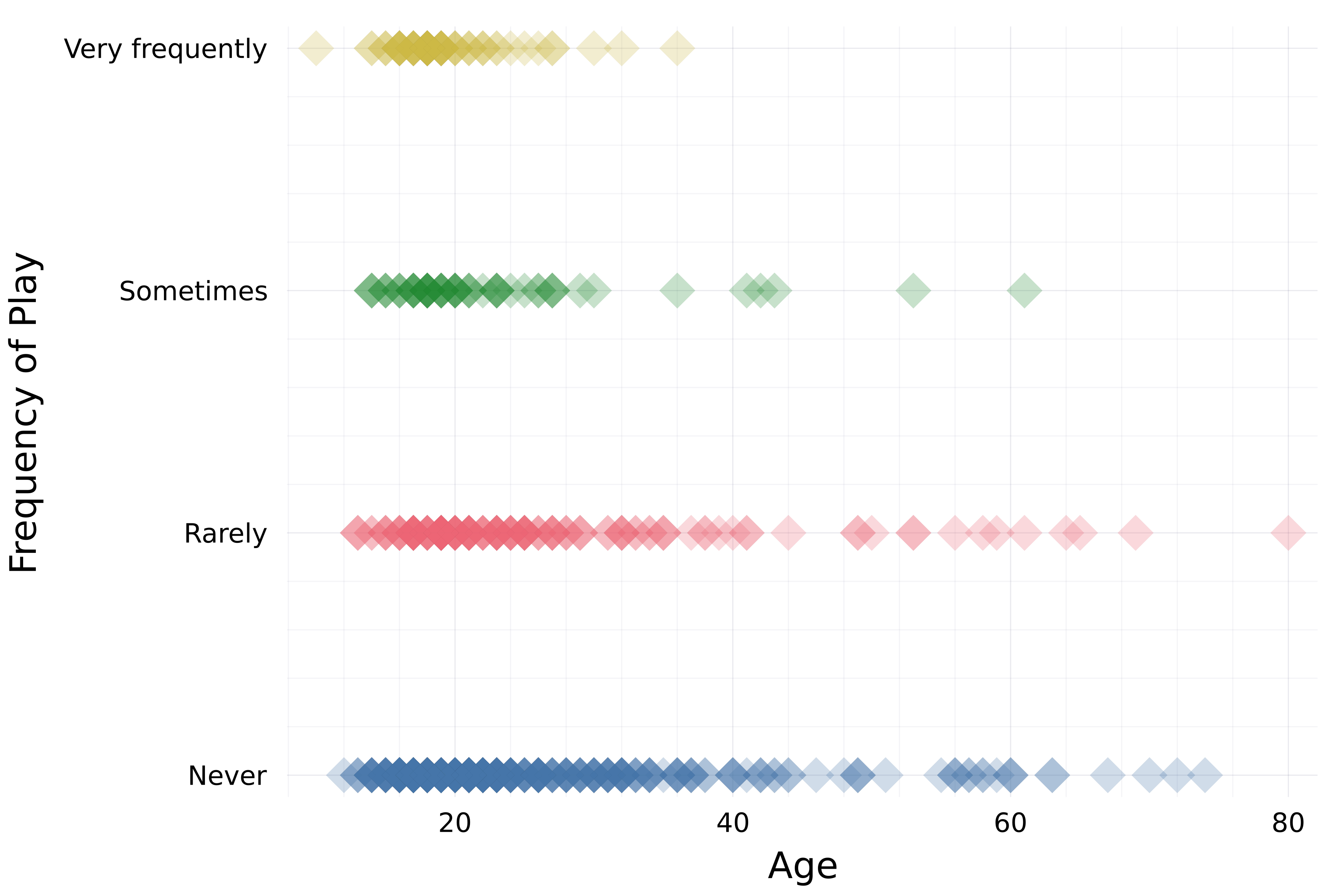
theme(:bright) scatter( streaming.Age, streaming."Frequency [K pop]", group=streaming."Frequency [K pop]", label=false, palette=:Dark2_5 markershape=:diamond, markersize=8,# Opasitas alpha=0.25 )xlabel!("Age") ylabel!("Frequency of Play")

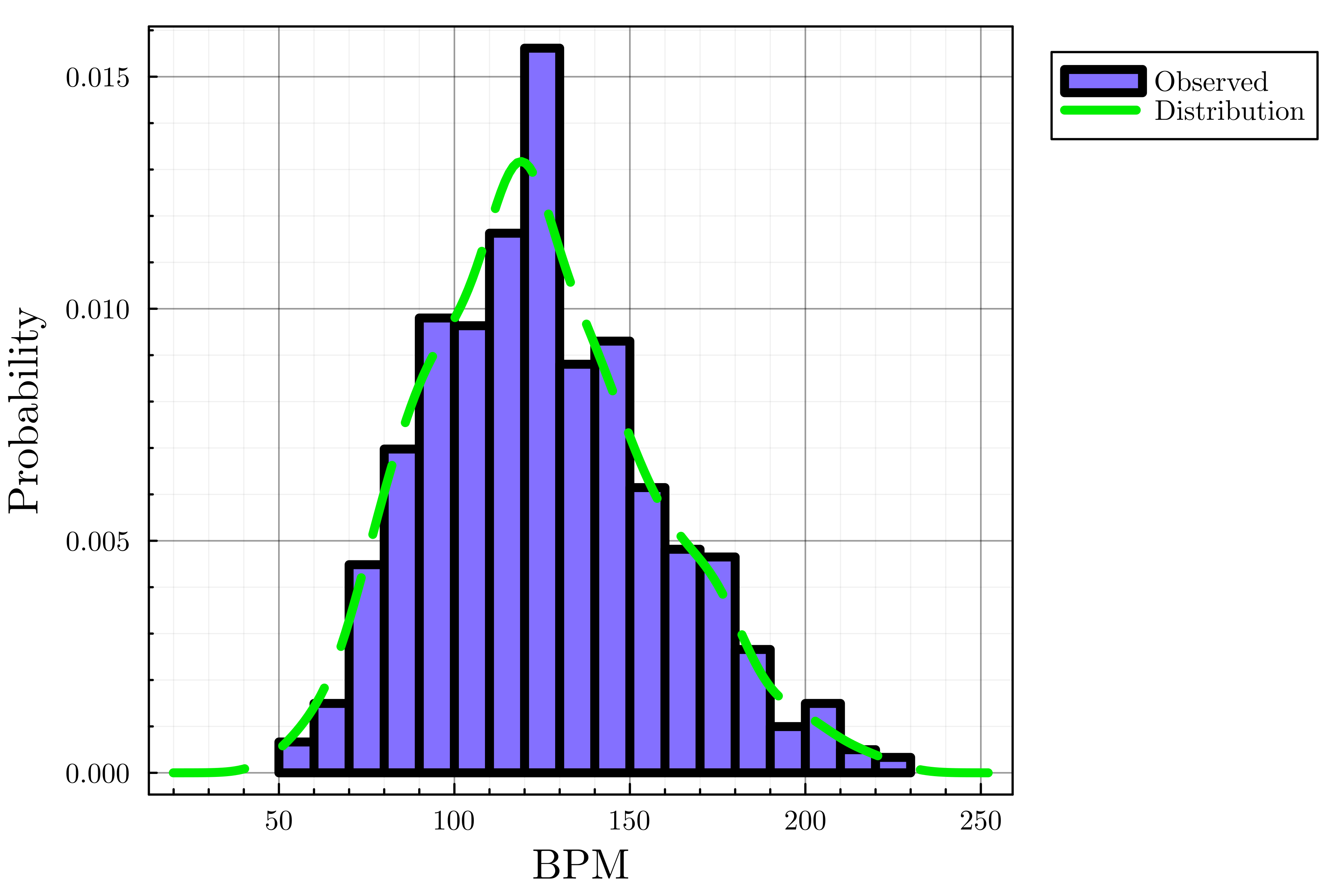
# Setel tema dan lebar garis default theme(:dao, linewidth=4)# Buat histogram histogram(streaming.BPM, label="Observed", color=:lightslateblue, normalize=true)# Tambahkan plot densitas density!(streaming.BPM, label="Distribution", linecolor=:green2,# Gaya garis linestyle=:dash)xlabel!("BPM") ylabel!("Probability")

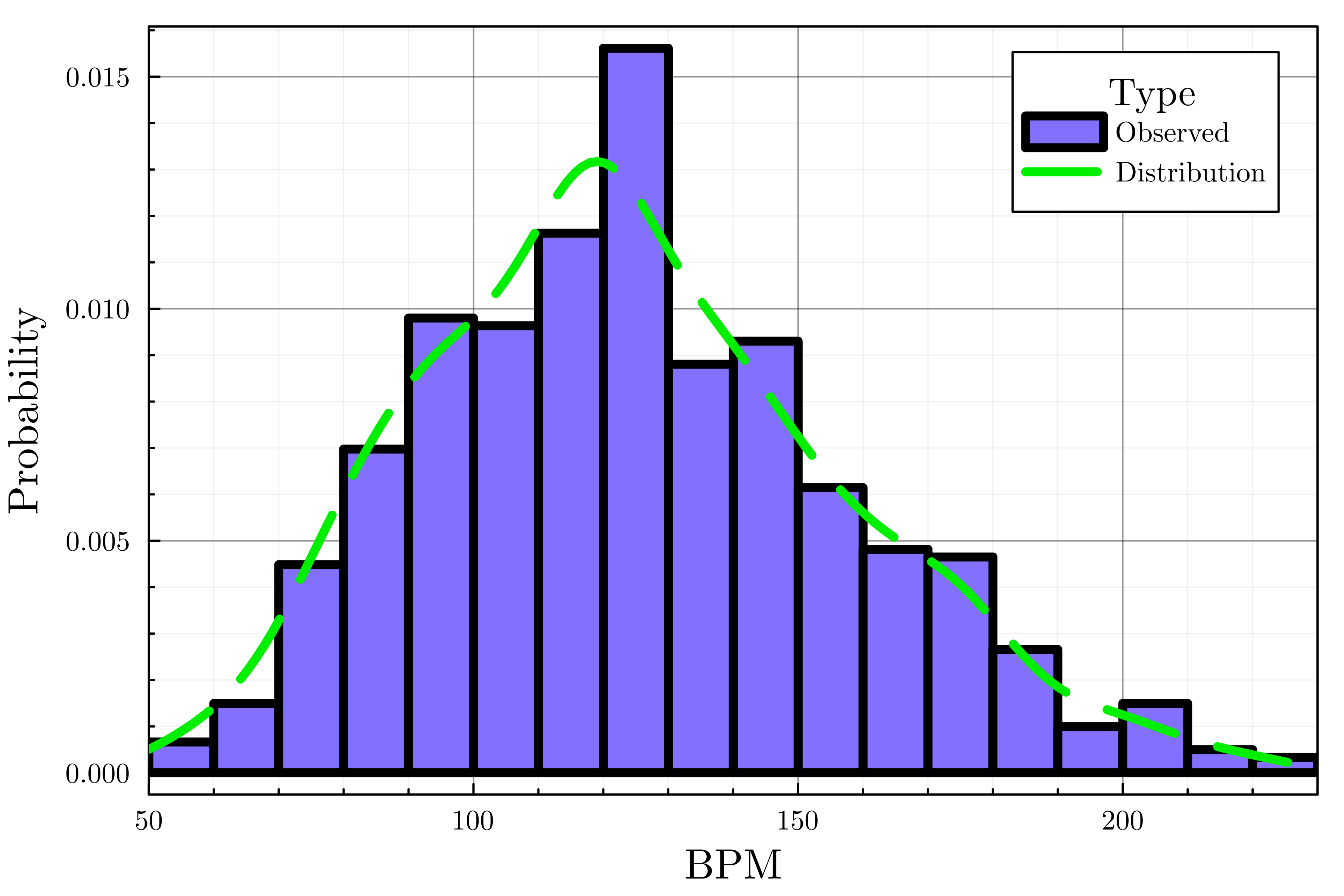
theme(:dao, linewidth=4) histogram(streaming.BPM, label="Observed", color=:lightslateblue, normalize=true) density!(streaming.BPM, label="Distribution", linecolor=:green2, linestyle=:dash# Kustomisasi legenda legend_title="Type", legend_position=:topright)# Atur batas sumbu x xlims!(50, 230)xlabel!("BPM") ylabel!("Probability")

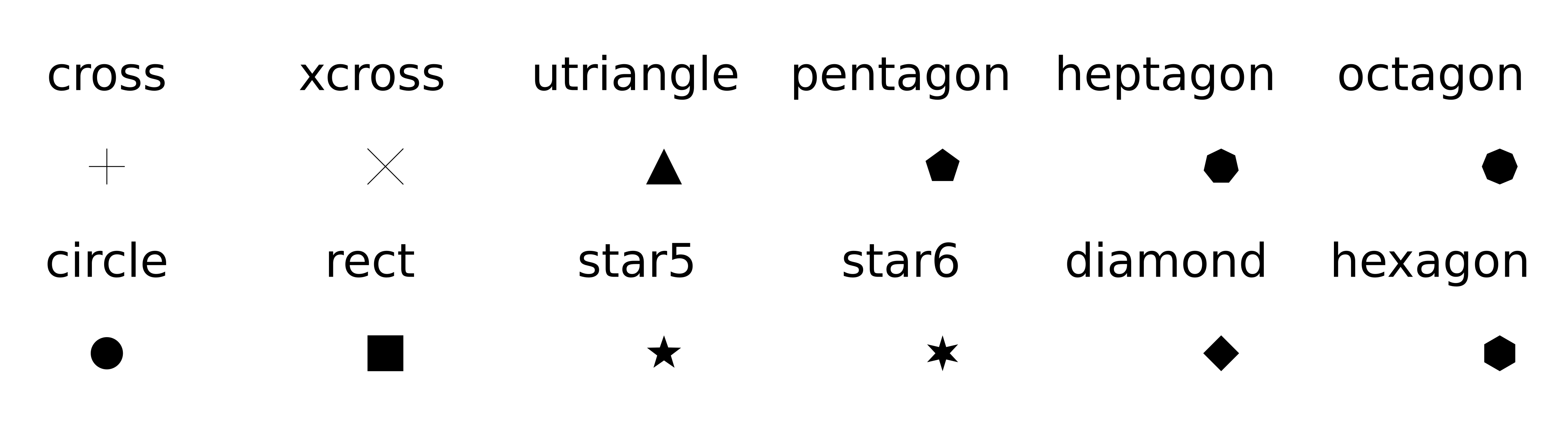
plot(..., palette=palette_symbol)markersizemarkershape
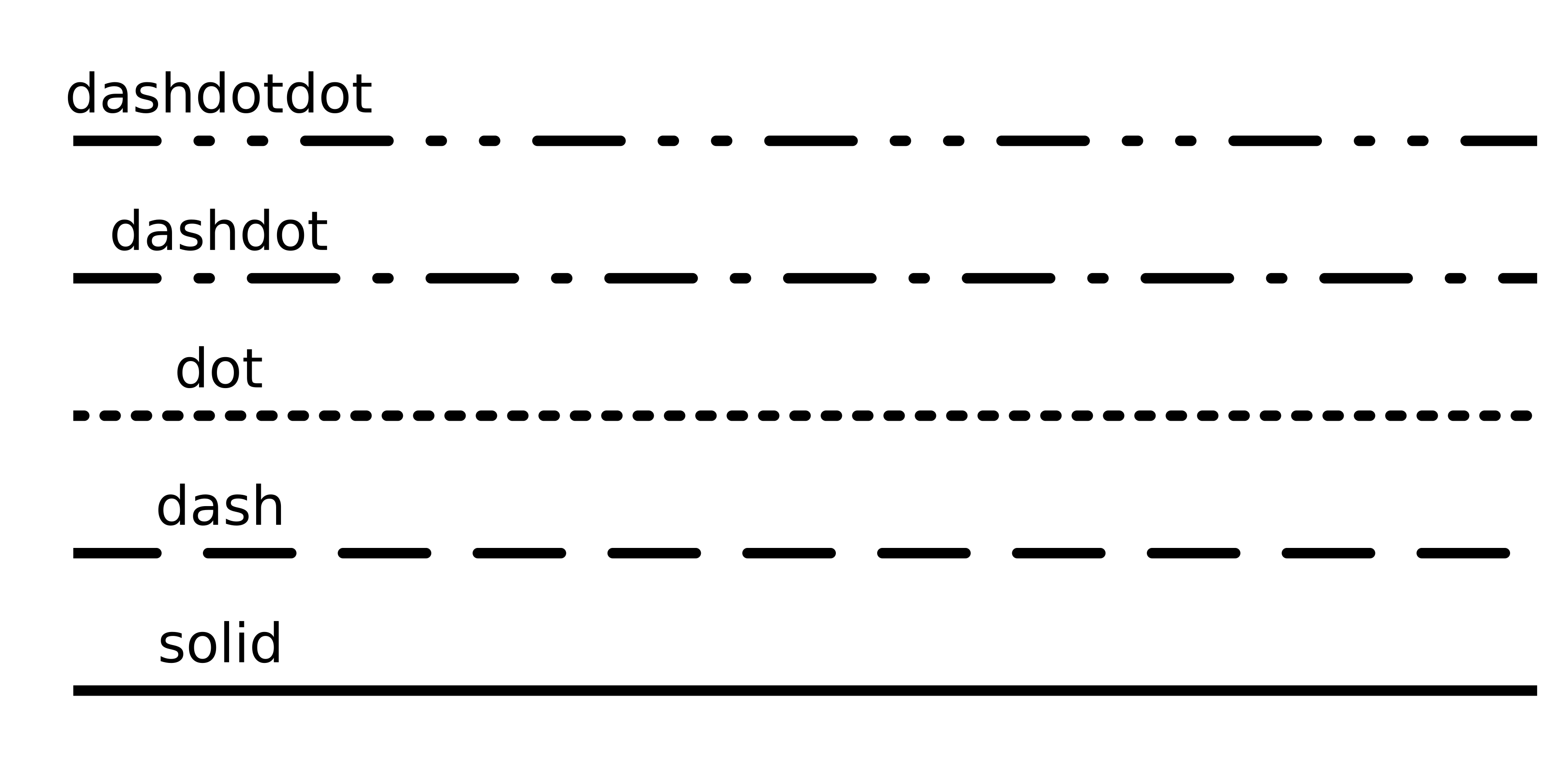
alpha=opacity_valuexlims!(), ylims!()Atribut garis: linetyle

Atribut legenda
legend_titlelegend_position (:right, :left, :top, :bottom, :topright, :topleft, ...)Pengantar Visualisasi Data dengan Julia