Pengantar Visualisasi Data dengan Julia
Gustavo Vieira Suñe
Data Analyst
| price_date | open | high | low | close | volume |
|---|---|---|---|---|---|
| 2020-01-02 | 214.4 | 216.16 | 213.98 | 216.16 | 30969400 |
| 2020-01-03 | 213.3 | 215.47 | 213.28 | 214.18 | 27518900 |
| 2020-01-06 | 212.5 | 215.59 | 212.24 | 215.56 | 21655300 |
qqq[!, "volatility"] = 100 * (qqq.high - qqq.low) ./ qqq.open
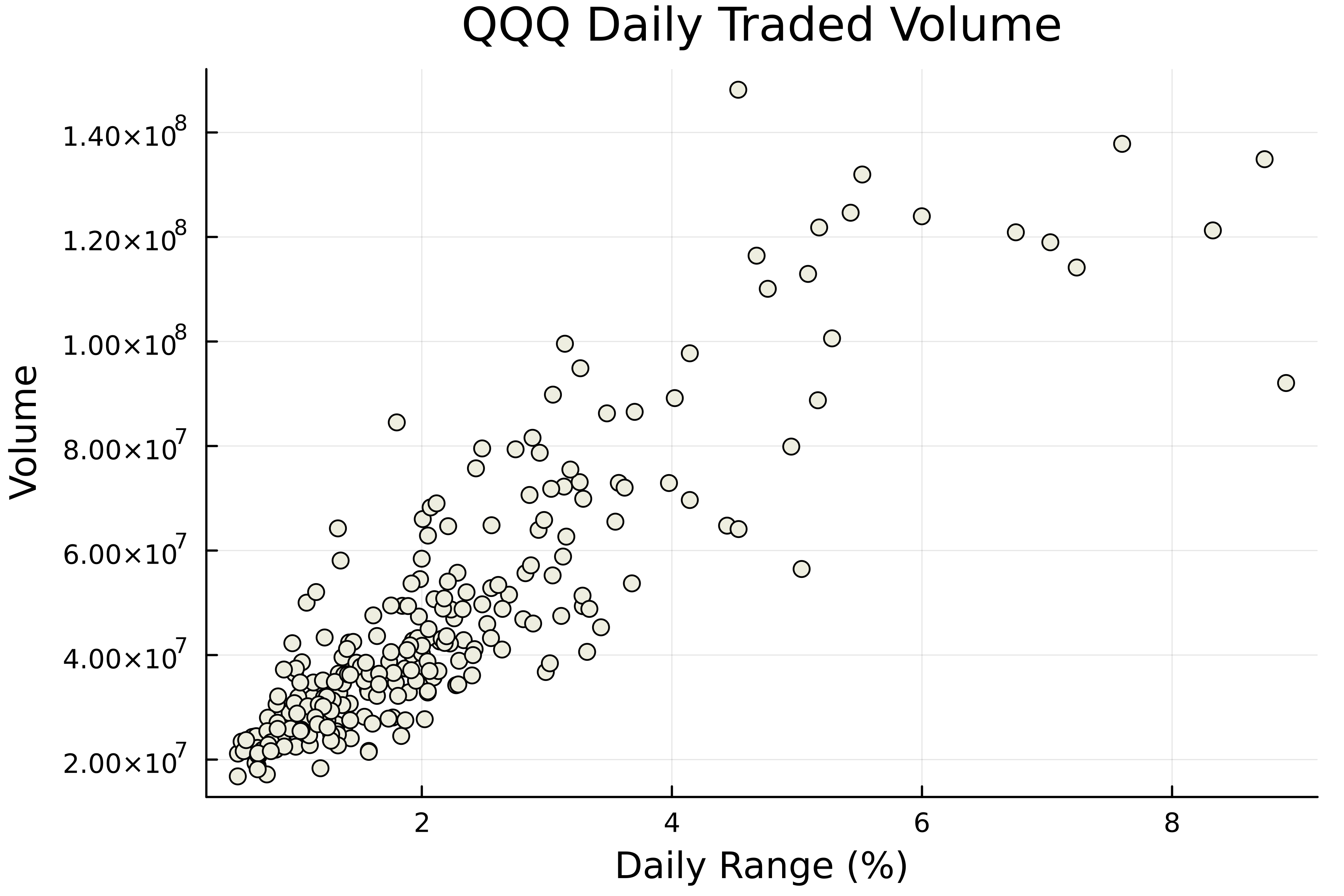
# Plot volume vs volatilitas scatter( qqq.volatility, qqq.volume,title="QQQ Daily Traded Volume", xlabel="Daily Range (%)", ylabel="Volume",# Sembunyikan legenda label=false# Ubah warna marker markercolor=:ivory2 )

Warna umum: :blue, :red, :green, :yellow, :black, :gray, :white
# Plot volume vs volatilitas scatter(qqq.volatility, qqq.volume, label=false markercolor=:ivory2 )# Tambahkan judul dan label sumbu title!("QQQ Daily Traded Volume") xlabel!("Daily Range (%)") ylabel!("Volume")


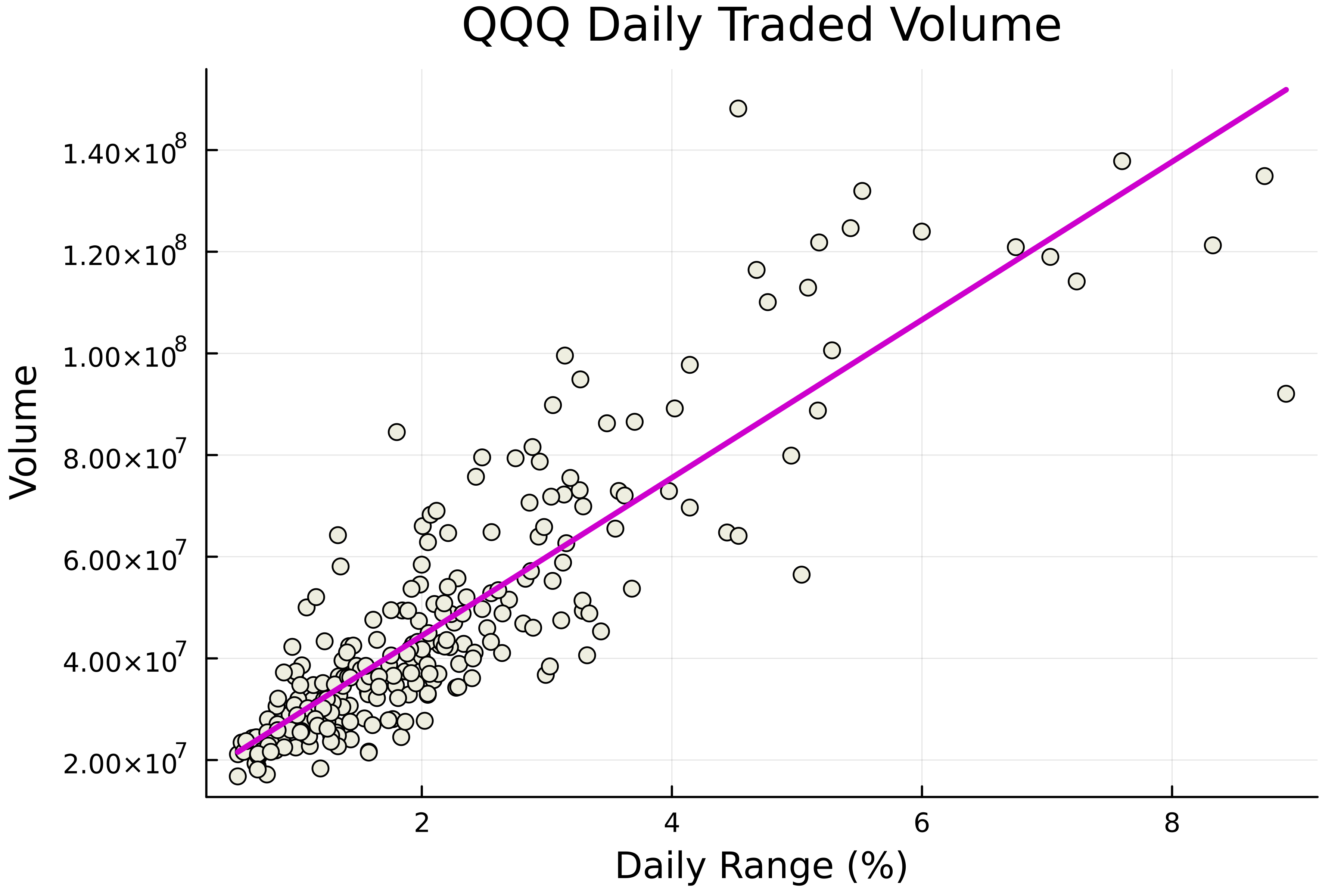
# Plot volume vs volatilitas scatter(qqq.volatility, qqq.volume, title="QQQ Daily Traded Volume" xlabel="Daily Range (%)", ylabel="Volume", label=false markercolor=:ivory2,# Tambahkan garis regresi smooth=true,# Kustom garis regresi linewidth=2.5, linecolor=:magenta3, )

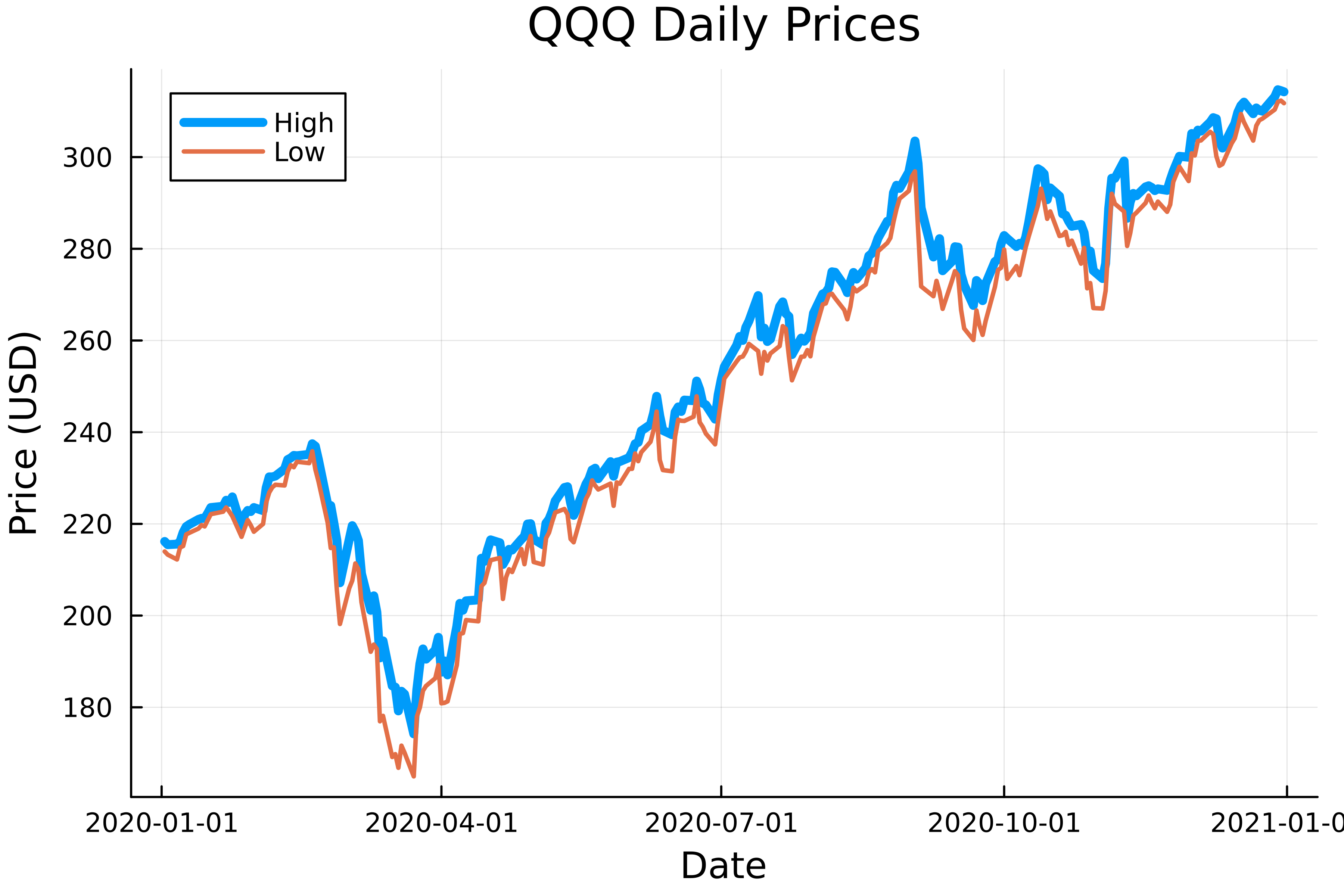
# Plot harga high dan low plot( qqq.price_date, # Masukkan kedua variabel [qqq.high qqq.low],# Tetapkan kedua label label=["High" "Low"],# Tetapkan lebar garis linewidth=[4 2] ) title!("QQQ Daily Prices") xlabel!("Date") ylabel!("Price")

# Plot harga high terhadap waktu plot(qqq.price_date, qqq.high, label="High", linewidth=4)# Tambahkan harga low ke figur plot!(qqq50.price_date, qqq50.low, label="Low", linewidth=2) title!("QQQ Daily Prices") xlabel!("Date") ylabel!("Price")

label untuk mengatur atau menyembunyikan legenda
Notasi tanda seru: ubah plot saat ini
Kustomisasi plot()
linewidthlinecolorKustomisasi scatter()
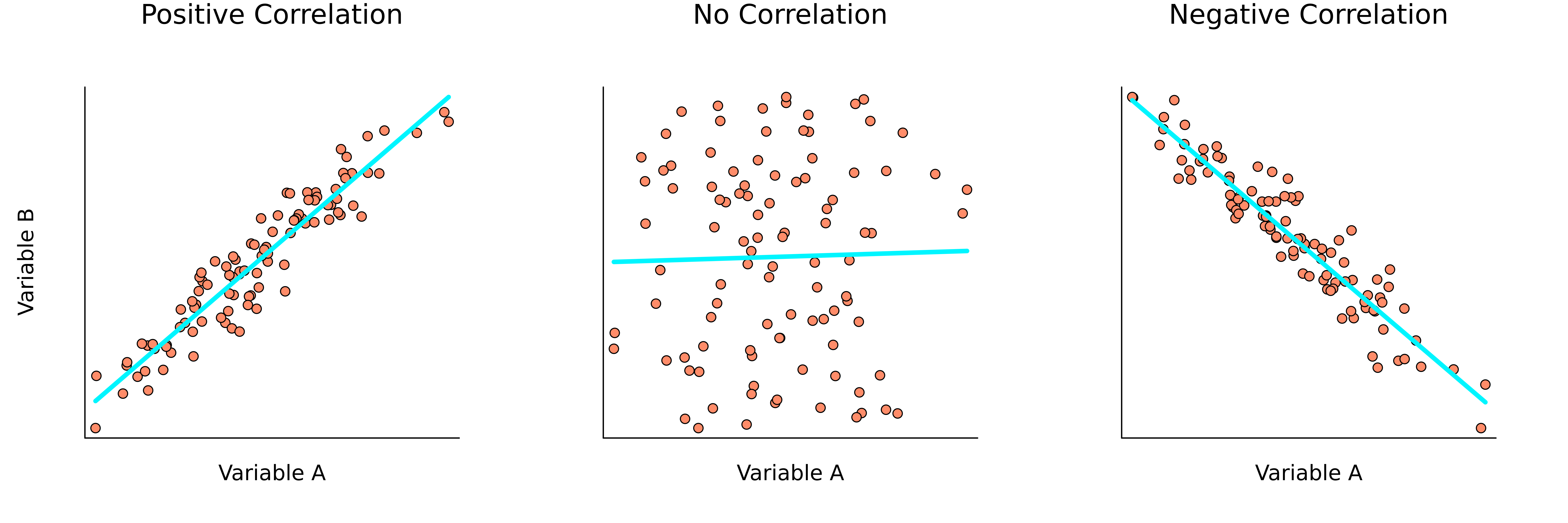
markercolorsmooth untuk menambah garis regresi (linewidth, linecolor untuk mengkustom garis) → cara bagus menampilkan korelasiPengantar Visualisasi Data dengan Julia